
Screenshots
App details
- Version
- 8.5.1302.1018
- Size
- 243.53 KB
- Updated
- January 31, 2023
- Requires
- Windows XP
- Language
- English | German | Greek | Spanish | Fre...
- License
- Free
- Developer
- Mess
- Category
- Windows OS
About Mess Patch
Download Mess Patch – Free Customization Tool for Windows Live Messenger
Enhance Your Windows Live Messenger with Over 70 Powerful Tweaks
Mess Patch is a revolutionary plug-in designed to breathe new life into Microsoft’s Windows Live Messenger, a once-popular instant messaging client that has since been phased out in favor of Skype. Despite its sunset status, many users still rely on Windows Live Messenger for legacy contacts and familiar workflows. Mess Patch steps in to deliver a comprehensive suite of over 70 customizable features that significantly improve functionality, appearance, and usability. Whether you're a power user looking to unlock advanced options or a casual user wanting a more personalized experience, this tool offers something for everyone.
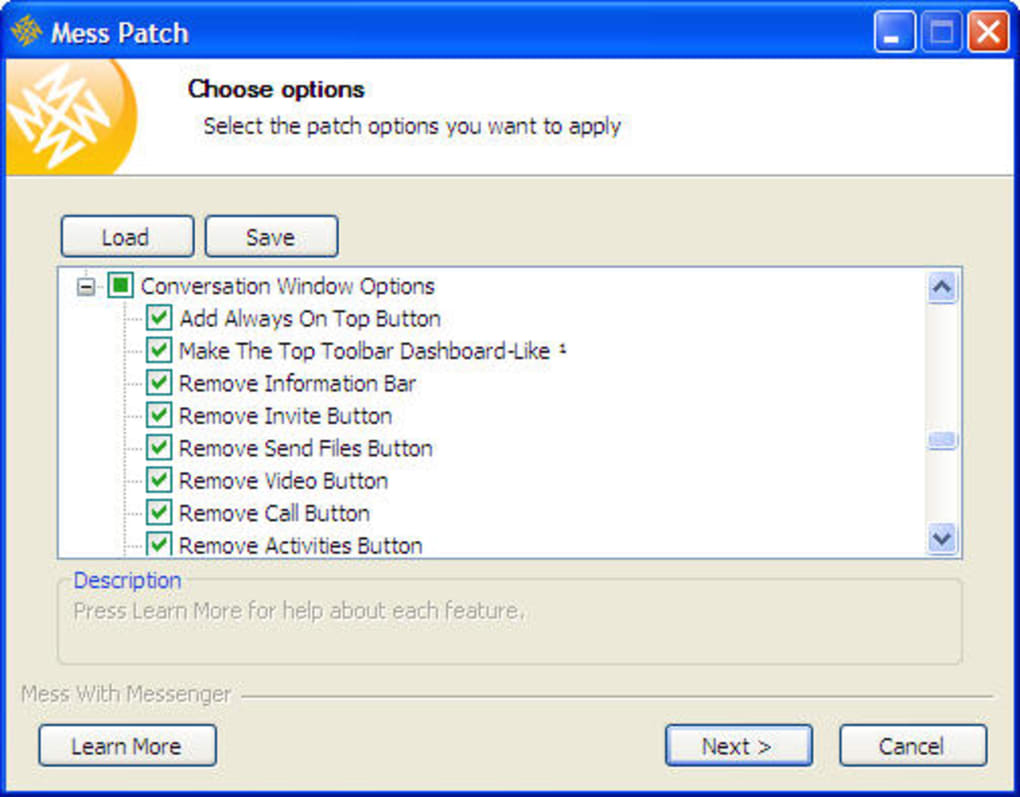
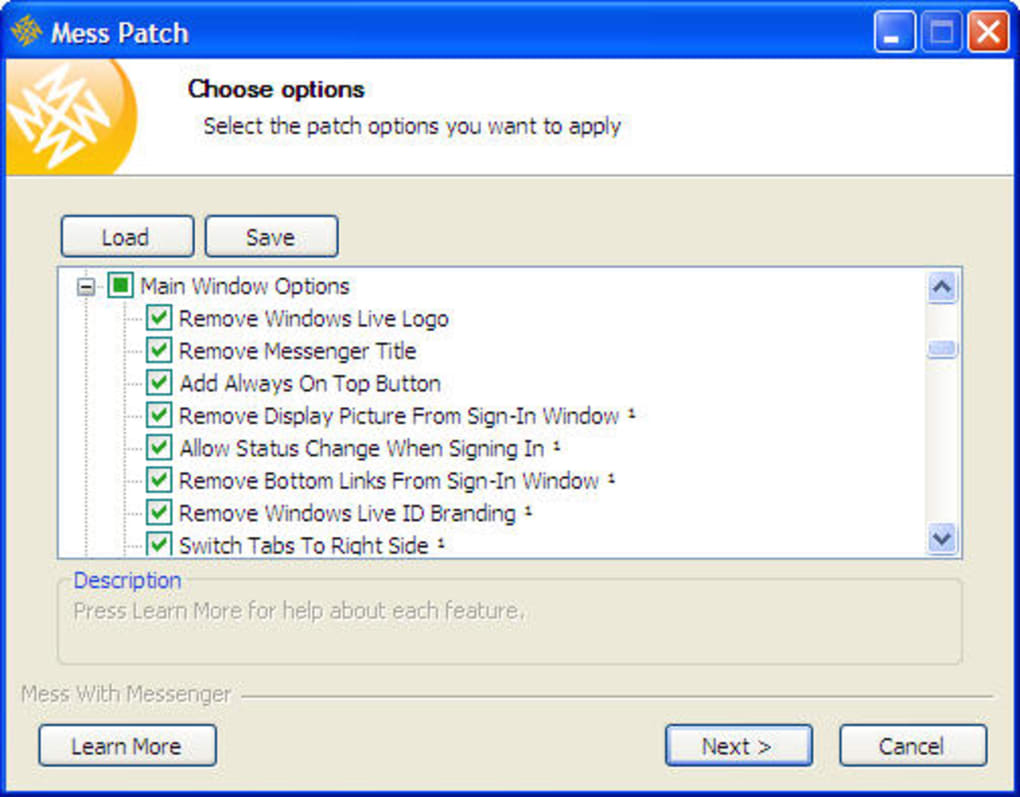
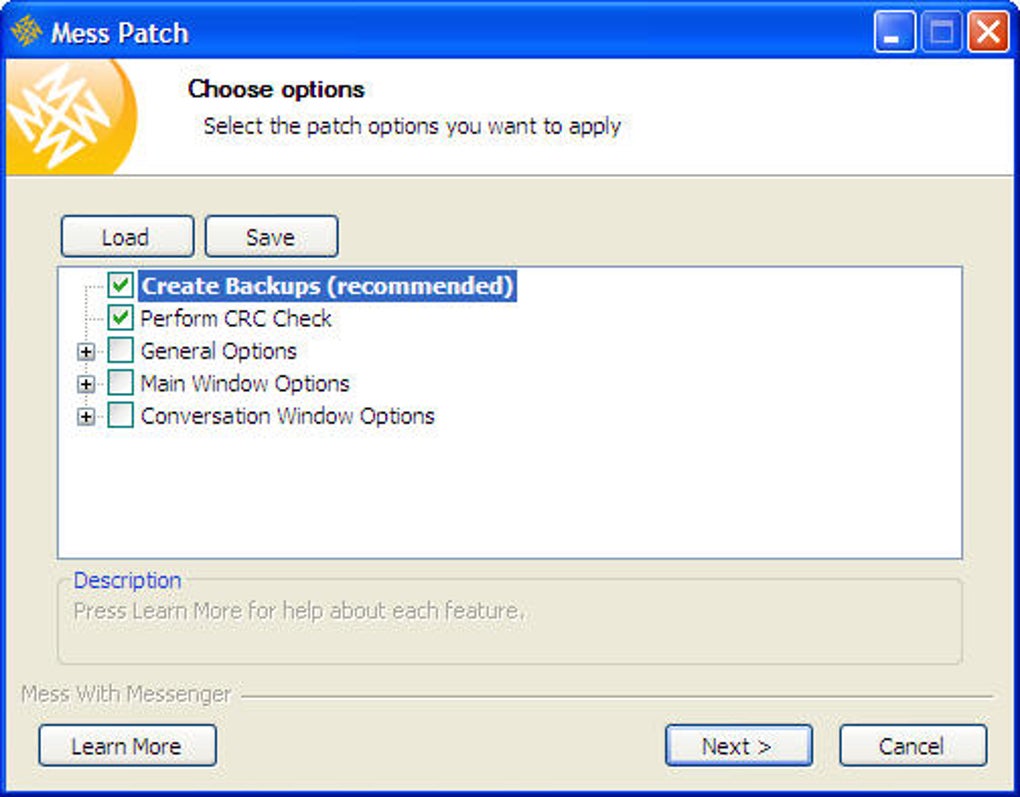
What sets Mess Patch apart is its wizard-style installation process, which guides users step-by-step through selecting and applying desired changes. Instead of a cluttered interface, the tool organizes settings into three intuitive categories: General, Main Window, and Conversation Window. Each category includes clear descriptions, helping even novice users understand the impact of each tweak. From enabling multiple instances of Messenger to unlocking blocked file extensions for smoother file sharing, the options are both practical and innovative.
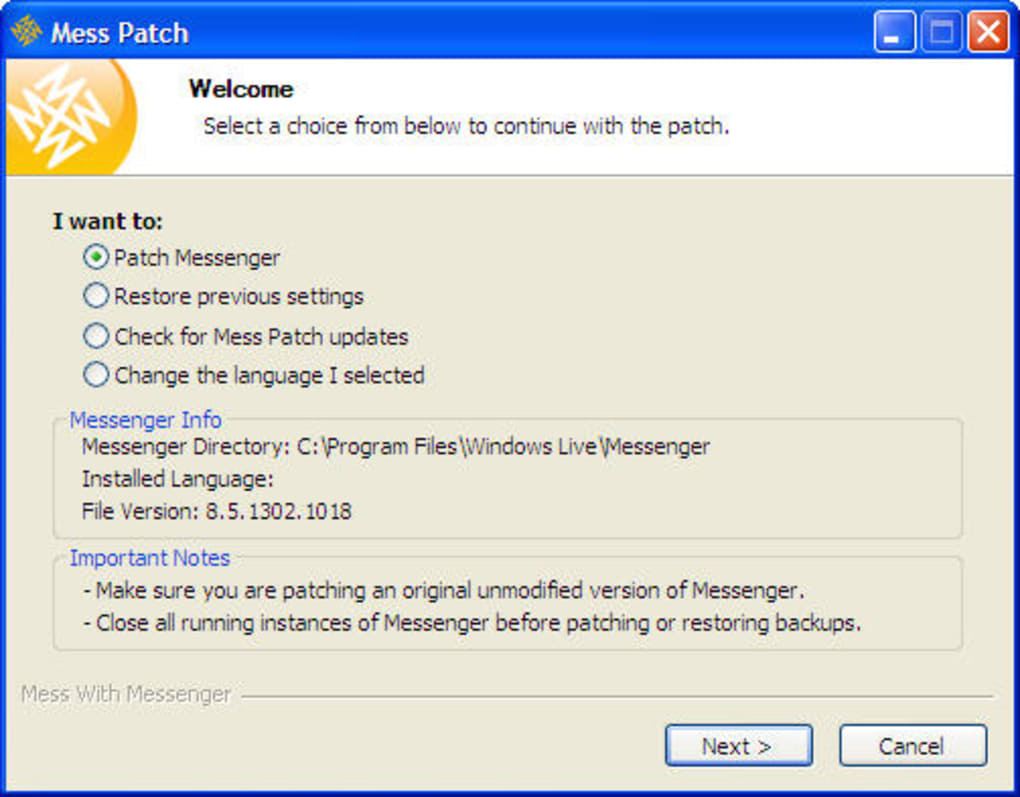
Once the configuration is complete, simply launch Windows Live Messenger, and all changes are applied instantly—no restarts, no complex setup. The real magic lies in its reversibility: if you ever want to return to the original settings, just re-run Mess Patch and select the “Restore previous settings” option. This makes the tool safe to use, even for those hesitant about modifying system-level applications. For anyone still using Windows Live Messenger, Mess Patch is an essential upgrade that brings modern customization to a classic app.
Key Features and Customization Options in Mess Patch
With more than 70 built-in features, Mess Patch transforms Windows Live Messenger from a basic chat client into a highly personalized communication platform. The tool excels in offering granular control over both appearance and behavior, making it a go-to solution for users who crave more than the default experience.
- Multiple Instance Support – Run more than one instance of Windows Live Messenger simultaneously, perfect for managing multiple accounts or testing different profiles.
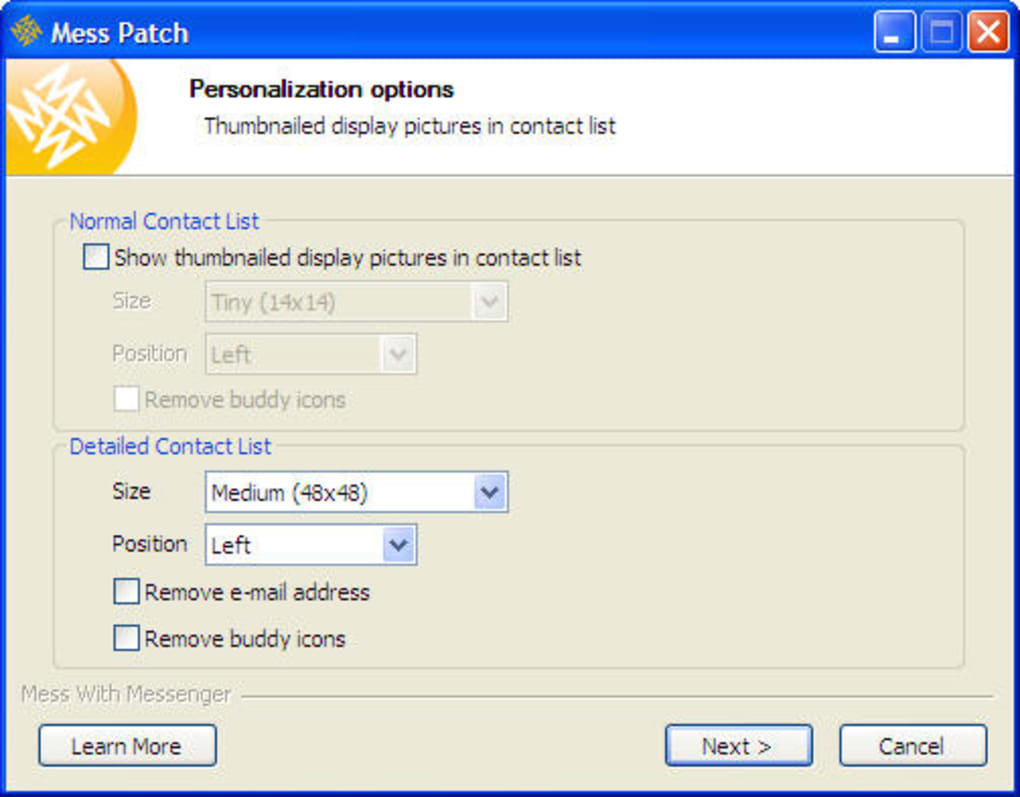
- Custom Avatars in Contact List – Display custom avatars next to your contacts, enhancing visual recognition and personalization.
- Unlock Blocked File Extensions – Bypass default restrictions to send and receive files like .exe, .bat, and .zip with confidence.
- Custom Window Title – Modify the Messenger window title with custom text or dynamic information (e.g., status, time).
- Enhanced Conversation Window – Add features like message history search, improved font controls, and customizable background colors.
- Auto-Start with Windows – Configure Messenger to launch automatically when your system boots up.
- Hide Contact List – Toggle visibility on demand for a cleaner, distraction-free chat interface.
- Custom Sounds and Notifications – Replace default sounds with personalized audio cues for incoming messages.
- Improved Status Indicators – Customize how your availability status appears to others.
- Advanced Logging Options – Enable detailed chat logs for later review or archiving.
These features aren’t just flashy additions—they address real user pain points. For example, the ability to send .exe files (commonly blocked by default) is a game-changer for users sharing software updates or tools. Similarly, the customizable window title helps users identify their active session quickly, especially when running multiple instances. The tool also maintains compatibility with older versions of Windows Live Messenger, ensuring broad accessibility across systems.
Best of all, Mess Patch doesn’t require administrative privileges for most features, making it easy to install and use on shared or restricted devices. Whether you're a student, remote worker, or long-time Messenger user, these tools empower you to tailor the app exactly to your workflow.
Easy Installation, Safe Usage, and Full Compatibility
One of the standout aspects of Mess Patch is its user-friendly installation process. Unlike traditional software that requires complex setup, Mess Patch operates as a lightweight wizard that walks you through each step. After downloading the file, simply run it and choose the features you want to enable. The interface is minimal but effective—no confusing menus, just clear checkboxes and descriptions.
Once the configuration is complete, the tool applies changes directly to your Windows Live Messenger installation. There’s no need to manually edit registry entries or modify system files—Mess Patch handles everything behind the scenes. This makes it safe for users of all skill levels, including those unfamiliar with advanced system tweaks.
Compatibility is another major strength. Mess Patch works seamlessly with Windows XP, Vista, 7, 8, and 10, ensuring broad support across older and newer systems. While it’s primarily designed for Windows, users on Mac can still benefit indirectly by using compatibility layers or virtual machines, though native support is limited. The tool is also compatible with both 32-bit and 64-bit versions of Windows, making it accessible to a wide audience.
For those concerned about security, Mess Patch is a lightweight, standalone executable with no background processes or bundled adware. It’s frequently updated by its developer community to ensure compatibility with the latest Messenger patches. Regular updates help maintain performance and prevent potential conflicts. Users can also verify the tool’s integrity using digital signatures or checksums when available.
After installation, you can launch Windows Live Messenger as usual—the changes are already applied. If you ever need to revert, just re-run Mess Patch and select the “Restore previous settings” option. This undo function adds a crucial layer of safety, allowing users to experiment without fear of permanent changes.
Pros, Cons, and Frequently Asked Questions
Pros of Mess Patch
- Over 70 customizable features for enhanced functionality
- Simple, wizard-based installation with no technical knowledge required
- Safe and reversible—restore original settings anytime
- Lightweight and secure with no bloatware or ads
- Compatible with multiple Windows versions and architectures
Cons of Mess Patch
- No built-in GUI inside Messenger—settings must be reconfigured via the tool
- Not officially supported by Microsoft
- Limited to Windows OS (no native Mac or Linux support)
- Windows Live Messenger is no longer supported by Microsoft (Skype transition)
Frequently Asked Questions (FAQ)
Is Mess Patch free to download and use?
Yes, Mess Patch is completely free to download and use. There are no hidden fees, subscriptions, or trial limitations. The tool is distributed as a standalone executable with no ads or bundled software.
Can I use Mess Patch on Windows 10 or Windows 11?
Yes, Mess Patch is fully compatible with Windows 10 and Windows 11. It has been tested and confirmed to work with both 32-bit and 64-bit versions of these operating systems.
Does Mess Patch work with Windows Live Messenger on Mac?
Mess Patch is designed exclusively for Windows. However, Mac users can still use Windows Live Messenger via compatibility layers like Wine or virtual machines, though native support is not available.
Can I undo changes made by Mess Patch?
Absolutely. Mess Patch includes a built-in “Restore previous settings” option. Simply re-run the tool and select this feature to revert all changes back to the original state.
Why is Microsoft replacing Windows Live Messenger with Skype?
Microsoft discontinued Windows Live Messenger in favor of Skype due to improved video calling, cross-platform support, and better integration with other Microsoft services. All contacts were automatically migrated to Skype to ensure continuity.
Final Verdict: A Must-Have Tool for Legacy Messenger Users
While Windows Live Messenger is no longer officially supported, it remains a functional tool for users with legacy accounts and long-term contacts. Mess Patch fills the gap by transforming this outdated client into a modern, feature-rich communication platform. With over 70 customizable tweaks, a simple installation process, and full reversibility, it’s one of the most reliable third-party tools for Windows IM customization.
Despite its lack of an in-app settings menu and limited OS support, the benefits far outweigh the drawbacks. If you’re still using Windows Live Messenger and want to maximize its potential, Mess Patch is a must-download. It’s secure, free, and delivers real value to power users and casual chat enthusiasts alike.
Download Mess Patch today and take full control of your messaging experience—before the final sunset of this iconic software.
Guides & Tutorials
How to install Mess Patch
- Click the Download button above.
- Once redirected, accept the terms and click Install.
- Wait for the Mess Patch download to finish on your device.
How to use Mess Patch
This software is primarily used for its core features described above. Open the app after installation to explore its capabilities.
User Reviews
No reviews yet. Be the first to share your experience.
You may also like
more
Llama 2
Free-to-use large language model As the new addition to Meta’s arsenal of langua...

NotebookLM
Revolutionizing the note-taking and idea-generation process NotebookLM is an exp...

Github co pilot
AI-inspired software development and coding platform GitHub Copilot is a browser...

Google Gemma
Google’s lightweight AI models Introducing Google Gemma , a family of cutting-ed...

AI Image Enlarger
A free app for Windows, by ai-image-larger. AI Image Enlarger is a free software...

DALL E
AI-driven text-to-image transformation engine DALL·E is a free graphic and desig...
