
Screenshots
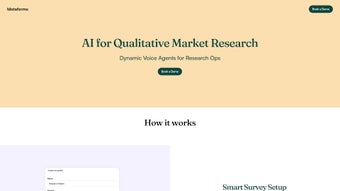
App details
- Updated
- November 28, 2024
- Requires
- Chrome
- License
- Subscription
- Developer
- Siddish Reddy
- Category
- Web Apps
About Metaforms
Download Metaforms – AI‑Powered Survey & Feedback Tool
Overview: Why Metaforms Stands Out in the Survey Landscape
Metaforms is an advanced AI‑driven survey and feedback platform that redefines how CX managers, product owners, and marketing leaders collect and analyse insights. Built as a web‑based application, Metaforms eliminates the traditional bottlenecks of questionnaire design, distribution, and data cleaning. Its AI engine can frame questions in real‑time, adapt follow‑up queries based on respondent behaviour, and generate contextual acknowledgements that keep participants engaged. According to the product’s own benchmarks, the setup process is up to **85 % faster** than legacy tools, which means teams can move from concept to live survey in minutes instead of hours. Beyond speed, Metaforms delivers richer data by automatically tagging sentiment, spotting trends, and offering visual dashboards that turn raw responses into actionable recommendations. The platform also supports a wide range of integration points—from CRM and marketing automation suites to custom webhooks—so the collected feedback can flow directly into the tools teams already use. In short, Metaforms is not just another questionnaire builder; it is a research‑assistant that leverages artificial intelligence to make every interaction more personal, relevant, and data‑rich.
Core Features that Power Intelligent Feedback Collection
- AI‑Generated Question Framing: The system analyses the survey goal and instantly suggests wording that matches the target audience’s language, reducing bias and improving response rates.
- Adaptive Follow‑Up Queries: As respondents answer, the AI proposes contextual follow‑ups, ensuring deeper insight without overwhelming the participant.
- Real‑Time Sentiment Tagging: Every open‑ended answer is automatically classified for sentiment, allowing instant sentiment dashboards.
- Dynamic Acknowledgements: Personalized thank‑you messages are crafted on the fly, increasing goodwill and encouraging future participation.
- Cross‑Platform Integration: Native connectors for HubSpot, Salesforce, Slack, Zapier, and custom REST APIs streamline data flow.
- Responsive Design & Mobile Optimisation: Surveys automatically adapt to any screen size, guaranteeing a smooth experience on desktops, tablets, and smartphones.
- Secure Data Handling: End‑to‑end encryption, GDPR compliance, and role‑based access control keep respondent data safe.
- Insight‑Driven Reporting: Built‑in analytics provide heatmaps, trend lines, and export options (CSV, PDF, Excel) for deeper offline analysis.
Each of these features works together to create a feedback loop that is both fast and highly accurate. For example, a product manager launching a beta can instantly see which features delight users and which cause friction, thanks to the AI‑powered sentiment tags. Meanwhile, a CX manager can deploy a post‑interaction survey that feels conversational, thanks to adaptive follow‑ups, leading to higher completion rates and richer qualitative data. The combination of speed, intelligence, and security makes Metaforms a compelling choice for any organization that treats data as a strategic asset.
Installation, Usage & Compatibility: Getting Started in Minutes
Step‑by‑Step Installation
Metaforms is delivered as a SaaS web application, so there is no local software to download or install. Getting started is as simple as signing up on the official website, confirming your email, and accessing the dashboard through any modern browser. For enterprises that require a private‑cloud deployment, Metaforms offers a Docker‑based container that can be provisioned on AWS, Azure, or Google Cloud with a single command:
docker run -d -p 8080:80 metaforms/engine:latestAfter the container is up, you point your domain to the instance, run the initial setup wizard, and you’re ready to create surveys.
Using the Platform
The user interface follows a three‑step workflow: Design → Distribute → Analyse. In the Design phase, you choose a template or start from scratch. The AI assistant appears on the right side, suggesting question wording and optional follow‑ups as you type. Once the questionnaire is ready, the Distribution tab lets you generate a shareable link, embed code, or QR code. You can also schedule email invites directly from Metaforms or push the survey to Slack channels via the native integration. After responses start arriving, the Analyse tab provides real‑time dashboards, sentiment breakdowns, and the ability to filter by demographics or behavioural tags. Export options let you download raw data for deeper statistical work in tools like R or Python.
Compatibility Across Devices
Because Metaforms runs in the browser, it is fully compatible with Windows, macOS, Linux, Chrome OS, as well as iOS and Android browsers. The responsive design ensures that respondents experience the same AI‑enhanced interaction on a desktop monitor or a handheld phone. For organisations that prefer a dedicated mobile experience, Metaforms also offers native iOS and Android companion apps that sync with the cloud dashboard, allowing field teams to collect offline responses that are uploaded automatically once an internet connection is restored.
Pros & Cons, FAQ, and Final Thoughts
Pros
- Lightning‑fast survey creation thanks to AI assistance.
- Adaptive follow‑ups keep respondents engaged and improve data depth.
- Real‑time sentiment analysis provides immediate insight.
- Seamless integration with major CRM and marketing platforms.
- Robust security and GDPR compliance for enterprise peace of mind.
- Cross‑device compatibility eliminates the need for multiple versions.
Cons
- Advanced AI features are locked behind higher‑tier plans.
- Learning curve for teams new to AI‑driven survey design.
- Limited offline functionality in the web version (requires internet for AI processing).
Frequently Asked Questions
Is Metaforms suitable for small businesses?
Yes. Metaforms offers a free tier that includes basic survey creation and limited AI suggestions, making it accessible for startups and small teams. Paid plans scale with usage and unlock the full AI suite.
How does Metaforms ensure data privacy?
All data is encrypted at rest and in transit using AES‑256 and TLS 1.3. Metaforms complies with GDPR, CCPA, and ISO 27001 standards, and offers role‑based access controls to limit who can view raw responses.
Can I integrate Metaforms with my existing CRM?
Absolutely. Native connectors exist for Salesforce, HubSpot, and Microsoft Dynamics, plus a generic webhook option for any system that can receive JSON payloads.
What kind of support does Metaforms provide?
All plans include a knowledge base and community forum. Paid tiers receive priority email support, live chat, and optional dedicated account managers for enterprise customers.
Is there an API for custom integrations?
Yes. Metaforms offers a RESTful API with endpoints for creating surveys, retrieving responses, and managing templates. Documentation and SDKs for JavaScript, Python, and Ruby are available on the developer portal.
Conclusion & Call to Action
Metaforms merges the speed of modern SaaS with the intelligence of AI, delivering a survey platform that not only gathers data but also interprets it on the fly. For CX managers who need rapid, actionable insights; product teams looking to validate features with minimal friction; and marketers aiming to capture authentic customer sentiment, Metaforms offers a compelling blend of usability, security, and analytical depth. Ready to experience surveys that think for themselves? Download Metaforms today, start your free trial, and watch your feedback loop become a strategic advantage.
Guides & Tutorials
How to install Metaforms
- Click the Download button above.
- Once redirected, accept the terms and click Install.
- Wait for the Metaforms download to finish on your device.
How to use Metaforms
This software is primarily used for its core features described above. Open the app after installation to explore its capabilities.
User Reviews
No reviews yet. Be the first to share your experience.
You may also like
more
3D AI Studio
3D AI Studio Overview 3D AI Studio is a web-based AI-powered tool developed by S...

3D textures by Polycam
Generate Realistic 3D Textures Effortlessly 3D Textures by Polycam is an innovat...

3DAiLY
Customizable 3D Modeling Tool: 3DAiLY 3DAiLY is an online platform that harnesse...

3DFY
Revolutionizing 3D Model Creation: 3DFY Review 3DFY is an AI-powered service, de...

AI Dungeon
AI Dungeon: Deep Learning Text Adventure AI Dungeon is an artificial intelligenc...

Alpha3D
A subscription-based program for Web apps, by alpha3d. Alpha3D is a subscription...
