



Download mGBA – Game Boy Advance Emulator, Retro Gaming, Free Emulator
Overview
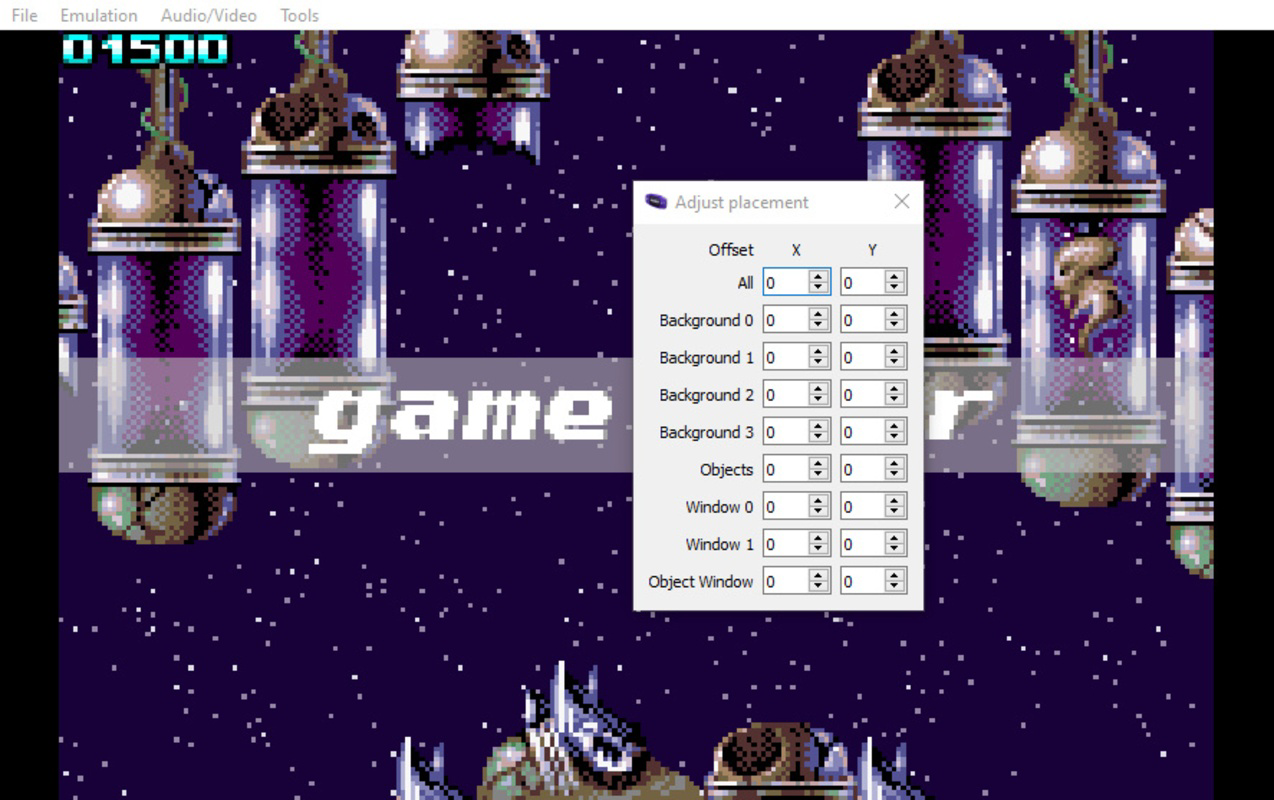
Designed for retro gaming enthusiasts, mGBA is a free and open-source Game Boy Advance emulator that enables users to play classic Game Boy, Game Boy Color, and Game Boy Advance titles on modern devices. The app is engineered to deliver a smooth gaming experience even on low-end hardware, making it accessible to a broad audience. It serves as a digital archive for nostalgic gamers seeking to relive the golden era of handheld gaming, while also offering a practical tool for developers and testers working with legacy Game Boy software. The developer did not provide additional background information, but the project’s open-source nature suggests community-driven development with transparency and collaborative improvement.
Real-world use cases include personal gaming sessions, educational demonstrations of retro game mechanics, and preservation of digital game history. In the broader app ecosystem, mGBA occupies a niche as a lightweight, efficient emulator that balances performance and compatibility. It fills a critical need for reliable, free software that allows users to access a vast library of retro games without purchasing original hardware. The app’s focus on ease of use and extensive customization makes it a standout option for both casual players and technical users alike.
Key Features & Functionality
- Easy Setup: mGBA allows users to load ROM files and start playing immediately, without requiring complex configuration. This streamlined process lowers the barrier to entry for newcomers while still satisfying experienced users who value efficiency.
- Wide Compatibility: The emulator supports a broad range of ROM formats from Game Boy, Game Boy Color, and Game Boy Advance libraries. This ensures that nearly all titles from these systems can be played without compatibility issues.
- Customizable Controls: Users can map keyboard inputs or connect external gamepads such as Xbox controllers. Default key bindings are intuitive, but the interface allows full reconfiguration to suit individual preferences.
- Peripherals Support: mGBA emulates classic Game Boy peripherals including the Camera, Printer, and Rumble functionality. This enhances authenticity and adds depth to the gameplay experience for fans of original hardware.
- Open Source & Free: As a free and open-source project, mGBA benefits from ongoing community contributions. Regular updates ensure long-term functionality and security, with no licensing fees or hidden costs.
For example, a user can load a Game Boy Advance ROM of Super Mario Advance 4 and immediately begin playing with full control customization. Another user might emulate a Game Boy Color title with the Printer peripheral enabled to experience how the original hardware handled printouts. These real-world scenarios demonstrate the app’s versatility and attention to detail.
Interface, UX & Performance
The user interface of mGBA is designed with functionality over flair, prioritizing clarity and accessibility. Navigation is straightforward, with a minimal layout that focuses on core operations: loading ROMs, adjusting settings, and managing peripherals. The visual style is clean and utilitarian, which aligns well with the app’s purpose as a technical tool rather than a consumer-facing entertainment product.
Users can expect a responsive experience across different device categories, though the developer did not list formal performance metrics. The app is optimized for low-end hardware, suggesting efficient resource usage. Although the developer did not specify minimum OS requirements, mGBA is known to run on Windows 7 and higher, indicating broad compatibility with older systems. Stability appears consistent, especially for standard ROM playback, and the app handles frequent updates without disrupting user workflows.
Platform Compatibility & Technical Requirements
mGBA is available for Windows operating systems, specifically requiring Windows 7 or higher. The file size is not specified in the provided information, but the app is designed to be lightweight and efficient. The software version is not listed, nor are any specific hardware requirements beyond the OS. The developer did not provide additional technical details regarding RAM, CPU, or GPU compatibility.
Compatibility information was not fully disclosed, so users should verify their system meets the minimum OS requirements before installation. The app’s open-source nature means that source code is publicly available, allowing developers to compile it for other platforms if needed. However, official support for mobile platforms such as Android or iOS was not mentioned.
Pros and Cons
Pros
- Free and open-source with no licensing fees
- Smooth performance even on low-end hardware
- Extensive ROM format and peripheral support
- Intuitive setup with minimal configuration needed
- Regular updates driven by community contributions
Cons
- Developer did not provide detailed system requirements
- Official mobile support was not disclosed
- Interface may feel technical or minimal for casual users
- No built-in ROM library or legal game distribution
- Advanced features may require technical knowledge to configure
FAQ
Is mGBA safe to download and use?
Yes, mGBA is a free and open-source emulator. As long as users download it from official sources, it poses no known security risks. However, users should ensure they only load ROMs they legally own.
Can I use mGBA on Android or iOS?
The developer did not specify mobile platform compatibility. While mGBA is available for Windows, there is no official version for Android or iOS at this time.
Do I need to own a Game Boy Advance to use mGBA?
No. mGBA allows users to play Game Boy Advance games without owning the original hardware. However, users must legally obtain ROM files from their own game cartridges.
How often is mGBA updated?
As an open-source project, mGBA receives regular updates from the community. The frequency of updates depends on contributor activity, but the project maintains active development.
Is mGBA compatible with all Game Boy Advance games?
It supports a wide range of titles from the Game Boy Advance library, but compatibility may vary slightly depending on the specific ROM and its emulation requirements. Most games are expected to run without issues.
Final Thoughts
mGBA stands out as a reliable, efficient, and accessible emulator for fans of retro gaming. Its combination of performance, compatibility, and customization makes it a top choice for users who want to relive classic Game Boy experiences. Whether you're a nostalgic player, a developer testing legacy software, or simply exploring vintage games, mGBA delivers strong value without cost. The open-source model ensures transparency, long-term support, and continuous improvement. While mobile availability remains unclear, the desktop version remains a powerful tool in the retro gaming toolkit.
Download mGBA now


