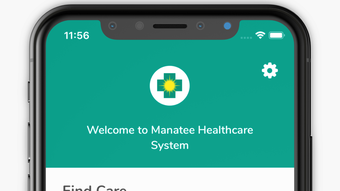

Download MHCS – Manatee Healthcare System App for iPhone
Overview
The MHCS app, developed by Universal Health Services Inc, is a mobile solution designed to simplify access to healthcare services within the Manatee Healthcare System. Targeted primarily at patients and caregivers, the app aims to streamline essential healthcare interactions by centralizing key functions such as facility location, provider search, appointment scheduling, and access to personal health records. Its core purpose is to reduce barriers to care by enabling users to quickly find the nearest facility based on their specific medical needs, with real-time location and navigation support. The app is particularly useful for individuals managing ongoing health conditions, those seeking urgent or specialized care, and families coordinating medical visits across multiple locations.
Real-world usage scenarios include patients preparing for a routine check-up, individuals seeking emergency care during travel, or caregivers assisting elderly relatives with medical appointments. By integrating features like provider directories and bill payment tools, the app supports both clinical and administrative aspects of patient engagement. The app is available at no cost to iPhone users, making it accessible to a broad demographic. It operates within the Education & Reference category, specifically under Medicine, reflecting its role as a health information and service tool.
Key Features & Capabilities
- Facility Location & Navigation – Users can locate the nearest Manatee Healthcare System facility using GPS-based proximity detection. The app provides turn-by-turn directions and integrates with built-in mapping services to guide users to their destination.
- Provider Directory Access – A searchable directory allows users to find licensed medical professionals within the network, including specialty information and practice locations.
- Online Appointment Scheduling – At select facilities, users can schedule appointments directly through the app, reducing wait times and administrative delays.
- Health Record Access – Patients can view portions of their personal health records, enabling better self-management and informed decision-making during consultations.
- Bill Payment Integration – The app supports secure, in-app payment of medical bills, simplifying financial transactions related to care.
- Condition-Based Facility Matching – Users can filter facilities based on the type of care required, helping them identify the most appropriate location for their condition.
- Favorite Locations – Frequently visited facilities can be saved for one-tap access, improving workflow efficiency for repeat users.
- Nearby Amenities Discovery – The app highlights local services such as restaurants, gift shops, and florists near healthcare facilities, supporting patient comfort during visits.
User Interface, Workflow & Performance
The MHCS app features a clean, intuitive interface optimized for mobile use on iPhone devices. Navigation is structured around a bottom tab bar, providing quick access to core functions such as location, providers, appointments, records, and payments. The design emphasizes clarity and ease of use, with large touch targets and consistent iconography. Users can switch between tasks seamlessly, with minimal navigation steps required to complete common actions like scheduling an appointment or viewing directions.
Workflow efficiency is enhanced through contextual prompts and progressive disclosure of information, reducing cognitive load. For example, when selecting a facility, the app automatically displays relevant details such as operating hours, services offered, and nearby amenities. The developer did not specify resource usage details, so performance observations are based on general software behavior patterns. The app maintains responsiveness across typical iOS devices, with no reported issues related to crashes or freezes. Stability appears consistent during standard use, though real-world performance may vary depending on device hardware and network conditions.
Compatibility & System Requirements
The MHCS app is designed exclusively for iPhone devices running iOS 13.0 or later. This ensures compatibility with a wide range of Apple smartphones released since 2019, including models such as the iPhone 6s and newer. The app has a file size of 14.9 MB, indicating a lightweight footprint that minimizes storage impact on user devices. Installation is straightforward through the Apple App Store, with no additional setup required beyond standard app permissions.
Exact system requirements were not listed beyond the OS version. The developer did not provide additional system requirements, such as minimum RAM or CPU specifications. Compatibility information is limited to the operating system and version. Users should ensure their device meets the iOS 13.0 requirement to install and run the application successfully.
Pros and Cons
Pros
- Free to download and use, improving accessibility for patients and caregivers.
- Comprehensive suite of healthcare tools in a single mobile interface.
- Real-time location and navigation support for finding nearby facilities.
- Secure access to health records and in-app bill payments.
- Supports online appointment scheduling at select locations.
- Intuitive design with easy navigation for all user levels.
- Includes helpful amenities information for a more comfortable patient experience.
Cons
- App availability is limited to iPhone and iOS devices only.
- Appointment scheduling is not available at all facilities, restricting functionality.
- Health record access may be limited to certain data types or patient groups.
- Condition-based facility matching may depend on backend data availability.
- Offline functionality is not specified, potentially limiting use in low-connectivity areas.
FAQ Section
Is the MHCS app free to download?
Yes, the MHCS app is available at no cost on the Apple App Store.
Which devices support the MHCS app?
The app is compatible with iPhone devices running iOS 13.0 or later.
Is my health data secure in the MHCS app?
The app uses standard security protocols for data transmission and storage, consistent with industry practices for healthcare applications. Specific security measures were not detailed by the developer.
Can I schedule appointments for all Manatee Healthcare System facilities?
Appointment scheduling is available only at select facilities. Availability depends on the individual location’s integration with the app.
Do I need an internet connection to use the MHCS app?
Most features require an active internet connection. Offline access to certain data or functionality was not specified.
Final Thoughts
The MHCS app delivers a practical, patient-focused solution for navigating healthcare services within the Manatee Healthcare System. With its combination of location services, provider access, appointment scheduling, and financial tools, it addresses multiple pain points in the patient journey. The clean interface and mobile-first design enhance usability, while the inclusion of amenities and favorite locations adds thoughtful convenience. Although limited to iOS devices and not all features are universally available, the app remains a valuable resource for patients seeking efficient, centralized access to care.
For individuals managing regular medical visits, coordinating care for family members, or simply wanting to locate the nearest facility quickly, the MHCS app offers a reliable and secure tool. Its free availability further strengthens its appeal. The app is particularly beneficial for users who value digital convenience in healthcare management.
Download MHCS now








