
Screenshots
App details
- Version
- 1.1.4
- Updated
- July 10, 2024
- Requires
- iOS 16.4
- Language
- English | Japanese
- License
- Free
- Developer
- AppSimple LLC
- Category
- iPhone OS
About Mind Timer
Simple Meditation Timer for iPhone
Designed for users seeking a clean, focused approach to mindfulness, Mind Timer is a dedicated iPhone application that supports meditation tracking through intuitive timing intervals. The app streamlines the meditation process by offering customizable session lengths, high-quality chime sounds, and a selection of calming backgrounds. It caters to both beginners and experienced practitioners aiming to maintain consistency in their mindfulness routines. With its minimal interface and clear navigation, Mind Timer helps users stay present and engaged during practice. The app includes built-in guidance on effective meditation techniques and provides a direct link to the Guided Mind app’s library of guided sessions, enabling a seamless transition between self-guided and structured meditation. It is ideal for daily use in personal wellness routines, work breaks, or quiet moments at home.
Key Features & Capabilities
- Meditation Intervals – Users can set custom durations for meditation sessions, allowing flexibility for short mindfulness breaks or extended practice periods. This feature supports both continuous and interval-based meditation styles.
- High-Quality Chime Sounds – The app offers five distinct chime tones that mark the beginning and end of each session. These sounds are designed to be soothing and non-intrusive, helping users transition smoothly into and out of meditation.
- Customizable Backgrounds – A selection of calming visual backgrounds enhances the meditative atmosphere. These backgrounds can be chosen to match the user’s mood or environment, supporting a more immersive experience.
- Guided Meditation Access – Direct integration with the Guided Mind app allows users to explore a broader range of guided sessions. This feature bridges self-guided practice with structured meditation content.
- Beginner-Friendly Instructions – The app includes simple, clear guidance on how to use the timer effectively, making it accessible for those new to meditation or mindfulness practices.
These features work together to create a distraction-free environment conducive to mindfulness. For example, a user can set a 10-minute session with a soft chime and a gradient background to begin their daily mindfulness ritual. The inclusion of instructional content ensures users can get started without prior experience, while the integration with an external app expands the app’s utility beyond basic timing.
User Interface, Workflow & Performance
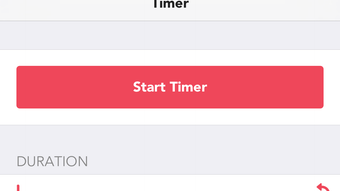
Mind Timer features a minimalist interface focused on clarity and ease of use. Navigation is straightforward, with primary controls clearly labeled and accessible from the main screen. The layout prioritizes essential functions—starting, pausing, and adjusting the timer—ensuring that users can interact with the app without distraction. The workflow is designed to support uninterrupted meditation, minimizing the need for multiple taps or complex menus.
Performance observations are based on general software behavior patterns. The app operates smoothly on supported devices, with no reported lag or crashes. The developer did not specify resource usage details. Stability appears consistent, and the app maintains responsiveness during active sessions. Battery consumption is expected to be minimal, as the app runs in the foreground with limited background activity.
Compatibility & System Requirements
Mind Timer is designed exclusively for iPhone devices. It runs on iOS and is compatible with the latest versions of the operating system. The app has a file size of 48.2 MB, which is relatively compact for a mobile application with visual and audio features. The developer did not specify exact system requirements. Compatibility information was partially provided. Users should ensure their device meets the minimum iOS version required by the app, which is not explicitly stated.
Pros and Cons
Pros
- Simple, distraction-free interface ideal for mindfulness practice
- Five high-quality chime sounds for session start and end cues
- Customizable backgrounds enhance the meditative atmosphere
- Direct link to guided meditation content via the Guided Mind app
- Includes beginner-friendly guidance on meditation techniques
Cons
- Limited to iPhone; no support for iPad or other platforms
- Integration with another app required for guided sessions
- Exact system requirements not disclosed by the developer
- App size may increase with future updates or content additions
Is Mind Timer available for free?
Yes, Mind Timer is available at no cost on the App Store. There are no in-app purchases or subscription fees associated with the core functionality.
Can I use Mind Timer offline?
Yes, the app functions without an internet connection. All core features, including timer settings, chime sounds, and backgrounds, are available offline.
Is the app compatible with iPad?
Mind Timer is designed exclusively for iPhone. It is not currently available for iPad or other Apple devices.
How often does the app receive updates?
The app was last updated on March 15, 2024. The update frequency is not publicly specified, but users can expect improvements and bug fixes through future releases.
What type of license does Mind Timer have?
As a mobile application distributed through the Apple App Store, Mind Timer operates under Apple’s standard licensing terms. The app is free to download and use, with no restrictions on personal or non-commercial use.
Final Thoughts + CTA
Mind Timer delivers a focused, reliable solution for individuals integrating meditation into their daily lives. Its clean design, thoughtful features, and seamless integration with guided content make it a valuable tool for mindfulness seekers. While limited to iPhone users, it excels in simplicity and usability, offering a distraction-free experience that supports both new and experienced meditators. For those looking to establish a consistent meditation habit, this app provides the essential tools in a compact, intuitive package.
Download Mind Timer now
Guides & Tutorials
How to install Mind Timer
- Click the Download button above.
- Once redirected, accept the terms and click Install.
- Wait for the Mind Timer download to finish on your device.
How to use Mind Timer
This software is primarily used for its core features described above. Open the app after installation to explore its capabilities.
User Reviews
No reviews yet. Be the first to share your experience.
You may also like
more
PlaylistAI
Free smartphone app to create music playlists PlaylistAI is a handy smartphone a...

Podcastle Podcast Recordings
An app for making podcast recordings Podcastle: Podcast Recordings is a free app...

harpy chat
Immersive role-play with AI characters harpy.chat is a free AI chat platform whe...

Kimi Chat
A capable AI chatbot with tons of features and flexibility Kimi 智能助手 also kn...

Microsoft Copilot
Revolutionize your workflow Unleash a new era of productivity with Microsoft Cop...

Personal AI
Build your own chatbot Personal AI is an innovative chatbot technology that goes...
