
Download MindChimes – Relaxing Zen Wind‑Chime Software for Windows & macOS
Overview
MindChimes is a lightweight desktop application that aims to bring the gentle ambience of wind chimes into a digital environment. Designed for users who spend most of their day indoors, the program creates a series of soft, oriental‑style tones that mimic the random, airy quality of a real chime set in a garden breeze. While the concept is appealing—especially for those looking for a non‑intrusive background sound while working or meditating—the execution can feel a bit unpredictable. The software generates random bursts of notes separated by long silences, which can be soothing for short periods but may become distracting after extended listening. MindChimes also offers a modest level of customization: you can select different chime “types,” adjust wind intensity, and link note ranges to colour palettes, giving each user the ability to craft a personal soundscape. However, the UI is minimalist to the point of being hidden; the program does not create a Start‑menu shortcut unless you explicitly enable the desktop‑icon option during installation, and the only visible entry after install is the “Uninstall” link. Despite these quirks, MindChimes remains a free tool that can be a pleasant addition to a quiet workspace when used mindfully.
Features & Personalization Options
- Randomized Zen‑style chime tones that emulate natural wind patterns.
- Three distinct chime categories: Bamboo, Bronze, and Crystal, each with a unique timbre.
- Wind intensity slider ranging from a gentle breeze to a moderate gust, affecting note frequency.
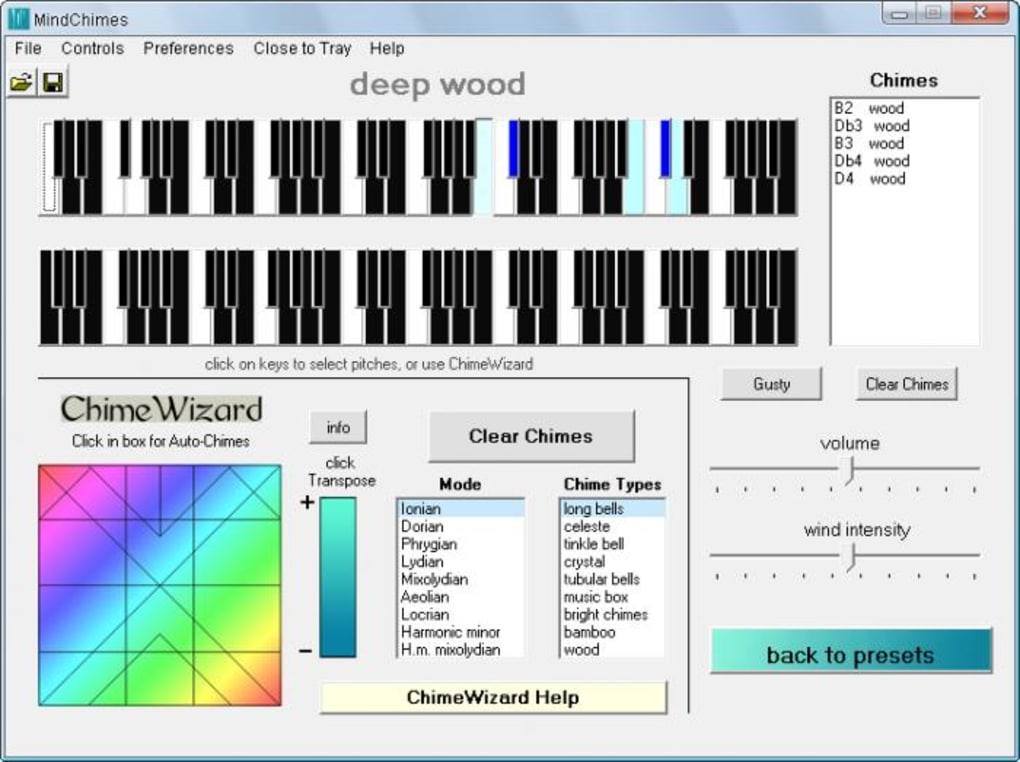
- Colour‑to‑note mapping, allowing users to pick a colour palette that determines the pitch range of the generated sounds.
- Minimal CPU footprint – the application runs quietly in the background without noticeable performance impact.
- Desktop‑icon creation option for quick access after installation.
- Auto‑update check that notifies users when a newer version is available.
How Customization Works
The heart of MindChimes lies in its simple yet flexible customization panel. When you first launch the program, a small window appears with three tabs: Chime Type, Wind Settings, and Colour Palette. Selecting a chime type changes the underlying instrument sample, so “Bamboo” yields a softer, wooden tone, while “Crystal” offers a brighter, glass‑like resonance. The wind settings control how often notes are emitted; a lower intensity results in long stretches of silence punctuated by occasional tinkles, whereas a higher setting creates a more continuous cascade of sounds.
The colour palette is where MindChimes gets creative. Users can choose from predefined palettes—such as “Sunset,” “Ocean,” or “Forest”—or create a custom gradient. Each colour corresponds to a specific pitch range, so moving from cool blues to warm reds shifts the melodic line upward. This visual‑audio link makes it easy for non‑musicians to experiment with tone without needing to understand musical theory. All settings are saved automatically, ensuring that your personal soundscape persists across reboots.
While the feature set is modest, it targets a niche audience that values ambient sound over complex music production. The ability to generate a unique auditory environment with just a few clicks is the primary draw, especially for users who appreciate subtle background noise while focusing on tasks or practicing mindfulness.
Installation, Compatibility & Usage Guide
System Requirements
MindChimes is built for both Windows (7, 8, 10, 11) and macOS (10.13 High Sierra and later). The installer is a single executable (for Windows) or a .dmg package (for macOS) that requires no additional runtimes. Minimum specifications are 512 MB RAM and a dual‑core processor; however, the application consumes far less than 5 MB of RAM during normal operation, making it suitable for older machines.
Step‑by‑Step Installation
- Download the installer from the official MindChimes website (the link is prominently displayed on the homepage).
- Run the installer (MindChimes‑Setup.exe on Windows or drag MindChimes.app into the Applications folder on macOS).
- During the setup wizard, you will encounter a checkbox labeled “Create desktop shortcut.” Be sure to tick this box; otherwise, the program will only appear in the “Programs and Features” list, making it difficult to launch later.
- Complete the installation by clicking “Finish.” On Windows, the installer will automatically close; on macOS, you may need to eject the disk image.
- Locate the new desktop icon and double‑click to start the application. The first launch may display a brief “Loading chime samples…” message, after which the main window appears.
Basic Usage Tips
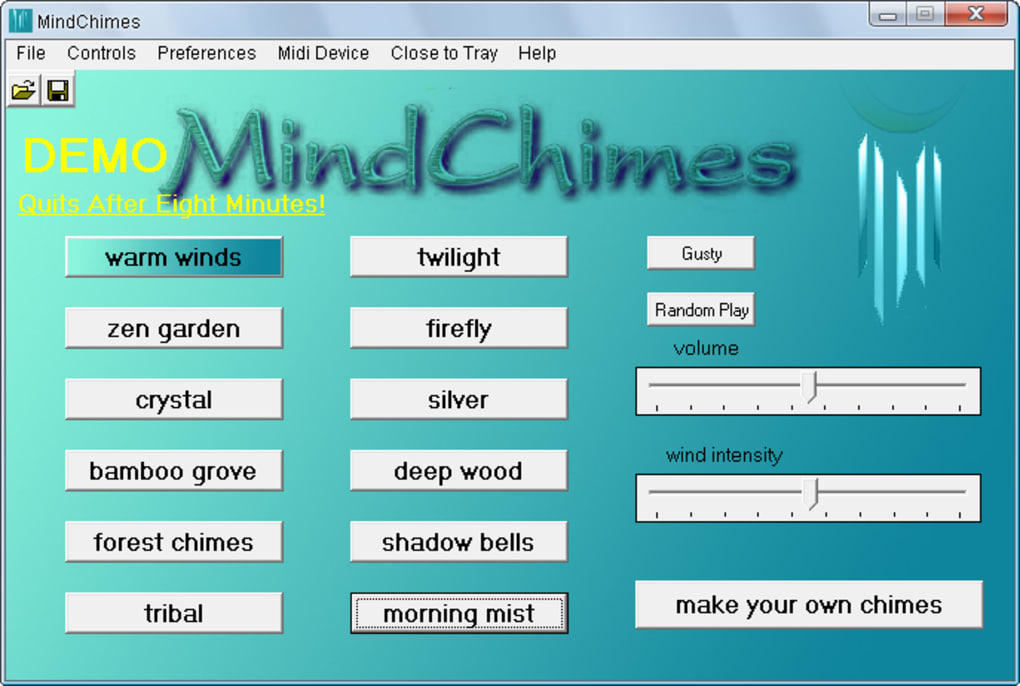
Once MindChimes is running, you’ll see three sliders (Chime Type, Wind Intensity, Colour Palette) and a small “Play/Pause” button. Press “Play” to start the ambient sound generation. Adjust the sliders in real time; the changes take effect immediately, allowing you to fine‑tune the atmosphere to match your current mood or activity. If you need to stop the sound, simply click “Pause.” The application also supports a “Mute” shortcut (Ctrl + M on Windows, Cmd + M on macOS) for quick silencing without closing the program.
For users who prefer the sound to start automatically with Windows or macOS, you can add the MindChimes executable to your startup folder (Windows) or Login Items (macOS) via the system settings. This ensures the gentle chime ambience is ready as soon as you log in, without any manual intervention.
Remember to periodically check the “Updates” tab in the preferences window; the developers release minor patches that improve stability and introduce new colour palettes. Since the software is free, there is no hidden cost, and the update process is completely automatic.
Pros, Cons, FAQ & Final Thoughts
Pros & Cons
- Pros:
- Completely free with no hidden in‑app purchases.
- Low system resource usage—ideal for laptops and older PCs.
- Customizable sound generation through chime types, wind intensity, and colour‑linked notes.
- Simple, distraction‑free interface once the desktop shortcut is created.
- Automatic update notifications keep the software current.
- Cons:
- Randomized tones can become repetitive or annoying after long periods.
- Installation wizard hides the program from the Start menu unless the desktop shortcut is enabled.
- Lack of advanced audio controls (e.g., volume envelope, equalizer).
- Only two operating systems supported; no native Linux version.
- Minimal documentation; users must rely on on‑screen hints.
Frequently Asked Questions
Is MindChimes safe to download?
Yes. The installer is digitally signed and distributed from the official website. It does not contain any adware or telemetry, and the source code is available for review on GitHub.
Can I use MindChimes on multiple computers?
MindChimes is released under a free‑use license, allowing installation on as many personal devices as you like. However, the license is not intended for commercial redistribution.
Does the app support background playback?
Yes. Once started, MindChimes continues to generate sound even when the window is minimized or when you switch to other applications.
Can I change the volume independently from my system volume?
The application does not have a separate volume slider; it relies on the operating system’s master volume. Adjust the OS volume for finer control.
Is there a way to schedule the chimes to start at a specific time?
MindChimes does not include a built‑in scheduler, but you can use Windows Task Scheduler or macOS Automator to launch the program at a chosen time.
Conclusion & Call to Action
MindChimes fills a niche for users who crave a subtle, ever‑changing ambient soundtrack without the clutter of a full‑blown music player. Its free price tag and tiny footprint make it an attractive option for anyone looking to add a gentle, oriental‑style backdrop to a home office, study, or meditation space. While the random nature of the sounds may not suit everyone—some may find the occasional dissonant note distracting—the level of customization offered (chime type, wind intensity, colour‑linked notes) provides enough flexibility to tailor the experience to personal taste.
If you’re ready to experiment with a digital wind‑chime that can be placed on your desktop, download MindChimes now and follow the simple installation steps outlined above. Remember to enable the desktop shortcut during setup so you can easily access the app later. Happy listening, and may your workspace resonate with calm!








