
Download Mini PIM – Minimalist Personal Information Manager for Windows, Mac, Linux
Overview
Mini PIM is a compact, portable personal information manager that packs a calendar, label editor, contact list and password manager into a single, no‑installation executable. Designed for users who value speed and simplicity, Mini PIM runs directly from a USB stick or any folder on your hard drive, leaving virtually no footprint on the host system. Its lightweight footprint means it consumes only a few megabytes of RAM and CPU, making it ideal for older machines, remote desktops, or travelers who need reliable access to essential data without the bloat of full‑featured suites. The interface follows a minimalist philosophy: each of the four tools appears as a large, clearly labeled button on the home screen, allowing you to jump straight to the function you need. While it does not attempt to replace enterprise‑grade solutions, Mini PIM excels as a quick‑access, secure, and free tool for everyday personal organization. Whether you need to glance at today’s appointments, keep a short list of contacts, generate printable labels, or store a handful of passwords, Mini PIM delivers a straightforward experience that works on Windows, macOS, and Linux without any additional drivers or libraries.
Key Features
- Portable Execution: Run directly from a USB drive or any folder – no installation required.
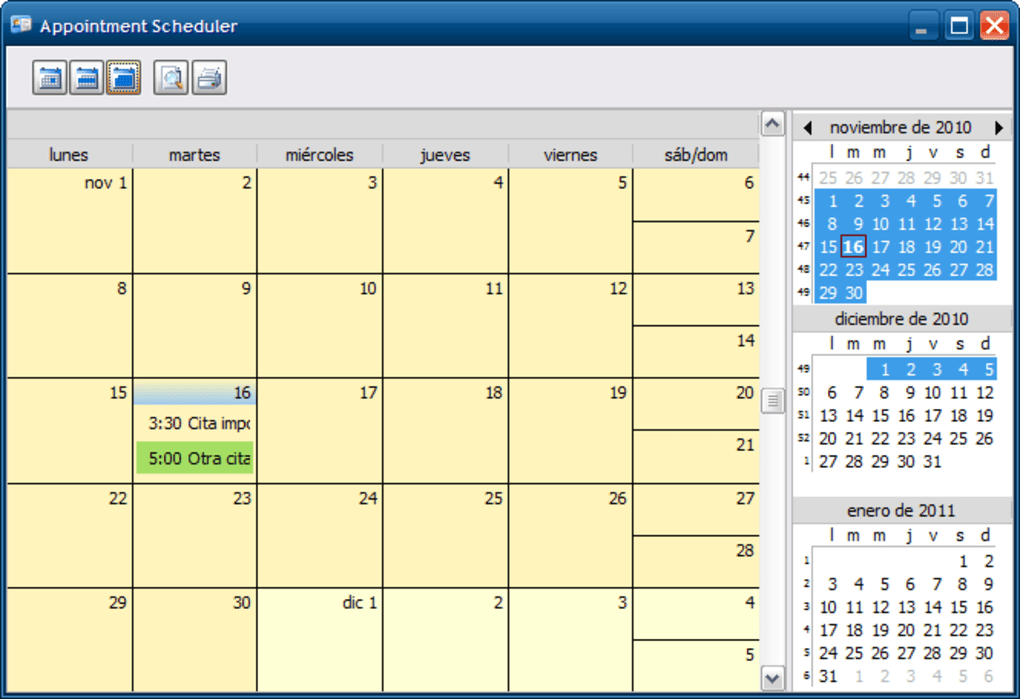
- Integrated Calendar: Multiple views (day, week, month), printable agenda, and reminder notifications similar to Outlook.
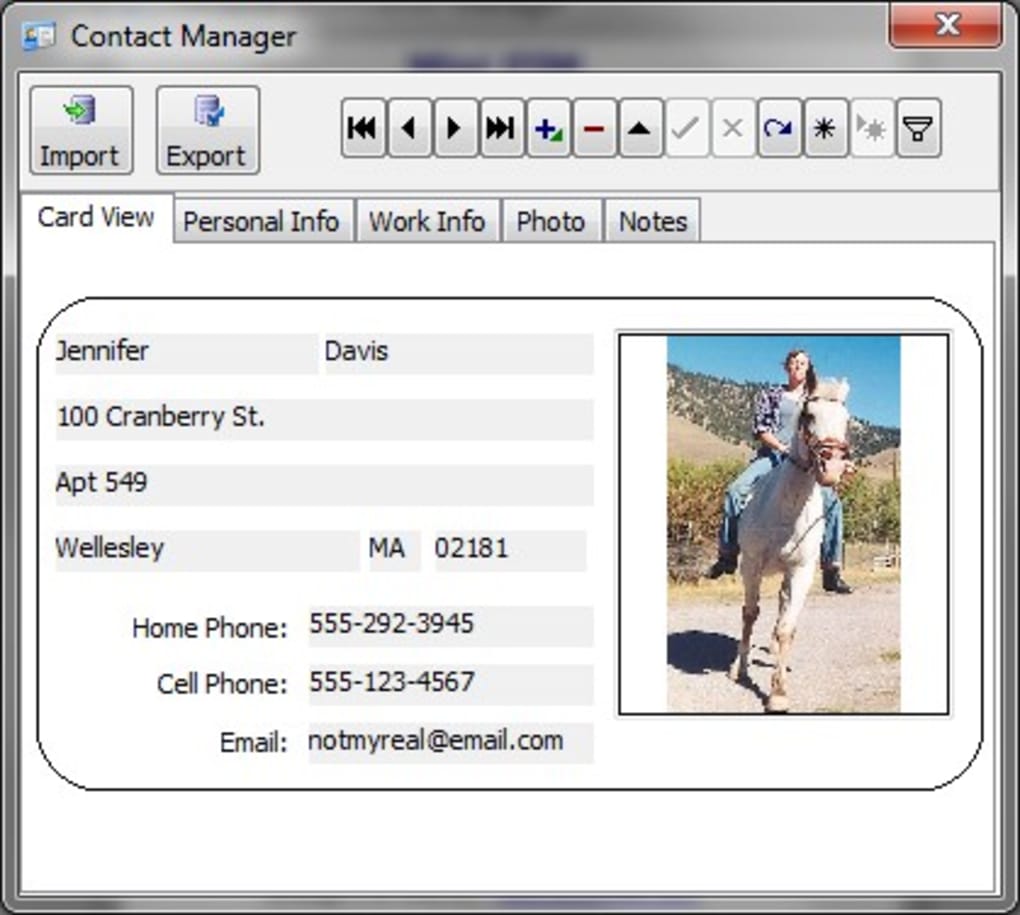
- Contact Manager: Simple entry forms, bulk import from CSV, vCard, and other common database formats.
- Label Editor: Easy‑to‑use layout for creating printable labels; supports custom dimensions and fonts.
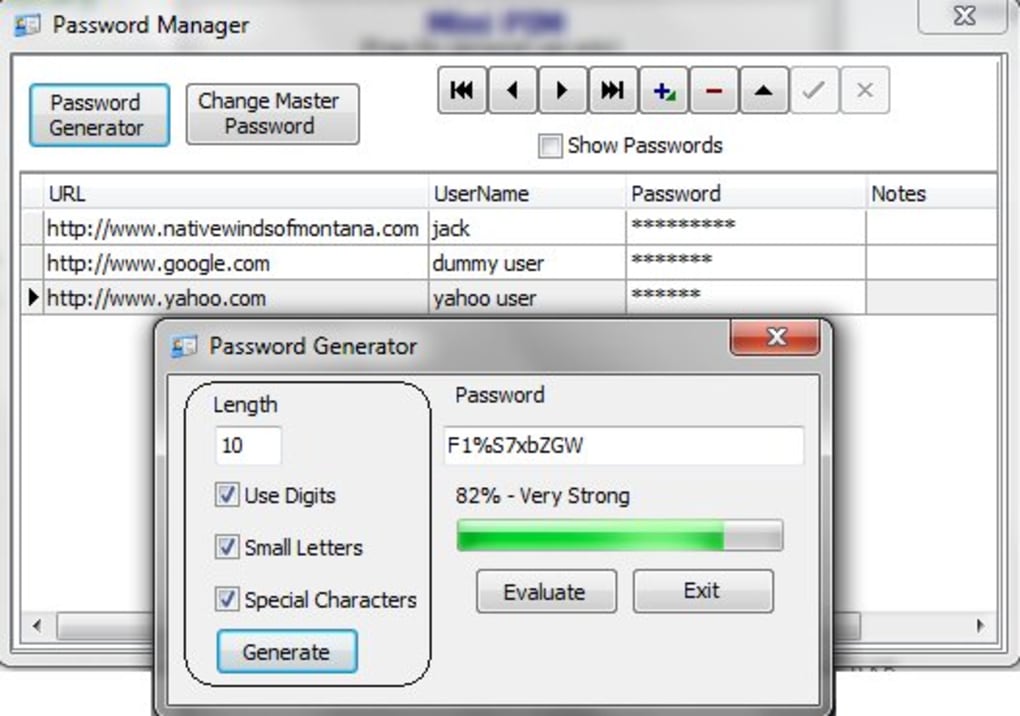
- Password Manager: Secure table for storing passwords, plus a built‑in random password generator.
- Low System Impact: Uses under 5 MB of RAM and negligible CPU, perfect for legacy hardware.
- Cross‑Platform Compatibility: Works on Windows 7‑11, macOS 10.12+, and most modern Linux distributions.
- Data Export/Import: Export contacts and passwords to CSV for backup; import existing data with a few clicks.
Installation & Usage Instructions
Getting started with Mini PIM is intentionally frictionless. Follow these steps to have the app up and running in under two minutes:
- Download the executable: Visit the official Mini PIM website and click the “Download for Windows/macOS/Linux” button. The file is a single
.exe(Windows),.app(macOS) or a portable.tar.gz(Linux) archive. - Copy to your USB stick (optional): If you want true portability, simply drag the downloaded file onto a formatted USB drive. No admin rights are needed.
- Run the program: Double‑click the file. On macOS you may need to bypass Gatekeeper by right‑clicking → “Open”. On Linux, extract the archive, mark the binary as executable (
chmod +x mini-pim), then run it from a terminal or file manager. - Initial configuration: The first launch presents a welcome wizard where you can set a master password for the password manager and choose a default folder for storing your contacts, labels, and calendar backups.
- Using the tools: The home screen shows four large icons – Calendar, Contacts, Labels, Passwords. Click any icon to open the corresponding module. All data is saved automatically in the same directory as the executable, ensuring you can move the whole folder without losing information.
- Updates: Mini PIM checks for updates at startup. If a newer version is available, you’ll be prompted to download the latest portable build, which replaces the old files while preserving your data.
Because Mini PIM is portable, you can safely use it on public or shared computers without leaving traces. When you finish, simply eject the USB drive or close the program – no registry entries or hidden files remain.
Compatibility, Pros & Cons
Mini PIM runs on all mainstream desktop operating systems. The Windows version supports 64‑bit Windows 7, 8, 10 and 11. macOS users can run it on Catalina (10.15) and later, while Linux users benefit from a generic binary that works with most distributions that include the standard GTK libraries. Because the program is portable, there is no need for separate installers or runtime environments – the same executable works across different machines as long as the OS meets the minimum requirements.
Pros
- Zero‑installation – perfect for USB sticks and travel.
- Extremely low memory and CPU usage.
- All‑in‑one solution eliminates the need for multiple apps.
- Simple, intuitive UI that reduces learning curve.
- Built‑in password generator improves security.
- Export/import options protect data against loss.
Cons
- Feature set is intentionally minimal; power users may miss advanced calendar recurrence rules.
- Label editor lacks sophisticated templates and barcode support.
- No cloud sync – data is stored locally on the USB or computer.
- Password manager stores data in plain‑text CSV (encrypted only by the master password).
- No mobile app versions for Android or iOS.
Frequently Asked Questions
Is Mini PIM really free to use?
Yes, Mini PIM is completely free. You can download, use, and distribute the portable version without any licensing fees.
Can I run Mini PIM on a public computer without leaving data behind?
Absolutely. Because the program does not write to the Windows registry or create hidden files, all data remains in the folder you launched it from. Eject the USB stick and the computer is left untouched.
How secure is the password manager?
Passwords are stored in an encrypted CSV file that is protected by the master password you set on first launch. While it is not as robust as dedicated vaults with AES‑256 encryption, it provides a reasonable level of security for casual users.
Can I import contacts from Outlook or Google Contacts?
Yes. Mini PIM accepts CSV, vCard (.vcf) and several other common formats. Export your contacts from Outlook or Google, then use the “Import” button in the Contact Manager.
Does Mini PIM receive regular updates?
The developer releases updates several times a year, primarily to fix bugs, improve compatibility with newer OS versions, and add minor enhancements. The built‑in updater notifies you automatically.
Conclusion & Call to Action
Mini PIM strikes a balance between simplicity and functionality that is rare in today’s feature‑laden software market. If you need a lightweight, portable solution for managing appointments, contacts, printable labels, and a modest password vault, Mini PIM delivers without demanding installation or draining system resources. While power users may crave deeper customization, the core audience—students, freelancers, and anyone who travels with a USB stick—will appreciate the no‑frills design and the ability to keep personal data securely in hand. Download Mini PIM today, place it on your favorite flash drive, and experience the convenience of a complete personal information manager that travels as lightly as you do.
Click here to download Mini PIM for free and start organizing your digital life instantly.
Pros: Portable, lightweight, intuitive UI, free.
Cons: Limited advanced features, no cloud sync, basic encryption.








