
Download Mlinar – Loyalty App, Food & Drink, Free, Secure, Latest Version
Overview
The Mlinar Loyalty App is a digital rewards platform designed to enhance customer engagement for Mlinar, a well-known bakery brand in Croatia. Available exclusively on Android, the app serves as a lifestyle tool that rewards users for their purchases at Mlinar stores. Its primary purpose is to streamline the loyalty experience by allowing customers to collect points, redeem rewards, and enjoy exclusive benefits through a simple mobile interface. The app is free to download and use, making it accessible to a broad audience of consumers who frequently shop at Mlinar locations.
Target users include regular bakery shoppers, food enthusiasts, and individuals seeking convenient ways to save on their favorite baked goods. By integrating digital point collection with physical store visits, the app bridges the gap between offline retail and digital engagement. Users can scan the app at checkout to register purchases, earning 10 points per 1 Croatian kuna spent. These points accumulate toward free products, encouraging repeat visits and long-term loyalty.
Real-world usage scenarios include everyday grocery shopping, gift purchases, and family bakery runs. The app also supports social sharing, enabling users to invite friends and earn additional points. This feature promotes community-driven engagement and helps expand the brand’s reach. While the developer is identified as Mlinar, no further organizational details are publicly available. The app’s focus on food and drink loyalty aligns with current trends in retail personalization and customer retention.
Key Features & Capabilities
- Point Collection System: Users earn 10 points for every 1 kuna spent at Mlinar stores. Points are automatically registered upon scanning the app at checkout, eliminating the need for physical cards or manual entry.
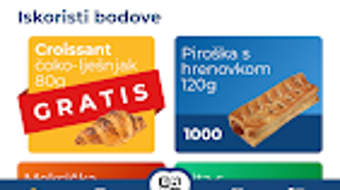
- Reward Redemption: Accumulated points can be redeemed for free Mlinar products. The system allows users to track their progress and select items from a predefined list of available rewards.
- Referral Program: Users can invite friends to join the app. Both the referrer and the new user receive bonus points, fostering organic growth and increasing user engagement.
- Prepaid Balance Option: The app allows users to prepay for future purchases. Funds can be added via cash or card and stored digitally, enabling convenient, cashless transactions at Mlinar locations.
- Scan-to-Register Functionality: At checkout, users simply scan the app to register their purchase and earn points. This feature ensures accuracy and reduces the risk of missed rewards.
These features collectively support a seamless user journey, from purchase to reward. For example, a customer shopping for bread and pastries can scan the app during checkout, instantly earn points, and later redeem them for a free croissant. The prepaid option is particularly useful for budget-conscious users who want to plan ahead. The referral system incentivizes sharing, turning loyal customers into brand advocates. While the app is limited to Android, its core functionality is well-suited for everyday use in a retail environment.
User Interface, Workflow & Performance
The Mlinar Loyalty App features a clean, intuitive interface designed for quick access to key functions. Navigation is straightforward, with main sections such as “My Points,” “Rewards,” “Prepaid Balance,” and “Invite Friends” clearly labeled. The workflow is optimized for speed: users open the app, scan at checkout, and receive instant confirmation of points earned.
Given the app’s focus on real-time point tracking and transaction registration, the user experience is designed to minimize friction during store visits. The interface likely prioritizes readability and responsiveness, ensuring that users can access their balance and rewards without delays. However, exact performance details were not specified by the developer. General software behavior suggests stable operation under normal conditions, but no official data on CPU or RAM usage is available.
Stability and reliability are critical for a loyalty app, especially during peak shopping hours. While no specific reports on crashes or freezes were provided, the app’s reliance on scanning and network connectivity implies that consistent performance depends on both device capabilities and internet access. The developer did not provide additional system requirements or performance benchmarks.
Compatibility & System Requirements
The Mlinar Loyalty App is compatible with Android operating systems. The specific version requirements were not listed by the developer. Installation size is not publicly disclosed, but typical loyalty apps of this nature range from 20 MB to 50 MB, depending on assets and features.
Exact hardware requirements were not specified. However, based on standard Android app development practices, the app is expected to run on devices with at least 1 GB of RAM and a modern processor. Users should ensure their device supports barcode or QR code scanning, which is essential for the app’s core functionality.
Platform compatibility information is limited. The app is not available on iOS or other platforms. The developer did not provide details on minimum screen resolution, storage needs, or background processing behavior. Users are advised to check the official source for the latest version and compatibility updates.
Pros and Cons
Pros
- Free to download and use with no hidden costs
- Simple point system tied directly to spending (1 kn = 10 points)
- Prepaid balance option enables cashless shopping
- Referral program encourages social sharing and bonus rewards
- Direct integration with physical Mlinar stores for seamless redemption
Cons
- Available only on Android, limiting access for iOS users
- No official information on system requirements or performance
- Points and rewards are restricted to Mlinar products only
- Requires internet connectivity for scanning and balance updates
- App functionality is limited to Mlinar’s retail network
FAQ Section
Is the Mlinar Loyalty App free to use?
Yes, the app is completely free to download and use. There are no subscription fees or hidden charges.
Can I use the app on iOS devices?
Currently, the app is only available on Android platforms. There is no official iOS version released.
How do I earn points in the Mlinar app?
You earn 10 points for every 1 Croatian kuna spent at Mlinar stores. Simply scan the app at checkout to register your purchase and receive points automatically.
Is my data safe when using the app?
The app is developed by Mlinar, a trusted brand in Croatia. While specific security measures were not detailed, it is designed to securely handle user balances and transaction data.
Can I use the prepaid balance offline?
No, the prepaid balance requires an internet connection to verify and deduct funds during checkout. Offline usage is not supported.
Final Thoughts + CTA
The Mlinar Loyalty App delivers a focused, user-friendly experience tailored to customers of a leading Croatian bakery brand. Its core features—point collection, reward redemption, prepaid options, and referral incentives—work together to create a compelling reason to shop at Mlinar stores. While the app is limited to Android and lacks detailed technical specifications, its simplicity and practical benefits make it a valuable tool for regular users.
It stands out as a secure, free, and efficient way to save on favorite bakery products without the hassle of physical cards or manual tracking. The integration of digital payments and social sharing enhances engagement, making it more than just a loyalty program—it’s a lifestyle companion for food lovers in Croatia.
Download Mlinar now and start earning rewards with every purchase.




.png)



