---
title: ComfyUI API — Run Workflows via REST, No GPU Setup | ModelsLab
description: Execute ComfyUI workflows programmatically through a REST API. Upload workflow JSON, swap nodes, run on managed GPUs. Webhooks, batching, free tier, no infra setup.
url: https://modelslab.com/comfyui-api
canonical: https://modelslab.com/comfyui-api
type: website
component: Seo/ComfyuiApi
generated_at: 2026-06-08T06:51:03.380200Z
---
Imagen
ComfyUI API Run Workflows via REST
---
Run ComfyUI workflows via REST API without local GPU. Cloud-hosted nodes for SDXL, Flux, ControlNet, and LoRA — execute workflows from any language with a single HTTP request.
[Get ComfyUI API Key](https://modelslab.com/register) [API Documentation](https://docs.modelslab.com)
What is the ComfyUI API?
---
### ComfyUI as a hosted REST API
ComfyUI is the most popular node-based workflow tool for Stable Diffusion, SDXL, Flux, and ControlNet image generation. The ComfyUI API exposes the same workflow execution layer as a hosted REST endpoint so developers can run complex pipelines from any language without installing ComfyUI, downloading model weights, or provisioning a GPU.
Submit a workflow JSON (the same format ComfyUI exports) plus runtime inputs, and the API loads the required models on warm GPU infrastructure, executes every node in order, and returns hosted URLs for the generated outputs. No WebSocket protocol, no custom event loop — just standard HTTP requests with JSON payloads.
### When to use the ComfyUI API
Use the ComfyUI API when you have a workflow built in the ComfyUI desktop app and need to run it at scale from a backend service, mobile app, or serverless function. It is the right fit for production workflows that previously required keeping a local ComfyUI server running 24/7.
- Run ComfyUI workflows from Python, Node, Go, PHP — any HTTP client
- Execute the workflow JSON exported from the ComfyUI desktop app directly
- Cloud-hosted models for SD 1.5, SDXL, Flux, ControlNet, IPAdapter, and LoRA
- No GPU provisioning, no CUDA, no model weight management
- Webhook callback for long-running workflows
- Integrated with the rest of ModelsLab — pair with the Real-ESRGAN, Face Swap, and Voice APIs
Trusted by





1B+
Images Processed Monthly
500K+
Active Developers
5K+
Discord Community Members
300+
Available AI APIs
ComfyUI API quick start
---
Run a ComfyUI workflow programmatically with one POST request. Returns a hosted URL once execution completes.
### Python — text-to-image with Flux
Python
```
1import requests
2

3response = requests.post(
4    "https://modelslab.com/api/v7/images/text-to-image",
5    json={
6        "key": "YOUR_API_KEY",
7        "model_id": "flux",
8        "prompt": "a cinematic close-up portrait, soft daylight, 35mm film grain",
9        "negative_prompt": "low quality, blurry",
10        "width": 1024,
11        "height": 1024,
12        "samples": 1
13    }
14)
15

16print(response.json()["output"][0])
```
### JavaScript — ControlNet pose conditioning
JavaScript
```
1const response = await fetch('https://modelslab.com/api/v6/images/controlnet', {
2  method: 'POST',
3  headers: { 'Content-Type': 'application/json' },
4  body: JSON.stringify({
5    key: 'YOUR_API_KEY',
6    model_id: 'sdxl',
7    controlnet_type: 'openpose',
8    init_image: 'https://example.com/pose-reference.png',
9    prompt: 'a softly-lit fashion photo of a model in a red dress',
10    width: 1024,
11    height: 1024,
12    samples: 1,
13  }),
14});
15

16const data = await response.json();
17console.log(data.output[0]);
```
### cURL — LoRA on top of SDXL
bash
```
1curl -X POST 'https://modelslab.com/api/v6/images/text-to-image' \
2  -H 'Content-Type: application/json' \
3  -d '{
4    "key": "YOUR_API_KEY",
5    "model_id": "sdxl",
6    "lora_model": "your-lora-id",
7    "lora_strength": 0.8,
8    "prompt": "a portrait in your trained style",
9    "width": 1024,
10    "height": 1024,
11    "samples": 1
12  }'
```
ComfyUI API capabilities
---
Execute ComfyUI node-based workflows via a clean REST API — no local installation, no WebSocket protocol, no GPU hardware needed.
Cloud-hosted ComfyUI nodes Run ComfyUI workflows on cloud GPUs without installing ComfyUI locally. ModelsLab hosts the infrastructure so your team focuses on building workflows and applications instead of GPU plumbing.
REST API interface Access ComfyUI capabilities through a clean REST API. No WebSocket connections or custom protocols — standard HTTP requests with JSON payloads. Works from any language with an HTTP client.
All popular models supported Use Stable Diffusion 1.5, SDXL, Flux, SD 3, ControlNet, IPAdapter, and LoRA adapters — all models available in ComfyUI are reachable through the API with no extra configuration.
Scalable inference Scale from single requests to thousands of concurrent generations. Cloud infrastructure handles auto-scaling, GPU management, and load balancing automatically.
Webhook callbacks Submit long-running workflows and receive a webhook when the result is ready. Avoid long-polling status endpoints from your backend — the API delivers the final URLs straight to your event handler.
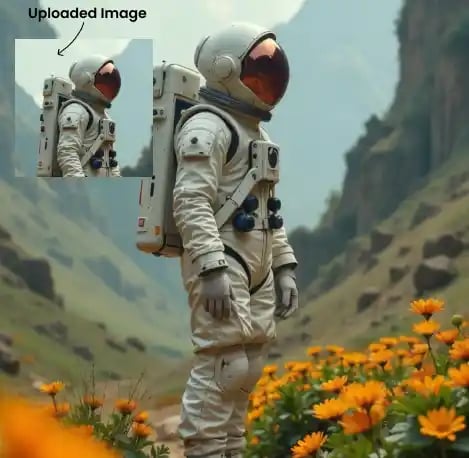





Run complex ComfyUI workflows programmatically through ModelsLab's cloud-hosted infrastructure. Built for SaaS, mobile, and serverless backends.
[Start Free Trial](https://modelslab.com/register)
ComfyUI API vs running ComfyUI locally
---
What you trade off when you replace a local ComfyUI install with a hosted API.
| Workflow factor | ModelsLab ComfyUI API | Local ComfyUI on your GPU | Generic image API |
|---|---|---|---|
| Setup time | Minutes (sign up + API key) | Hours (GPU + CUDA + weights) | Minutes |
| GPU hardware required | None | RTX 3090 / 4090+ | None |
| ControlNet, IPAdapter, LoRA | Yes | Yes | Sometimes |
| Custom workflow JSON support | Yes | Yes | Fixed pipelines |
| Auto-scaling under load | Yes | Single GPU | Yes |
| Cold-start time | None — warm GPUs | None — always on | 5–60s on serverless |
| Cost model | Pay per generation | $1500+ GPU + electricity | Subscription or per-second |
Comparison based on a typical RTX 3090 / 4090 local install vs. ModelsLab cloud API as of 2026.
How the ComfyUI API works
---
Execute ComfyUI workflows in the cloud in three simple steps.
STEP 01
STEP 01
### Step 1: Get your API key
Sign up for a free ModelsLab account and grab your API key from the dashboard. The same key works across image, video, audio, and LLM endpoints.
STEP 02
STEP 02
### Step 2: Define your workflow
Specify your generation parameters — model, prompt, dimensions, ControlNet conditioning, LoRA adapters — as JSON in your API request. Or paste a workflow JSON exported from the ComfyUI desktop app.
STEP 03
STEP 03
### Step 3: Submit and retrieve
Submit the request via REST. Receive output URLs in the response (or via webhook for long jobs). No polling required for fast workflows.
[Get API Key Free ](https://modelslab.com/register)
Why developers use the ModelsLab ComfyUI API
---
Key advantages that set us apart
Run ComfyUI workflows via REST API — no WebSocket protocol
No local GPU, no CUDA, no model-weight management
All popular SD 1.5, SDXL, Flux, and SD 3 base models
ControlNet, IPAdapter, and LoRA adapter support
Inpainting and outpainting endpoints
Batch and parallel generation built in
Pay-per-generation pricing — no subscription required
Python and JavaScript SDKs plus full OpenAPI spec
Dedicated GPU infrastructure — no cold starts
Automatic model loading and caching across requests
Webhook callbacks for long-running workflows
Integrated with Real-ESRGAN, Face Swap, and Voice APIs
Our Popular Use Cases
Developers use the ComfyUI API for:
Production image pipelinesAI art applicationsAutomated content creationControlNet workflowsE-commerce product imagesCustom model deployment
Replace local ComfyUI setups with cloud API calls for production image generation. Scale without managing GPU servers or maintaining ComfyUI installs.

ComfyUI API — frequently asked questions
---
### What is the ComfyUI API?
The ModelsLab ComfyUI API is a REST endpoint that runs ComfyUI workflows on cloud GPU infrastructure. Submit a workflow JSON (the same format the ComfyUI desktop app exports) plus runtime inputs, and the API executes every node and returns hosted URLs for the outputs. No local GPU, no CUDA, no WebSocket protocol — just HTTP and JSON.
### Can I run a ComfyUI workflow JSON directly through the API?
Yes. Export your workflow as JSON from the ComfyUI desktop app and POST it to the workflow execution endpoint. The API parses the node graph, loads required models, and executes the pipeline server-side. Workflows that work locally work the same way on the API.
### Which models does the ComfyUI API support?
Stable Diffusion 1.5, SDXL, SD 3, Flux 1.dev, Flux 1.schnell, plus all major ControlNet variants (openpose, depth, canny, scribble, lineart, segment), IPAdapter, and any LoRA adapter you have access to. Custom-trained models can be uploaded and called by ID.
### How does the ComfyUI API compare to running ComfyUI locally?
Local ComfyUI gives you full control but requires a $1500+ GPU, CUDA, and ongoing model management. The API gives the same execution layer at pay-per-call pricing with no hardware. For production workloads or teams without dedicated GPU access, the API is dramatically cheaper than amortizing a local GPU. For exploratory R&D on a single workstation, local ComfyUI is fine.
### Does the ComfyUI API support ControlNet?
Yes — all major ControlNet types (openpose, depth, canny, scribble, lineart, segment, normalbae, mlsd) are supported via the controlnet endpoint. Pass a conditioning image URL plus the controlnet\_type parameter; the API loads the matching ControlNet model on the fly.
### Does the ComfyUI API support LoRA adapters?
Yes. Pass lora\_model (the LoRA id or URL) and lora\_strength (0.0–1.5) in your request. Multi-LoRA stacking is supported by passing an array. Custom LoRAs you have trained on ModelsLab are accessible by their model\_id.
### How fast is the ComfyUI API?
A standard SDXL text-to-image at 1024×1024 typically completes in 3–5 seconds. Flux generations take 6–10 seconds. ControlNet conditioning adds 1–2 seconds. Times are consistent across calls — there are no cold starts on the dedicated GPU pool.
Pricing is pay-per-generation, starting at $0.002 per image for SD 1.5 / SDXL and $0.01 for Flux. There is no subscription required to start. Volume discounts kick in at 100k+ generations per month — contact sales for pricing.
### Can I use the ComfyUI API in a serverless backend?
Yes — the API is designed for serverless and edge backends. There are no persistent connections, no WebSocket handshakes, and no model-loading delays. Call it from AWS Lambda, Cloudflare Workers, Vercel Functions, or any HTTP-capable runtime.
### Does the ComfyUI API store my prompts or outputs?
Outputs are stored on the CDN for 7 days by default, then deleted. Prompts and workflow JSON are processed in-memory and not retained. For enterprise customers, ModelsLab signs DPAs and offers in-VPC deployments with custom retention policies.
Related developer APIs
---
[### Stable Diffusion API
Access SDXL, SD3, and Flux via REST API](https://modelslab.com/stable-diffusion-api) [### Flux LoRA Training
Train custom AI image models](https://modelslab.com/flux-lora-training) [### Image Generation API
10,000+ models via one unified API](https://modelslab.com/image-generation-api)
Your Data is Secure: GDPR Compliant AI Services
---

AI Image API Pricing Starting at $0.0047 Per Image
---
ModelsLab offers a free tier with pay-as-you-go pricing, a Standard plan at $47/month for 10,000 API calls, and a Premium plan at $199/month with unlimited calls. All plans include access to Flux, SDXL, Stable Diffusion 3, and 10,000+ community models. Cancel anytime.
Coming Soon
---
We are making some changes to our pricing, please check back later.
Get Expert Support in Seconds
We're Here to Help.
---
Want to know more? You can email us anytime at
Chat with support[View Docs](https://docs.modelslab.com)
Explore Our Other Solutions
---
Unlock your creative potential and scale your business with ModelsLab's comprehensive suite of AI-powered solutions.
[Audio Gen
### AI Audio Generation
Text-to-speech, voice cloning, music generation, and audio processing APIs.
Explore Audio Gen](https://modelslab.com/audio-gen) [Video Fusion
### AI Video Generation & Tools
Create, edit, and enhance videos with AI-powered generation and transformation tools.
Explore Video Fusion](https://modelslab.com/video-fusion) [Chat
### Engage Seamlessly with LLM
Access powerful language models for chatbots, content generation, and AI assistants.
Explore Chat](https://modelslab.com/custom-llm) [3D Verse
### Create Stunning 3D Models
Transform images and text into 3D models with advanced AI-powered generation.
Explore 3D Verse](https://modelslab.com/3d-verse)
Plugins
Explore Plugins for Pro
---
Our plugins are designed to work with the most popular content creation software.
[Explore Plugins](https://modelslab.com/pro#plugins) [Learn More](https://modelslab.com/pro)
API
Build Apps with ModelsLab
ML
API
---
Use our API to build apps, generate AI art, create videos, and produce audio with ease.
[API Documentation](https://docs.modelslab.com) [Playground](https://modelslab.com/models)
## Frequently Asked Questions
### Can I run ComfyUI workflows via REST API?
Yes. ModelsLab exposes a ComfyUI execution endpoint — POST your workflow JSON (the same JSON ComfyUI saves locally) plus inputs, and the API runs it on managed GPUs and returns generated images. No need to host ComfyUI yourself.
### How do I execute a ComfyUI workflow programmatically?
POST to /api/v7/comfyui/execute with body {"workflow": , "inputs": {: , ...}}. The API queues the job, runs it, and returns image URLs. Pass a webhook_url for async notification on long jobs.
### Does the ComfyUI API support custom nodes?
Most popular custom nodes (Impact Pack, Was Suite, ControlNet, IP-Adapter, AnimateDiff) are pre-installed. For uncommon nodes, contact support and we will add them — typically within a day. We never auto-install untrusted nodes for security reasons.
### How much does the ComfyUI API cost?
Pricing matches the standard image API — $0.002 per output image on pay-as-you-go or $29/month unlimited. Workflows that produce multiple images per run cost per output, not per workflow execution.
### Can I swap models, prompts and seeds in a ComfyUI workflow via the API?
Yes. The "inputs" parameter lets you override any node value (CheckpointLoader, KSampler, CLIPTextEncode, LoadImage) by node ID without rebuilding the JSON. This makes it trivial to expose ComfyUI workflows as parameterised endpoints to your end users.
### Is the ComfyUI API faster than self-hosting?
For most teams, yes. Cold starts are eliminated by warm model caching, and bursty traffic auto-scales across the GPU pool. Self-hosting can match or beat us on steady-state per-image cost, but only if your average GPU utilisation exceeds ~60%.
### Are workflow JSONs and outputs private?
Yes. Workflows and outputs are scoped to your API key, encrypted at rest, and never used for training. Enterprise plans support VPC deployments and signed URLs with short TTL for output access.
### Does the ComfyUI API support video and AnimateDiff workflows?
Yes. AnimateDiff and video-output nodes are pre-installed. Workflows that emit MP4 are returned as a video URL in the response. For long-running video workflows, always pass webhook_url so your worker is not blocked.
### Can I use the ComfyUI API as a backend for SaaS apps?
Yes — many users wrap ComfyUI workflows as parameterised API endpoints for their end users. Best practice: store the workflow JSON in your DB, expose user-friendly inputs, and forward to /api/v7/comfyui/execute. This pattern works because the API treats the workflow as data, not code.
### How does ComfyUI API authentication work?
Pass your ModelsLab API key in the request body as "key" or via the Authorization: Bearer header. Same auth as every other ModelsLab endpoint — no separate ComfyUI account or token. Per-key rate limits and budgets apply.
---
*This markdown version is optimized for AI agents and LLMs.*
**Links:**
- [Website](https://modelslab.com)
- [API Documentation](https://docs.modelslab.com)
- [Blog](https://modelslab.com/blog)
---
*Generated by ModelsLab - 2026-06-08*