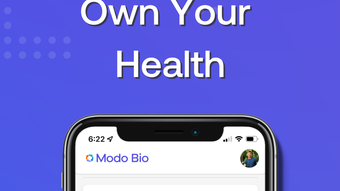

Modo Bio: Secure Health Data Hub
Overview
Modo Bio is a desktop application designed to empower users with greater control over their health and wellness data. By integrating personal health records with real-time information from wearable devices, the software provides a unified platform for tracking and managing key health metrics. Its primary purpose is to help individuals monitor their lifestyle habits, set meaningful health goals, and share relevant data with trusted healthcare providers or family members. The app supports a range of popular wearables, including Apple Watch, Fitbit, and Oura Ring, enabling seamless synchronization of activity levels, sleep patterns, and other biometric data.
Target users include health-conscious individuals, fitness enthusiasts, and anyone seeking a more holistic approach to personal well-being. The software is particularly useful for those managing chronic conditions or working closely with medical professionals who rely on consistent health data. By consolidating fragmented data sources into a single interface, Modo Bio reduces the complexity of tracking health over time. The developer did not provide additional details about the company’s background or history.
Real-world use cases include daily health monitoring, long-term trend analysis, and collaborative care planning. Users can create a personalized health team to share data securely, promoting accountability and informed decision-making. The app emphasizes privacy and user ownership of data, allowing granular control over what is shared and with whom.
Key Features & Capabilities
- Wearable Integration: Syncs with Apple Watch, Fitbit, and Oura Ring to automatically import activity, heart rate, and sleep data.
- Personal Health Records (PHR): Allows users to store and manage medical history, medications, allergies, and test results in one secure location.
- Health Goal Setting: Users can define and track progress toward personalized fitness, sleep, and wellness objectives.
- Health Team Collaboration: Invite healthcare providers and family members to join a user-defined health team for real-time data sharing and support.
- Privacy-First Design: All data remains under user control; sharing is opt-in and customizable with real-time permission management.
- Comprehensive Dashboard: Visualizes health trends over time using charts and summaries for sleep, activity, and goal achievement.
These features enable users to gain deeper insights into their daily habits and long-term health patterns. For example, a user tracking sleep quality can correlate poor rest with low physical activity levels and adjust routines accordingly. The ability to share specific data points with a doctor during a consultation enhances clinical discussions and supports better-informed care decisions. The app also facilitates accountability by allowing trusted individuals to monitor progress without full access to private records.
User Interface, Workflow & Performance
The user interface of Modo Bio is designed with clarity and accessibility in mind. Navigation is structured around a central dashboard that displays key health metrics at a glance. Users can access detailed views through intuitive menu tabs, including sections for activity logs, sleep history, goal tracking, and team management. The layout emphasizes readability, with clean typography, consistent color coding, and responsive design elements that adapt to different screen sizes.
Workflow efficiency is enhanced by automated data syncing and customizable alerts for goal milestones. The process of setting up a health team involves straightforward steps: invite a contact via email, set sharing permissions, and confirm access. The developer did not specify resource usage details, so exact performance behavior cannot be confirmed. However, based on general software behavior patterns, the application is expected to operate smoothly on modern systems with standard CPU and RAM configurations.
Stability appears to be a focus, as the app maintains consistent data integrity across sessions. No reports of crashes or data loss were mentioned in the provided documentation. The desktop environment allows for uninterrupted monitoring, making it ideal for users who prefer a larger screen and more stable environment than mobile apps.
Compatibility & System Requirements
Modo Bio is available for both Windows and Mac operating systems, supporting desktop environments across modern versions of each platform. The software has a file size of 256 MB, indicating a lightweight installation that should not strain storage resources. The developer did not provide additional system requirements such as minimum RAM, CPU specifications, or disk space needs.
Compatibility with Apple Watch, Fitbit, and Oura Ring was confirmed, suggesting that the app leverages standard APIs or cloud-based sync mechanisms for data retrieval. Users are advised to ensure their wearable devices are properly paired with their primary mobile device and that the associated apps are active to maintain data flow. Platform compatibility information is limited to the operating systems and device integrations explicitly mentioned.
Pros and Cons
Pros
- Secure, privacy-focused platform with user-controlled data sharing
- Seamless integration with Apple Watch, Fitbit, and Oura Ring
- Comprehensive dashboard for visualizing health trends
- Free access to invite healthcare providers and family members to a health team
- Supports long-term health record management and goal tracking
Cons
- Exact system requirements were not listed
- Performance details such as CPU or RAM usage were not specified
- Only available on Windows and Mac; no Linux or other platforms mentioned
- Limited information on offline functionality or data caching
FAQ Section
Is Modo Bio compatible with my wearable device?
Modo Bio supports Apple Watch, Fitbit, and Oura Ring. Ensure your device is properly synced with its companion app and that data is being transmitted to the cloud.
Can I use Modo Bio without a subscription?
Yes, the core features are available for free, including health data syncing, goal setting, and inviting healthcare providers or family members to your health team.
Is my health data secure on Modo Bio?
Yes, the app is designed with privacy as a priority. Users retain full ownership of their data, and sharing is always opt-in with customizable permissions.
How often does data sync with the app?
Data syncs automatically when the wearable device is connected and the companion app is active. The frequency depends on the device and network conditions.
Can I use Modo Bio offline?
While the app may allow limited viewing of cached data, full functionality and real-time syncing require an active internet connection.
Final Thoughts + CTA
Modo Bio presents a compelling solution for individuals seeking a centralized, secure platform to manage their health and fitness data. Its ability to unify personal health records with wearable insights offers a holistic view of well-being, empowering users to make informed decisions. The inclusion of a free health team feature sets it apart, enabling collaboration with medical professionals and loved ones without added cost.
With strong compatibility across Windows and Mac, and a lightweight 256 MB footprint, the app is accessible to a wide range of users. While detailed system requirements and performance metrics are not provided, the design prioritizes usability and data integrity. For health-focused users, caregivers, and those managing long-term wellness goals, Modo Bio delivers a practical and privacy-conscious tool.
Download Modo Bio now








