
Screenshots
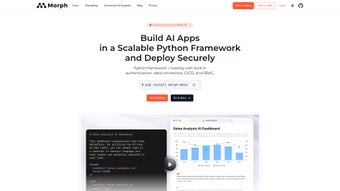
App details
- Updated
- June 3, 2025
- Requires
- Chrome
- License
- Subscription
- Developer
- morphdb
- Category
- Web Apps
About MorphDB
Download MorphDB – AI‑Powered Data Studio for Real‑Time Collaboration
Overview
MorphDB is a comprehensive, AI‑driven data studio that redefines how teams handle data projects. Built on a robust PostgreSQL engine, it combines the familiarity of a spreadsheet interface with the power of artificial intelligence, allowing users to collect, sort, and analyze massive datasets without writing a single line of code. The platform’s real‑time collaboration feature eliminates the need for cumbersome file‑sharing workflows; multiple users can work on the same data set simultaneously, see each other's changes instantly, and communicate through built‑in comments. MorphDB’s natural‑language processing lets you ask questions or issue commands in plain English—“show me sales trends for Q3” or “merge these two tables”—and the AI translates those requests into precise operations. Security and access control are baked in, with role‑based authentication that lets administrators define who can view, edit, or export data. Import capabilities cover CSV, Excel, JSON, and many other formats, ensuring that legacy data can be brought into the studio with minimal friction. Extensive documentation, a dedicated help center, and an active community on GitHub, Discord, LinkedIn, and Twitter provide a safety net for both beginners and power users. Whether you’re a data analyst, product manager, or software developer, MorphDB offers a secure, scalable, and user‑friendly environment for turning raw data into actionable insights. The web‑based architecture also means that you can access your projects from any device with a modern browser, making remote work and cross‑department collaboration effortless. In addition, the platform continuously receives updates that improve AI accuracy, expand connector libraries, and tighten security protocols, ensuring that your workflow stays ahead of the curve.
Features & Benefits
MorphDB packs a wide array of capabilities that address the most common pain points in modern data work. The AI‑enhanced data manipulation engine lets you type natural‑language queries and instantly receive structured results, dramatically reducing the learning curve for non‑technical team members. Real‑time multi‑user collaboration mirrors the experience of shared documents, but with the added power of a full‑featured database behind the scenes. The PostgreSQL‑backed engine guarantees reliability and performance even when you scale to millions of rows. Below is a detailed feature list that highlights why MorphDB stands out among competitors.
- AI‑enhanced data manipulation – ask questions in plain language and get instant results.
- Real‑time multi‑user collaboration – see edits, comments, and updates live.
- PostgreSQL‑backed engine – reliable performance with large‑scale datasets.
- Spreadsheet‑style UI – familiar grid view with drag‑and‑drop support.
- Multi‑format import/export – CSV, Excel, JSON, and more.
- Role‑based authentication – granular control over user permissions.
- Extensive API access – integrate MorphDB with other tools and pipelines.
- Version history & rollback – track changes and revert if needed.
- Built‑in visualizations – charts, graphs, and dashboards without extra plugins.
- Comprehensive documentation & community support – tutorials, blog posts, and active forums.
Pros
- Intuitive natural‑language interface reduces learning curve.
- Real‑time collaboration eliminates version‑control headaches.
- Scalable PostgreSQL backend handles millions of rows smoothly.
- Strong security model with role‑based access.
- Cross‑platform web app works on Windows, macOS, Linux, and mobile browsers.
- Rich import/export options simplify data migration.
- Active developer community provides quick bug fixes and feature requests.
Cons
- Advanced AI features require an internet connection for cloud processing.
- Some complex SQL queries may still need manual tweaking.
- Free tier imposes limits on dataset size and concurrent users.
- Visualization library, while solid, is not as extensive as dedicated BI tools.
- Initial setup of on‑premise deployment can be technical for non‑dev teams.
Installation & Usage Guide (Including Compatibility)
MorphDB is delivered as a web‑based SaaS platform, meaning there is no traditional “download and install” process for most users. Simply visit morphdb.io, create an account, and you’re ready to start building data projects. For organizations that require on‑premise deployment, MorphDB offers Docker images and a Helm chart for Kubernetes, supporting Windows Server, macOS, and major Linux distributions. The Docker approach ensures a consistent environment across development, testing, and production, while the Helm chart streamlines deployment in container‑orchestrated clusters.
Step‑by‑step cloud onboarding:
- Navigate to the sign‑up page and choose the free tier or a paid plan.
- Verify your email address and complete the optional profile questionnaire to help the AI understand your industry context.
- Once logged in, click “Create New Workspace” and give it a meaningful name.
- Import data by dragging files into the workspace or selecting from cloud storage providers (Google Drive, Dropbox, OneDrive).
- Use the natural‑language bar at the top to issue commands, e.g., “filter sales where region = ‘EMEA’ and month > ‘2023‑01’”.
- Invite teammates via the “Share” button, assign roles (Viewer, Editor, Admin), and start collaborating instantly.
- Explore built‑in visualizations by selecting a dataset and choosing a chart type; customize colors, axes, and filters directly in the UI.
- Leverage the API tab to generate authentication tokens for programmatic access from external applications.
On‑premise deployment (Docker):
- Ensure Docker Engine 20.10+ is installed on your host machine.
- Pull the official image:
docker pull morphdb/morphdb:latest. - Create a persistent volume for the PostgreSQL data directory:
docker volume create morphdb-data. - Run the container with environment variables for admin credentials and license key:
docker run -d \ -p 8080:8080 \ -v morphdb-data:/var/lib/postgresql/data \ -e MORPHDB_ADMIN_USER=admin \ -e MORPHDB_ADMIN_PASSWORD=StrongPassword123 \ -e MORPHDB_LICENSE_KEY=YOUR_LICENSE_KEY \ morphdb/morphdb:latest - Access the UI via
http://localhost:8080and complete the initial setup wizard, which walks you through database initialization, user creation, and optional SSL configuration. - For high‑availability scenarios, configure Docker‑Compose or Kubernetes to run multiple replicas behind a load balancer, and enable PostgreSQL streaming replication to keep data synchronized.
Compatibility: Because MorphDB runs in a browser, it is compatible with the latest versions of Chrome, Edge, Firefox, and Safari on Windows 10/11, macOS Ventura and later, and popular Linux distributions such as Ubuntu, Debian, and Fedora. The mobile web experience works on iOS Safari and Android Chrome, though full spreadsheet functionality is best on desktop screens. For on‑premise installations, the Docker image supports any OS that can run Docker, making it a versatile choice for mixed‑environment enterprises.
Frequently Asked Questions
Below you will find answers to the most common queries from new users and seasoned analysts alike. Each answer is crafted to help you get the most out of MorphDB, whether you are evaluating the free tier or planning a large‑scale enterprise rollout.
Is MorphDB free to use?
MorphDB offers a free tier that includes up to 5 concurrent users and 1 GB of storage. For larger teams or bigger datasets, paid plans start at $15 per user per month, providing unlimited storage, advanced AI features, and priority support.
Can I import data from MySQL or Oracle?
Yes. While MorphDB natively supports CSV, Excel, and JSON, you can also connect to external databases via the built‑in connector. Simply provide the connection string, credentials, and select the tables you wish to import. The data will be staged in the PostgreSQL engine for fast querying.
How does the AI understand my natural‑language queries?
MorphDB leverages a large‑language model fine‑tuned on data‑manipulation tasks. When you type a request, the model parses the intent, maps it to SQL operations, and executes the query against the underlying PostgreSQL database. The system also learns from your corrections to improve accuracy over time.
Is my data secure on the cloud platform?
Security is a top priority. All data in transit is encrypted with TLS 1.3, and data at rest is stored using AES‑256 encryption. Role‑based access control ensures only authorized users can view or edit datasets. For regulated industries, the on‑premise Docker deployment provides full data sovereignty.
Can I integrate MorphDB with my existing BI tools?
Absolutely. MorphDB offers RESTful APIs and ODBC/JDBC drivers, enabling seamless integration with Tableau, Power BI, Looker, and other visualization platforms. You can also export query results directly as CSV or Excel files for downstream analysis.
What backup and disaster‑recovery options are available?
For the SaaS version, MorphDB automatically creates hourly snapshots and retains them for 30 days, allowing you to restore any point in time. On‑premise customers can configure PostgreSQL native backups or use Docker‑volume snapshots, and the platform includes tools to replicate data across geographic regions.
Conclusion – Why MorphDB Is Worth Your Attention
MorphDB stands out in the crowded data‑studio market by marrying AI convenience with the reliability of a PostgreSQL backend. Its real‑time collaboration engine removes the friction of version control, while the natural‑language interface democratizes data analysis for non‑technical stakeholders. The platform’s flexible deployment options—cloud SaaS for quick start‑ups and Docker‑based on‑premise for enterprises with strict compliance needs—ensure it fits a wide range of environments. Although the free tier has modest limits and some advanced visualizations require third‑party tools, the overall value proposition is compelling, especially for teams that need to move quickly from raw data to actionable insight.
If you’re looking for a secure, scalable, and AI‑enhanced data studio that encourages teamwork without sacrificing performance, MorphDB is a strong candidate. Give the free tier a spin, explore the AI query builder, and see how much time you can save on repetitive data‑wrangling tasks. Ready to transform the way your organization works with data? Sign up for MorphDB today and experience collaborative analytics like never before.
Guides & Tutorials
How to install MorphDB
- Click the Download button above.
- Once redirected, accept the terms and click Install.
- Wait for the MorphDB download to finish on your device.
How to use MorphDB
This software is primarily used for its core features described above. Open the app after installation to explore its capabilities.
User Reviews
No reviews yet. Be the first to share your experience.
You may also like
more
3D AI Studio
3D AI Studio Overview 3D AI Studio is a web-based AI-powered tool developed by S...

3D textures by Polycam
Generate Realistic 3D Textures Effortlessly 3D Textures by Polycam is an innovat...

3DAiLY
Customizable 3D Modeling Tool: 3DAiLY 3DAiLY is an online platform that harnesse...

3DFY
Revolutionizing 3D Model Creation: 3DFY Review 3DFY is an AI-powered service, de...

AI Dungeon
AI Dungeon: Deep Learning Text Adventure AI Dungeon is an artificial intelligenc...

Alpha3D
A subscription-based program for Web apps, by alpha3d. Alpha3D is a subscription...
