

Download Mozilla Firefox – Fast, Secure & Free Web Browser
Overview
Mozilla Firefox is a free, open‑source web browser built by the not‑for‑profit Mozilla Foundation. Designed for Windows, macOS, Linux, Android and iOS, Firefox delivers a lightweight, fast, and highly secure browsing experience that respects user privacy. The browser’s clean user interface lets you customize everything from the default search engine to add‑ons, toolbar layout, and privacy settings. Firefox’s commitment to transparency is rooted in the Mozilla Manifesto, which emphasizes privacy, security, and an open internet for all. Whether you’re a casual surfer, a power user, or a developer, Firefox offers a suite of built‑in tools such as Pocket for saving articles, Lockwise for password management, and a robust set of developer tools in the Developer Edition. Recent updates (e.g., version 113.0) have added enhancements like Picture‑in‑Picture rewind, stronger auto‑generated passwords, and tighter Windows GPU sandboxing, keeping the browser at the cutting edge of performance and safety. By enabling DNS over HTTPS, blocking trackers, and providing strict privacy modes, Firefox stands out as one of the most privacy‑focused browsers on the market, making it an excellent choice for anyone who values control over their digital footprint.
Key Features & Capabilities
- Cross‑Platform Support: Native apps for Windows, macOS, Linux, Android, and iOS.
- Privacy‑First Architecture: DNS over HTTPS, tracker blocking, strict cookie controls, and private windows that automatically block third‑party cookies.
- Speed & Performance: Lightweight engine, multi‑process architecture, and GPU sandboxing for faster page loads.
- Customizable Add‑Ons: Thousands of extensions in the Mozilla Add‑Ons store, from ad blockers to productivity tools.
- Built‑In Pocket Integration: Save articles, videos, and web pages for offline reading across all devices.
- Lockwise Password Manager: Securely store and sync passwords, with the option to integrate third‑party managers.
- Developer Edition: Advanced debugging tools, CSS grid inspector, and JavaScript console tailored for web developers.
- Enhanced Media Features: Picture‑in‑Picture with rewind, AV1 image support, and improved video playback controls.
- Accessibility Improvements: Redesigned accessibility engine for better screen‑reader compatibility and faster input methods.
- Seamless Sync: Sync bookmarks, history, passwords, and open tabs across devices via a Firefox account.
Installation & Usage Guide
Step‑by‑Step Installation
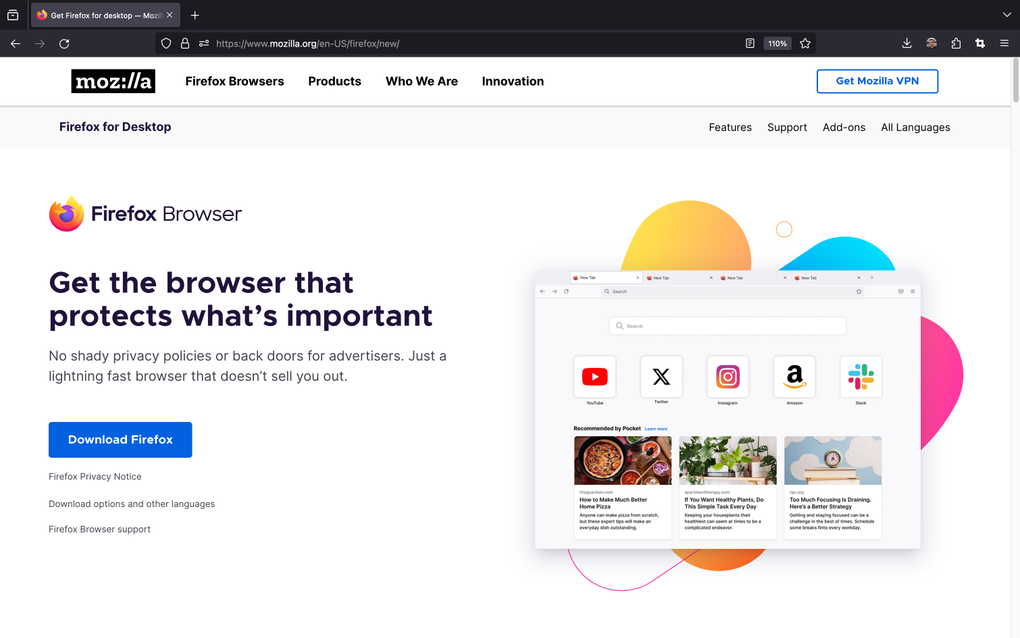
1. Visit the official site: Navigate to mozilla.org/firefox and click the “Download Firefox” button. The site automatically detects your operating system and offers the appropriate installer.
2. Run the installer: On Windows, double‑click the .exe file; on macOS, open the .dmg and drag Firefox to the Applications folder; on Linux, use the provided .tar.bz2 archive or install via your distribution’s package manager (e.g., sudo apt install firefox).
3. Initial launch: The first time you open Firefox, you’ll be greeted with a welcome screen offering to import bookmarks from other browsers and to set Firefox as the default browser.
4. Sign in to Sync: Click the menu icon (three horizontal lines) → “Sign in to Sync” to create or log into a Firefox account. This enables bookmark, password, and tab synchronization across all devices.
Customizing Settings for Maximum Privacy
Open the menu → “Preferences” (or “Settings” on Windows). In the left‑hand panel, explore the following sections:
- General: Set Firefox as the default browser, choose startup behavior, and enable DNS over HTTPS under “Network Settings”.
- Home: Choose which content appears on the new‑tab page—search bar, top sites, recommendations, or a blank page.
- Search: Select your preferred search engine (Google, DuckDuckGo, Bing, etc.) and configure suggestion settings.
- Privacy & Security: Pick a protection level—Standard, Strict, or Custom. Enable “Enhanced Tracking Protection”, block cryptominers, and send a “Do Not Track” signal to websites.
- Sync: Choose which data (bookmarks, passwords, history, add‑ons) to sync across devices.
For power users, the “about:config” page provides deeper tweaks, such as disabling telemetry or modifying cache settings. Remember to restart Firefox after any major changes to apply them fully.
Compatibility, Pros & Cons
Mozilla Firefox runs natively on Windows 10/11, macOS 10.14+, Linux (Ubuntu, Fedora, Debian, etc.), Android 8.0+, and iOS 13+. The browser automatically updates in the background, ensuring you always have the latest security patches and feature enhancements.
Pros
- Completely free and open source.
- Industry‑leading privacy controls (tracker blocking, DNS over HTTPS, strict cookie policies).
- Fast performance with multi‑process architecture and GPU sandboxing.
- Extensive library of add‑ons and extensions.
- Cross‑device sync for bookmarks, passwords, and open tabs.
- Regular updates and active community support.
- Built‑in tools like Pocket, Lockwise, and Developer Edition.
Cons
- Some legacy websites may render slightly differently compared to Chrome.
- Resource usage can increase with many extensions active.
- Enterprise deployment requires additional configuration for centralized policy management.
- Mobile UI, while functional, is less customizable than the desktop version.
Frequently Asked Questions
Is Mozilla Firefox safe to download?
Yes. Firefox is developed by the Mozilla Foundation, a reputable non‑profit organization. The installer is digitally signed, and the browser receives regular security updates, making it one of the safest browsers available.
Can I sync my bookmarks between Windows and Android?
Absolutely. By signing into a Firefox Account and enabling Sync, bookmarks, passwords, history, and open tabs are automatically synchronized across Windows, macOS, Linux, Android, and iOS devices.
How does Firefox protect my privacy compared to other browsers?
Firefox includes Enhanced Tracking Protection, DNS over HTTPS, strict cookie controls, and a “Do Not Track” option. Private windows also block third‑party cookies by default, providing stronger privacy than most mainstream browsers.
What is the difference between Firefox, Firefox Nightly, and Firefox Developer Edition?
The standard Firefox release is the stable version for everyday use. Firefox Nightly receives daily builds with the newest features and experimental changes. Developer Edition offers advanced developer tools and a separate theme, targeting web developers who need early access to upcoming web standards.
Can I use extensions from Chrome in Firefox?
Firefox supports its own WebExtension API, which is largely compatible with Chrome extensions. Many popular Chrome add‑ons are also available in the Firefox Add‑Ons store, though a few may require a Firefox‑specific version.
Conclusion & Call to Action
Mozilla Firefox remains a leading choice for users who prioritize speed, security, and privacy without sacrificing flexibility. Its cross‑platform availability, robust feature set, and transparent development model make it an ideal browser for both everyday browsing and professional workflows. By downloading Firefox today, you gain access to a constantly evolving ecosystem that puts user control at the forefront.
Ready to experience a faster, safer web? Download Mozilla Firefox now and join millions of users who trust Mozilla’s open‑source philosophy.








