
Download MultiMi – Unified Messaging, Productivity, and Communication Tool
Overview
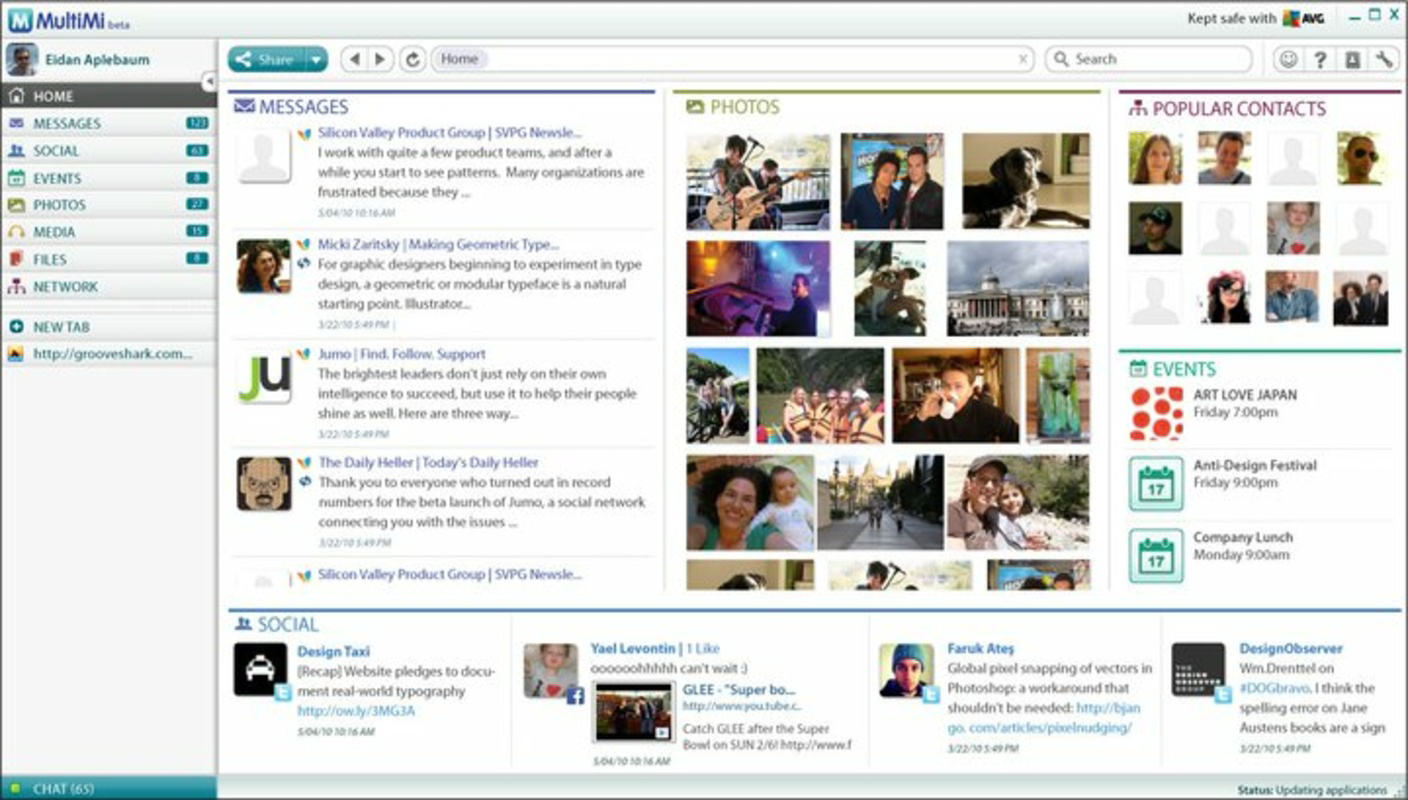
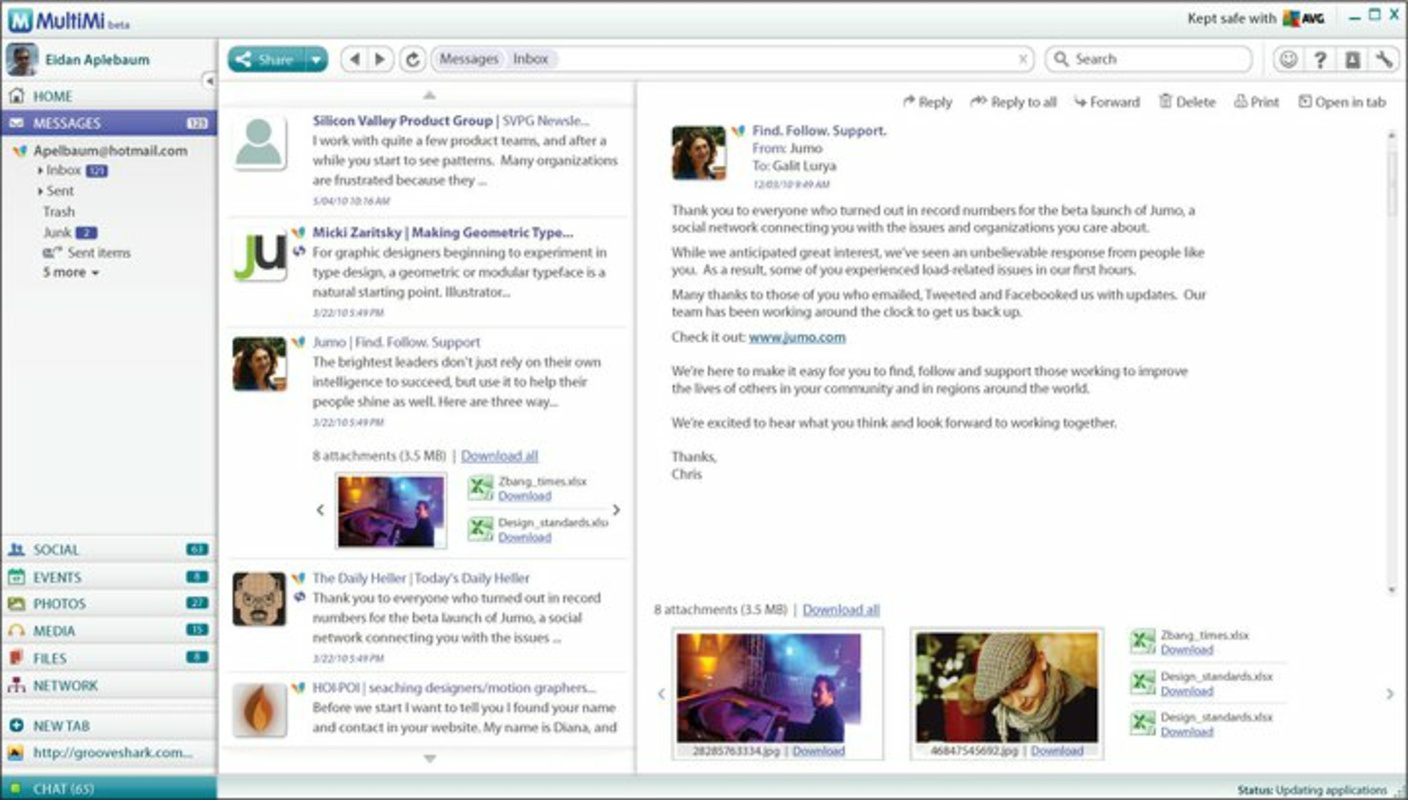
MultiMi is a mobile application designed to streamline digital communication by consolidating multiple messaging services into a single, cohesive platform. The app enables users to manage social media interactions, email correspondence, and real-time chats without the need to switch between separate applications. By integrating various communication channels—such as Facebook, Twitter, Gmail, and Google Docs—MultiMi offers a unified inbox that centralizes messages, notifications, and updates in one accessible location. This approach helps reduce digital clutter and enhances productivity by minimizing context switching.
The target audience includes professionals, students, and individuals who maintain active digital presence across multiple platforms. For users managing personal and work-related communication, MultiMi provides a practical solution to stay organized and responsive. It is particularly beneficial for those who rely on timely access to emails, social updates, and collaborative tools like Google Docs. The app’s ability to integrate with Google Calendar further strengthens its utility as a digital hub for both communication and time management.
Although the developer did not provide additional background information, the app’s long-standing presence since its release on September 7, 2011, suggests a level of stability and user retention. Its continued relevance in the mobile ecosystem underscores its value as a tool that simplifies digital workflows. MultiMi addresses a persistent challenge in modern digital life: the fragmentation of communication across platforms. By offering a centralized experience, it helps users maintain focus, improve efficiency, and stay connected across their most-used services.
Key Features & Functionality
- Unified Inbox: All incoming messages from integrated services—email, social media, and messaging apps—are aggregated into a single, organized inbox. This allows users to view and respond to communications from one interface, reducing the risk of missing important updates.
- Wide Service Support: MultiMi supports integration with major platforms including Facebook, Twitter, Gmail, Google Docs, and Google Calendar. This broad compatibility enables users to access their most-used tools without switching applications, enhancing multitasking and workflow continuity.
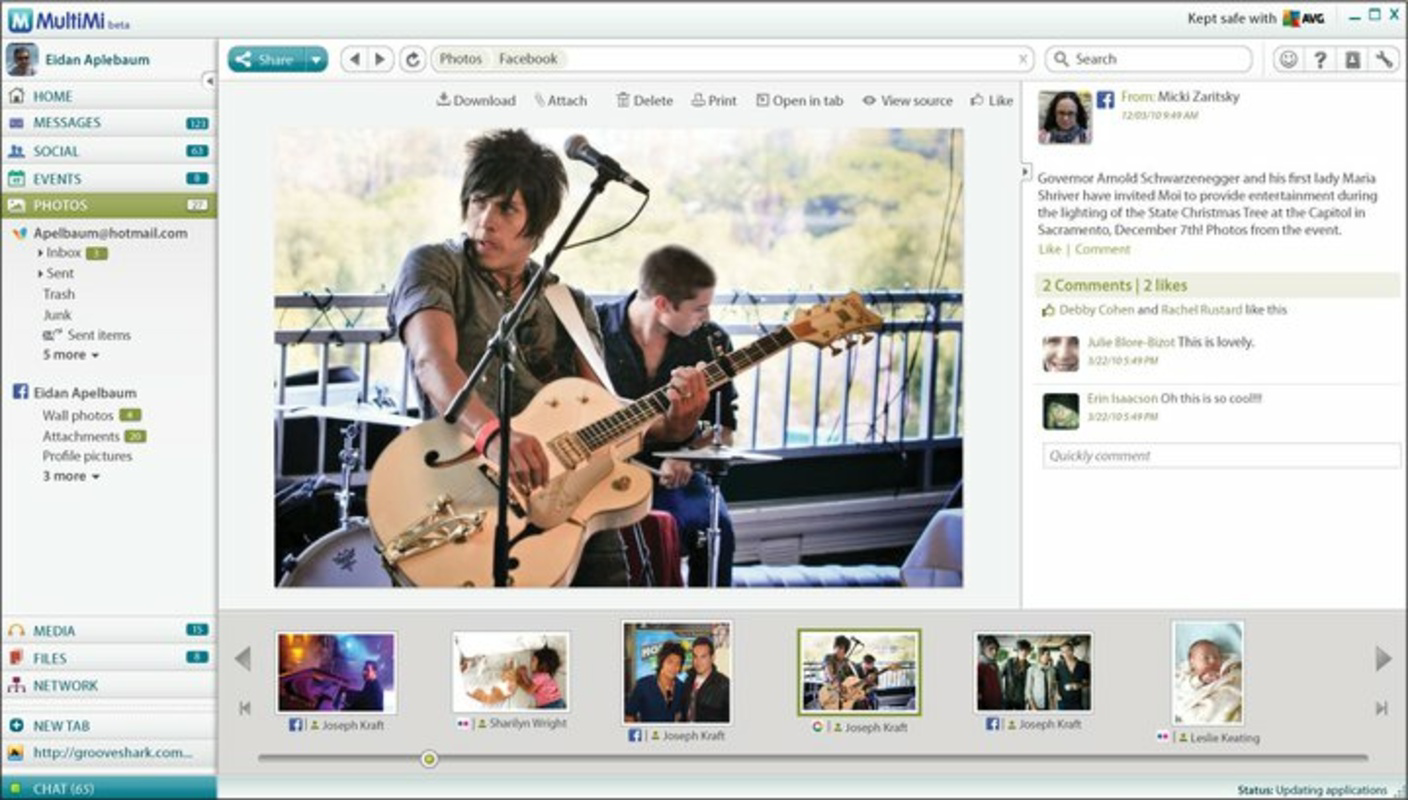
- Attractive Interface: The app features a clean, visually appealing design with intuitive navigation. Content is categorized into clear sections, making it easy to locate emails, messages, events, and shared documents, contributing to a seamless user experience.
- Enhanced Security: Integrated with AVG LinkScanner, MultiMi scans links within messages for potential threats. This feature adds a protective layer during online interactions, helping users avoid phishing attempts and malicious websites.
- Event Management Integration: The app syncs with Google Calendar, allowing users to view, schedule, and manage events directly within the MultiMi interface. This integration turns the app into a comprehensive tool for communication and time organization.
For example, a student managing group project emails, social media announcements, and class reminders can use MultiMi to monitor all updates in one place. Similarly, a remote worker can respond to client messages, check project documents, and update their calendar without opening multiple apps. These real-world use cases highlight how MultiMi supports efficient, centralized digital management.
Interface, UX & Performance
MultiMi presents a modern, user-centric interface with a clean layout and logical navigation. The app organizes content into clearly labeled sections—such as messages, emails, events, and documents—ensuring that users can locate specific information quickly. Visual cues, consistent iconography, and a responsive design contribute to an intuitive experience, even for users with limited technical proficiency.
Navigation flows smoothly between integrated services, minimizing friction during daily use. The app maintains a consistent look and feel across screens, which supports usability and reduces cognitive load. Although the developer did not list formal performance metrics, the app’s long-term availability suggests a stable and reliable operation across various device categories.
Responsiveness appears to be well-optimized, with minimal lag during transitions and content loading. Stability is maintained even when multiple services are active, indicating efficient background processing. The app’s performance on older or lower-end devices remains unspecified, but its continued use since 2011 implies adaptability across a range of hardware configurations. Overall, the user experience is designed to prioritize clarity, speed, and ease of access.
Platform Compatibility & Technical Requirements
MultiMi is available on Android, as indicated by the provided platform information. The app’s software version and file size are not specified in the input data, nor are the minimum OS requirements. The developer did not provide additional technical details regarding compatibility or system specifications.
Although the developer did not list formal performance metrics or compatibility information, the app’s presence since 2011 suggests it has been adapted to function across multiple Android versions. Users should ensure their device meets general Android standards for app installation. Specific requirements were not listed, so compatibility may vary depending on device configuration and OS version.
Pros and Cons
Pros
- Centralizes multiple messaging and communication platforms into one interface.
- Supports integration with popular services including Gmail, Google Calendar, Facebook, and Twitter.
- Features a clean, intuitive user interface with easy navigation.
- Includes security scanning for links via AVG LinkScanner.
- Offers event and calendar management within the app.
Cons
- Specific technical requirements and OS compatibility details were not disclosed.
- File size and version information are not provided.
- Performance on low-end or older devices remains unspecified.
- Developer background and support information were not shared.
- Updates and future development roadmap are not publicly detailed.
FAQ
Is MultiMi available for iOS devices?
The provided information only confirms Android availability. Platform compatibility beyond Android was not disclosed.
How secure is MultiMi when accessing multiple accounts?
MultiMi integrates AVG LinkScanner to scan links for potential threats, enhancing user safety during communication. However, the app’s overall security protocols were not detailed.
Can I use MultiMi without an internet connection?
As a cloud-based communication tool, MultiMi requires an active internet connection to sync messages and access external services. Offline functionality was not specified.
Does MultiMi support two-factor authentication?
Information regarding two-factor authentication or advanced account security features was not provided.
How often is MultiMi updated?
The update frequency and development timeline were not disclosed in the available data.
Final Thoughts
MultiMi stands out as a practical solution for users seeking to simplify their digital communication landscape. By consolidating emails, social media, messaging, and calendar events into a single interface, it reduces the mental load of managing multiple apps. Its support for widely used platforms and inclusion of security scanning make it a reliable tool for both personal and professional use.
While some technical details remain undisclosed, the app’s enduring presence since 2011 reflects its effectiveness and user value. For individuals who prioritize productivity, organization, and seamless connectivity, MultiMi offers a compelling combination of functionality and convenience.
Download MultiMi now


