
Download .NET – free programming tool, Windows development, secure framework
Introduction & Overview
Microsoft’s .NET platform is a free, open‑source programming ecosystem that powers millions of Windows‑oriented applications, web services, and cloud solutions. Built around three core components—the Common Language Runtime (CLR), the Framework Class Library (FCL), and ASP.NET—.NET supplies developers with a comprehensive set of libraries, templates, and reusable classes. Whether you are crafting a desktop utility, a dynamic web page, or a cross‑platform service, .NET gives you a consistent, high‑performance runtime and a rich API surface that abstracts low‑level details. The platform supports multiple languages such as C#, F#, and Visual Basic, allowing teams to choose the syntax that best fits their workflow. While the framework shines in professional environments, it also offers a learning curve that may challenge casual users. Its extensive versioning strategy lets you install several frameworks side‑by‑side, preserving compatibility with legacy applications that depend on older runtimes. Although the installer can be large and resource‑hungry, the benefits of a unified development stack—centralized debugging, automatic memory management, and built‑in security—make .NET an indispensable tool for Microsoft‑centric developers.
Key Features & Benefits
- Unified Runtime (CLR) – Executes code written in any .NET language, providing just‑in‑time compilation, garbage collection, and exception handling.
- Extensive Class Library (FCL) – Over 30,000 pre‑built classes for data access, networking, cryptography, UI, and more, reducing the need to write boiler‑plate code.
- ASP.NET Core – Modern, high‑performance framework for building web APIs, MVC sites, and real‑time applications with built‑in support for CSS, JavaScript, and HTML.
- Cross‑Platform Support – .NET 6/7 runs on Windows, macOS, and Linux, enabling developers to target multiple operating systems from a single code base.
- Language Interoperability – Seamlessly combine C#, F#, and VB.NET within the same project, leveraging the strengths of each language.
- NuGet Package Management – Access thousands of third‑party libraries and publish your own components with a simple package manager.
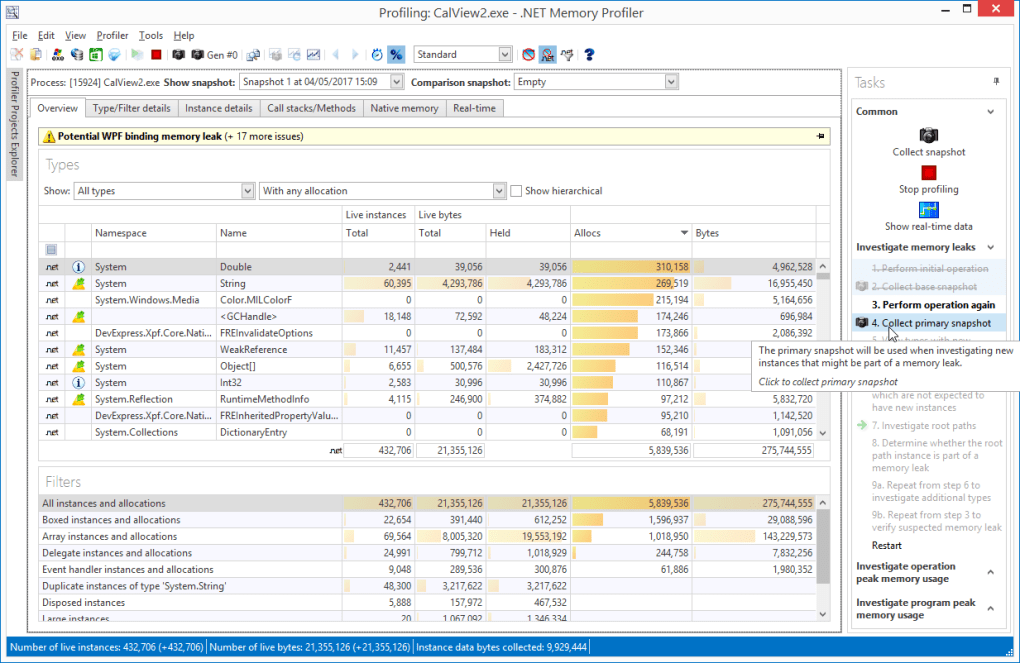
- Robust Tooling – Integrated with Visual Studio, Visual Studio Code, and Rider, offering IntelliSense, debugging, and performance profiling out of the box.
- Security & Updates – Regular security patches and version updates from Microsoft ensure a trusted development environment.
These features translate into tangible benefits: faster development cycles, reduced code duplication, and a reliable runtime that handles memory and threading complexities automatically. For teams building enterprise‑grade Windows applications, .NET’s deep integration with the Windows API and seamless deployment to the Microsoft Store provide a smooth path from code to production. The platform’s open‑source nature also invites community contributions, expanding the ecosystem with modern libraries for AI, IoT, and cloud-native workloads.
Installation, Usage & Compatibility
Installing .NET on a Windows machine begins with the official installer. The download size ranges from 200 MB to 500 MB depending on the selected version (e.g., .NET 6, .NET 7, or older .NET Framework releases). The installer guides you through a multi‑step wizard that checks for prerequisite components such as Windows 10 1903+ or Windows Server 2016. Because the framework can occupy several gigabytes once all optional workloads (desktop, web, mobile) are selected, it’s advisable to allocate at least 5 GB of free disk space. During installation, the wizard may prompt for a system restart to finalize registry updates—this is normal for a runtime that hooks deeply into the OS.
Once installed, you can verify the setup by opening a command prompt and typing dotnet --info. The command returns the SDK version, runtime version, and supported OS platforms. Development typically starts in an IDE: Visual Studio (Community, Professional, or Enterprise) offers a one‑click “Create New Project” experience, pre‑populating the solution with necessary references. For lightweight editing, Visual Studio Code paired with the C# extension provides IntelliSense, debugging, and integrated terminal support.
Compatibility spans Windows 10/11, Windows Server, macOS 12+, and major Linux distributions (Ubuntu, Fedora, Debian). However, older .NET Framework versions (e.g., 3.5, 4.0) are Windows‑only and may require manual activation via Windows Features. When a legacy application demands a specific runtime, you can install multiple versions side‑by‑side; the CLR automatically selects the correct version based on the application’s manifest. Keep in mind that each additional runtime consumes extra storage and may introduce subtle version conflicts if not managed through proper binding redirects.
For developers targeting mobile or IoT, .NET MAUI (Multi‑Platform App UI) extends the same codebase to Android, iOS, and macOS, though this adds further SDK components and increases the overall footprint. In practice, a modern development workstation with at least 8 GB RAM, a solid‑state drive, and a quad‑core CPU handles the installation and typical compile‑run cycles without noticeable slowdowns.
Pros, Cons, FAQ & Final Verdict
Pros
- Completely free and open‑source, with no licensing fees for commercial use.
- Rich, unified class library that accelerates development across desktop, web, and cloud.
- Strong Microsoft support, regular security updates, and a large developer community.
- Cross‑platform capabilities enable code reuse on Windows, macOS, and Linux.
- Seamless integration with Visual Studio and VS Code for a productive IDE experience.
Cons
- Installation can be lengthy and consumes significant disk space, especially with multiple runtimes.
- Older .NET Framework versions are Windows‑only and may become unstable or unsupported.
- High memory and CPU usage during large builds can strain low‑end machines.
- Managing side‑by‑side versions requires careful configuration to avoid binding conflicts.
- Casual users may find the learning curve steep without prior programming knowledge.
Frequently Asked Questions
Is .NET really free for commercial projects?
Yes. .NET is released under the MIT license, which allows free use, modification, and distribution in both open‑source and commercial applications without royalty fees.
Do I need to install every version of .NET to run older apps?
Only the specific runtime required by the legacy application needs to be installed. .NET supports side‑by‑side installations, so you can keep multiple versions without affecting each other.
Can I develop for macOS and Linux using .NET?
Yes. Starting with .NET 5, the platform is truly cross‑platform. You can build console apps, web APIs, and even desktop applications with .NET MAUI on macOS and Linux.
What IDE should I use for .NET development?
Visual Studio (Windows) offers the most comprehensive tooling, while Visual Studio Code provides a lightweight, cross‑platform alternative with excellent extensions for C# and F#.
How often does Microsoft release updates for .NET?
Microsoft follows a regular release cadence: major releases annually (e.g., .NET 7 in November) and minor security or bug‑fix updates monthly. All updates are delivered through the official installer or package managers.
Conclusion & Call to Action
Overall, .NET stands out as a powerful, free development platform that excels in building Windows‑centric applications while also embracing cross‑platform ambitions. Its extensive class library, strong tooling, and active community make it a top choice for professional developers. However, the sizable installer, resource demands, and version‑management complexities may deter casual users or those with limited hardware. If you are a Microsoft‑focused developer seeking a reliable, secure, and future‑proof framework, .NET is definitely worth the download. For beginners, consider starting with the latest .NET 7 SDK and using Visual Studio Code to keep the learning curve manageable.
Ready to start building? Download the latest .NET SDK now and unleash the full potential of Microsoft’s development ecosystem.
The .NET platform delivers a comprehensive, free solution for Windows development with excellent tooling and cross‑platform reach. Its only drawbacks are the large installation size and the need for solid hardware to run smoothly.








