
Download Network Activity Indicator – free Windows network monitoring tool
Overview
Network Activity Indicator is a lightweight, open‑source (GPL) utility designed to give Windows users a quick visual cue of ongoing network traffic. Developed by Igor Tolmachev, this program sits discreetly in the system tray and flashes an icon whenever data packets are sent or received, making it especially useful for those who need to keep an eye on background uploads, downloads, or potential unwanted connections. Although the software targets Windows 7 and earlier versions, its minimal system requirements mean it runs comfortably on machines with as little as 64 MB of RAM and a modest amount of disk space. Since its inclusion in our catalog in 2012, the tool has amassed over 1,600 downloads across diverse regions such as the Netherlands, Egypt, and Pakistan, reflecting its broad appeal among tech‑savvy users, network administrators, and home‑office professionals alike. The current stable release, version 1.5, was last updated on June 17 2012, and it remains fully functional on supported Windows platforms. Because the application is distributed under the GPL license, users can inspect, modify, or redistribute the source code without legal hindrance, fostering a transparent and community‑driven development model. Whether you are troubleshooting a slow internet connection, monitoring bandwidth usage for a small office, or simply want reassurance that your system isn’t secretly transmitting data, Network Activity Indicator offers a free, secure, and unobtrusive solution.
Key Features and How It Works
- Real‑time tray icon that flashes on any inbound or outbound traffic.
- Configurable sensitivity thresholds to avoid false positives from background services.
- Support for multiple network adapters, allowing you to monitor Ethernet, Wi‑Fi, or VPN connections independently.
- Compact footprint (under 2 MB) ensures the program does not compete for system resources.
- Customizable tooltip that displays exact upload and download speeds in KB/s or MB/s.
- Auto‑start option that adds the utility to the Windows startup sequence for continuous monitoring.
- Open‑source GPL license provides full access to the source code for auditing or personalization.
- English language interface with clear, icon‑based controls for non‑technical users.
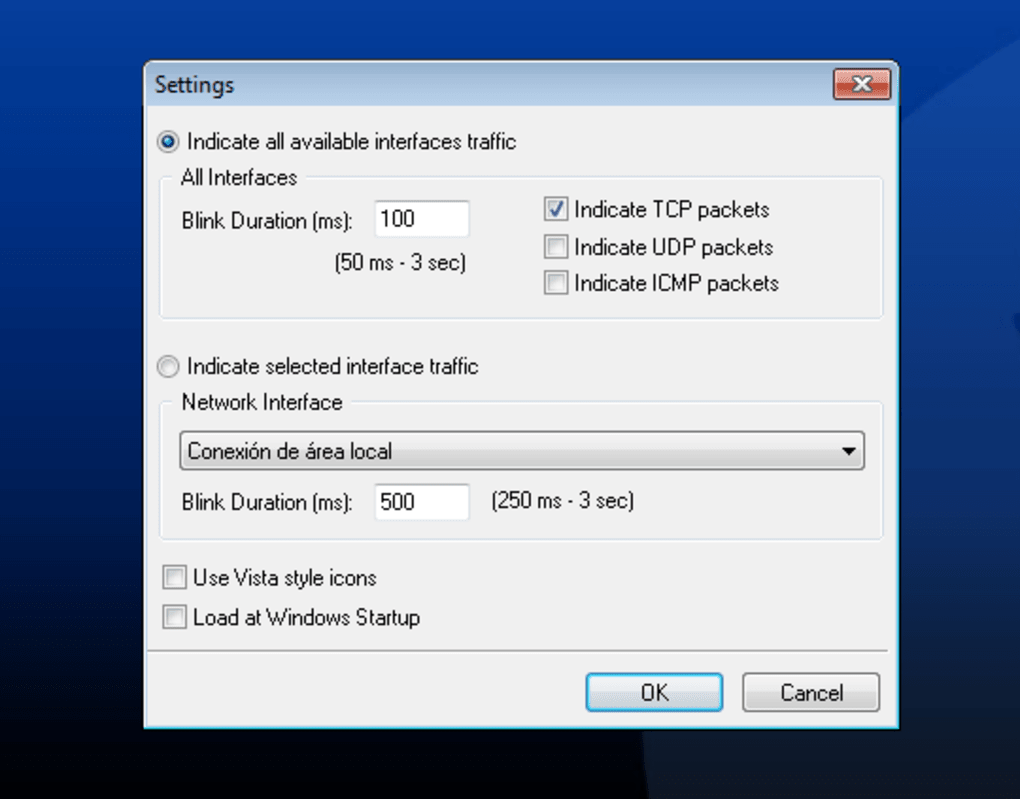
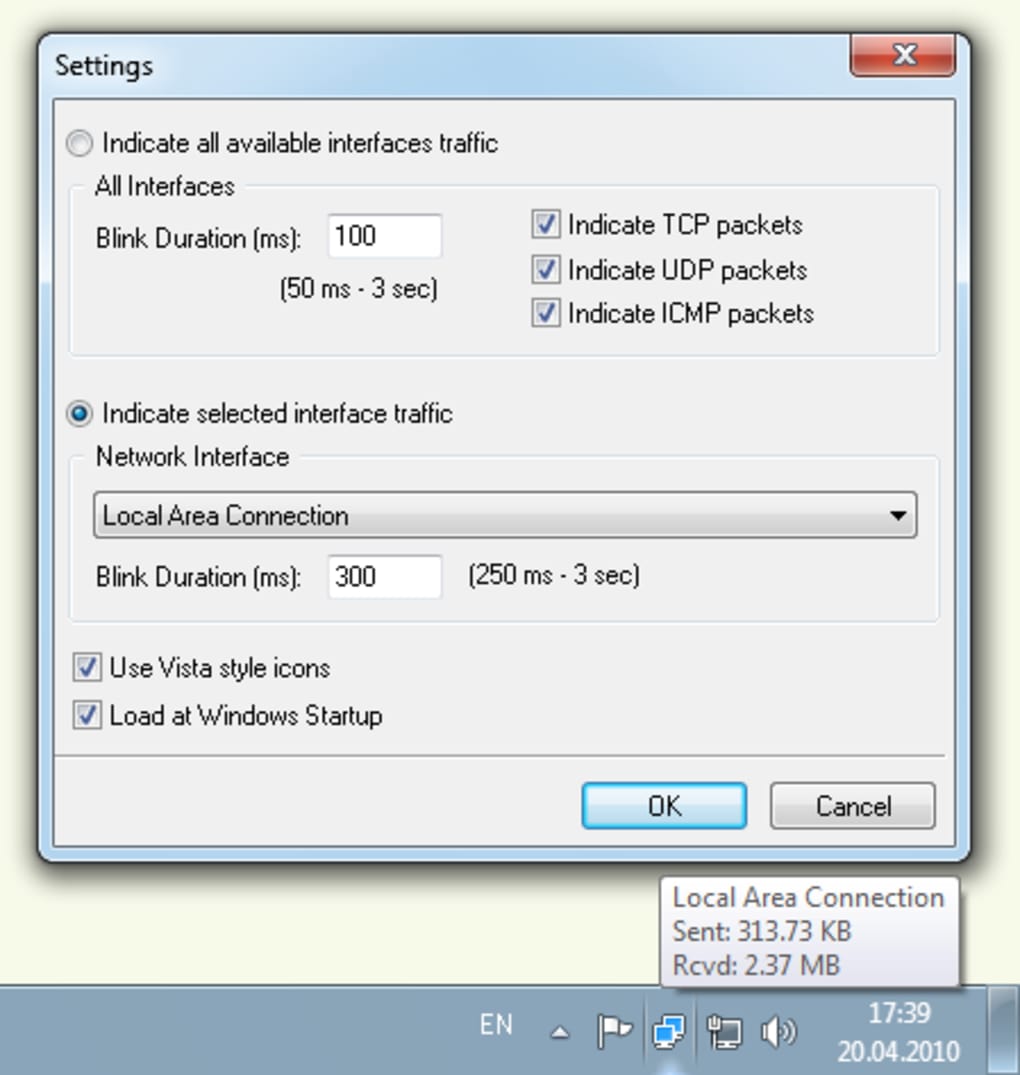
The utility monitors network interfaces using the Windows API, capturing packet counters at short intervals (default 500 ms). When the counters change, the tray icon toggles between a neutral state and an active state, effectively “blinking” to indicate traffic. Users can adjust the polling interval and set a minimum byte threshold, ensuring that only meaningful activity triggers the visual cue. This granular control prevents constant blinking caused by low‑volume background processes such as automatic Windows updates or telemetry services. Additionally, Network Activity Indicator offers a lightweight log file that records timestamps of each activity burst, enabling post‑analysis for troubleshooting intermittent connectivity issues. Because the program runs as a background process without a heavyweight GUI, it consumes negligible CPU cycles—typically less than 0.2 % on idle systems—making it safe to leave running 24 hours a day.
Installation, Usage, Compatibility, Pros & Cons
Installation & Usage Instructions
Installing Network Activity Indicator is straightforward. Download the ZIP archive from the official project page, extract the contents to a folder of your choice (e.g., C:\Program Files\NetworkActivityIndicator), and run NetworkActivityIndicator.exe. The installer is not required; the program is portable and can be launched directly. For users who prefer automatic startup, open the application’s settings (right‑click the tray icon) and enable “Run at Windows startup.” The first launch may trigger a Windows security warning because the executable is unsigned; simply click “Run anyway” if you trust the source. Once active, the icon appears in the system tray; hovering over it reveals current upload/download speeds, and a double‑click opens a tiny configuration window where you can tweak sensitivity, polling interval, and choose which network adapters to monitor.
Compatibility (itemprop="operatingSystem")
Network Activity Indicator is built for Windows 7, Windows Vista, Windows XP, and earlier Windows NT‑based versions. Because it relies on legacy network APIs, it does not support Windows 8, 10, or 11 without compatibility mode adjustments. The program is 32‑bit, but runs seamlessly on 64‑bit Windows installations thanks to Windows’ WOW64 subsystem. No additional runtimes (such as .NET or Visual C++ redistributables) are required, which contributes to its small footprint and fast startup time.
Pros
- Free and open‑source under GPL, allowing full transparency.
- Minimal system impact – low CPU and memory usage.
- Instant visual feedback for any network activity.
- Highly configurable thresholds and polling intervals.
- Portable – no installer required.
Cons
- No native support for Windows 8/10/11 without compatibility tweaks.
- Interface is basic; lacks advanced graphs or detailed reports.
- Project has not been updated since 2012, so newer network technologies (e.g., IPv6‑only adapters) may not be fully recognized.
- No multilingual UI – English only.
Frequently Asked Questions & Conclusion
Is Network Activity Indicator safe to use?
Yes. The program is released under the GPL license, its source code is publicly available, and it does not contain hidden telemetry. It only reads network counters, which is a read‑only operation.
Can I monitor multiple network adapters simultaneously?
Absolutely. In the settings window you can enable or disable each detected adapter, allowing you to watch Ethernet, Wi‑Fi, VPN, or virtual adapters independently.
Does the tool log traffic data for later analysis?
A simple log file can be activated from the options menu. It records timestamps and the amount of data transferred each time the icon flashes, which can be useful for troubleshooting intermittent connectivity.
Will the program interfere with my firewall or antivirus?
No. Network Activity Indicator only reads network statistics; it does not open listening sockets or modify network traffic, so firewalls and antivirus solutions typically ignore it.
How can I get updates or support for the software?
Since the last official release was in 2012, updates are rare. However, the project’s GitHub repository remains open for community contributions, and users can submit issues or pull requests there.
Conclusion
Network Activity Indicator fills a niche that many modern monitoring suites overlook: a tiny, always‑on visual cue that instantly tells you whether your Windows PC is communicating with the outside world. Its free, open‑source nature, combined with an almost negligible resource footprint, makes it an excellent addition to any power user’s toolbox, especially on older hardware where heavyweight analytics tools would be overkill. While the lack of recent updates means it may miss some newer networking protocols, the core functionality remains reliable for everyday bandwidth awareness. If you need a straightforward way to verify that no unwanted uploads are occurring, or simply want a quick sanity check before starting a large download, this utility delivers exactly that. Download Network Activity Indicator today, enable the tray icon, and gain peace of mind with every packet that traverses your network.
Free download – no hidden fees.








