
Screenshots
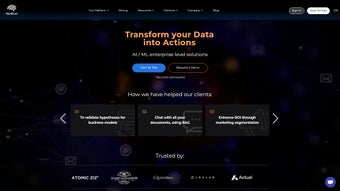
App details
- Updated
- June 16, 2025
- Requires
- Chrome
- License
- Subscription
- Developer
- nextbrain
- Category
- Web Apps
About NextBrain
Download NextBrain – No‑Code AI Platform for Business Intelligence
What Is NextBrain AI?
NextBrain AI is a web‑based, no‑code machine‑learning platform built specifically for businesses that want to leverage artificial intelligence without hiring a data‑science team. The solution removes the traditional barriers of coding, model selection, and complex data preprocessing by offering a visual, step‑by‑step workflow that guides users from raw data to actionable insights. Whether you run a small e‑commerce store, a mid‑size marketing agency, or a large enterprise, NextBrain translates raw tables into predictive models, classification engines, and trend forecasts that can be interpreted by anyone. Its core promise is to empower non‑technical decision‑makers with fast, accurate, and explainable AI results that can be directly applied to daily operations, from inventory optimization to customer churn prediction. The platform also includes a Generative AI Assistant powered by a cutting‑edge language model, allowing users to reshape data tables, generate synthetic data, or ask natural‑language questions about model performance. In short, NextBrain bridges the gap between sophisticated machine‑learning algorithms and everyday business users, delivering a secure, cloud‑hosted environment that keeps data private while providing real‑time updates and collaboration tools.
Key Features of NextBrain AI
- No‑Code Model Builder: Drag‑and‑drop interface that eliminates the need for Python or R.
- Explained AI Outcomes: Built‑in model interpretability dashboards that show feature importance and decision paths.
- Generative AI Assistant: Natural‑language helper that can reformat tables, suggest model types, and write short reports.
- Multi‑Source Integration: Connectors for CSV, Excel, Google Sheets, SQL databases, and popular SaaS tools like HubSpot and Shopify.
- Fast Training Engine: Cloud‑accelerated algorithms that deliver results in minutes, even on large datasets.
- Actionable Insights Export: One‑click export of predictions, confidence scores, and visualizations to PDFs or BI tools.
- Collaboration Workspace: Team members can share projects, leave comments, and set role‑based permissions.
- Secure Data Handling: End‑to‑end encryption, GDPR compliance, and optional on‑premise deployment for regulated industries.
- Continuous Model Updates: Automatic retraining schedules keep models current as new data arrives.
- Free Tier & Scalable Pricing: A generous free plan for startups and a pay‑as‑you‑go model for growing enterprises.
How to Install and Use NextBrain AI
Step 1: Create Your Account
Visit the official NextBrain website and click the “Sign Up Free” button. The registration process requires only an email address and a secure password. After confirming the verification email, you’ll be directed to the dashboard where you can start a new project.
Step 2: Connect Your Data Sources
From the “Data” tab, select the appropriate connector—upload a CSV/Excel file, link a Google Sheet, or provide database credentials for a MySQL or PostgreSQL instance. The platform automatically scans the schema, detects data types, and suggests cleaning actions (e.g., handling missing values or outliers). You can preview the cleaned dataset before moving forward.
Step 3: Choose a Model Type
NextBrain’s Generative AI Assistant can recommend the most suitable algorithm based on your goal—regression for sales forecasting, classification for churn prediction, or clustering for customer segmentation. Simply type “What model should I use for predicting next‑month sales?” and the assistant will display a shortlist with brief explanations.
Step 4: Configure Training Parameters
Use the visual parameter panel to set training‑epoch limits, validation splits, and performance metrics (RMSE, F1‑score, etc.). For most users, the default settings provide a solid baseline, but power users can fine‑tune hyperparameters such as learning rate or regularization strength.
Step 5: Train and Review Results
Click “Train Model.” Within minutes, the cloud engine finishes training and presents a dashboard with accuracy, confusion matrix, and feature‑importance plots. The “Explainability” tab translates these technical outputs into plain‑English insights, e.g., “Customers with a high average order value and recent website visits are 35 % more likely to renew.”
Step 6: Deploy or Export
After validating the model, you can either embed it directly into your business workflow via an API endpoint, schedule automatic predictions, or export the results as a CSV file for downstream analysis. The platform also supports one‑click publishing to popular BI tools like Tableau or Power BI.
Overall, the installation process is purely browser‑based—no local software download is required, making onboarding fast and frictionless for distributed teams.
Compatibility and System Requirements
NextBrain AI runs entirely in the cloud, which means it is compatible with any modern operating system that can run a web browser. The platform has been tested on the following environments:
- Windows 10, 11 (Edge, Chrome, Firefox)
- macOS Monterey and later (Safari, Chrome, Firefox)
- Linux distributions with recent Chromium‑based browsers
- iOS 14+ (Safari, Chrome) and Android 9+ (Chrome, Firefox) for on‑the‑go access
Because the heavy lifting—model training, data processing, and AI inference—is performed on NextBrain’s secure servers, the client machine only needs a stable internet connection and a browser that supports HTML5 and WebGL. Minimum recommended bandwidth is 5 Mbps for smooth data uploads and real‑time dashboard interactions. For enterprises with strict data‑residency requirements, NextBrain offers a private cloud or on‑premise container deployment, which can be integrated with corporate VPNs and Active Directory.
Pros, Cons, and Frequently Asked Questions
Pros
- True no‑code experience—business users can build models without writing a single line of code.
- Explainable AI dashboards turn complex metrics into clear business recommendations.
- Fast cloud training reduces time‑to‑insight from days to minutes.
- Generative AI Assistant accelerates data preparation and model selection.
- Robust security features, including encryption at rest and in transit.
- Scalable pricing model with a free tier for small teams.
Cons
- Limited offline capability—requires an internet connection for all operations.
- Advanced hyper‑parameter tuning is abstracted, which may frustrate data‑science veterans.
- Custom algorithm integration is not available in the standard plans.
- Export formats are primarily CSV and PDF; direct integration with all third‑party BI tools may need custom connectors.
Frequently Asked Questions
Is NextBrain AI truly free for small teams?
Yes. The free tier includes up to three active projects, 1 GB of data storage, and 10,000 predictions per month, which is sufficient for startups and small marketing teams.
How does NextBrain ensure data privacy?
All data is encrypted using AES‑256 both at rest and in transit. The platform complies with GDPR, CCPA, and ISO 27001 standards. For regulated industries, an on‑premise deployment option is available.
Can I integrate NextBrain predictions into my existing CRM?
Absolutely. NextBrain provides RESTful API endpoints and webhook support, allowing you to push predictions directly into Salesforce, HubSpot, or any custom CRM system.
What types of machine‑learning models are available?
The platform offers a curated set of models including linear regression, decision trees, random forests, gradient boosting, XGBoost, k‑means clustering, and basic neural networks. Model recommendations are automatically generated based on your data and objectives.
Do I need any technical background to use the Generative AI Assistant?
No. The assistant is designed for non‑technical users. You can type plain English commands like “Remove duplicate rows” or “Create a new column with month‑over‑month growth,” and the system will execute the request instantly.
Final Verdict
NextBrain AI stands out in the crowded no‑code machine‑learning market by combining speed, explainability, and a genuinely user‑friendly interface. While power users may miss deep‑level customizations, the platform’s strengths—secure cloud processing, generative assistance, and seamless integration—make it an excellent choice for businesses that want to democratize AI without sacrificing reliability. If you’re looking to turn data into decisions quickly and safely, downloading NextBrain is a logical next step.
Guides & Tutorials
How to install NextBrain
- Click the Download button above.
- Once redirected, accept the terms and click Install.
- Wait for the NextBrain download to finish on your device.
How to use NextBrain
This software is primarily used for its core features described above. Open the app after installation to explore its capabilities.
User Reviews
No reviews yet. Be the first to share your experience.
You may also like
more
3D AI Studio
3D AI Studio Overview 3D AI Studio is a web-based AI-powered tool developed by S...

3D textures by Polycam
Generate Realistic 3D Textures Effortlessly 3D Textures by Polycam is an innovat...

3DAiLY
Customizable 3D Modeling Tool: 3DAiLY 3DAiLY is an online platform that harnesse...

3DFY
Revolutionizing 3D Model Creation: 3DFY Review 3DFY is an AI-powered service, de...

AI Dungeon
AI Dungeon: Deep Learning Text Adventure AI Dungeon is an artificial intelligenc...

Alpha3D
A subscription-based program for Web apps, by alpha3d. Alpha3D is a subscription...
