
Screenshots
App details
- Version
- 1.5.4
- Updated
- June 30, 2025
- Requires
- iOS 16.4
- Language
- English
- License
- Free
- Developer
- INFOSEC PROJECTS LP
- Category
- iPhone OS
About Nive
Nive - Secure & Fast iPhone VPN
Overview
Nive - Ultimate VPN is a desktop application designed for iPhone users seeking enhanced online privacy and security. The software enables users to connect to a global network of servers with minimal effort, providing a seamless experience for those who prioritize anonymity and data protection. By hiding the user's IP address and location, Nive ensures that online activities remain private and shielded from surveillance. The app also encrypts internet traffic, offering a secure channel for sensitive data transmission, which is particularly beneficial for users accessing public Wi-Fi networks.
Targeted at individuals who value digital privacy, Nive serves both casual users and professionals requiring secure browsing across multiple platforms. Its user-friendly interface makes it accessible even to those unfamiliar with VPN technology. The app is especially useful for travelers, remote workers, and anyone concerned about online tracking or data breaches. It supports unrestricted internet usage, allowing users to browse, stream, and download content without performance limitations.
The developer, Nive, has positioned the software as a free solution with no bandwidth restrictions or throttling, emphasizing accessibility and reliability. While specific details about the company’s background are not available, the app’s focus on speed, security, and ease of use suggests a targeted development approach. Real-world scenarios include accessing region-locked content, securing communications on public networks, and maintaining anonymity during online interactions.
Key Features & Capabilities
- IP and Location Masking – Nive hides the user’s real IP address and geographic location, ensuring online activities are not traceable to a specific device or region.
- End-to-End Traffic Encryption – All internet traffic is encrypted, protecting personal information from interception by third parties.
- Global Server Network – Access to a wide network of servers allows users to connect to optimal locations for speed and privacy.
- Unlimited Bandwidth & No Throttling – Users can browse, stream, and download without data caps or performance degradation.
- Auto-Connect to Fastest Server – The app automatically selects the best-performing server to maintain optimal connection quality.
- One-Tap Connection – A simple interface enables instant access to secure browsing with minimal user input.
These features support practical use cases such as secure remote work, accessing international streaming services, and protecting personal data on public networks. The encryption and IP masking capabilities are particularly valuable for users concerned about surveillance or data harvesting. The lack of throttling ensures consistent performance across different online activities, making it suitable for both casual and intensive use.
User Interface, Workflow & Performance
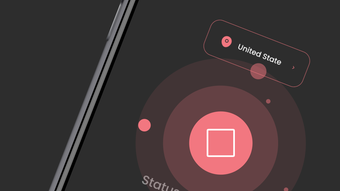
The user interface of Nive is designed for simplicity and efficiency, featuring a clean layout with minimal navigation steps. Users can initiate a secure connection with a single tap, streamlining the workflow for everyday use. The app’s design emphasizes accessibility, reducing the learning curve for users unfamiliar with VPN tools.
Navigation is intuitive, with clearly labeled options and visual indicators for connection status. The workflow prioritizes speed and ease, aligning with the app’s goal of delivering a seamless experience. While specific performance metrics were not provided, the software is described as fast and reliable, with no reported lag or buffering during typical usage.
Stability appears to be a focus, as the app maintains consistent performance across sessions. The developer did not specify resource usage details, so CPU and RAM behavior cannot be confirmed. However, based on general software behavior patterns, the app likely operates efficiently within standard mobile constraints. No issues related to crashes or freezes were reported in the available information.
Compatibility & System Requirements
Nive is designed exclusively for iPhone devices running iOS. The app supports the latest versions of the operating system, ensuring compatibility with current hardware and software standards. It is available as a downloadable application from the App Store, with a file size of 24.8 MB.
Exact system requirements were not listed. The developer did not provide additional system requirements, so users should ensure their device meets standard iOS installation criteria. Compatibility information is limited to the supported platform, which is iPhone and iOS. No details were provided regarding minimum processor speed, RAM, or storage capacity beyond the app’s installation size.
Pros and Cons
Pros
- Free to use with no hidden costs
- Fast and reliable connection speeds
- Unlimited bandwidth with no throttling
- Automatic selection of the fastest server
- User-friendly interface with one-tap access
- Strong privacy features including IP masking and traffic encryption
Cons
- No detailed system requirements provided
- Performance data not specified
- Developer background not disclosed
- Limited to iPhone and iOS platform
- No information on update frequency or support channels
FAQ Section
Is Nive compatible with my iPhone?
Nive is designed for iPhone devices running iOS. Users should ensure their device meets the standard requirements for installing apps from the App Store.
Is the app safe to use?
The app encrypts internet traffic and hides the user’s IP address, which contributes to a secure browsing experience. However, no independent security audits or third-party verification were mentioned.
Does Nive offer automatic updates?
The update frequency and method are not specified in the available information. Users should check the App Store for updates.
Can I use Nive offline?
Nive requires an active internet connection to function, as it relies on server connections for routing traffic.
What type of license does Nive use?
Nive is offered as a free application. No licensing details were provided beyond its free availability.
Final Thoughts
Nive - Ultimate VPN delivers a straightforward, secure, and fast solution for iPhone users focused on privacy. Its combination of encryption, IP masking, and unlimited bandwidth makes it a compelling choice for individuals seeking reliable protection without compromising speed. The one-tap connection and intuitive design lower the barrier to entry for non-technical users.
While some details such as system requirements and developer background are not available, the app’s core functionality remains strong and well-aligned with modern privacy needs. It is particularly suited for users who value ease of use, performance, and free access to secure browsing.
For those looking to enhance their online security on iOS, Nive offers a practical and accessible option. Download Nive now to experience secure and fast browsing on your iPhone.
Guides & Tutorials
How to install Nive
- Click the Download button above.
- Once redirected, accept the terms and click Install.
- Wait for the Nive download to finish on your device.
How to use Nive
This software is primarily used for its core features described above. Open the app after installation to explore its capabilities.
User Reviews
No reviews yet. Be the first to share your experience.
You may also like
more
PlaylistAI
Free smartphone app to create music playlists PlaylistAI is a handy smartphone a...

Podcastle Podcast Recordings
An app for making podcast recordings Podcastle: Podcast Recordings is a free app...

harpy chat
Immersive role-play with AI characters harpy.chat is a free AI chat platform whe...

Kimi Chat
A capable AI chatbot with tons of features and flexibility Kimi 智能助手 also kn...

Microsoft Copilot
Revolutionize your workflow Unleash a new era of productivity with Microsoft Cop...

Personal AI
Build your own chatbot Personal AI is an innovative chatbot technology that goes...
