
Skildring
Obfuscate your JavaScript Source Code to enable anti-theft protection by converting your js source code into completely unreadable form & preventing it from analyzing and reusing.
Features:
- Enable/Disable Obfuscating Any Time
- Include Script By File Name
- Obfuscate JS Source Code Using 3 Different Modes (Minify Too)
- Cache Feature
Skjermbilete
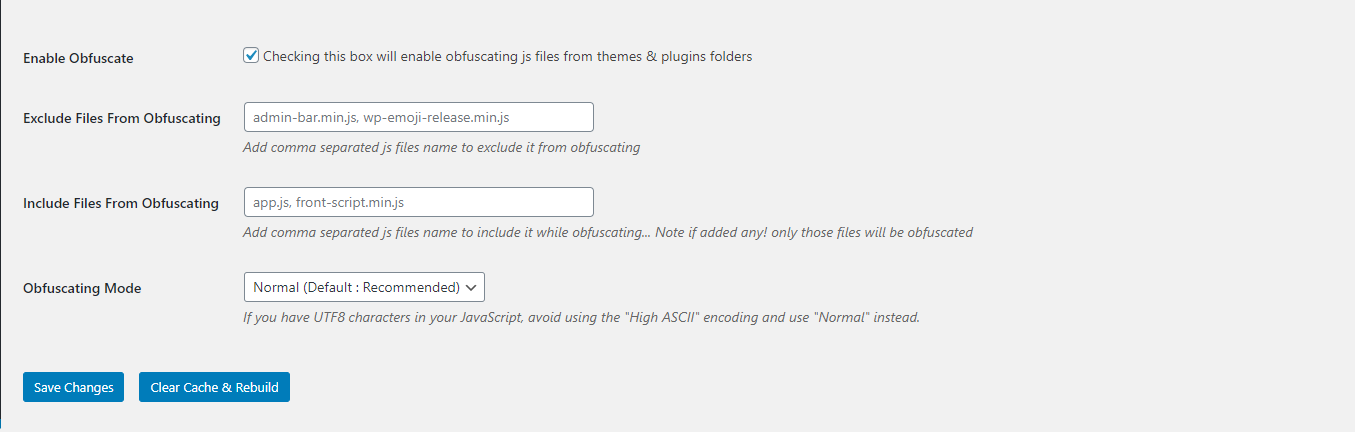
Obfuscating Settings

Installasjon
To add a WordPress Plugin using the built-in plugin installer:
Go to Plugins > Add New.
- Type in the name «JavaScript Obfuscator» in Search Plugins box
- Find the «JavaScript Obfuscator» Plugin to install.
- Click Install Now to begin the plugin installation.
- The resulting installation screen will list the installation as successful or note any problems during the install.
If successful, click Activate Plugin to activate it, or Return to Plugin Installer for further actions.
To add a WordPress Plugin from GitHub repo / plugin zip file :
1. Go to WordPress plugin page
2. Click Add New & Upload Plugin
3. Drag / Click upload the plugin zip file
4. The resulting installation screen will list the installation as successful or note any problems during the install.
If successful, click Activate Plugin to activate it, or Return to Plugin Installer for further actions.
Vanlege spm.
-
How to use this plugin?
-
Just after installing the plugin, go to settings page and enable the obfuscating settings according to your needs… See screenshot.
Omtalar


Bidragsytarar og utviklarar
“JavaScript Obfuscator” is open source software. The following people have contributed to this plugin.
Contributors
Omset “JavaScript Obfuscator” til ditt eige språk.
Interested in development?
Les kjeldekoden, sjekk SVN-lageret eller abonner på utviklingsloggen med RSS.
Endringslogg
2.0.4
- Compatibility checkup for latest wp version 6.9
2.0.3
- Fixed issue: PHP v8.1 warning
2.0.2
- Fixed issue: typo giving fatal error
2.0.1
- Checked for latest wp version 6.8
2.0.0
- Major changes in codebase. Compatibility checkup for latest wp version 6.7
1.0.3
- Compatibility check for wp 6.6
1.0.2
- Compatibility check for wp 6.3
1.0.1
- Compatibility check for wp 6.0
1.0.0
- Initial release.
