


Download NOOK – eBooks, Magazines, Comics, Digital Library
Overview
NOOK by Barnes & Noble is a dedicated digital reading application designed to deliver a comprehensive library of eBooks, magazines, and comics to users across multiple devices. The app serves as a digital storefront connected to the Barnes & Noble retail ecosystem, offering access to millions of titles across various genres and formats. It enables readers to explore content through free previews, helping them make informed purchasing decisions before committing to a full purchase. This functionality positions NOOK as a strong alternative to platforms like Amazon Kindle and Google Play Books, particularly for users seeking a curated digital library with a focus on both mainstream and niche content.
The app is especially suited for avid readers, students, and professionals who rely on digital content for leisure or research. Its integration with cloud syncing allows users to seamlessly transition between devices using the same account, preserving reading progress and preferences. Real-world use cases include commuting with a digital library, studying with annotated eBooks, or staying updated with current issues of magazines. While the app excels in presenting top-selling and popular titles, discovering lesser-known works—especially those from independent authors—can be challenging due to limited discovery tools. The developer did not provide additional technical details, but the app’s long-standing presence in the market suggests reliability and ongoing support.
Key Features & Functionality
- Extensive Digital Library: Access to millions of eBooks, magazines, and comics, including bestsellers and new releases.
- Free Content Previews: Read short samples of books and magazines before purchasing, enabling informed decisions.
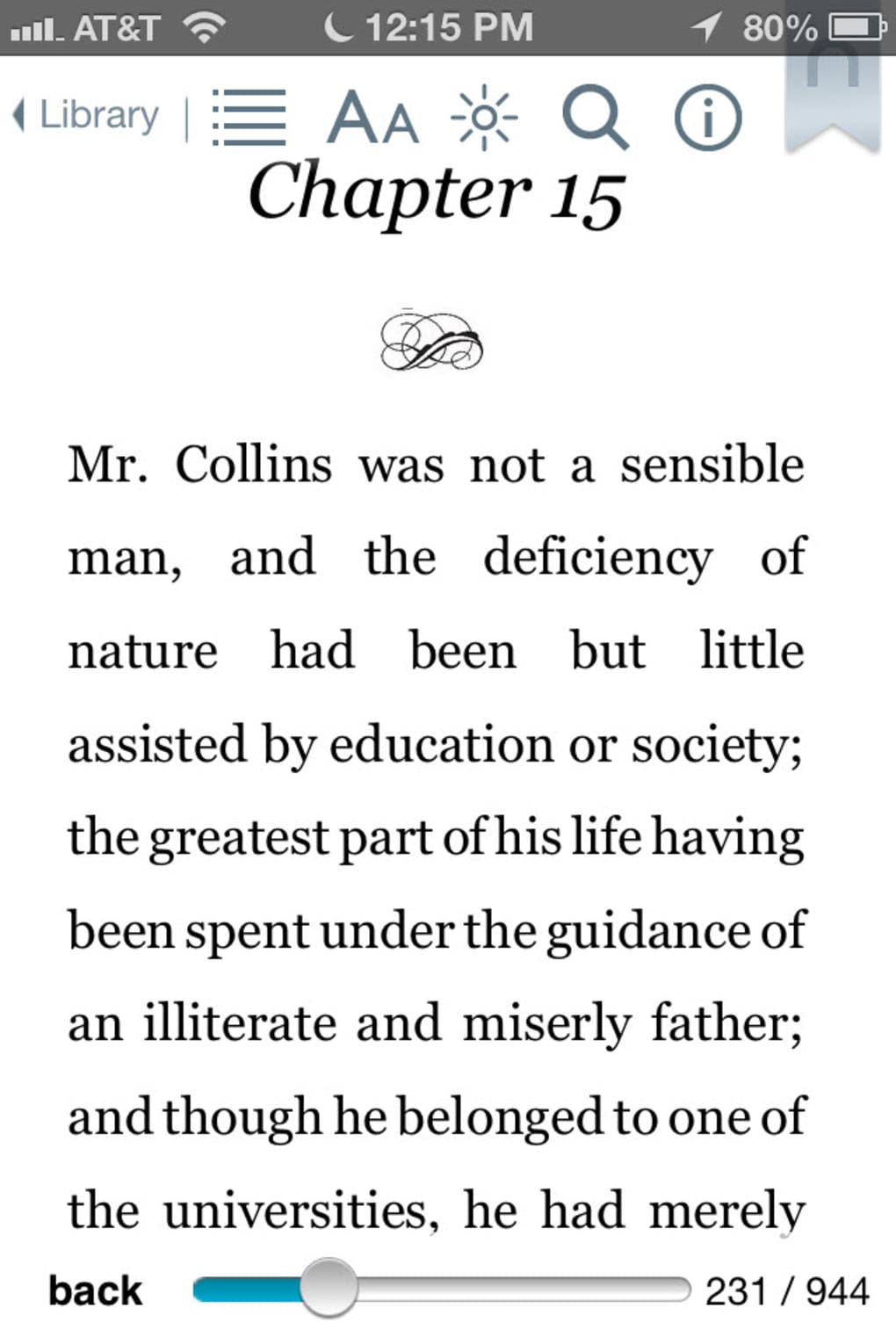
- Customizable Reading Experience: Adjust fonts, text size, background color, and margins to suit personal reading preferences.
- Cloud Syncing: Seamlessly sync reading progress, bookmarks, and notes across all devices linked to the same Barnes & Noble account.
- In-App Dictionary: Instant lookup of unfamiliar words with a simple tap, enhancing comprehension and learning.
- Content Management: Organize books into collections, track reading progress, and manage purchases directly within the app.
These features benefit users in various scenarios: students can customize text settings for better readability during long study sessions, while travelers can carry a vast library in a single device. The cloud syncing feature ensures continuity, making it ideal for users who switch between smartphones, tablets, and eReaders. However, the app’s discovery interface may not effectively surface independent or niche titles, which can limit exploration for users seeking diverse voices. Comics, while available, present formatting challenges—users often report needing to zoom frequently to view individual panels, which can disrupt the reading flow. Despite these limitations, the app remains a robust tool for digital reading, particularly for those already invested in the Barnes & Noble ecosystem.
Interface, UX & Performance
The NOOK app features a clean, intuitive interface with a focus on content accessibility. The home screen prominently displays bestsellers, featured collections, and personalized recommendations, helping users quickly find popular content. Navigation is straightforward, with clearly labeled tabs for browsing, library management, and account settings. The visual style is minimalistic, emphasizing readability and reducing distractions during reading sessions.
Users can easily switch between reading modes, adjust display settings, and access their library with minimal taps. The app’s responsiveness is generally consistent across different device categories, though performance may vary depending on hardware capabilities. Although the developer did not list formal performance metrics, the app maintains stability during extended reading sessions. Some users have reported minor lag when loading large comics or PDFs, but this is not universal. The app updates regularly, suggesting ongoing optimization for newer devices and operating systems. Compatibility information was not fully disclosed, but the app remains available on both Android and iOS platforms.
Platform Compatibility & Technical Requirements
NOOK by Barnes & Noble is available on both Android and iOS platforms, supporting a wide range of mobile devices. The app’s file size is approximately 45.8 MB, making it lightweight and suitable for devices with limited storage. The latest version is compatible with recent operating systems, though specific OS version requirements were not listed. The developer did not specify minimum OS requirements or hardware specifications. Users should ensure their device meets standard app installation criteria for their respective platform. The app is free to download and install, with no in-app purchase barriers at the download stage.
Pros and Cons
Pros
- Extensive library of eBooks, magazines, and comics
- Free previews available for most titles
- Customizable reading settings for improved comfort
- Cloud syncing across multiple devices
- Free to download and install
- Regular updates and feature improvements
Cons
- Challenging discovery of independent and niche titles
- Comic formatting issues requiring frequent zooming
- Limited filtering and sorting options for lesser-known content
- Performance may vary on older or low-end devices
- Content within the app is not free; purchases required
FAQ
Is NOOK by Barnes & Noble free to download?
Yes, the NOOK app is free to download and install on both Android and iOS devices. However, individual books, magazines, and comics within the app are sold separately.
Can I read NOOK books on multiple devices?
Yes, content purchased through NOOK can be accessed on multiple devices as long as they are linked to the same Barnes & Noble account, thanks to cloud syncing.
Does NOOK support comics and graphic novels?
Yes, NOOK offers a selection of comics and graphic novels. However, some users report formatting issues that require frequent zooming to view panel details.
Is my reading progress saved across devices?
Yes, reading progress, bookmarks, and notes are automatically synced across all devices connected to the same account, ensuring continuity.
How often is the NOOK app updated?
The app is updated regularly with new features, performance improvements, and bug fixes, ensuring a stable and evolving user experience.
Final Thoughts
NOOK by Barnes & Noble stands as a reliable and feature-rich digital reading platform for users seeking a well-established eBook and magazine experience. Its strengths lie in its vast library, customizable reading environment, and seamless cross-device synchronization. While the app excels in delivering mainstream content and supporting a wide range of reading preferences, it faces challenges in promoting independent authors and optimizing comic formatting. For readers already invested in the Barnes & Noble ecosystem, NOOK offers a natural extension of their digital library. It’s a solid choice for those who value a familiar, stable interface with strong content curation. Though not without flaws, its consistent updates and robust feature set make it a worthwhile addition to any digital reading toolkit.
Download NOOK now








