
Screenshots
App details
- Version
- 1.0
- Updated
- February 9, 2024
- Requires
- Windows 10
- Language
- English | Chinese
- License
- Free
- Developer
- Wuhan Net Power Technology Co. Ltd
- Category
- Windows OS
About Note
Download Note – Free Notepad, Memo & Note Taking App for Windows, Mac, Android & iOS
Why Note Stands Out Among Free Notepad Tools
In a digital world where information overload is common, finding a simple yet powerful note-taking tool is essential. Note – Notepad, Memo, Note Taking by Wuhan Net Power Technology delivers exactly that: a clean, distraction-free environment for capturing ideas, to-do lists, reminders, and important information. Whether you're a student, professional, or casual user, this free software is designed to make your note-taking experience seamless and efficient. With its intuitive interface and smart features, Note ensures that your thoughts are never lost.
One of the standout aspects of this app is its automatic saving mechanism. Unlike traditional notepads where you risk losing work if the system crashes or you forget to save, Note continuously backs up your entries in real time. This means you can focus on writing without the anxiety of data loss. The full-text search feature is another game-changer, allowing you to quickly locate specific notes or keywords across your entire collection—ideal for users managing dozens or even hundreds of entries.
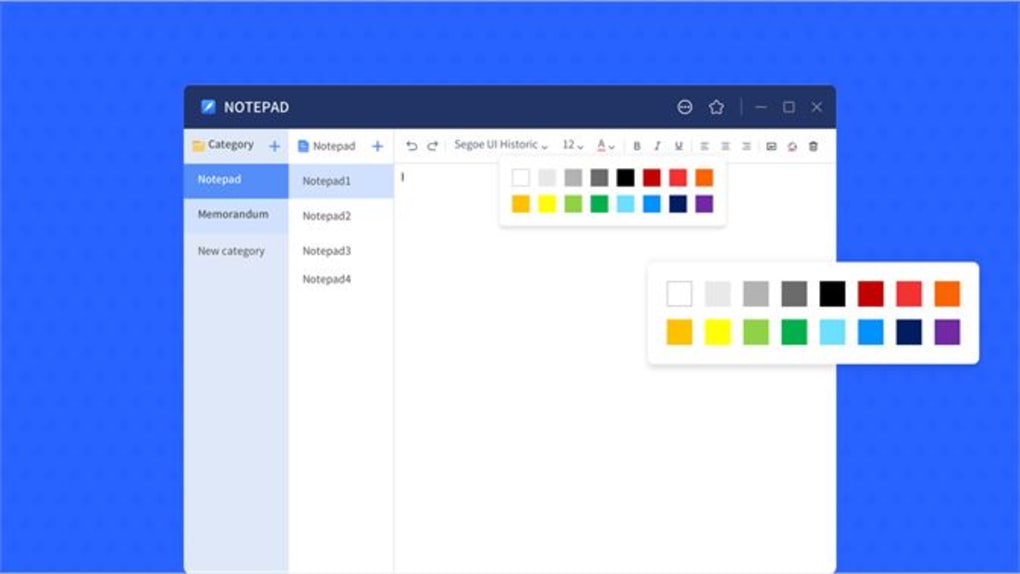
Color-coded notes enhance organization and visual clarity. You can assign different colors to notes based on priority, topic, or project, making it easy to scan through your collection at a glance. Whether you're jotting down meeting notes, tracking daily tasks, or drafting ideas, color-coding adds a layer of personalization and structure. The built-in spell check and formatting tools further elevate the experience, ensuring your notes are not only organized but also professionally written. With support for multiple platforms, including Windows, Mac, Android, and iOS, Note ensures your data stays accessible wherever you go.
Key Features That Make Note a Must-Have Tool
- Automatic saving to prevent data loss
- Full-text search across all notes
- Color-coded notes for visual organization
- Spell check and text formatting options
- Lightweight and fast performance on all devices
- Sync across Windows, Mac, Android, and iOS (Pro version)
- Simple, clean interface with no distractions
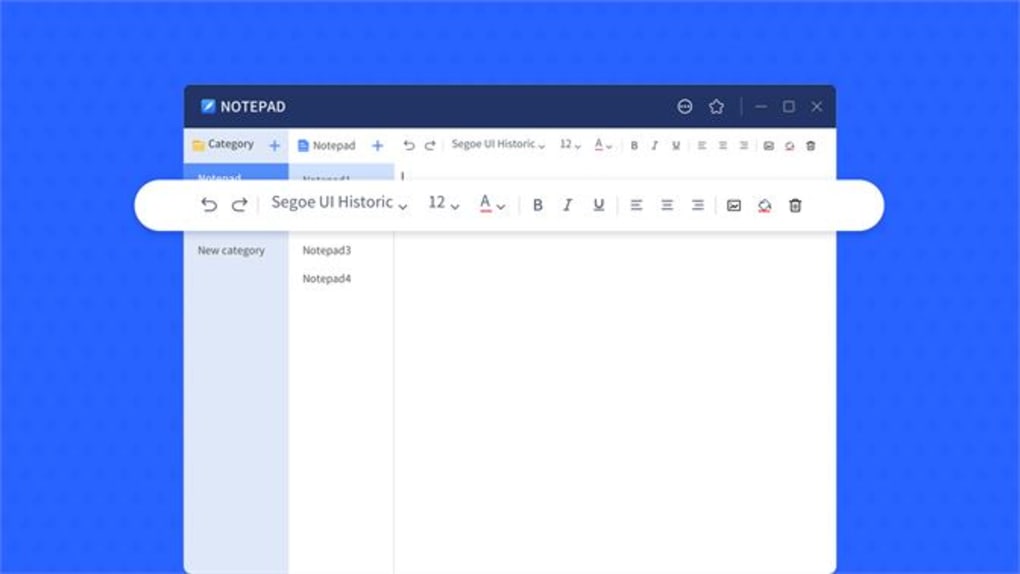
- Support for rich text and basic styling (bold, italic, underline)
- Offline access to all notes
- Free version includes core functionality with optional Pro upgrade
What truly sets Note apart is its balance between simplicity and functionality. While many note-taking apps come packed with unnecessary features, Note keeps the experience focused and efficient. The automatic save feature is a lifesaver—no more “oops, I forgot to save” moments. Whether you're writing a quick grocery list or drafting a complex project outline, your content is always preserved.
The full-text search is particularly powerful. Instead of manually scrolling through pages, you can type a keyword and instantly find the relevant note. This is especially useful for professionals managing multiple projects or students preparing for exams. The color-coding system allows you to categorize notes visually—red for urgent, yellow for reminders, green for completed tasks—making your digital workspace intuitive and easy to navigate.
For users who value writing quality, the spell check and formatting tools are a welcome addition. You can bold important points, italicize key ideas, or underline critical deadlines. These small enhancements make your notes more readable and professional. The app runs smoothly on both older and newer devices, thanks to its lightweight design, ensuring a fast and responsive experience whether you're on a desktop or mobile device.
How to Install and Use Note on Windows, Mac, Android, and iOS
Getting started with Note is quick and hassle-free. To download Note for Windows or Mac, visit the official website or trusted software platforms. The installation process is straightforward: simply run the installer, follow the on-screen prompts, and launch the app. Once installed, you’ll be greeted with a minimalist interface—no complex setup or tutorials required.
For mobile users, the app is available on both the Google Play Store and Apple App Store. Search for “Note – Notepad & Memo” and tap “Install.” After installation, open the app and sign in (optional for free version). Your notes will be stored locally by default, but the Pro version enables cloud sync across devices.
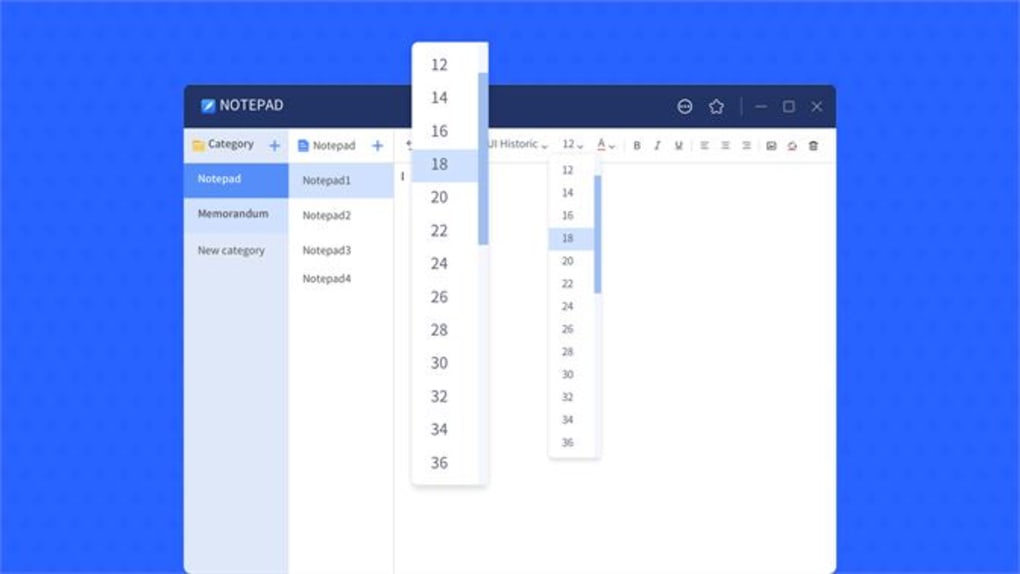
To create a new note, click the “+” button or tap the corresponding icon. Start typing immediately—there’s no need to select a template or format. Use the toolbar at the top to apply formatting, change text color, or assign a background color to the note. The app supports rich text, so you can mix bold, italic, and underline as needed.
Searching is just as easy. Tap the search bar and type any word or phrase. Note instantly returns all matching results. You can also filter notes by color or date. To edit an existing note, simply tap or double-click it. The app auto-saves every change, so you don’t need to manually save your work.
For users who want to back up their notes, the free version allows local storage. If you need cross-device synchronization, consider upgrading to the Pro version, which offers secure cloud backup and real-time syncing. This ensures your notes are always up to date, no matter which device you’re using.
Compatibility and System Requirements
Note is designed to run smoothly across a wide range of devices and operating systems. It is compatible with Windows 7 and later, including Windows 10 and Windows 11. For Mac users, the app supports macOS 10.14 (Mojave) and above, ensuring compatibility with both Intel and Apple Silicon Macs. This broad support makes it accessible to the majority of desktop users.
On mobile platforms, Note is available for Android 6.0 (Marshmallow) and later, as well as iOS 12 and above. This ensures that even users with older smartphones or tablets can enjoy the app’s benefits. The app is optimized for both small and large screens, adapting seamlessly to different device sizes and orientations.
Despite its rich feature set, Note remains lightweight and efficient. It uses minimal system resources, so it won’t slow down your device. The app does not require a constant internet connection—your notes are stored locally and accessible offline. This is ideal for users who work in areas with limited connectivity or prefer to keep their data private.
For users concerned about security, the app does not collect personal data or send logs to third parties. Your notes remain private and secure on your device unless you opt into cloud sync via the Pro version. The free version is fully functional and does not include ads or in-app purchases, making it a clean and trustworthy choice for everyday use.
Pros and Cons: Is Note Right for You?
Pros
- Free to download and use with no ads
- Automatic saving prevents data loss
- Fast and lightweight performance
- Color-coded organization for better clarity
- Full-text search for quick retrieval
- Spell check and formatting tools included
- Available on Windows, Mac, Android, and iOS
- Simple, intuitive interface with no learning curve
- Offline access to all notes
- Pro version offers cloud sync and advanced features
Cons
- Cloud sync only available in Pro version
- Limited customization in free version
- No built-in templates (e.g., meeting notes, journal)
- Advanced features like tags and reminders are Pro-only
- Minimal collaboration tools
Frequently Asked Questions (FAQ)
Is Note completely free to use?
Yes, the basic version of Note is completely free and does not include ads or in-app purchases. You can download and use all core features—such as note creation, auto-save, full-text search, and color coding—without any cost.
Can I sync my notes across devices?
Yes, but only with the Pro version. The Pro upgrade enables secure cloud sync across Windows, Mac, Android, and iOS devices, ensuring your notes are always up to date wherever you go.
Does Note support rich text formatting?
Yes, Note includes basic rich text formatting options such as bold, italic, underline, and text color. You can also assign background colors to notes for visual organization.
Is my data safe and private?
Absolutely. Note does not collect personal data or send logs to third parties. Your notes are stored locally by default. If you use the Pro version, your data is encrypted during sync for added security.
How often does the app update?
The developers regularly release updates to improve performance, fix bugs, and add new features. Updates are automatic and free for all users, ensuring you always have the latest version with enhanced stability and security.
Final Verdict: A Reliable, Free Note-Taking Solution
After thorough testing across multiple platforms, Note – Notepad, Memo, Note Taking emerges as one of the most reliable and user-friendly free note-taking apps available. Its combination of automatic saving, full-text search, color coding, and spell check makes it ideal for both casual and professional use. The lightweight design ensures smooth performance on any device, while the clean interface keeps distractions to a minimum.
While the free version already offers a robust set of tools, the Pro upgrade unlocks advanced features like cloud sync and enhanced organization—perfect for users who need seamless access across devices. Whether you're a student managing study notes, a professional tracking project updates, or someone who just wants a simple digital notepad, Note delivers.
Don’t miss out on this powerful, secure, and free tool. Download Note today and take your note-taking experience to the next level—effortlessly, safely, and with peace of mind.
Guides & Tutorials
How to install Note
- Click the Download button above.
- Once redirected, accept the terms and click Install.
- Wait for the Note download to finish on your device.
How to use Note
This software is primarily used for its core features described above. Open the app after installation to explore its capabilities.
User Reviews
No reviews yet. Be the first to share your experience.
You may also like
more
Llama 2
Free-to-use large language model As the new addition to Meta’s arsenal of langua...

NotebookLM
Revolutionizing the note-taking and idea-generation process NotebookLM is an exp...

Github co pilot
AI-inspired software development and coding platform GitHub Copilot is a browser...

Google Gemma
Google’s lightweight AI models Introducing Google Gemma , a family of cutting-ed...

AI Image Enlarger
A free app for Windows, by ai-image-larger. AI Image Enlarger is a free software...

DALL E
AI-driven text-to-image transformation engine DALL·E is a free graphic and desig...
