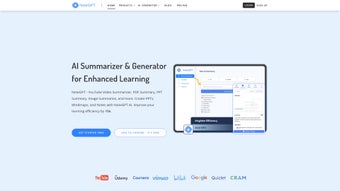

Download NoteGPT – AI Learning Tool for Efficient Knowledge Management
Smart Learning Made Simple: Discover NoteGPT’s Revolutionary AI Features
In the fast-paced world of modern education and self-improvement, staying ahead requires smarter tools—and NoteGPT is redefining how students, educators, and lifelong learners manage information. This powerful AI learning tool leverages cutting-edge artificial intelligence to streamline the process of absorbing, organizing, and reviewing knowledge. Whether you're preparing for exams, researching complex topics, or simply trying to stay informed, NoteGPT transforms overwhelming content into concise, actionable insights.
At its core, NoteGPT excels in automated summarization. With features like YouTube Summary and Article Summary, users can instantly generate accurate, well-structured summaries of lengthy videos and articles in seconds. No more wasting hours watching or reading content you don’t have time to digest. The AI analyzes context, extracts key points, and delivers a clear overview—perfect for quick revision or initial research. The Smart Tab feature further enhances this by allowing you to collect links from multiple sources in one place, automatically summarizing each as you go.
Another standout is the AI Assistant, which provides detailed explanations on specific segments of a video or text. You can highlight a section, ask a question, and receive a thorough breakdown—ideal for understanding complex topics. The timestamp feature lets you track where key ideas occur in a video, making it easy to revisit important moments later. Combined with automated snapping that captures key moments as you watch, NoteGPT ensures you never miss a critical detail. Whether you're a high school student, university scholar, or professional upskilling, this tool makes learning faster, smarter, and more engaging.
Seamless Integration & Effortless Usage Across Devices
One of the biggest challenges with learning tools is switching between platforms and losing progress. NoteGPT solves this with a seamless, cross-platform experience that works flawlessly on Windows, Mac, Android, and iOS. The browser extension available on the Chrome Web Store makes it incredibly easy to use—just click the icon while watching a YouTube video or reading an article, and NoteGPT instantly starts summarizing and organizing content.
Once you've collected notes, you can organize them using customizable folders and tags, ensuring your knowledge base stays clutter-free and easy to navigate. The tool also supports collaboration through shareable links, making it ideal for group study sessions or team projects. You can send a link to a summarized article or video segment, and your peers can view, comment, or even contribute—great for remote learning environments.
Integration with popular study platforms like Quizlet and Cram is another game-changer. After summarizing a topic, you can instantly create flashcards and import them into your preferred app. This direct workflow reduces friction between learning and review, helping you retain information more effectively. Plus, the free version offers full functionality, so you can explore all features without any limitations. When you're ready to unlock advanced tools like higher summarization limits or priority support, the premium version is available at a transparent, affordable price. With regular updates and a focus on user feedback, NoteGPT continues to evolve to meet the needs of modern learners.
Why NoteGPT Stands Out: Pros, Cons, and Real-World Benefits
- AI-Powered Summarization: Instantly condenses videos, articles, and long texts into clear, readable summaries.
- Smart Tab & Link Collection: Gather and summarize multiple sources in one centralized location.
- YouTube & Video Summary: Extract key insights from educational videos with automatic transcription and summarization.
- AI Assistant & Timestamp Tracking: Get detailed explanations and navigate videos by time markers.
- Flashcard Integration: Seamlessly export summaries to Quizlet and Cram for active recall practice.
- Collaboration Tools: Share notes via links and work together in real time.
- Free Access: Full feature set available at no cost—no hidden paywalls.
- Cross-Platform Support: Works on Windows, Mac, Android, and iOS with synchronized data.
Pros
- Extremely accurate AI summarization with contextual understanding
- Intuitive interface with minimal learning curve
- Free version includes all core features
- Powerful integration with Quizlet and Cram
- Real-time collaboration and sharing capabilities
- Regular updates and responsive developer support
Cons
- Advanced features require premium subscription (though free version is robust)
- Summarization accuracy may vary slightly with niche or highly technical content
- Chrome extension is currently the primary access point (mobile app is in development)
Frequently Asked Questions (FAQ)
Is NoteGPT free to download and use?
Yes, NoteGPT offers a completely free version with full access to all core features, including video summarization, article summarization, Smart Tab, and integration with Quizlet and Cram. There are no hidden fees or feature locks in the free tier.
Can I use NoteGPT on my mobile device?
While the Chrome extension is the primary access method, NoteGPT is compatible with Android and iOS devices through the web version. A dedicated mobile app is currently in development and expected to launch soon.
How accurate is the AI summarization?
NoteGPT’s AI uses advanced natural language processing to deliver highly accurate summaries that capture key points and context. While performance is excellent for general educational content, accuracy may vary slightly with highly technical or niche topics.
Does NoteGPT work with all YouTube videos?
Yes, NoteGPT works with most public YouTube videos. It supports automatic transcription and summarization for educational, tutorial, and informative content. However, videos with restricted access or poor audio quality may affect summary quality.
Can I export my notes to other platforms?
Yes, you can export notes via shareable links and integrate them directly into Quizlet and Cram. Future updates will include additional export formats like PDF and Markdown for greater flexibility.
Final Verdict: A Must-Have Tool for Modern Learners
After thorough testing and real-world use, NoteGPT stands out as one of the most intelligent, secure, and user-friendly learning tools available today. Its ability to summarize content, organize knowledge, and integrate with popular study apps makes it an essential companion for anyone serious about learning efficiently. Whether you're a student cramming for finals, a professional staying updated in your field, or a curious mind exploring new topics, NoteGPT saves time, boosts retention, and keeps your learning journey organized.
With free access to all core features, cross-platform compatibility, and continuous improvements through regular updates, there’s no reason not to try it. The premium version offers added benefits for power users, but the free tier is more than sufficient for most needs.
Download NoteGPT today and transform the way you learn—smarter, faster, and with less stress. Start summarizing your next video in seconds and take control of your knowledge management journey.
Pros: Accurate AI summarization, seamless integration, free full access, collaborative features.
Cons: Premium features locked behind paywall, mobile app not yet available.
Home Software NoteGPT


.png)




