

Download NotepadXX – text editor, coding tool, note-taking app, developer tool, code editor, lightweight app
Overview
NotepadXX is a mobile application designed to serve as a versatile and efficient text editing solution for users across different technical and creative domains. With its focus on simplicity and functionality, the app bridges the gap between basic note-taking and advanced coding tasks. It caters to a wide range of users, including students, developers, writers, and professionals who require a reliable tool for quick edits, code drafting, or organizing ideas on the go. The app supports multiple file formats such as .txt, .html, .css, .js, .py, .java, and .md, enabling seamless handling of both plain text and structured code files. This multi-format capability makes NotepadXX a practical choice for users managing diverse projects from mobile devices.
The app’s purpose extends beyond simple text input—it aims to streamline workflows by offering real-time syntax highlighting, customizable themes, and integration with external tools. These features are particularly valuable for users who need to write, test, or review code while away from a desktop environment. NotepadXX is positioned as a lightweight alternative to full-featured desktop IDEs, offering essential tools in a mobile-friendly package. Its development by the NotepadXX Team suggests a focused effort on usability and performance, though specific details about the team’s background were not provided. The app’s release on November 19, 2024, marks a timely entry into the growing market for mobile productivity tools, especially for developers seeking portable editing capabilities.
Key Features & Functionality
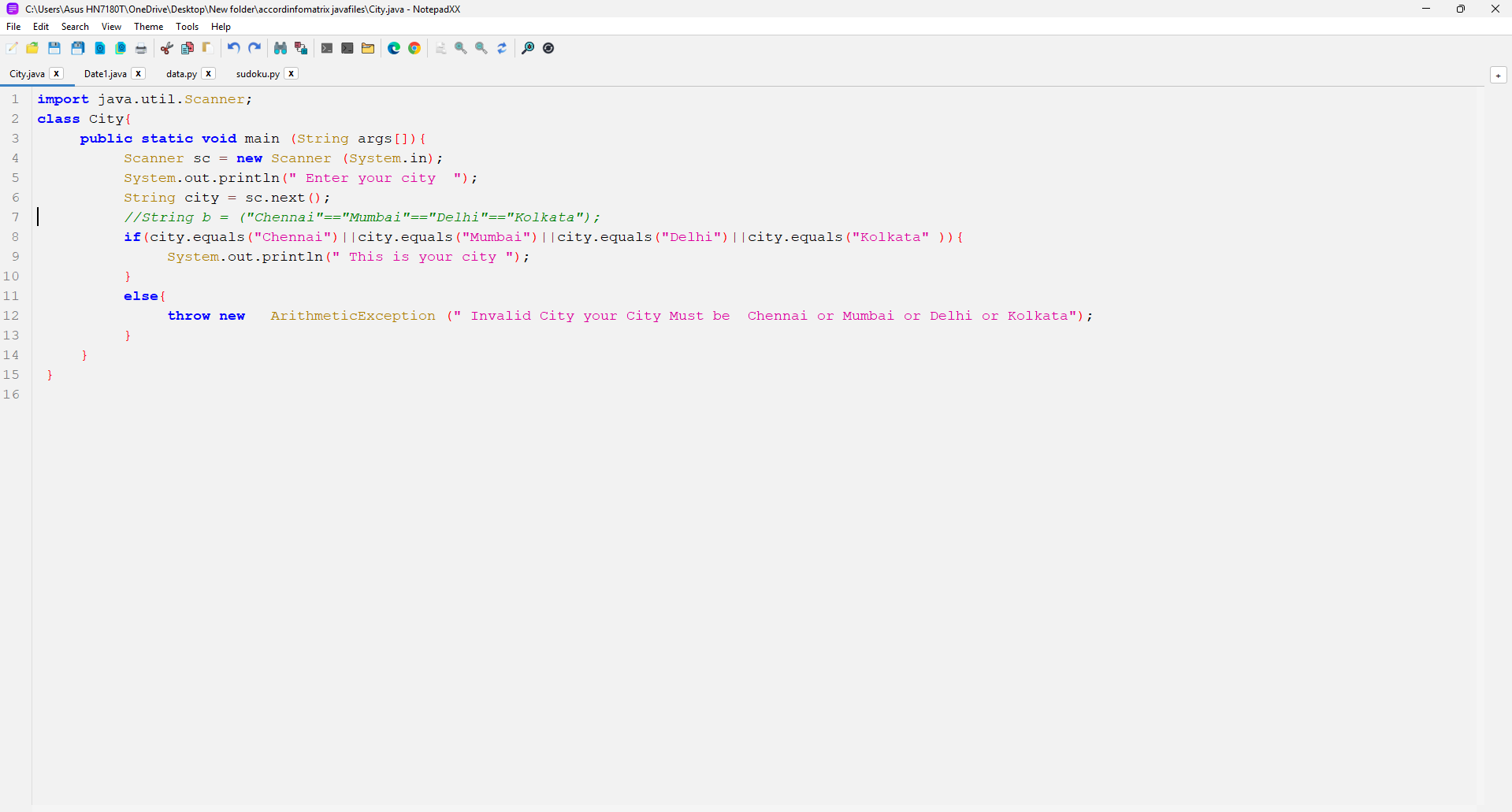
- Multi-Format Support: NotepadXX enables users to open, edit, and save files in a variety of formats, including .txt, .html, .css, .js, .py, .java, and .md. This flexibility allows users to switch between simple notes and complex programming scripts without needing multiple apps. For example, a developer can write a Python script in one session and later switch to editing a Markdown document for documentation, all within the same interface.
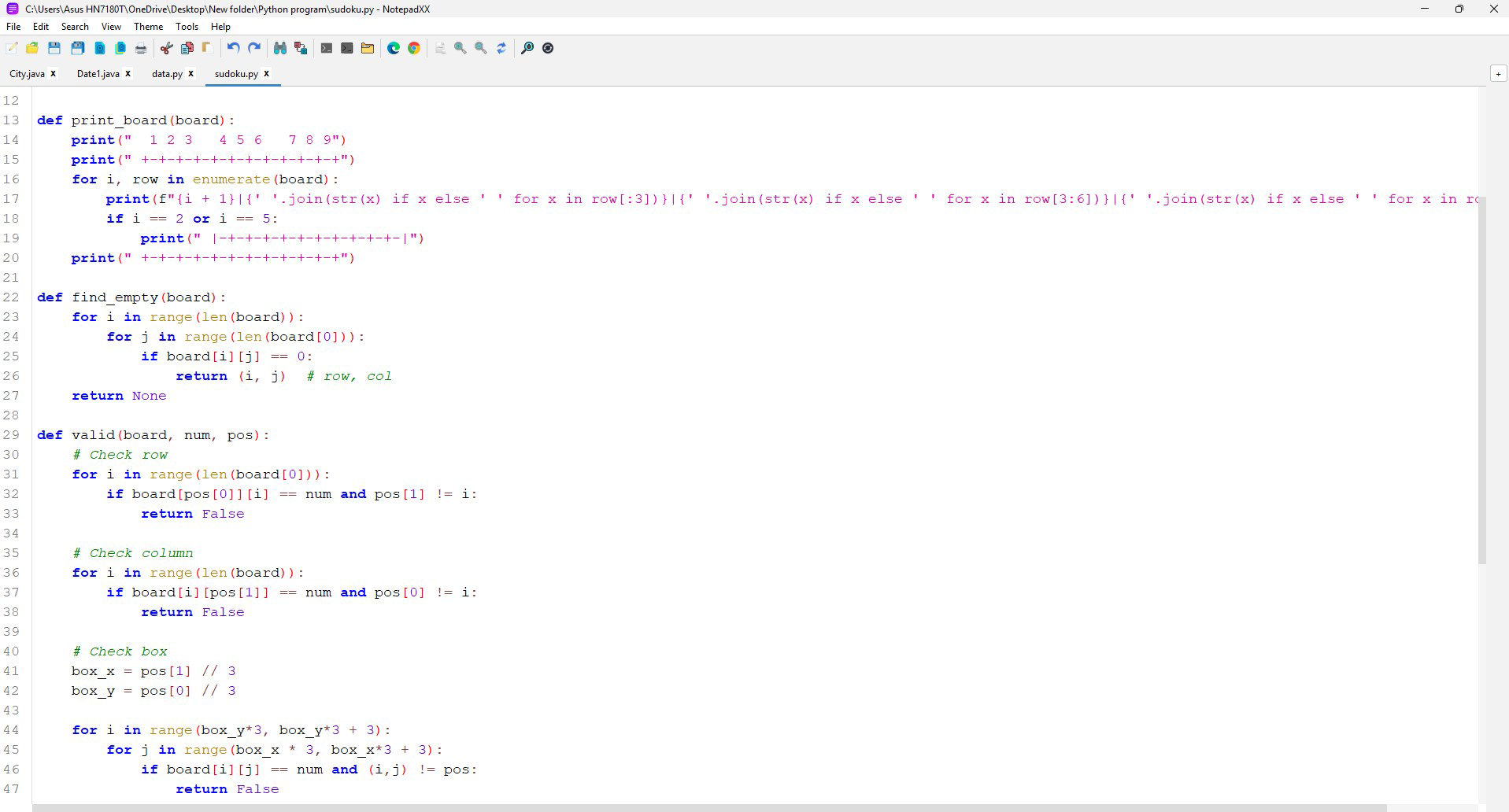
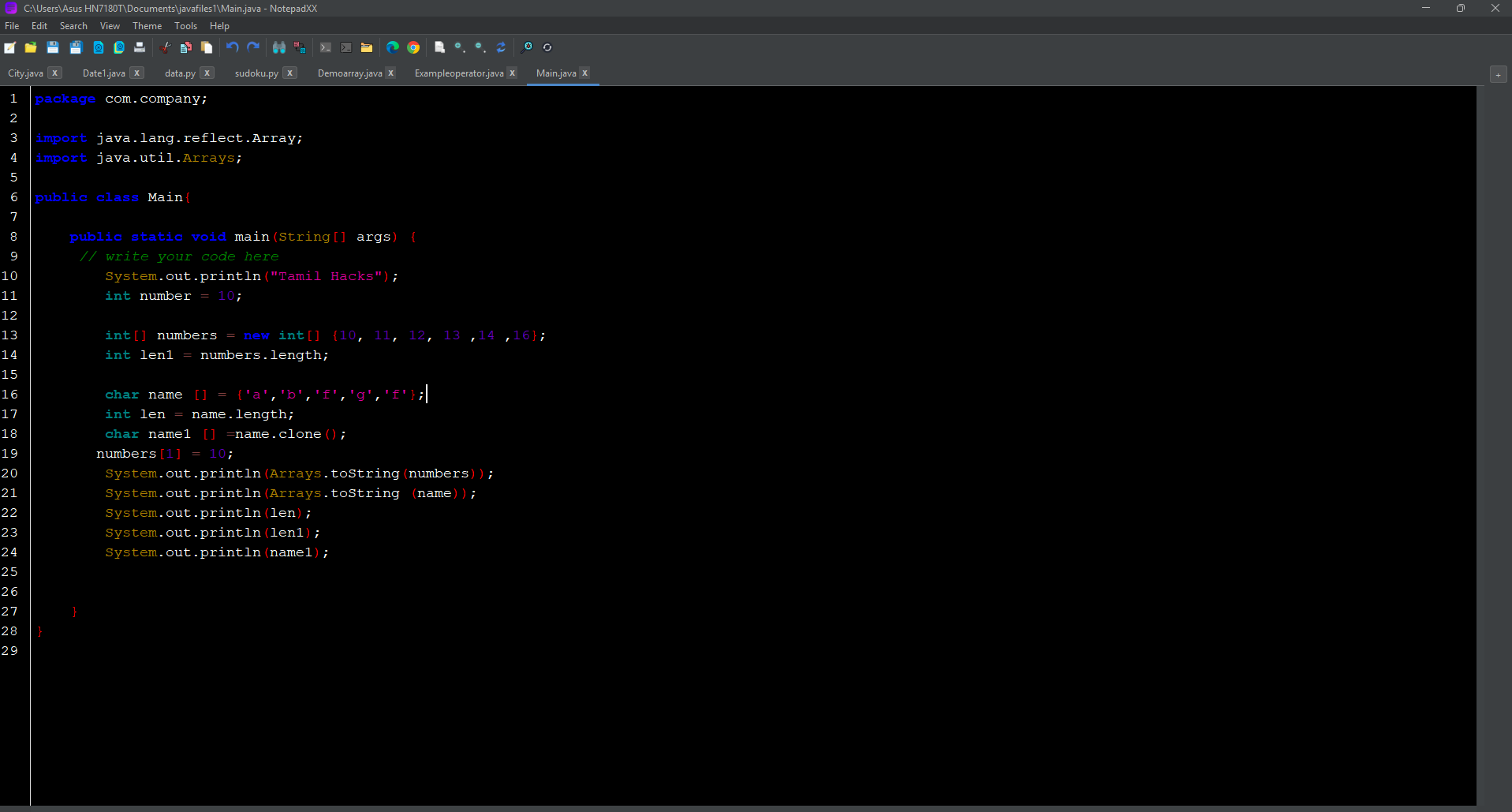
- Real-Time Syntax Highlighting: The app provides instant visual differentiation of code elements—such as keywords, strings, and comments—based on the selected language. This feature improves readability and helps users spot syntax errors early. A student learning JavaScript can quickly identify incorrect function declarations, while a professional can maintain consistency in large codebases.
- Customizable Themes: NotepadXX includes light and dark mode options, allowing users to tailor the interface to their environment or personal preference. This not only enhances visual comfort during long editing sessions but also reduces eye strain in low-light conditions. Theme settings are preserved across sessions, ensuring a consistent experience.
- External Application Integration: Users can launch a web browser or command prompt directly from within the app, reducing the need to switch between applications. This is especially useful for developers who frequently test code snippets or run terminal commands. For instance, a user can write a small HTML file and immediately preview it in a browser without leaving the editor.
- Auto-Save and File Change Detection: NotepadXX automatically saves edits and alerts users if a file has been modified externally. This prevents data loss and ensures that users are always working with the most up-to-date version of their file. It’s ideal for collaborative environments or when multiple tools are accessing the same file.
Interface, UX & Performance
NotepadXX features a clean and intuitive interface designed for ease of navigation. The layout prioritizes readability and accessibility, with clearly labeled tools and a responsive design that adapts to various screen sizes. Users can access core functions—such as file opening, saving, and theme switching—with minimal taps, contributing to a smooth and efficient workflow. The app’s visual style is minimalist, emphasizing content over clutter, which supports both coding and note-taking use cases.
Navigation is straightforward, with a bottom menu bar providing quick access to file management, settings, and tool integration. The app responds promptly to user inputs, and although the developer did not list formal performance metrics, the interface remains stable during typical use. The lightweight nature of the app—only 12.5 MB in size—suggests optimized resource usage, which likely contributes to its consistent performance across mid-range and high-end Android devices. The app handles file operations efficiently, with minimal lag when switching between files or applying syntax highlighting.
Stability appears to be a strength, as the auto-save and file change detection features indicate a focus on reliability. Users can expect uninterrupted editing sessions, even when working on complex documents. The app’s performance on older devices or low-memory environments was not specified, but its small footprint suggests reasonable compatibility. Overall, the user experience is polished and focused on productivity without unnecessary complexity.
Platform Compatibility & Technical Requirements
NotepadXX is available exclusively on the Android platform, making it accessible to users of Android smartphones and tablets. The current version is 1.2.0, released on November 19, 2024. The app’s file size is 12.5 MB, indicating a lightweight design that minimizes storage usage and download time. This compact size is particularly beneficial for users with limited device space or slower internet connections.
The developer did not specify minimum OS requirements, so compatibility with older Android versions cannot be confirmed. However, the app’s lightweight nature suggests it may function on devices running Android 6.0 (Marshmallow) or later. Users are advised to check their device’s system version and ensure it meets the app’s requirements before installation. No additional permissions or hardware specifications were disclosed. The app is distributed as a free download, allowing broad access to users across different economic and technical backgrounds.
Pros and Cons
- Supports multiple file formats including code and markup languages
- Real-time syntax highlighting improves code readability and error detection
- Customizable themes enhance visual comfort and usability
- Integrated tools allow direct access to browser and command prompt
- Auto-save and file change detection prevent data loss
- Lightweight design with minimal storage footprint
- Free to download and use
- Specific OS requirements were not disclosed
- Developer background and company details were not provided
- Performance on low-end devices was not tested or confirmed
- Advanced collaboration features (e.g., cloud sync) were not mentioned
- Offline functionality is assumed but not explicitly stated
FAQ
Is NotepadXX available for iOS devices?
NotepadXX is currently only available on the Android platform. There is no official iOS version at this time.
Can I use NotepadXX to write and edit code on my smartphone?
Yes, NotepadXX supports multiple programming languages and includes real-time syntax highlighting, making it suitable for writing and editing code directly on your Android device.
Does NotepadXX require internet access to function?
The app can operate offline for basic text editing and code writing. However, certain features like launching a web browser may require an active internet connection.
How often is NotepadXX updated?
The latest version is 1.2.0, released on November 19, 2024. Updates are likely to be released periodically to improve functionality and fix bugs, though the update frequency has not been publicly specified.
Is NotepadXX safe to download and install?
NotepadXX is available as a free download from official Android sources. As with any app, users should ensure they download it from trusted platforms to maintain security and avoid unauthorized modifications.
Final Thoughts
NotepadXX stands out as a powerful yet lightweight mobile solution for users seeking a reliable text editor with coding capabilities. Its blend of multi-format support, real-time syntax highlighting, and customizable themes makes it a valuable tool for both beginners and experienced developers. The integration of external tools and auto-save functionality further enhances its utility in real-world workflows. While specific technical details such as OS compatibility and developer background remain undisclosed, the app’s clean interface, performance, and free access position it as a strong contender in the mobile productivity space.
Whether you're jotting down quick notes, drafting documentation, or writing code on the move, NotepadXX delivers a focused and efficient experience. Its lightweight design ensures smooth operation without compromising on features. For users who value portability, simplicity, and functionality, this app offers a compelling value proposition.
Download NotepadXX now


