Screenshots
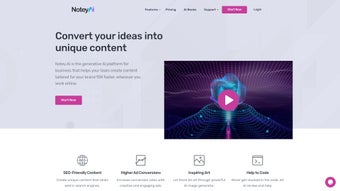
App details
- Updated
- January 7, 2025
- Requires
- Chrome
- License
- Subscription
- Developer
- notey
- Category
- Web Apps
About Notey
Download Notey – AI Writing Assistant, Content Generator, SEO‑Optimized Tool
Overview
Notey.AI is a web‑based AI writing assistant that promises to reshape how businesses create content. Built on state‑of‑the‑art language models, Notey delivers a seamless blend of text generation, speech‑to‑text transcription, and text‑to‑speech playback. Whether you need a polished blog post, a catchy social‑media update, a conversion‑focused advertisement, or a full‑length YouTube script, Notey can generate it in seconds while keeping brand voice and SEO best practices in mind. The platform supports more than 20 languages and offers over 60 ready‑made templates, making it a truly global solution for agencies, marketers, and solo entrepreneurs alike. A standout feature called “Boss Mode” guarantees 100 % original content, eliminating the risk of duplicate‑content penalties. The integrated “Art Generator” adds custom visuals to match the tone of the copy, while the “Code Helper” assists developers by writing, reviewing, and debugging code snippets. Because everything runs in the browser, there’s no heavy desktop installation, and updates are applied instantly—ensuring you always work with the latest AI capabilities. In short, Notey is positioned as an all‑in‑one content engine that helps businesses maintain a high publishing cadence without sacrificing quality or SEO performance.
Key Features & Capabilities
- Boss Mode Content Generation – Produce completely original articles, blogs, and ads with a single click, backed by advanced plagiarism‑checking algorithms.
- Art Generator – Create AI‑driven images, infographics, and thumbnails that automatically align with the written copy.
- Code Helper – Write, review, and debug code in over 30 programming languages; includes syntax highlighting and error explanations.
- Speech‑to‑Text & Text‑to‑Speech – Record ideas verbally and have them transcribed instantly; also convert generated text into natural‑sounding audio for podcasts or video narration.
- Multi‑Language Support – Generate and translate content in more than 20 languages, with localized SEO suggestions for each market.
- 60+ Ready‑Made Templates – From product descriptions to email newsletters, templates speed up the creation process and ensure structural consistency.
- SEO Optimization Engine – Real‑time keyword suggestions, meta‑tag recommendations, and readability scores help boost organic visibility.
- Collaboration & Version History – Teams can comment, approve, and revert to previous drafts, fostering smooth editorial workflows.
- Secure Cloud Storage – All projects are saved encrypted on Notey’s servers, with GDPR‑compliant data handling.
- Continuous Updates – As a SaaS product, new features and AI model improvements are rolled out automatically.
Installation, Usage & Compatibility
Getting Started
Notey is a web‑application, so there is no traditional “download” or installation process. To start, visit notey.ai, click the Sign Up button, and choose either the free trial or a paid subscription plan. After confirming your email, you’ll be redirected to the dashboard where you can explore templates, set brand guidelines, and configure your preferred language settings.
Step‑by‑Step Usage
- Select a Template – Choose from the library (e.g., “Blog Post”, “YouTube Script”, “Ad Copy”).
- Enter Prompts – Provide a brief description, target keywords, and any tone preferences.
- Activate Boss Mode – Toggle the “Boss Mode” switch for maximum originality.
- Generate & Review – Click Generate. The AI produces a draft in seconds. Use the built‑in editor to tweak headings, add links, or insert the Art Generator visuals.
- Export or Publish – Export as .docx, .pdf, or directly push to WordPress, HubSpot, and other CMS platforms via API.
Device & OS Compatibility
Because Notey runs entirely in the browser, it works on any modern operating system that supports Chrome, Edge, Firefox, or Safari. This includes Windows 10/11, macOS 12+, Linux distributions, as well as mobile browsers on Android 8+ and iOS 13+. The responsive design ensures a consistent experience on tablets and smartphones, letting you draft content on the go.
Security & Updates
All data transfers are encrypted with TLS 1.3, and user credentials are stored using salted bcrypt hashes. Because the service is SaaS‑based, you never need to apply patches; Notey’s development team rolls out improvements automatically, guaranteeing that you always have access to the latest AI models and security fixes.
Pros, Cons & Frequently Asked Questions
Pros
- High‑quality, SEO‑optimized content generated in seconds.
- Boss Mode ensures 100 % originality, reducing duplicate‑content risk.
- Integrated visual and code‑assistance tools expand use cases beyond copywriting.
- Multi‑language support makes it suitable for global teams.
- No installation required; works on any device with a modern browser.
Cons
- Reliance on an internet connection; offline usage is not possible.
- Advanced features (e.g., Boss Mode, Art Generator) are locked behind higher‑tier plans.
- Learning curve for new users unfamiliar with AI prompt engineering.
FAQ
Can Notey be used for academic writing?
Yes, Notey can generate essays, research summaries, and literature reviews. However, users should verify citations and ensure compliance with institutional policies, as AI‑generated text may need additional fact‑checking.
Is there a free version?
Notey offers a 7‑day free trial with access to most core features. After the trial, you can continue with a paid subscription; a limited free tier is not available.
How does Notey ensure content is SEO‑friendly?
The platform includes an SEO engine that suggests target keywords, meta titles, and readability improvements in real time. It also analyzes competitor content to help you rank higher.
Can I integrate Notey with my existing CMS?
Yes. Notey provides API endpoints and native plugins for WordPress, HubSpot, and Contentful, allowing you to push generated drafts directly into your publishing workflow.
Is my data safe on Notey’s servers?
All user data is encrypted at rest and in transit. Notey complies with GDPR, CCPA, and ISO 27001 standards, ensuring that your content and personal information remain confidential.
Conclusion & Call to Action
In an era where fresh, high‑quality content is a competitive necessity, Notey.AI stands out as a comprehensive, browser‑based solution that blends AI‑driven writing, visual creation, and code assistance into a single, secure platform. Its Boss Mode guarantees originality, while the Art Generator and multilingual support expand creative possibilities for global teams. Although the reliance on an internet connection and tiered pricing for premium tools may be considerations, the productivity gains and SEO benefits typically outweigh these drawbacks for most businesses.
Ready to accelerate your content pipeline and boost organic traffic? Start your free trial of Notey today and experience a smarter way to write, design, and code—all from within your browser.
Pros: Rapid AI generation, SEO optimization, integrated visuals, multi‑language, cloud security.
Cons: No offline mode, premium features require higher plan, learning curve for prompts.
Guides & Tutorials
How to install Notey
- Click the Download button above.
- Once redirected, accept the terms and click Install.
- Wait for the Notey download to finish on your device.
How to use Notey
This software is primarily used for its core features described above. Open the app after installation to explore its capabilities.
User Reviews
No reviews yet. Be the first to share your experience.
You may also like
more
3D AI Studio
3D AI Studio Overview 3D AI Studio is a web-based AI-powered tool developed by S...

3D textures by Polycam
Generate Realistic 3D Textures Effortlessly 3D Textures by Polycam is an innovat...

3DAiLY
Customizable 3D Modeling Tool: 3DAiLY 3DAiLY is an online platform that harnesse...

3DFY
Revolutionizing 3D Model Creation: 3DFY Review 3DFY is an AI-powered service, de...

AI Dungeon
AI Dungeon: Deep Learning Text Adventure AI Dungeon is an artificial intelligenc...

Alpha3D
A subscription-based program for Web apps, by alpha3d. Alpha3D is a subscription...
