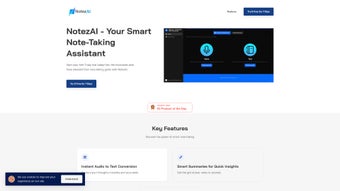

Download NotezAI – AI‑Powered Note‑Taking, Audio‑to‑Text, Summarizer
Overview
In today’s fast‑paced academic and professional environments, capturing every detail can feel impossible. That’s where NotezAI steps in. This web‑based note‑taking assistant combines real‑time audio‑to‑text conversion, intelligent summarization, and powerful organization tools into a single, secure platform. Whether you’re a university student trying to keep up with lecture recordings, a project manager documenting meeting minutes, or a creative professional brainstorming ideas on the fly, NotezAI turns spoken words into accurate, searchable text in seconds. The built‑in summarizer then condenses lengthy transcriptions into bite‑size highlights, allowing you to grasp key points without scrolling through pages of raw data. With unlimited note creation and cloud storage, the app scales with your workload, while a free 7‑day trial lets you explore every feature before committing to a subscription. Regular updates keep the interface fresh and the AI models sharp, ensuring that you always have the latest advancements at your fingertips. In short, NotezAI promises to streamline the entire note‑taking workflow—from capture to review—so you can focus on understanding, not just recording.
Key Features That Transform Your Workflow
NotezAI’s feature set is built around three core pillars: effortless capture, intelligent summarization, and seamless organization. Each pillar works together to eliminate the friction points that traditionally slow down note‑taking.
- Instant Audio‑to‑Text Conversion: Record meetings, lectures, or personal thoughts directly in the browser. The AI engine transcribes speech with high accuracy, supporting multiple accents and noisy environments.
- Smart Summarization Engine: After transcription, click “Summarize” to generate concise bullet‑point overviews. The summarizer highlights main ideas, action items, and key statistics, saving you time during revision.
- Customizable Templates & Tags: Organize notes with color‑coded tags, folders, and pre‑made templates for different use cases—class notes, project logs, research journals, and more.
- Unlimited Cloud Storage: All notes are saved securely in the cloud, accessible from any device with an internet connection. Subscription plans remove storage caps, ensuring you never run out of space.
- Cross‑Platform Web App: No downloads required; use NotezAI on Windows, macOS, Linux, Android, or iOS through any modern browser.
- Collaboration & Export Options: Share notes with teammates via a secure link, or export them as PDF, DOCX, or plain text for offline use.
- 7‑Day Free Trial & Regular Updates: Test the full suite risk‑free and receive automatic feature upgrades and security patches.
The combination of these tools means you can record a 60‑minute lecture, have it transcribed within minutes, generate a one‑page summary, and instantly share the highlights with classmates—all without leaving the browser. The AI models powering NotezAI are continuously refined, so accuracy improves with every update, making it a future‑proof solution for anyone who values efficient knowledge capture.
Getting Started: Installation, Usage, Compatibility, and What Users Love (or Don’t)
Because NotezAI is a web‑based service, there is no traditional “installation” process. To begin, visit the official website, create a free account, and you’re ready to record. The interface guides you through a simple three‑step workflow: Record → Transcribe → Summarize. For first‑time users, a brief onboarding tour highlights where to start a new note, how to tag it, and where to access the summarizer. The app is built on responsive design principles, so it automatically adapts to desktop monitors, laptops, tablets, and smartphones.
Compatibility is a strong point. NotezAI runs on any operating system that supports modern browsers (Chrome, Edge, Firefox, Safari). It leverages WebAssembly and secure WebRTC streams for audio capture, meaning you don’t need to install plugins or grant excessive permissions. For users on restricted corporate networks, the platform complies with GDPR and CCPA, offering encrypted data transmission (HTTPS/TLS) and optional two‑factor authentication.
Pros:
- Fast, accurate transcription without needing third‑party software.
- One‑click summarization saves hours of manual review.
- Fully web‑based – works on any device with a browser.
- Robust tagging and folder system for effortless organization.
- Generous free trial and regular feature updates.
Cons:
- Requires a stable internet connection for real‑time processing.
- Advanced AI models may consume more bandwidth on slower connections.
- Subscription needed for unlimited storage and premium collaboration features.
To start a new note, click the “New Recording” button, grant microphone access, and speak. After you stop recording, the AI begins transcription automatically. Once the text appears, you can edit it, apply tags, or hit “Summarize” to generate a brief overview. Export options appear in the top‑right corner, letting you download the note in your preferred format. The entire process is designed to be intuitive, so even users with minimal technical expertise can adopt the workflow within minutes.
Frequently Asked Questions & Final Verdict
Is NotezAI truly free to use?
NotezAI offers a 7‑day free trial that gives you full access to all features, including unlimited recordings and summarizations. After the trial, a subscription is required for continued unlimited use.
Can I use NotezAI offline?
Since the transcription and summarization engines run on cloud servers, an active internet connection is required. You can view and edit previously saved notes offline, but new recordings need connectivity.
Which languages does the audio‑to‑text feature support?
The current version supports English, Spanish, French, German, and Mandarin. Additional languages are being added in upcoming updates.
How secure is my data on NotezAI?
All data is encrypted in transit (HTTPS/TLS) and at rest on secure cloud servers. The platform complies with GDPR and CCPA, and two‑factor authentication is available for extra protection.
Can I collaborate with teammates on the same note?
Yes. Paid plans include a sharing feature that generates a secure link, allowing multiple users to view or edit a note in real time. Exported PDFs can also be shared via email.
Final Verdict: NotezAI stands out as a comprehensive, AI‑driven solution that eliminates the tedious steps of manual transcription and note summarization. Its web‑first approach guarantees cross‑platform compatibility, while the robust tagging system keeps your knowledge library tidy. The free trial offers enough time to assess its impact on your productivity, and the subscription pricing is competitive for the unlimited storage and collaboration capabilities it provides. If you regularly juggle meetings, lectures, or brainstorming sessions and need a reliable way to turn spoken words into actionable written content, NotezAI is worth the investment.
Ready to boost your note‑taking efficiency? Start your 7‑day free trial today and experience instant transcription, smart summarization, and seamless organization—all in one secure, web‑based platform.



.png)




