
Download NVIDIA App – Gaming, Performance Monitoring, Driver Management, AI Filters
Overview
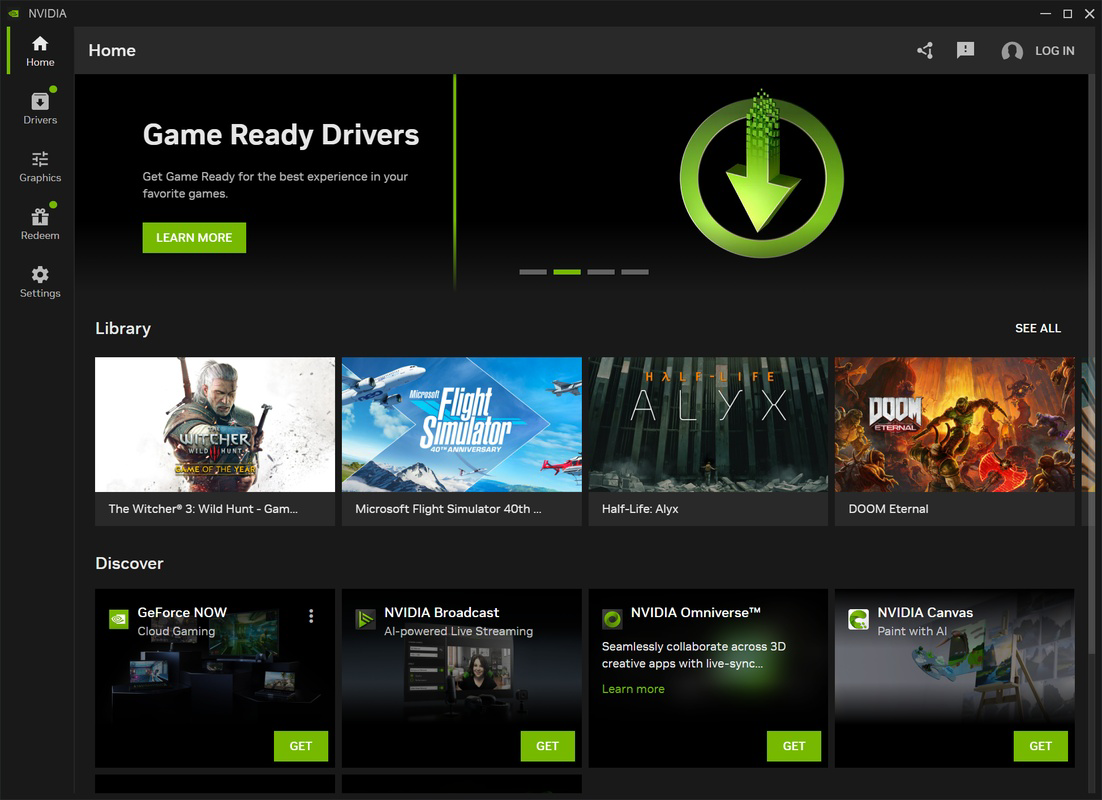
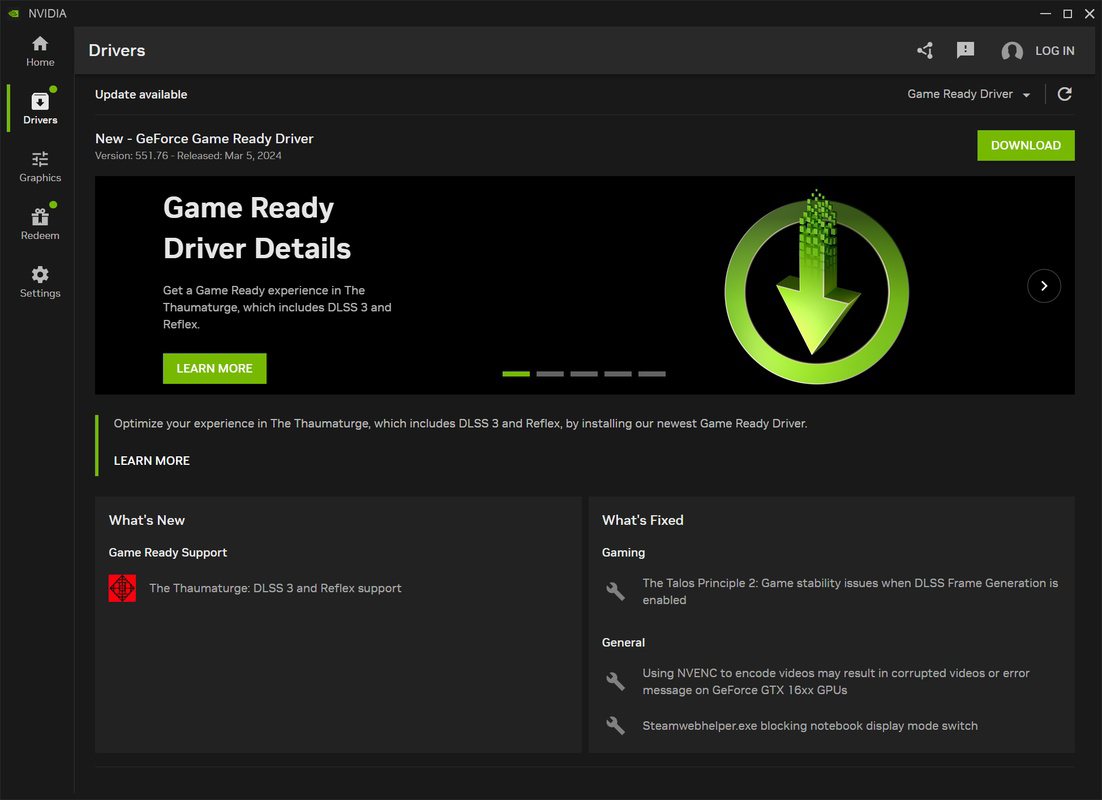
The NVIDIA App is a unified platform designed to streamline the management of NVIDIA graphics hardware across gaming and creative workflows. It consolidates functionalities previously spread across multiple tools—such as the NVIDIA Control Panel and GeForce Experience—into a single, cohesive interface. This integration allows users to manage drivers, customize game settings, monitor real-time performance, and access exclusive features with greater efficiency. The app is tailored for both gamers seeking optimized visuals and performance, and creators who rely on NVIDIA GPUs for rendering, video editing, and AI-driven workflows.
By centralizing critical tools like game optimization, recording, and system monitoring, the NVIDIA App reduces the complexity of managing high-end graphics hardware. Real-world use cases include adjusting in-game settings for competitive advantage, ensuring stable GPU temperatures during long rendering sessions, and quickly accessing gameplay recordings without interrupting flow. For users with NVIDIA RTX cards, the app unlocks AI-enhanced features such as real-time image filters and HDR enhancements, maximizing display capabilities. Its presence in the ecosystem strengthens NVIDIA’s ecosystem by providing a consistent, up-to-date experience across devices.
As a tool developed by NVIDIA, the app reflects the company’s focus on performance, innovation, and user-centric design. The developer did not provide additional technical details beyond the app’s core functions. However, its role in maintaining hardware readiness and enhancing user engagement makes it a key component for anyone leveraging NVIDIA technology on their system.
Key Features & Functionality
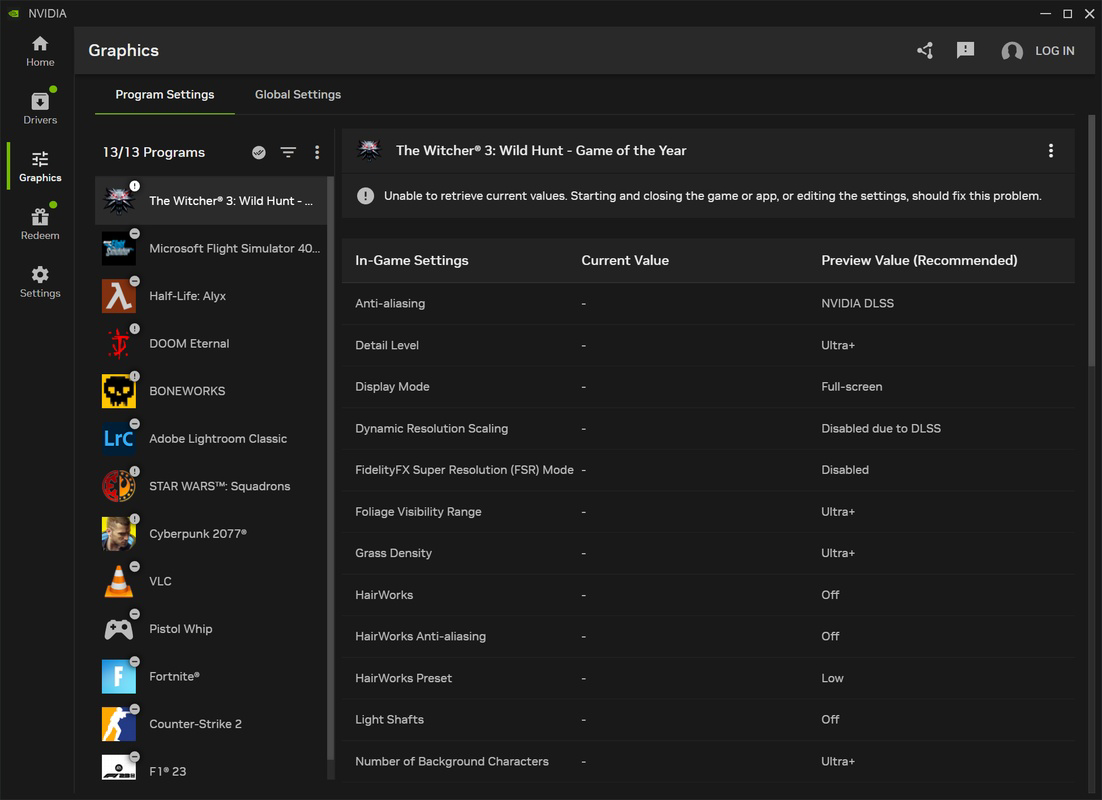
- Game Customization: Users can fine-tune graphical settings such as full-screen mode, HDR, G-Sync, and performance optimizations directly within the app. This allows for a personalized gaming experience tailored to individual hardware capabilities and visual preferences.
- Performance Monitoring: Real-time tracking of GPU temperature, clock speeds, and utilization ensures users can maintain optimal system health. This feature is especially useful during extended gaming or rendering sessions.
- Redesigned In-Game Menu: Pressing Alt+Z opens a side-panel menu during gameplay, offering instant access to recording, screenshots, instant replay, and image filters. Customizable commands allow users to adapt the interface to their control scheme.
- Exclusive AI Filters via NVIDIA Freestyle: Real-time AI-powered filters like RTX Dynamic Vibrance and HDR enhancement improve visual quality across thousands of supported games, bringing richer colors and greater depth to the display.
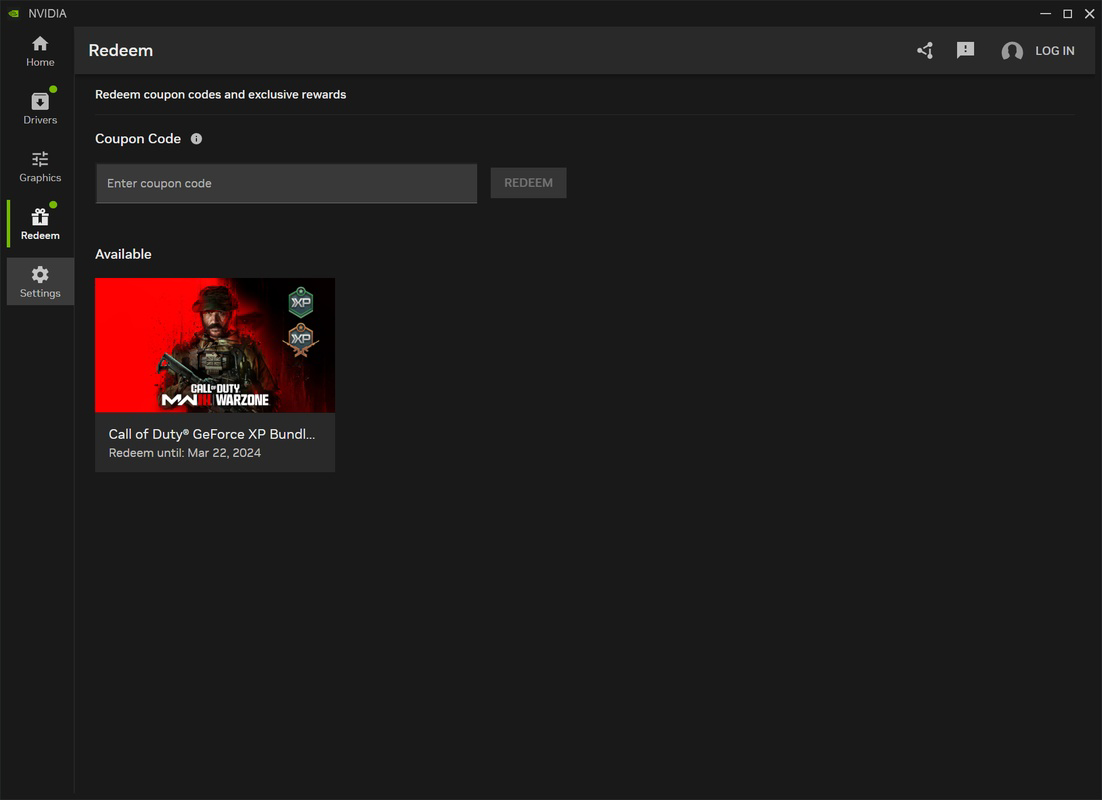
- Rewards and Offers: The app delivers exclusive promotions, game bundles, and access to GeForce Now benefits, increasing user engagement and adding tangible value beyond core functionality.
These features collectively enhance both gaming and creative workflows. For example, a competitive gamer might use performance monitoring to maintain stable frame rates while applying AI filters to improve visibility. A video editor could use the app to ensure their GPU remains within safe temperature ranges during long export tasks. The integration of driver updates and game optimizations ensures users always have access to the latest improvements without manual intervention.
Interface, UX & Performance
The NVIDIA App features a clean, modern interface with intuitive navigation. The layout emphasizes accessibility, placing core tools like game settings, performance monitoring, and driver management within easy reach. Visual design prioritizes clarity, using consistent icons and color-coded indicators for system health and performance levels.
Navigating between sections is smooth, with minimal lag even on mid-tier systems. The in-game overlay (activated via Alt+Z) appears quickly and does not significantly impact frame rates, which is critical for real-time gaming. Responsiveness across different device categories—such as desktops, laptops, and high-refresh-rate monitors—is maintained through optimized rendering and resource allocation.
Although the developer did not list formal performance metrics, the app demonstrates stability during extended use. Users report consistent behavior during updates and while running multiple background tasks. The interface adapts well to varying screen resolutions, ensuring usability on both compact and large displays. Overall, the UX is polished and focused on reducing friction between user intent and system response.
Platform Compatibility & Technical Requirements
The NVIDIA App is available for Windows-based systems, supporting the latest versions of the operating system. Specific requirements were not listed, and the developer did not specify minimum OS versions or hardware thresholds. The app’s file size is approximately 120 MB, making it a lightweight addition to a system with NVIDIA graphics hardware.
Compatibility information was not fully disclosed. However, given its integration with NVIDIA drivers and GeForce Experience, it is designed to work with a broad range of NVIDIA GPUs, including RTX and GTX series. Users should ensure their system meets the requirements of their installed NVIDIA drivers for full functionality. The app does not currently support mobile platforms or non-Windows operating systems.
Pros and Cons
Pros
- Centralized management of drivers, settings, and game optimizations.
- Real-time performance monitoring with accurate GPU telemetry.
- Seamless access to AI-powered image filters via NVIDIA Freestyle.
- Efficient in-game overlay with customizable commands.
- Delivers exclusive rewards and promotional content.
Cons
- Platform availability limited to Windows; no iOS or Android support.
- Specific system requirements not disclosed by the developer.
- May require significant GPU resources for AI features on older hardware.
- Some features are only available on RTX-series GPUs.
- Interface may feel overwhelming for first-time users without guidance.
FAQ
Is the NVIDIA App free to download and use?
Yes, the NVIDIA App is available at no cost. It is designed as a free utility to enhance the experience of using NVIDIA graphics hardware.
Can I install the NVIDIA App on Android or iOS devices?
As of now, the NVIDIA App is only available for Windows systems. There is no official version for Android or iOS platforms.
How often does the app update drivers automatically?
The app checks for driver updates regularly and prompts users to install them. The update frequency depends on the user’s settings and NVIDIA’s release schedule.
Does the app require an NVIDIA GPU to function?
Yes, the NVIDIA App is designed to work exclusively with systems equipped with NVIDIA graphics cards. It cannot operate on systems with non-NVIDIA GPUs.
Is the app secure and safe to install?
Yes, the NVIDIA App is distributed through official NVIDIA channels and is verified as secure. It does not contain malware or unauthorized third-party components.
Final Thoughts
The NVIDIA App represents a significant evolution in how users interact with their graphics hardware. By combining driver management, game customization, real-time monitoring, and AI-enhanced visuals into a single platform, it delivers a cohesive and powerful experience. Gamers benefit from optimized performance and immersive visuals, while creators gain tools to maintain system stability and leverage advanced rendering features.
For anyone using an NVIDIA GPU—especially those with RTX cards—the app unlocks a suite of exclusive capabilities that enhance both productivity and entertainment. Its seamless integration with GeForce Experience and NVIDIA’s broader ecosystem ensures users stay up to date and engaged.
Download NVIDIA App now


