
Screenshots
App details
- Version
- 2.5.4
- Size
- 56.04 MB
- Updated
- July 31, 2025
- Requires
- macOS 10.15
- Language
- English
- License
- Free
- Developer
- Blackbird Secure Browsing LTD
- Category
- Mac OS
About Octo Browser
Download Octo Browser – Secure Multi‑Account Management for Mac
Overview
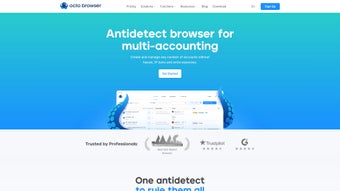
Octo Browser is a purpose‑built web browser for macOS that puts the security and anonymity of multi‑account handling front and center. Designed with affiliate marketers, data‑scrapers, and digital‑commerce professionals in mind, Octo lets you spin up an unlimited number of isolated profiles, each carrying its own digital fingerprint, cookies, cache, and even simulated operating‑system settings. This granular separation means you can work across dozens of client accounts without risking cross‑contamination, service detection, or IP bans. The browser’s core engine is based on Chromium, ensuring fast page rendering and full compatibility with the vast ecosystem of Google Chrome extensions. Users can install familiar tools such as ad‑blockers, password managers, and SEO utilities directly inside Octo, just as they would in Chrome or Firefox. Access to the platform is gated by a simple registration flow – you create a user account, confirm via email, and then select a subscription tier that unlocks premium features like unlimited profiles, advanced IP routing, and priority support. Whether you’re juggling dozens of affiliate dashboards, scraping product data from e‑commerce sites, or testing ad campaigns across multiple geographies, Octo Browser offers a secure, scalable, and user‑friendly environment that eliminates the headache of manual profile management. Its emphasis on privacy, combined with the power of Chrome extensions, makes it a compelling alternative to traditional browsers for anyone who needs to keep their online identities separate and protected.
Key Features
- Unlimited Profile Creation: Generate as many isolated browsing profiles as you need, each with its own cookie jar, local storage, and session data.
- Digital Footprint Customization: Adjust up to 50 parameters per profile, including simulated operating system, user‑agent string, screen resolution, and language settings.
- Built‑in IP Management: Assign dedicated proxies or VPN endpoints to individual profiles, reducing the risk of IP‑based bans.
- Chrome Extension Compatibility: Install and manage any Chrome extension directly within Octo, from ad‑blockers to SEO audit tools.
- Secure Account Verification: Two‑step email verification ensures that only authorized users can access premium features.
- Cross‑Profile Sync: Export and import profile settings, making it easy to clone configurations across devices or team members.
- Lightweight Chromium Core: Enjoy fast page loads, modern web standards support, and regular security updates inherited from the Chromium project.
- Subscription Flexibility: Choose from monthly or annual plans, with a free trial that lets you explore core functionality before committing.
- Built‑in Session Recorder: Capture browsing sessions for audit or training purposes without leaving the browser environment.
- Automatic Updates: The application checks for and installs updates silently, ensuring you always run the most secure version.
Installation, Usage & Compatibility
Step‑by‑Step Installation
Getting started with Octo Browser is straightforward. First, visit the official website and click the “Download for macOS” button. The installer is a signed .dmg file, which macOS will recognize as safe. Open the .dmg, drag the Octo icon into your Applications folder, and launch the app. The first launch prompts you to create a new Octo account; simply provide a valid email address and a strong password. After submitting, you’ll receive a verification email – click the link inside to activate your account. Once verified, you can log in and explore the free tier, which allows up to three profiles and basic extension support. To unlock the full suite of features, navigate to the “Subscription” tab, choose a plan, and complete the secure checkout using Stripe or PayPal. Your subscription activates instantly, and the app will refresh to reflect the new capabilities.
Daily Workflow
After logging in, the dashboard presents a clean grid of existing profiles and a prominent “Create New Profile” button. When you create a profile, a wizard walks you through the 50 customizable parameters, letting you select a proxy, set a custom user‑agent, and even spoof the macOS version reported to websites. Once saved, each profile appears as a separate window, complete with its own tab bar and extension manager. To add Chrome extensions, click the “Extensions” icon inside a profile, search the Chrome Web Store, and install as you would in Google Chrome. The extensions are sandboxed per profile, so an ad‑blocker in one profile will not affect another. Navigation, bookmarks, and history are isolated, guaranteeing that actions in one account never leak into another. For power users, Octo includes a built‑in “Batch Profile Import” tool, allowing you to upload a CSV file with pre‑filled settings for rapid deployment across teams.
Compatibility
Octo Browser is officially supported on macOS 11 (Big Sur) and later, including macOS Monterey and Ventura. The application leverages the native Apple Silicon and Intel architectures, automatically selecting the optimal binary at install time. While the primary focus is macOS, the development roadmap includes a Windows version slated for release in Q2 2026, responding to demand from cross‑platform agencies. For users who need mobile access, Octo offers a companion iOS app that mirrors profile settings but does not yet support full Chrome extension functionality. All versions share a common cloud‑based account system, so profile configurations sync securely across devices via end‑to‑end encryption.
Pros & Cons, FAQ & Final Thoughts
Pros
- Unlimited isolated profiles keep accounts completely separate.
- Deep customization of OS, IP, and user‑agent settings per profile.
- Full compatibility with Chrome extensions, expanding functionality.
- Built‑in proxy management reduces the need for external tools.
- Secure email verification and encrypted data sync.
- Regular Chromium updates maintain security and performance.
Cons
- Currently macOS‑only; Windows users must wait for future release.
- Free tier limits profiles to three, which may be insufficient for heavy users.
- Advanced IP routing requires separate proxy subscriptions.
- Learning curve for configuring 50+ parameters per profile.
- No native mobile extension support yet.
Frequently Asked Questions
Can I use Octo Browser with existing Chrome extensions?
Yes. Octo Browser runs on the Chromium engine, so any extension available in the Chrome Web Store can be installed and used inside each isolated profile.
Is my browsing data encrypted?
All profile data, including cookies and local storage, is encrypted at rest using AES‑256. Sync between devices is protected with TLS‑1.3 end‑to‑end encryption.
Do I need a separate proxy service?
Octo Browser does not provide built‑in proxy servers, but it integrates seamlessly with any third‑party proxy or VPN service. You simply enter the proxy credentials in the profile settings.
How often does Octo receive updates?
Octo follows the Chromium release cycle, pushing security patches and feature updates at least once a month. Minor bug fixes are released weekly.
Can I export my profiles for backup?
Yes. The “Export Profiles” tool creates an encrypted JSON file containing all profile settings, which can be imported on any other device running Octo Browser.
Conclusion & Call to Action
Octo Browser fills a distinct niche in the macOS ecosystem by delivering a secure, highly customizable environment for managing multiple online identities. Its unlimited profile architecture, combined with full Chrome extension support, empowers affiliate marketers, data collectors, and e‑commerce teams to work faster and safer than ever before. While the current lack of a native Windows client and the reliance on external proxy services may be drawbacks for some, the overall value proposition—especially for power users who need granular control over digital footprints—remains compelling. If you’re ready to eliminate account cross‑contamination, reduce the risk of IP bans, and streamline your workflow with a single, secure browser, Octo Browser is worth a try. Click the download button below, complete the quick email verification, and explore the free tier before upgrading to a premium plan that unlocks unlimited profiles and advanced IP routing. Secure your multi‑account strategy today with Octo Browser.
Guides & Tutorials
How to install Octo Browser
- Click the Download button above.
- Once redirected, accept the terms and click Install.
- Wait for the Octo Browser download to finish on your device.
How to use Octo Browser
This software is primarily used for its core features described above. Open the app after installation to explore its capabilities.
User Reviews
No reviews yet. Be the first to share your experience.
You may also like
more
DiffusionBee
Generate unique art with this app DiffusionBee is a free and accessible artifici...

Excire Foto Light
Organize your snapshots Excire Foto Light is a free-to-download AI -powered phot...

Topaz Photo AI
Photo enhancement tool with AI Topaz Photo AI is a premium AI image editor for P...

anonymoX
Surf anonymously with Firefox anonymoX for Firefox is an add-on that gives you f...

DownThemAll
Download Them All! Downloading anything or everything on a webpage can be a labo...
.webp)
DuckDuckGo Privacy Essentials
A free program for Mac, by DuckDuckGo, Inc.. DuckDuckGo Privacy Essentials is a...
