
Download Octofy – AI‑Powered Task Automation, Model Selector, and Data Visualization Tool
Overview
Octofy is a cloud‑based AI productivity platform that removes the guesswork from choosing the right large‑language model for any given task. Whether you are drafting marketing copy, debugging code, or generating visual reports, Octofy automatically evaluates the strengths of premium models such as OpenAI’s ChatGPT, Anthropic’s Claude, and Google’s Gemini, then routes your request to the most cost‑effective and capable engine. The service runs entirely in a web browser, so there is no need to download bulky client software. Users enjoy a 14‑day free trial that grants unlimited access to “light” models, and a transparent subscription plan that unlocks the full suite of premium models, real‑time fallback handling, and advanced data‑visualization capabilities. Octofy’s design philosophy centers on seamless workflow integration: you can switch models mid‑conversation without losing context, export charts to CSV, PNG, or PDF, and collaborate with teammates through shared workspaces. As AI ecosystems evolve, Octofy promises continuous updates, adding new model integrations and collaborative features to keep your productivity engine future‑proof.
Key Features that Make Octofy Stand Out
- Smart Model Selector: Real‑time analysis of your prompt determines whether ChatGPT, Claude, Gemini, or a lighter model will deliver the best result at the lowest cost.
- Seamless Model Switching: Change the underlying AI engine during a session without losing conversation history or context.
- Cost Optimization Engine: Built‑in fallback logic automatically redirects high‑volume or low‑priority queries to cheaper models, reducing subscription spend.
- Multi‑Chart Data Visualization: Generate line, bar, pie, radar, and scatter charts directly from AI‑produced data, with one‑click export to CSV, PNG, or PDF.
- Browser‑Only Interface: No installations, updates, or system requirements—just log in from any modern browser.
- Collaboration Workspace: Share prompts, results, and visualizations with teammates, and set role‑based permissions for editing or viewing.
- 14‑Day Free Trial & Unlimited Light Models: Test the platform risk‑free and experience unlimited queries on lightweight models before committing.
- Future‑Ready Roadmap: Planned integrations include voice input, API access for custom automation, and AI‑assisted project management tools.
Installation, Usage Instructions, and Compatibility
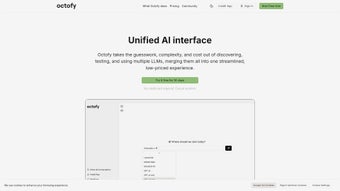
Since Octofy is a fully web‑based service, the installation process is reduced to a few simple steps. First, navigate to octofy.com using any up‑to‑date browser (Chrome, Firefox, Edge, Safari). Click the “Start Free Trial” button, fill in the registration form, and verify your email address. Once logged in, you’ll land on the Dashboard where the model selector, prompt editor, and visualization panel are displayed side by side.
To begin a task, type your request into the prompt box. Octofy’s AI engine instantly evaluates the request and presents the chosen model at the top of the response pane. If you notice the output could be improved, click the “Switch Model” button to toggle between available engines while preserving the conversation thread. For data‑driven tasks, simply ask the AI to produce a dataset, then click “Create Chart” and choose the chart type that best fits your analysis. The chart can be customized with colors, labels, and axis options before exporting.
Octofy runs on any operating system that supports a modern web browser, including Windows 10/11, macOS Ventura and later, Linux distributions, as well as mobile browsers on Android 12+ and iOS 15+. Because all processing occurs in the cloud, there is no impact on local CPU or RAM, making it ideal for low‑spec machines or remote workstations.
Security is handled through HTTPS encryption, OAuth‑based login, and optional two‑factor authentication. All user data, prompts, and generated visualizations are stored in encrypted databases compliant with GDPR and CCPA. Regular back‑ups ensure that your work is never lost, even if you clear your browser cache.
Pros & Cons and Frequently Asked Questions
Pros
- Automated model selection eliminates the need for manual research.
- Cost‑saving fallback to cheaper models reduces subscription overhead.
- Zero‑install, browser‑only access works on any device.
- Integrated data‑visualization tools streamline reporting workflows.
- Robust collaboration features support team projects.
Cons
- Dependent on internet connectivity; offline use is not supported.
- Premium models are limited to subscription tiers, which may be pricey for small teams.
- Advanced customization of charts (e.g., scripting) is currently basic.
FAQ
Can I use Octofy on a mobile device?
Yes. Octofy’s responsive web UI works on Android and iOS browsers, giving you full access to model selection and chart creation from your phone or tablet.
What happens after the 14‑day free trial ends?
You’ll be prompted to choose a subscription plan. If you do not upgrade, access will be limited to the free tier, which includes only light models and basic visualization features.
Is my data stored securely?
All communications are encrypted via HTTPS, and data at rest is stored with AES‑256 encryption. Octofy complies with GDPR and CCPA, and you can enable two‑factor authentication for added security.
Can I export the charts generated by Octofy?
Yes. Charts can be downloaded as PNG images, PDF documents, or CSV files for further analysis in spreadsheet software.
Do I need a separate API key for each AI model?
No. Octofy manages all model credentials behind the scenes, so you only need to maintain a single Octofy account.
Conclusion & Call to Action
Octofy delivers a compelling blend of AI model intelligence, cost‑efficiency, and visual analytics—all from a single browser window. By automating the selection of the most appropriate language model, it saves time that would otherwise be spent toggling between separate platforms, and its fallback mechanism ensures you never overpay for premium compute. The built‑in charting suite turns raw AI output into shareable insights, making Octofy a valuable ally for marketers, developers, data analysts, and any knowledge worker who relies on generative AI.
Ready to experience AI‑driven productivity without the hassle of multiple logins and manual model hunting? Start your 14‑day free trial today and unlock unlimited light‑model usage, real‑time model switching, and powerful data visualizations. Join the growing community of professionals who are already streamlining their workflows with Octofy.



.png)




