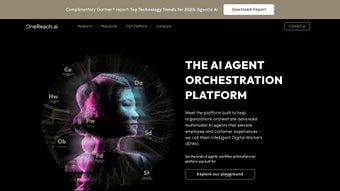

Download OneReach – Intelligent Digital Workers for Teams
Introduction – What OneReach Brings to Modern Teams
OneReach is an AI‑driven platform that turns repetitive, knowledge‑intensive tasks into automated workflows powered by Intelligent Digital Workers (IDWs). Built on the latest generative transformer models, each digital worker can understand natural language, draft documents, extract data, and even translate content in real time. What sets OneReach apart is its focus on accessibility: a visual, zero‑code builder lets anyone—from project coordinators to senior executives—create, customize, and deploy an IDW in minutes. The platform integrates directly into the collaboration hubs teams already use, such as Slack, Microsoft Teams, email, and web chat, ensuring assistance is always a click away. By continuously learning from the data it processes, OneReach not only reacts to commands but also predicts upcoming needs, surfacing relevant files, reminders, or insights before the user asks. This proactive approach reduces context‑switching, cuts down on manual drafting, and frees up human talent to concentrate on strategic thinking and creative problem solving. Whether you run a five‑person startup or a multinational enterprise, OneReach scales to match your workload while maintaining strict security and compliance standards, making it a trustworthy ally for any organization seeking to embed AI into everyday work.
Key Features That Power Intelligent Digital Workers
- Generative AI Engine: Leverages state‑of‑the‑art transformer models to draft reports, write emails, generate code snippets, and answer complex queries in natural language, delivering outputs that feel human‑crafted.
- Multi‑Channel Deployment: IDWs operate inside Slack, Microsoft Teams, Outlook, Gmail, web chat widgets, and native mobile apps, guaranteeing assistance is always within reach regardless of the user’s preferred workspace.
- Zero‑Code Builder: A drag‑and‑drop canvas lets users assemble workflows, assign triggers, and map data sources without writing a single line of code, dramatically lowering the barrier to AI adoption.
- Multilingual Support: Automatic language detection and built‑in translation enable IDWs to converse fluently in more than 30 languages, making global collaboration seamless.
- Skill Library & Marketplace: Pre‑built skills such as expense categorization, meeting summarization, and KPI extraction are ready to use; third‑party developers contribute additional modules that can be purchased or downloaded for free.
- Proactive Recommendations: Predictive models monitor task queues, usage patterns, and data trends to suggest next actions, relevant documents, or missing information before users request them.
- Secure Data Handling: End‑to‑end AES‑256 encryption, role‑based access controls, audit logging, and compliance with GDPR, SOC 2, ISO 27001, and HIPAA ensure that sensitive corporate data stays protected.
- Integration Hub: Native connectors for Google Workspace, Office 365, Salesforce, Jira, Asana, Trello, SAP, and dozens of other SaaS tools enable bi‑directional data flow without custom code.
- Analytics Dashboard: Real‑time metrics on automation rates, time saved, user adoption, and IDW performance help managers quantify ROI and fine‑tune workflows.
- Scalable Cloud Architecture: Built on Kubernetes, the platform auto‑scales from a handful of users to tens of thousands, providing consistent performance and high availability.
Installation, Setup, and System Compatibility
OneReach is delivered as a SaaS solution, so there is no heavyweight client to install on desktops. All you need is a modern web browser—Chrome, Edge, Firefox, or Safari—and a reliable internet connection. To begin, navigate to the official OneReach website, click the “Get Started Free” button, and fill out a short registration form. After confirming your email address, the onboarding wizard guides you through the following steps:
- Create Your First IDW: Choose a template (e.g., “Project Brief Generator”) or start from a blank canvas. Name the worker, set its primary language, and select the communication channels it will monitor.
- Connect Data Sources: Authorize access to Google Drive, SharePoint, Dropbox, or any REST API. OneReach uses OAuth 2.0 for secure token exchange, ensuring credentials never leave your environment.
- Define Permissions: Assign roles such as Viewer, Contributor, or Administrator to team members. Granular controls let you restrict which users can invoke, edit, or view analytics for each IDW.
- Test the Workflow: Send a sample prompt—“Summarize the last quarter sales meeting”—and watch the digital worker generate a concise, bullet‑point summary in seconds.
- Deploy Across Channels: Enable the worker in Slack, Teams, or the mobile app, and configure webhook endpoints for custom notifications.
Supported Operating Systems: Because the core platform runs in the cloud, OneReach works on Windows 10/11, macOS Catalina and later, and major Linux distributions with a supported browser. Native mobile apps are available for Android 8+ and iOS 13+. For organizations that require on‑premise control, OneReach offers a Docker‑based container that can be deployed on any OS supporting Docker Engine, giving you full data residency and compliance flexibility.
Updates are applied automatically to the cloud version, guaranteeing you always have the latest AI models, security patches, and feature enhancements without any manual effort. On‑premise users receive a simple CLI command (onereach update) that pulls the newest container image and restarts the service with zero downtime, ensuring business continuity.
Pros and Cons – A Balanced Look at OneReach
Pros
- Intuitive no‑code builder makes AI creation accessible to non‑technical staff.
- Broad multilingual and multichannel support eliminates communication silos.
- Robust security framework and compliance certifications protect regulated data.
- Proactive recommendation engine boosts productivity beyond simple automation.
- Scalable cloud infrastructure accommodates both startups and enterprises.
- Extensive integration hub reduces the need for custom middleware.
- Real‑time analytics provide clear ROI metrics for leadership.
Cons
- Advanced custom skill development may still require basic scripting knowledge, especially for complex data transformations.
- Pricing tiers can become steep for very large deployments with thousands of active IDWs.
- Reliance on internet connectivity for the SaaS version may pose challenges in low‑bandwidth remote locations.
- Initial onboarding, while guided, can be time‑consuming for organizations with extensive legacy systems.
- Feature-rich interface may present a learning curve for users accustomed to simple chatbots.
OneReach stands out as a comprehensive AI automation platform that balances power with usability. The zero‑code builder, extensive integrations, and strong security posture make it a solid choice for teams looking to embed intelligent assistants without hiring data scientists. While the cost and occasional need for light scripting could be barriers for some, the measurable productivity gains typically justify the investment.
Frequently Asked Questions
Can OneReach be used on a mobile device?
Yes. OneReach offers native iOS and Android apps that provide full access to your digital workers, allowing you to create, query, and manage IDWs from anywhere.
Is there a free trial or a freemium tier?
OneReach provides a 14‑day free trial with access to all core features. After the trial, a limited “Starter” plan remains free, allowing up to three active IDWs and basic integrations.
How does OneReach handle data privacy for sensitive documents?
All data in transit and at rest is encrypted with AES‑256. Role‑based access controls let administrators restrict which IDWs can view specific files, and detailed audit logs capture every interaction for compliance reporting.
Can I integrate OneReach with existing project‑management tools?
Absolutely. Out‑of‑the‑box connectors exist for Jira, Asana, Trello, Monday.com, and Microsoft Project. Custom webhook integrations can also be built for proprietary systems.
What kind of support does OneReach provide?
OneReach offers 24/7 email support for all paid plans, live chat for Business and Enterprise tiers, and a comprehensive knowledge base that includes video tutorials, API documentation, and community forums.
Conclusion – Should You Download OneReach?
If your organization spends considerable time on repetitive drafting, data aggregation, or cross‑language communication, OneReach delivers a compelling blend of AI sophistication and user‑friendly design. Its zero‑code builder democratizes automation, enabling every team member to become a productivity champion without needing a data‑science background. While large‑scale deployments may require a careful ROI analysis due to pricing, the platform’s documented time‑saving rates—often 30‑40 % reduction in manual effort—can quickly offset costs. Security‑first architecture, broad OS compatibility, and a rich ecosystem of integrations make OneReach a trustworthy choice for regulated sectors such as finance, healthcare, and legal services. In short, OneReach is more than a chatbot; it is an extensible ecosystem of intelligent assistants that evolve with your business needs. Download OneReach today, start the free trial, and experience how an Intelligent Digital Worker can turn routine tasks into strategic opportunities.



.png)




