

Download OpenRocket – Free Rocket Design and Simulation Software
Overview
OpenRocket is a powerful, open‑source rocket design and simulation tool that lets hobbyists, educators, and serious aerospace enthusiasts create detailed rocket models and run realistic flight simulations—all without ever leaving the computer. The software was originally developed by a team of engineers and hobbyists who wanted a reliable, cost‑free alternative to commercial flight‑analysis packages. Since its first release, OpenRocket has grown into a robust platform that supports multi‑stage rockets, a wide variety of motor types, and sophisticated aerodynamic calculations. Its intuitive graphical interface lets users sketch a rocket from the ground up, specifying everything from nose cone shape and fin geometry to motor mount dimensions and recovery system details. Once the design is complete, a single click launches a virtual flight where the program computes trajectory, altitude, velocity, stability margins, and even detailed thrust curves. Users can export data for further analysis or generate printable engineering drawings. Because it’s free, cross‑platform, and constantly updated by a dedicated community, OpenRocket has become the go‑to solution for school projects, model‑rocket clubs, and independent engineers who need a reliable sandbox for testing ideas before committing to hardware. Whether you’re a beginner eager to learn the fundamentals of rocketry or a seasoned builder fine‑tuning a high‑power vehicle, OpenRocket provides a safe, cost‑effective environment to experiment, iterate, and validate designs.
Key Features of OpenRocket
- Drag‑Based Aerodynamic Modeling: Uses validated drag coefficient tables for a variety of nose cone shapes, fin configurations, and body tube profiles, delivering realistic performance predictions.
- Multi‑Stage Support: Design rockets with multiple stages, each with its own motor, mass properties, and separation events, and simulate the complete flight sequence.
- Motor Database Integration: Built‑in catalog of common hobby motors plus the ability to import custom thrust curves for experimental or high‑power motors.
- Stability Analysis: Automatic calculation of static stability margins (CM‑CP), dynamic stability coefficients, and swing‑through checks to ensure safe flight configurations.
- Trajectory Simulation: 3‑D flight path simulation that accounts for wind, launch angle, latitude, and altitude, outputting altitude, velocity, and flight time graphs.
- Export & Reporting Tools: Generate PDF design reports, CSV data files, and printable engineering drawings for manufacturing or classroom presentation.
- Open‑Source Community: Free to download, modify, and redistribute under the GNU GPL; active forums and frequent updates keep the software current.
- Cross‑Platform Compatibility: Runs on Windows, macOS, and Linux, ensuring that any user can access the same feature set regardless of operating system.
- Customizable UI: Drag‑and‑drop component placement, snap‑to‑grid alignment, and layered view controls make complex designs manageable.
- Extensible Plugin System: Developers can write plugins to add new analysis modules, motor types, or integration with external CAD tools.
Installation & Usage Instructions
Getting started with OpenRocket is straightforward, whether you’re on Windows, macOS, or a Linux distribution. Follow these steps for a smooth installation and first‑run experience:
1. Download the Installer
Visit the official OpenRocket website and click the “Download” button that matches your operating system. For Windows, you’ll receive a .exe installer; macOS users get a .dmg disk image; Linux users can download a .tar.gz archive or use a package manager if available.
2. Run the Installer
Windows: Double‑click the .exe file, accept the license agreement, and choose an installation folder (the default works for most users). macOS: Open the .dmg file, drag the OpenRocket icon to your Applications folder, and eject the disk image. Linux: Extract the .tar.gz archive to a preferred directory, then run the openrocket script from the terminal.
3. First Launch
When you start OpenRocket for the first time, a welcome wizard offers to import sample rockets and motor data. Accepting these defaults provides a ready‑made project that you can explore immediately, helping you learn the interface without building a rocket from scratch.
4. Creating Your Own Rocket
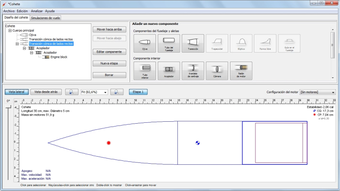
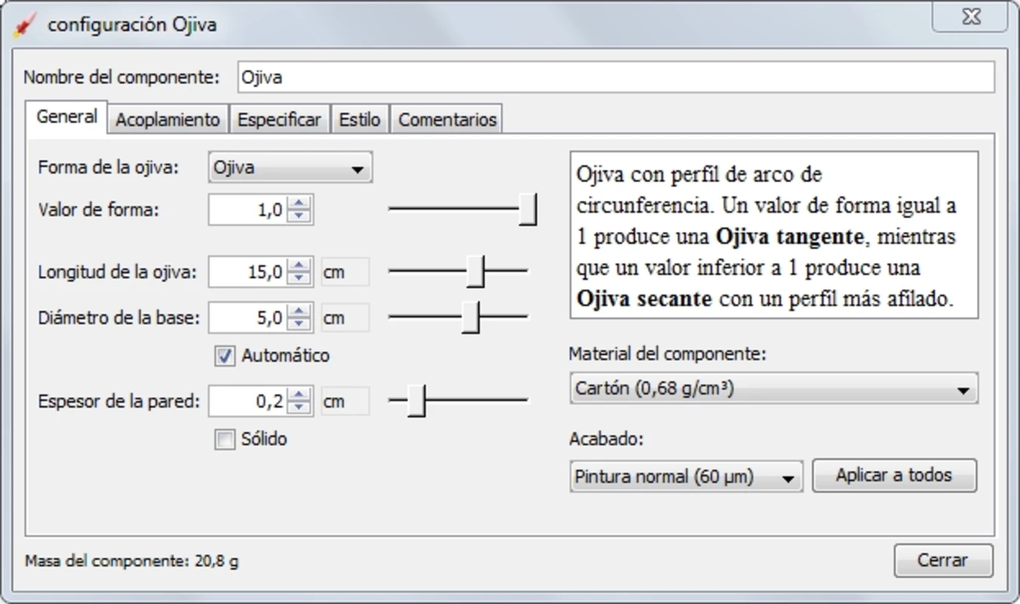
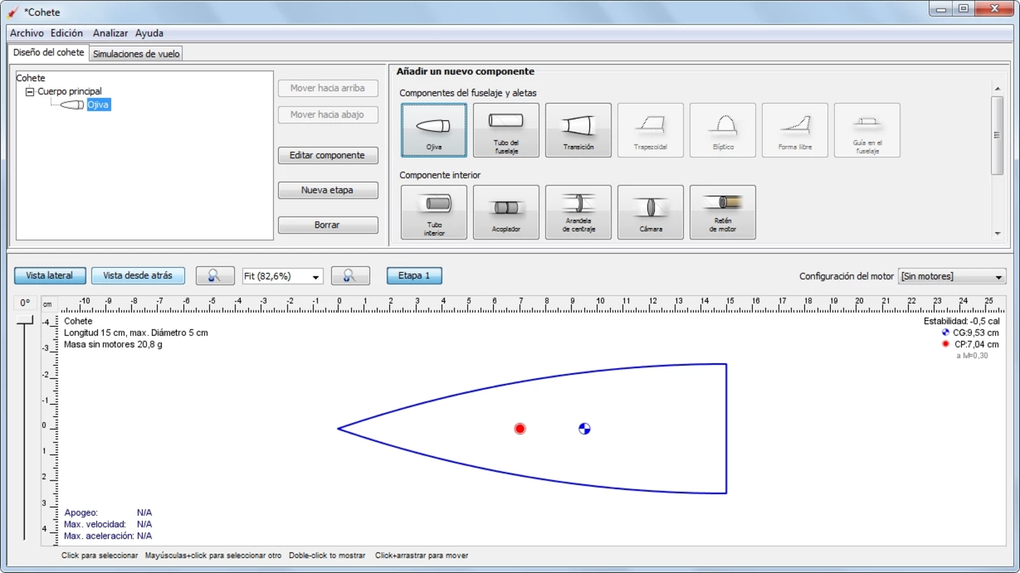
Begin by clicking “New Rocket” and naming your project. The left‑hand tree view lets you add components: body tubes, nose cones, transition sections, fins, and motor mounts. Use the property pane on the right to define dimensions, material density, and surface finish. Drag components onto the 3‑D preview window to visualize the assembly in real time.
5. Configuring the Motor
Select a motor from the built‑in catalog or import a custom thrust‑curve file (CSV format). Assign the motor to a stage, set ignition delay, and define burn time. OpenRocket automatically calculates thrust, impulse, and propellant mass.
6. Running a Simulation
Click the “Simulate” button, choose environmental conditions (wind speed, temperature, launch latitude/longitude), and start the virtual launch. After the simulation completes, you’ll see graphs for altitude vs. time, velocity, acceleration, and stability margins. Export these graphs as PNG images or CSV data for further analysis.
7. Saving & Sharing
Save your project as an .ork file, which stores the entire design and simulation settings. You can share this file with teammates or upload it to the OpenRocket forum for feedback. The software also supports exporting to STL for 3‑D printing of components.
With these steps, you’ll be able to design, test, and refine rockets entirely on your computer—saving both time and material costs before ever constructing a physical prototype.
Compatibility, Pros & Cons
Supported Operating Systems
OpenRocket is truly cross‑platform. The development team provides native binaries for the three major desktop operating systems:
- Windows 10, 11 (64‑bit) – Installer includes Java runtime bundled for a hassle‑free experience.
- macOS 10.15 Catalina and later – Distributed as a signed .dmg package, compatible with Intel and Apple Silicon (via Rosetta 2 if needed).
- Linux distributions – Ubuntu, Fedora, Debian, and Arch users can run the pre‑compiled tarball or install via community package repositories.
Pros
- Free and Open Source: No licensing fees, and the source code is available for customization.
- Comprehensive Simulation Engine: Accurate trajectory, stability, and motor performance analysis.
- User‑Friendly Interface: Drag‑and‑drop design workflow lowers the learning curve for beginners.
- Active Community: Frequent updates, forums, and shared rocket designs keep the ecosystem vibrant.
- Cross‑Platform: Consistent experience on Windows, macOS, and Linux.
- Extensible: Plugin architecture supports advanced features and third‑party integrations.
Cons
- Steeper Learning Curve for Advanced Features: Multi‑stage rockets and custom motor imports require careful setup.
- Limited 3‑D Rendering Quality: Visuals are functional but not as polished as commercial CAD packages.
- No Direct Integration with Physical Testing Equipment: Users must manually input test data.
- Occasional UI Glitches on macOS: Minor graphical artifacts reported on newer macOS versions.
- Documentation Fragmentation: While community guides exist, official documentation could be more centralized.
Review Summary: OpenRocket delivers a high‑quality, free alternative for rocket design and simulation. Its strengths in accuracy, cross‑platform support, and community involvement outweigh minor UI quirks, making it a top choice for hobbyists and educators alike.
Frequently Asked Questions
Is OpenRocket really free to use?
Yes. OpenRocket is released under the GNU General Public License (GPL), which means you can download, install, and use the software at no cost. The source code is also publicly available for anyone who wishes to modify or contribute.
Can I simulate high‑power rockets with OpenRocket?
Absolutely. OpenRocket supports custom motor files, allowing you to import thrust curves for high‑power motors. You can also model multi‑stage configurations, which is essential for larger rockets.
What file formats does OpenRocket export?
OpenRocket can export design data as .ork project files, CSV tables for simulation results, PDF reports, and STL files for 3‑D printing of individual components.
Do I need Java installed separately?
No. The Windows and macOS installers bundle a compatible Java Runtime Environment (JRE). Linux users may need to install Java manually if it is not already present on the system.
How often is OpenRocket updated?
The development team releases major updates roughly twice a year, with smaller bug‑fix patches in between. All updates are free and can be downloaded from the official website.
Conclusion & Call to Action
OpenRocket stands out as a robust, free, and cross‑platform solution for anyone interested in rocket design and flight simulation. Its combination of accurate aerodynamic modeling, multi‑stage capabilities, and an active open‑source community makes it a compelling alternative to pricey commercial tools. While the UI may lack the polish of premium CAD software and some advanced features demand a learning curve, the overall value proposition is unmatched for hobbyists, educators, and even professional engineers looking for a cost‑effective sandbox.
If you’re ready to explore the physics of rocketry without spending a dime, download OpenRocket now. Install the program, start building your first virtual rocket, and experience the thrill of seeing a simulated launch before you ever light a fuse. Join the community forums, share your designs, and contribute to the ongoing development of this remarkable tool. The sky is no longer the limit—your imagination is.








