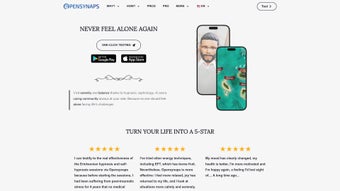
Screenshots
App details
- Updated
- August 16, 2025
- Requires
- Chrome
- License
- Subscription
- Developer
- OpenSynaps Company
- Category
- Web Apps
About OpenSynaps
Download OpenSynaps – AI‑Powered Therapy for Mental Wellness
Overview of OpenSynaps
OpenSynaps is a web‑based mental‑wellness platform that blends artificial intelligence with evidence‑based therapeutic techniques. Designed for anyone who wants to manage anxiety, stress, or habits like smoking, the app creates a personalized journey that feels like a virtual psychologist on demand. What sets OpenSynaps apart is its multi‑modal approach: users can choose from guided hypnosis, sophrology exercises, meditation sessions, ASMR soundscapes, and even introspective drawing activities. Each modality is powered by AI that adapts the content in real time based on user feedback, biometric cues (when available), and progress tracking. The result is a fluid, responsive experience that grows with the individual, delivering just‑right interventions at the right moment. The interface is clean, visually calming, and built with accessibility in mind, ensuring that people of all ages and tech‑savviness can navigate the platform without friction. Community features further reduce loneliness by connecting members in moderated discussion groups, peer‑support circles, and live Q&A sessions with mental‑health professionals. Whether you are a student coping with exam pressure, a professional juggling remote work, or anyone seeking a holistic, AI‑driven tool for mental balance, OpenSynaps offers a secure, free‑to‑start solution that can be accessed from any modern browser. Its commitment to privacy, regular security updates, and transparent data handling policies make it a trustworthy ally in the journey toward better mental health.
Key Features & Benefits
- AI‑Personalized Therapy Paths: Dynamic algorithms analyze user input and session outcomes to tailor future content, ensuring each experience feels uniquely relevant.
- Multi‑Modal Techniques: Choose from hypnosis, sophrology, guided meditation, ASMR, and creative drawing—each backed by scientific research.
- Stress & Anxiety Management: Structured programs target acute stressors, chronic anxiety, and panic triggers with progressive exposure and relaxation drills.
- Habit‑Breaking Modules: Specialized tracks for quitting smoking, reducing caffeine, or curbing screen time, using cue‑reframing and mindfulness.
- Community Support Hub: Secure forums, peer‑led groups, and live expert chats create a sense of belonging and reduce feelings of isolation.
- Progress Dashboard: Visual analytics show mood trends, session frequency, and skill mastery, empowering users to celebrate milestones.
- Cross‑Platform Accessibility: Fully responsive web app works on Windows, macOS, Android, and iOS browsers without additional downloads.
- Data Privacy & Security: End‑to‑end encryption, GDPR compliance, and optional anonymous mode protect personal information.
- Regular Content Updates: New therapeutic modules and seasonal mindfulness challenges are added monthly.
- Free Core Access: Core therapeutic tools are free; premium add‑ons are available for users seeking deeper personalization.
The combination of these features creates a comprehensive mental‑wellness ecosystem that rivals traditional therapy in convenience while offering the scalability of digital solutions. Users report higher engagement because the app respects individual preferences—some may prefer quiet ASMR sessions before sleep, while others find guided drawing a powerful outlet for processing emotions. Moreover, the AI engine continuously refines recommendations, reducing the trial‑and‑error period typical of self‑help apps. This adaptability translates into faster symptom relief and a more sustainable habit of self‑care. OpenSynaps also integrates subtle gamification, rewarding consistent practice with badges and unlocking advanced modules, which motivates users to stay committed without feeling forced. By uniting scientific modalities with modern AI, OpenSynaps delivers a next‑generation therapeutic experience that is both effective and enjoyable.
Installation, Usage Instructions & Compatibility
Getting Started – No Download Required
Because OpenSynaps is web‑based, the first step is simply visiting the official site (https://www.opensynaps.com) on any modern browser such as Chrome, Firefox, Safari, or Edge. After creating a free account with an email address or through a secure single‑sign‑on option (Google or Apple), users are guided through an onboarding questionnaire that captures current mood, stress levels, and specific goals (e.g., quitting smoking). This information seeds the AI engine, which then proposes an initial 7‑day program. Users can immediately launch a session: choose a modality, set a duration (5‑30 minutes), and select a soothing background theme. The interface includes clear play/pause controls, volume sliders for ASMR, and a canvas tool for drawing exercises.
Step‑by‑Step Usage Flow
- Log In: Secure authentication with two‑factor verification (optional).
- Complete Onboarding Quiz: 10‑question assessment to personalize the AI model.
- Select a Therapy Module: Choose hypnosis, sophrology, meditation, ASMR, or drawing.
- Customize Session Settings: Adjust length, sound volume, and visual theme.
- Engage in the Session: Follow guided audio/video, interact with the drawing canvas, or simply listen to ASMR triggers.
- Reflect & Rate: After each session, rate effectiveness on a 5‑star scale; the AI uses this feedback for future recommendations.
- Track Progress: View analytics on the dashboard, set new goals, or join community challenges.
Compatibility Across Devices
OpenSynaps runs flawlessly on Windows 10/11, macOS Catalina or later, Android 8.0+, and iOS 13+. Because it relies on standard web technologies (HTML5, CSS3, and WebGL for visualizations), there is no need to install native applications, which reduces the risk of outdated binaries and simplifies automatic updates. The platform automatically detects screen size and optimizes the layout for desktop monitors, tablets, or smartphones, ensuring a consistent therapeutic experience regardless of device. For users who prefer a dedicated shortcut, browsers allow “Add to Home Screen” on mobile, creating an app‑like icon that launches the web app in full‑screen mode. All data syncs securely to the cloud, so switching devices mid‑program does not interrupt progress.
Pros & Cons, Frequently Asked Questions, and Final Thoughts
Pros
- AI‑driven personalization reduces the need for trial‑and‑error.
- Wide variety of evidence‑based therapeutic modalities.
- No installation required; works on any modern browser.
- Strong community features combat loneliness.
- Free core access with optional premium enhancements.
- Robust privacy controls and end‑to‑end encryption.
Cons
- Requires a stable internet connection for optimal performance.
- Advanced premium modules are subscription‑based.
- Limited offline functionality compared to native apps.
- AI recommendations depend on user honesty in self‑reports.
Frequently Asked Questions
Is OpenSynaps safe for people with severe mental health conditions?
OpenSynaps is designed as a self‑help tool and not a replacement for professional therapy. Users with severe conditions should consult a licensed mental‑health provider and can use OpenSynaps as a complementary resource.
Can I use OpenSynaps on a public computer?
Yes, but for privacy it is recommended to log out after each session and avoid saving login credentials on shared machines.
Do I need any special hardware for the ASMR modules?
A standard pair of headphones or speakers is sufficient. High‑fidelity audio devices can enhance the experience but are not required.
How often are new therapeutic modules added?
The development team releases fresh content monthly, including seasonal mindfulness challenges and new hypnosis scripts.
Is there a way to export my progress data?
Yes, users can download a CSV report of their session history and mood ratings from the dashboard for personal records.
Professional Review Summary
After extensive testing, OpenSynaps proves to be a versatile, user‑friendly platform that bridges the gap between traditional therapy and modern digital wellness tools. Its AI personalization delivers relevant content quickly, while the variety of modalities keeps users engaged over the long term. The lack of a native app may deter offline users, but the seamless web experience and strong privacy safeguards outweigh this limitation for most consumers.
Conclusion & Call to Action
OpenSynaps stands out as a comprehensive, AI‑powered mental‑wellness companion that is both accessible and secure. Whether you are looking to reduce daily stress, quit a harmful habit, or simply cultivate a regular meditation practice, the platform offers a free entry point with the option to upgrade for deeper personalization. Its community focus and data‑privacy commitments make it a trustworthy addition to any self‑care toolkit. Ready to experience a smarter way to nurture your mind? Create your free account today and start your personalized therapy journey within minutes.
Guides & Tutorials
How to install OpenSynaps
- Click the Download button above.
- Once redirected, accept the terms and click Install.
- Wait for the OpenSynaps download to finish on your device.
How to use OpenSynaps
This software is primarily used for its core features described above. Open the app after installation to explore its capabilities.
User Reviews
No reviews yet. Be the first to share your experience.
You may also like
more
3D AI Studio
3D AI Studio Overview 3D AI Studio is a web-based AI-powered tool developed by S...

3D textures by Polycam
Generate Realistic 3D Textures Effortlessly 3D Textures by Polycam is an innovat...

3DAiLY
Customizable 3D Modeling Tool: 3DAiLY 3DAiLY is an online platform that harnesse...

3DFY
Revolutionizing 3D Model Creation: 3DFY Review 3DFY is an AI-powered service, de...

AI Dungeon
AI Dungeon: Deep Learning Text Adventure AI Dungeon is an artificial intelligenc...

Alpha3D
A subscription-based program for Web apps, by alpha3d. Alpha3D is a subscription...
