
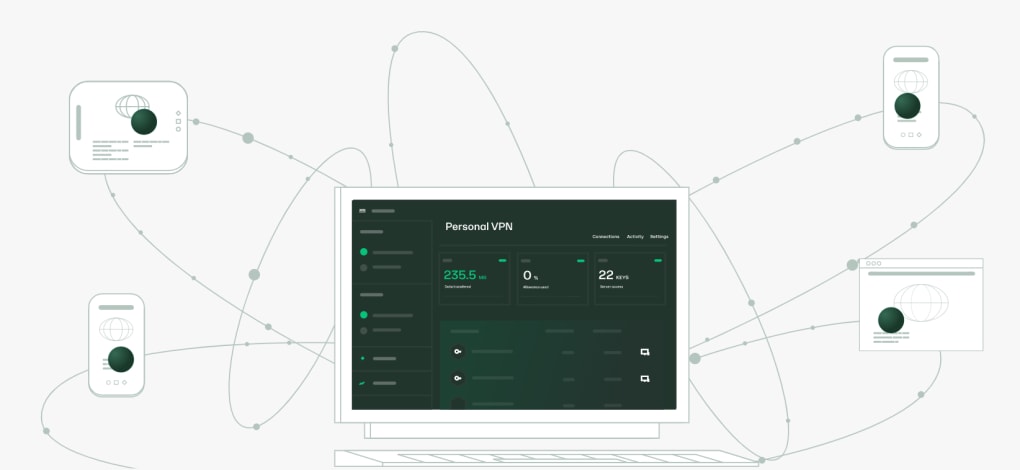

Download Outline – free secure VPN for Windows, macOS, Android & iOS
Overview of Outline VPN
Outline is an open‑source virtual private network (VPN) created by Jigsaw Operations LLC, a subsidiary of Alphabet Inc. Designed for both individual users and organizations, Outline offers a faster, safer, and more private browsing experience by routing traffic through an encrypted server that you control. Unlike many commercial VPNs that keep logs and sell data, Outline never records your web traffic, ensuring that your conversations stay out of the hands of malicious actors. The solution is built on the Shadowsocks protocol, which provides strong encryption while remaining lightweight enough for low‑latency connections—ideal for newsrooms, remote teams, e‑sports athletes, and even households that want to bypass geo‑restrictions. Because the codebase is openly audited by the nonprofit Radically Open Security, you benefit from transparent security practices and rapid updates that keep pace with emerging threats. Whether you need a single‑tap “Connect” for a pre‑configured server or you want to host your own server on a cloud provider, Outline gives you full control over privacy settings and server placement, making it a versatile tool for anyone who values online security.
Key Features & Security Highlights
- Open‑source transparency: Full source code is available on GitHub, allowing community audits and contributions.
- Strong encryption: Uses the Shadowsocks protocol with AES‑256‑GCM for robust data protection.
- Zero‑log policy: No traffic metadata is stored, safeguarding against data leakage.
- One‑tap connection: The “Connect” button instantly establishes a secure tunnel when you receive an invitation.
- Cross‑platform support: Available for Windows, macOS, Linux, Android, and iOS.
- Outline Manager integration: Deploy and manage servers on major cloud providers (Google Cloud, AWS, DigitalOcean) without deep networking expertise.
- Customizable access control: Generate unique access keys for each user, revoking them at any time.
- Community‑driven updates: Frequent releases address vulnerabilities and add new functionalities.
The security backbone of Outline is reinforced by an independent audit performed by Radically Open Security, a well‑known non‑profit computer security consultancy. Their review confirmed that the encryption implementation follows industry best practices and that the code does not contain backdoors or hidden data collection. Because Outline is built on Shadowsocks, it evades many deep‑packet‑inspection (DPI) techniques that traditional VPN protocols (like OpenVPN) may trigger. This makes it especially useful in restrictive environments where governments or ISPs attempt to block VPN traffic. Moreover, the open‑source model encourages rapid bug fixes; contributors can submit pull requests directly to the official repository, and the Jigsaw team merges vetted improvements promptly. For enterprises, the ability to host your own server on a trusted cloud provider means you retain full ownership of the encryption keys, eliminating the “trust third‑party” risk associated with commercial VPN services.
Installation, Usage & Compatibility
Step‑by‑Step Installation
- Visit the official Outline website and click “Download” for your operating system.
- Run the installer (Windows .exe, macOS .dmg, Linux .AppImage, Android .apk, or iOS TestFlight link).
- Launch the Outline client; you’ll be prompted to add a server URL or scan a QR code.
- If you are the server admin, download Outline Manager, log in with your cloud provider credentials, and follow the wizard to spin up a new server.
- Share the generated access key or QR code with teammates; they can connect with a single tap.
Operating System Support
Outline runs natively on Windows 10/11, macOS 10.13+ (including Apple Silicon), major Linux distributions, Android 6.0+, and iOS 12+. The client uses lightweight system resources, making it suitable for older hardware while still delivering high‑throughput connections on modern machines.
Typical Usage Scenarios
After installation, using Outline is straightforward. Open the app, select the server you wish to route through, and hit “Connect.” The VPN automatically encrypts all outbound traffic, masking your IP address with the server’s location. For journalists working in censored regions, this means unrestricted access to global news sites. For remote teams, it provides a secure tunnel to internal resources without exposing them to the public internet. Gamers and e‑sports athletes can reduce latency by selecting servers geographically close to tournament venues, while households can bypass geo‑locks on streaming services. Because Outline never logs activity, you can rest assured that neither your ISP nor a potential adversary can reconstruct your browsing history.
Pros, Cons & Frequently Asked Questions
Pros
- Completely free and open source – no hidden fees.
- Strong AES‑256 encryption ensures data confidentiality.
- Zero‑log policy protects user privacy.
- Easy one‑tap connection for invited users.
- Cross‑platform availability covers all major devices.
- Self‑hosted server gives full control over data and keys.
- Regular security audits and community contributions keep the software up‑to‑date.
Cons
- Requires technical knowledge to set up your own server (though Outline Manager simplifies this).
- Limited built‑in server locations – you need to provision your own cloud instances.
- No built‑in ad‑blocking or malware‑filtering features.
- Performance depends on the chosen cloud provider and server configuration.
- Mobile apps lack some advanced settings found in desktop clients.
FAQ
Is Outline really free to use?
Yes. Outline is an open‑source project released under the Apache 2.0 license. There are no subscription fees, and you only pay for the underlying cloud resources if you host your own server.
Can I use Outline on a corporate network?
Absolutely. Many newsrooms and enterprises deploy Outline servers on private cloud accounts, granting employees secure, encrypted access to internal tools without exposing the corporate network to the public internet.
How does Outline differ from traditional VPN services?
Traditional VPNs often operate a large fleet of shared servers and keep logs for analytics or compliance. Outline gives you a single, self‑hosted server that you control, enforces a strict no‑log policy, and uses the lightweight Shadowsocks protocol for better performance in restrictive environments.
Do I need a Google account to use Outline?
No. While Jigsaw is part of Alphabet, Outline does not require any Google account. You can create and manage servers using any supported cloud provider, and the client works independently of Google services.
Is the traffic speed affected when using Outline?
Speed depends on the distance to your server and the bandwidth of the underlying cloud instance. Because Shadowsocks is optimized for low latency, most users experience only a modest overhead compared to a direct connection, especially when the server is geographically close.
Review Summary
Outline delivers a compelling mix of privacy, performance, and flexibility for users who value control over their data. Its open‑source nature and zero‑log guarantee set it apart from many commercial VPNs, while the simple client interface makes everyday use painless. The primary trade‑off is the need to manage your own server, which may be a hurdle for non‑technical users. Overall, Outline scores highly for security‑focused individuals and organizations looking for a transparent, cost‑effective VPN solution.
Conclusion & Call to Action
If you’re searching for a free, secure, and open‑source VPN that puts privacy in your hands, Outline is a top‑tier choice. Its strong encryption, zero‑log policy, and the ability to host your own server give you unparalleled control over who sees your data and where your traffic is routed. While setting up a server requires a bit of technical knowledge, the Outline Manager wizard makes the process approachable for most users, and the one‑tap “Connect” experience ensures that team members can join the network effortlessly. Whether you’re a journalist protecting sources, a remote team needing encrypted access to internal tools, or a household wanting to bypass geo‑restrictions, Outline scales to meet those demands without compromising security.
Ready to protect your online presence? Download Outline today, spin up your first server with Outline Manager, and experience a faster, safer internet—completely free and fully open source.








