
Screenshots
App details
- Version
- 4.6.2
- Updated
- August 16, 2025
- Requires
- Android 15.0
- Language
- English | German
- License
- Free
- Developer
- ownCloud, Inc.
- Category
- Android OS
About ownCloud
Download ownCloud – cloud storage, file sharing, private cloud, self-hosted, open-source, data privacy, secure file sync, own server, cloud server
Overview
ownCloud is a self-hosted cloud storage and file synchronization platform designed to give users full control over their data. Built on open-source principles, it enables individuals and organizations to deploy their own private cloud infrastructure using their own servers or third-party providers. The software allows users to securely store, share, and manage files across devices while maintaining complete ownership of their data. This makes it particularly well-suited for users who prioritize data privacy and security over convenience-driven commercial cloud services.
Designed for both technical and non-technical users, ownCloud supports a wide range of use cases—from personal file backup and remote access to collaborative workflows in small businesses. Its modular architecture allows for customization through extensions, enabling users to adapt the platform to specific needs such as enhanced security, access controls, or integration with existing tools. The development process emphasizes transparency, inviting scrutiny from developers and security experts to ensure integrity and detect potential vulnerabilities.
While the software is free to use and distribute, users have the legal right to monetize access to their own cloud instances. This flexibility makes it a viable option for entrepreneurs, IT departments, and privacy-conscious professionals. The ability to host data locally or in trusted environments ensures compliance with data sovereignty regulations, a growing concern in today’s digital landscape.
Key Features & Capabilities
- Self-Hosted Cloud Infrastructure – Deploy ownCloud on your own server or with a trusted provider, ensuring complete control over data location and access.
- Secure File Sync and Sharing – Files are encrypted in transit and at rest, with granular sharing permissions and expiration options for secure collaboration.
- Open-Source Transparency – Full access to source code allows developers to audit for security flaws, backdoors, or suspicious behavior—unlike proprietary cloud platforms.
- Extensible Architecture – Use built-in or third-party apps to extend functionality, including document editing, calendar integration, contact management, and advanced security features.
- Multi-Platform Access – Available on Windows, Linux, macOS, and mobile platforms, enabling seamless access across devices and operating systems.
- Customizable User Management – Administrators can define user roles, set quotas, manage groups, and enforce authentication policies to suit organizational needs.
These capabilities make ownCloud ideal for small teams managing sensitive documents, developers building custom workflows, or individuals seeking to avoid reliance on third-party cloud providers. Real-world scenarios include remote teams collaborating on confidential projects, educators sharing course materials securely, or enterprises complying with GDPR and other data protection laws.
User Interface, Workflow & Performance
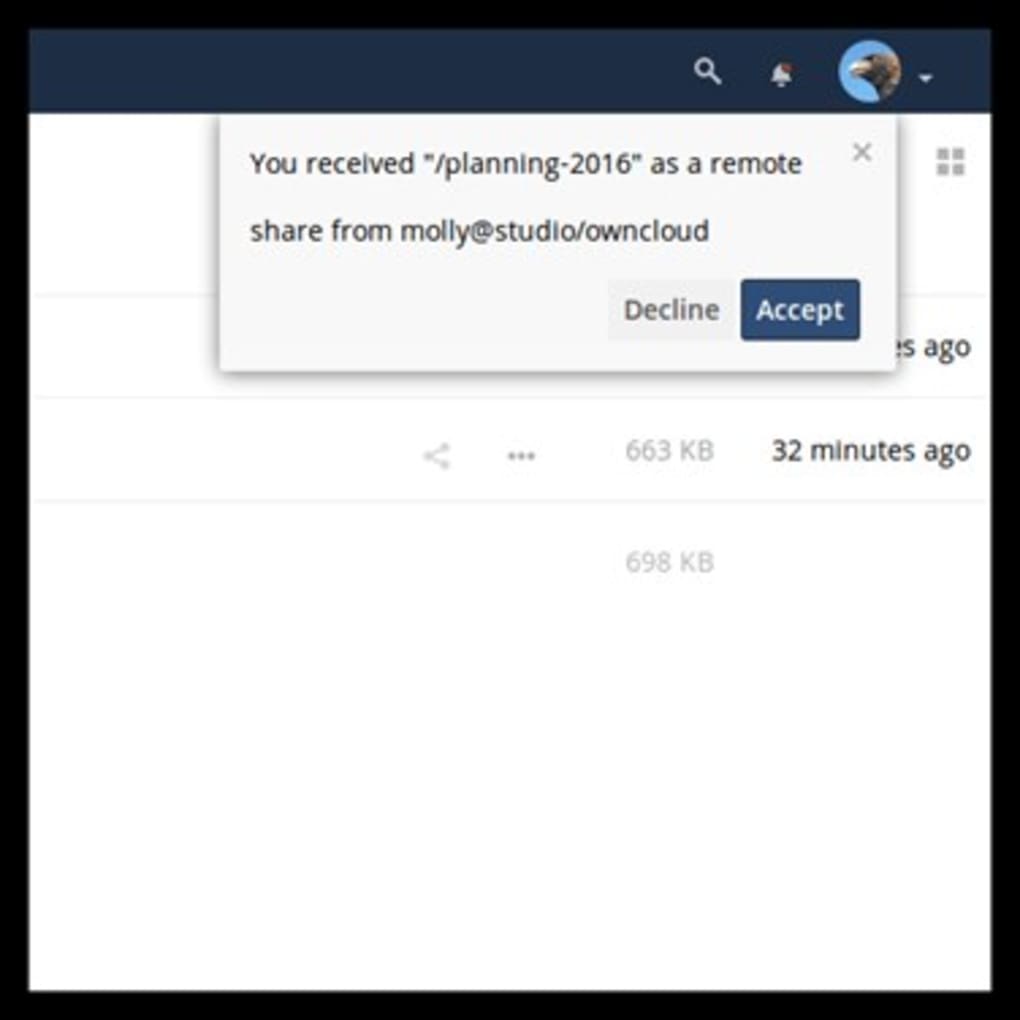
The ownCloud desktop and web interfaces are structured to balance functionality with usability. The main dashboard provides quick access to files, recent activity, shared items, and system notifications. Navigation is intuitive, with a sidebar for file browsing, settings, and app management. The layout adapts well to different screen sizes, supporting both desktop and laptop use.
Workflow efficiency is enhanced by features such as automatic syncing, offline file access, and background upload/download queues. Users can preview files directly in the browser and perform basic edits without leaving the platform. The interface supports keyboard shortcuts and customizable themes, improving productivity for frequent users.
Performance observations are based on general software behavior patterns. The developer did not specify resource usage details. Stability is expected to be consistent for users running the software on properly configured servers with adequate memory and processing power. CPU and RAM behavior are not publicly documented.
Compatibility & System Requirements
ownCloud is compatible with Windows, Linux, and macOS operating systems. The current version, 10.11.1, has a download size of 235 MB. This includes the core application and essential components required for installation and operation.
Exact system requirements were not listed. The developer did not provide additional system requirements. Compatibility information is limited to the supported platforms. Users should ensure their server or machine meets minimum standards for web servers (e.g., Apache, Nginx), PHP, and database support (e.g., MySQL, PostgreSQL) as these are typically required for deployment.
Pros and Cons
Pros
- Full control over data ownership and hosting location
- Open-source code enables transparency and security audits
- Supports secure file sharing with customizable permissions
- Extensible through a growing ecosystem of apps and integrations
- Free to use and modify under an open-source license
- Multi-platform availability for consistent access
Cons
- Requires technical knowledge for server setup and maintenance
- No official support included in the free version
- Resource-intensive setup may require dedicated hardware
- Limited documentation for beginners
- Self-managed updates and security patches required
FAQ Section
Is ownCloud safe to use?
Yes, ownCloud is designed with security in mind. Its open-source nature allows developers to inspect the code for vulnerabilities, and data is encrypted during transmission and storage. However, safety depends on proper server configuration and user practices.
Can I use ownCloud without hosting my own server?
Yes. While ownCloud is built for self-hosting, users can also access cloud services provided by third-party vendors who use the ownCloud platform. This allows access without managing infrastructure.
Does ownCloud support automatic updates?
ownCloud includes an update mechanism within the admin panel. However, updates must be manually triggered or scheduled by the administrator. Automatic updates are not enabled by default.
Is ownCloud available for mobile devices?
Yes. ownCloud offers native mobile applications for iOS and Android, allowing users to access files, sync data, and collaborate on the go.
Can I charge users to access my ownCloud instance?
Yes. The software is free to use and distribute. Users may legally set up their own cloud server and charge others for access, making it a viable option for service providers and entrepreneurs.
Final Thoughts + CTA
ownCloud stands out as a powerful, privacy-focused alternative to mainstream cloud services. Its self-hosted model, open-source foundation, and robust feature set make it a top choice for individuals and organizations that demand control over their digital assets. While the setup process requires technical proficiency, the long-term benefits of data sovereignty and customization are significant.
It is especially valuable for small businesses, developers, and privacy advocates who want to avoid vendor lock-in and ensure compliance with data protection standards. Despite the learning curve, the flexibility and security it offers justify the effort for the right audience.
Download ownCloud now
Guides & Tutorials
How to install ownCloud
- Click the Download button above.
- Once redirected, accept the terms and click Install.
- Wait for the ownCloud download to finish on your device.
How to use ownCloud
This software is primarily used for its core features described above. Open the app after installation to explore its capabilities.
User Reviews
No reviews yet. Be the first to share your experience.
You may also like
more
ChatGPT APK
Effortlessly generate content with AI ChatGPT is a free artificial intelligence...

Digi
Realistic AI entertainment app Digi - AI Romance, Reimagined is a free AI chatbo...

Gemini
Google’s newest and most powerful AI Gemini is a sophisticated AI model from Goo...

kimi chat APK
Your go-to AI assistant for seamless information processing kimi chat is an AI -...

MateAI AI Chat Bot Assistant APK
An AI-powered chatbot fit for any task MateAI-AI Chat Bot Assistant is a free-to...

Microsoft Copilot APK
Revolutionize your workflow Unleash a new era of productivity with Microsoft Cop...
