
Screenshots
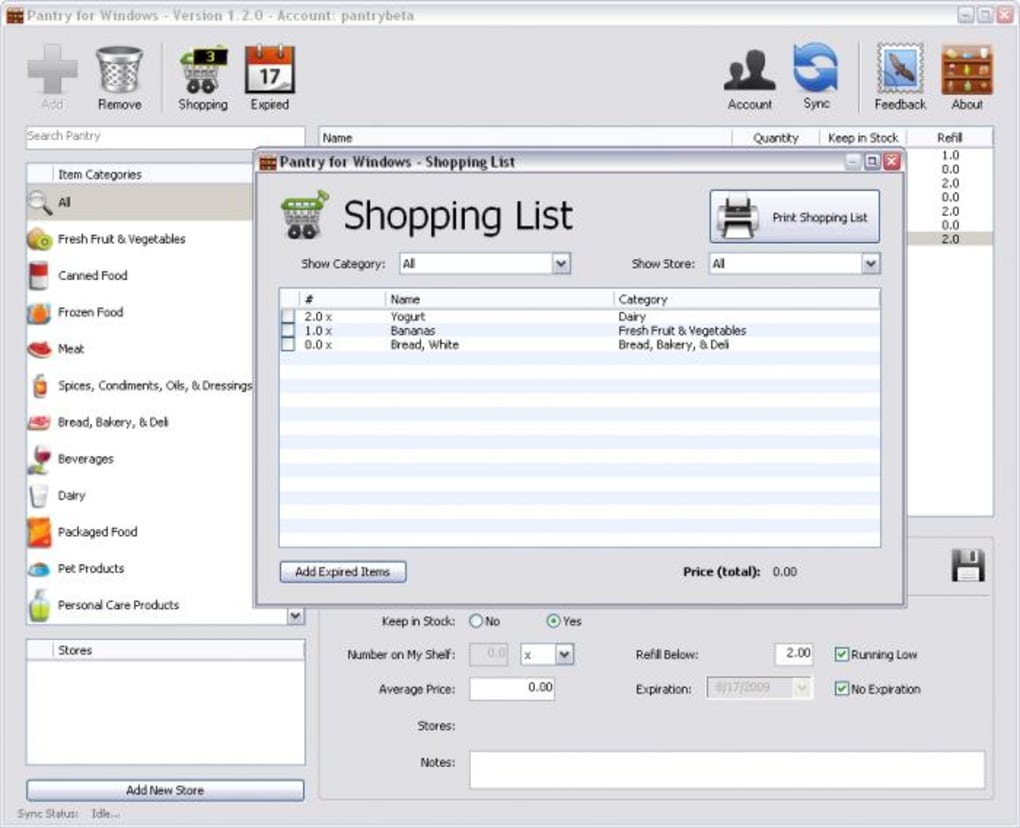
App details
- Version
- 1.2.0
- Size
- 2.80 MB
- Updated
- August 17, 2009
- Requires
- Windows XP
- Language
- English
- License
- Free
- Developer
- Sky Eckstrom
- Category
- Windows OS
About Pantry
Download Pantry – Smart Shopping List & Stock Manager for iPhone
Overview of Pantry
Pantry is a dedicated shopping organizer designed to eliminate the frustration of forgotten items and endless paper lists. By combining a robust inventory database with dynamic shopping‑list creation, Pantry helps you keep track of everything from groceries and beverages to personal‑care products and cleaning supplies. The app syncs automatically with a free online account and an iPhone companion app, ensuring your lists are always up‑to‑date whether you’re at home, in the car, or strolling through the supermarket aisles. With Pantry, you can define custom stores, set refill thresholds, and even add expiration dates so you never waste food again. The intuitive interface makes it simple to add new items on the fly, while the built‑in stock‑monitoring feature flags low‑quantity products and moves them to your active shopping list with a single tap. Whether you’re a busy parent juggling weekly groceries or a meticulous planner who loves to keep a pantry inventory, this tool streamlines the entire process, saving you time, money, and the occasional headache.
Key Features & Benefits
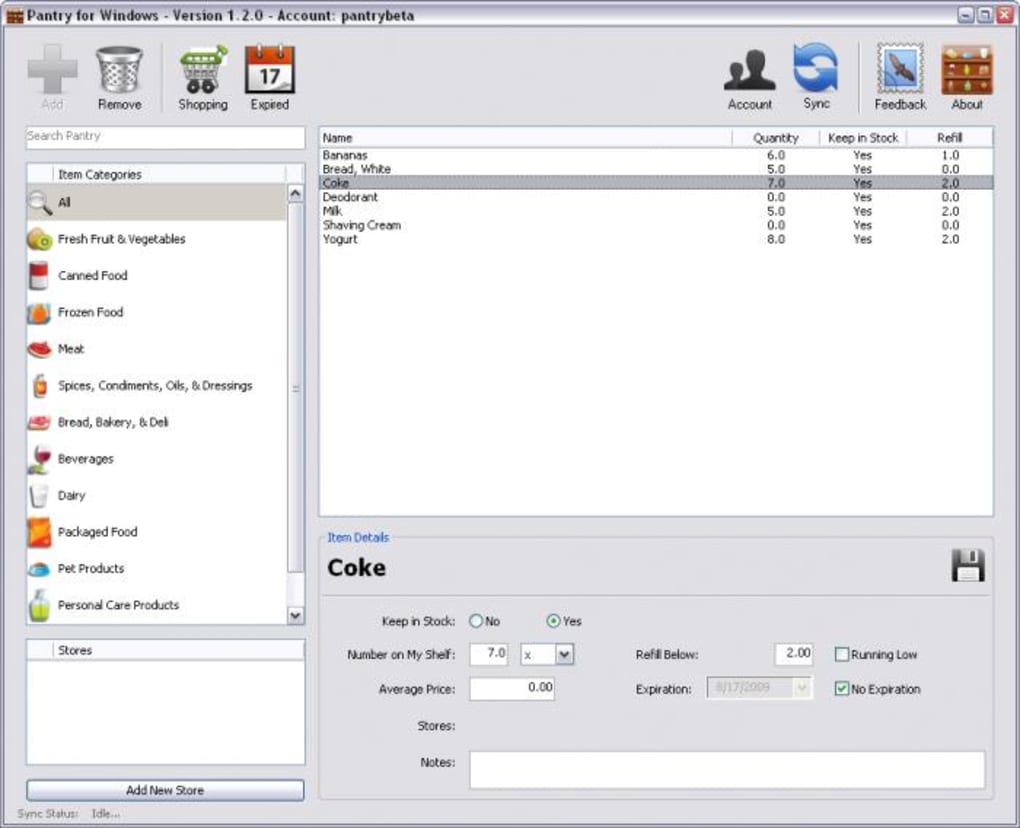
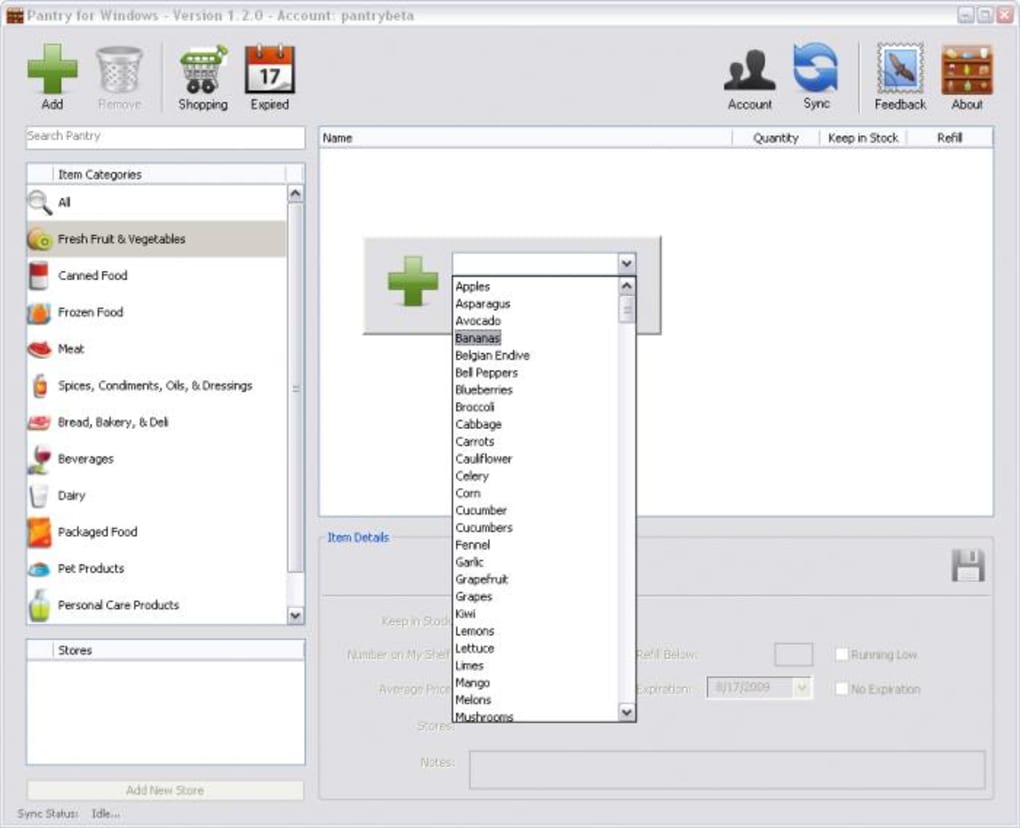
- Comprehensive Product Database: Includes thousands of foods, drinks, household items, and personal‑care products, with the ability to add custom entries.
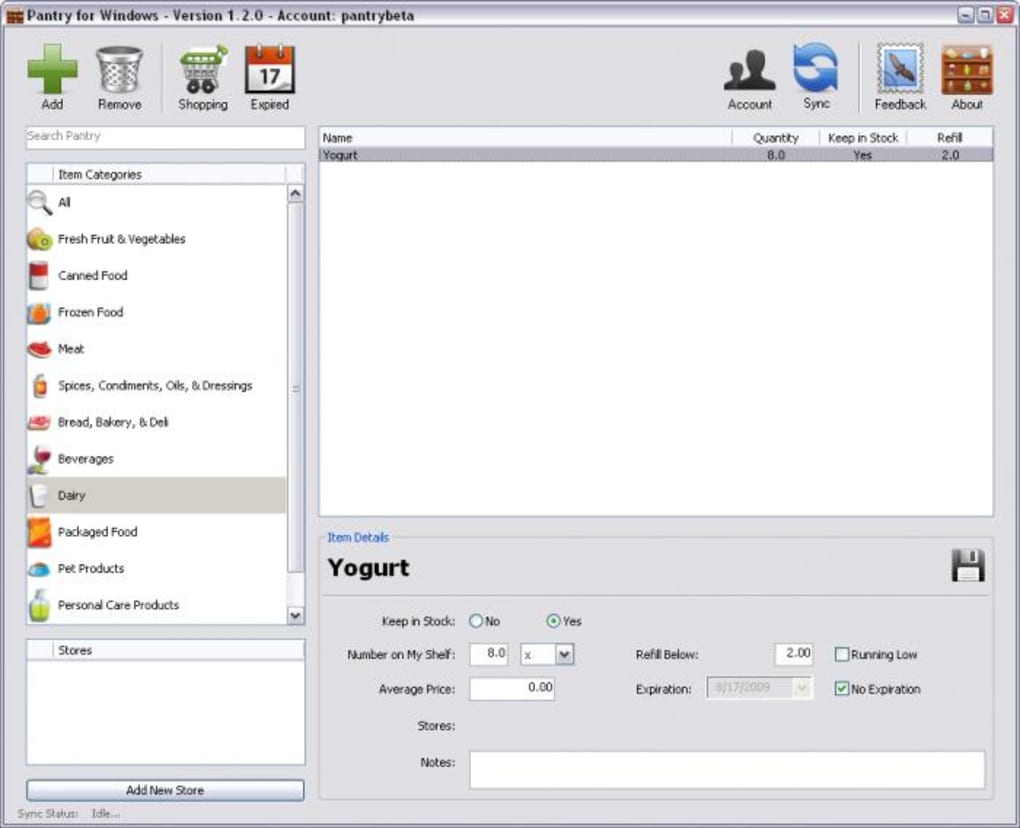
- Automatic Low‑Stock Alerts: Set a “refill limit” for each item; when stock drops below that limit, Pantry flags it for you.
- Multi‑Store List Creation: Organize shopping lists by store, making your supermarket trips faster and more efficient.
- Expiration Date Tracking: Record best‑before dates to reduce waste and receive reminders when items are nearing expiry.
- Sync Across Devices: Changes made on your Mac or Windows PC are instantly reflected in the iPhone app via a secure cloud account.
- Price Management: Store average prices for each product, helping you budget and compare costs over time.
- Customizable Categories: Group items into personal categories (e.g., “Kid Snacks,” “Pet Supplies”) for quick access.
- Export & Import: Export your inventory as CSV for backup or import existing lists to get started quickly.
Beyond the feature list, Pantry’s real value lies in its ability to transform chaotic shopping habits into a predictable, data‑driven routine. By maintaining a real‑time view of your household stock, you reduce duplicate purchases, avoid running out of essentials, and can plan meals more confidently. The seamless iPhone integration means you can glance at your list while walking down the aisle, updating quantities on the fly without needing to pull out a paper note. Moreover, the app’s secure online sync guarantees that any changes you make at work on your laptop are instantly available on your phone, ensuring continuity across platforms. For anyone looking to bring order to their pantry and streamline grocery trips, these features combine to create a truly “smart” shopping companion.
Installation, Usage & Compatibility
Getting Started
To begin using Pantry, download the desktop version from the official website (compatible with Windows 10/11 and macOS 10.14 or later). Run the installer, follow the on‑screen prompts, and create a free Pantry account using your email address. After logging in, the application will automatically generate a cloud‑based inventory that you can access from any device.
iPhone Companion App
While the core software is free, the iPhone app costs a modest $2.99 and is available on the App Store. After purchasing, sign in with the same Pantry credentials to enable real‑time sync. The app mirrors the desktop’s interface, allowing you to add items, check off purchases, and view stock levels directly from your phone.
Step‑by‑Step Usage
- Create Your First Inventory: Browse the built‑in database or type in custom items. Set the current quantity, average price, and optional expiration date.
- Define Refill Limits: For each product, specify the minimum quantity that triggers a low‑stock alert.
- Build Store‑Specific Lists: Choose “Add to List,” select the store (e.g., SuperMart, FreshMarket), and the item appears under that store’s heading.
- Sync Automatically: Any change you make—whether marking an item as “running low” or adjusting quantities—syncs instantly to the cloud and your iPhone.
- Shop Confidently: Open the iPhone app in the supermarket, check off items as you place them in your cart, and watch your pantry inventory update in real time.
Operating System Compatibility
Pantry runs on Windows 10/11, macOS 10.14 or newer, and iOS 13 or later (iPhone and iPod Touch). The desktop version also offers a web‑based portal for browsers that support HTML5, ensuring you can access your data even on Linux machines via a compatible browser.
The installation process is straightforward, and the UI follows platform‑native design guidelines, making it feel familiar whether you’re on a PC, Mac, or iPhone. Regular updates are pushed automatically through the cloud account, guaranteeing you always have the latest features and security patches.
Pros, Cons, Frequently Asked Questions & Final Thoughts
Pros
- Comprehensive product database with easy custom entry.
- Automatic low‑stock detection reduces forgotten items.
- Syncs seamlessly between desktop and iPhone.
- Expiration‑date tracking helps minimize food waste.
- Free desktop version with optional paid iPhone app.
- Exportable CSV for backup and migration.
Cons
- iPhone app is not free; requires a one‑time purchase.
- No native Android version (limited to iOS).
- Initial setup of inventory may be time‑consuming for large households.
- Requires internet connection for cloud sync.
FAQ
Can I use Pantry without an internet connection?
Yes, the desktop app works offline for inventory management, but you’ll need an internet connection to sync changes with the iPhone app or the online portal.
Is there a way to share my pantry list with family members?
Pantry allows multiple users to log into the same cloud account, so family members can view and edit the shared inventory from their own devices.
How secure is my data on the Pantry cloud?
All data is transmitted over HTTPS and stored on encrypted servers, complying with industry‑standard security practices.
Can I import an existing CSV shopping list?
Yes, the Import function accepts CSV files formatted with columns for product name, quantity, price, and expiration date.
What happens to my data if I delete the iPhone app?
Your data remains stored in the cloud and on the desktop application; reinstalling the iPhone app will restore the sync automatically.
Conclusion & Call to Action
Pantry delivers a well‑rounded solution for anyone tired of the “forgot‑the‑milk” dilemma. Its blend of an extensive product catalog, automatic low‑stock alerts, and cross‑device synchronization makes grocery planning both efficient and enjoyable. While the iPhone app carries a modest price tag, the overall value—especially for households that shop frequently—far outweighs the cost. If you’re ready to bring order to your kitchen, reduce food waste, and streamline your weekly shop, download Pantry today and experience a smarter way to manage your pantry.
Guides & Tutorials
How to install Pantry
- Click the Download button above.
- Once redirected, accept the terms and click Install.
- Wait for the Pantry download to finish on your device.
How to use Pantry
This software is primarily used for its core features described above. Open the app after installation to explore its capabilities.
User Reviews
No reviews yet. Be the first to share your experience.
You may also like
more
Llama 2
Free-to-use large language model As the new addition to Meta’s arsenal of langua...

NotebookLM
Revolutionizing the note-taking and idea-generation process NotebookLM is an exp...

Github co pilot
AI-inspired software development and coding platform GitHub Copilot is a browser...

Google Gemma
Google’s lightweight AI models Introducing Google Gemma , a family of cutting-ed...

AI Image Enlarger
A free app for Windows, by ai-image-larger. AI Image Enlarger is a free software...

DALL E
AI-driven text-to-image transformation engine DALL·E is a free graphic and desig...
