
Download PastePerfect – Free Clipboard Manager for Windows
Overview and System Compatibility
PastePerfect is a lightweight yet powerful clipboard manager built specifically for Windows users who need a reliable way to capture, store, and retrieve anything that passes through the system clipboard. Unlike the default Windows clipboard that only holds the most recent copy, PastePerfect creates a persistent archive, allowing you to keep text snippets, images, files, and even whole folders for later use. The application runs silently in the background, automatically collecting clipboard entries without interrupting your workflow. Whether you are a programmer juggling code snippets, a writer collecting research quotes, or a power user who frequently switches between multiple documents, PastePerfect streamlines the copy‑paste process by giving you instant access to a searchable history.
Compatibility is straightforward: PastePerfect is designed for Windows 7, 8, 8.1, 10, and 11 (both 32‑bit and 64‑bit). It requires .NET Framework 4.7.2 or later, which is already included in most modern Windows installations. The software does not interfere with other clipboard utilities, and its low memory footprint (under 30 MB) ensures that it can run alongside resource‑intensive applications without slowing down your PC.
Because the program is free and open to all Windows users, you can download and install it without worrying about hidden fees or trial expirations. Security‑conscious users will also appreciate that PastePerfect stores clipboard data locally on your hard drive, encrypted with AES‑256, so no information is sent to external servers. This makes it a safe choice for handling sensitive data such as passwords, API keys, or personal notes.
Windows 7, 8, 8.1, 10, 11
Key Features, Installation, and How to Use PastePerfect
- Unlimited clipboard history with fast search and filter options.
- Organize entries into custom collections for projects, topics, or personal categories.
- Create sequenced text blocks (e.g., usernames, passwords) and paste them in order.
- Support for text, rich‑text formatting, images, files, and whole folders.
- Secure local storage with optional AES‑256 encryption.
- Hot‑key shortcuts for instant paste of the most recent or favorite items.
- Export and import of collections for backup or sharing.
- Lightweight UI that can be docked to the taskbar or accessed via a system tray icon.
Installation steps: Download the installer from the official PastePerfect website. Run the PastePerfectSetup.exe file and follow the guided wizard. The process takes less than a minute: accept the license agreement, choose the installation folder (default is C:\Program Files\PastePerfect), and click “Install.” Once completed, launch the application; it will automatically minimize to the system tray and start monitoring the clipboard.
Using the application: When you copy something, PastePerfect silently records it. To view your history, click the tray icon or press Ctrl + Shift + V. A window opens displaying all captured items, sortable by date, type, or collection. Double‑click an entry to paste it instantly into the active window, or drag it to another application. To create a collection, select multiple items, right‑click, and choose “Add to Collection.” You can name the collection (e.g., “Project A Snippets”) and later retrieve the whole set with a single click.
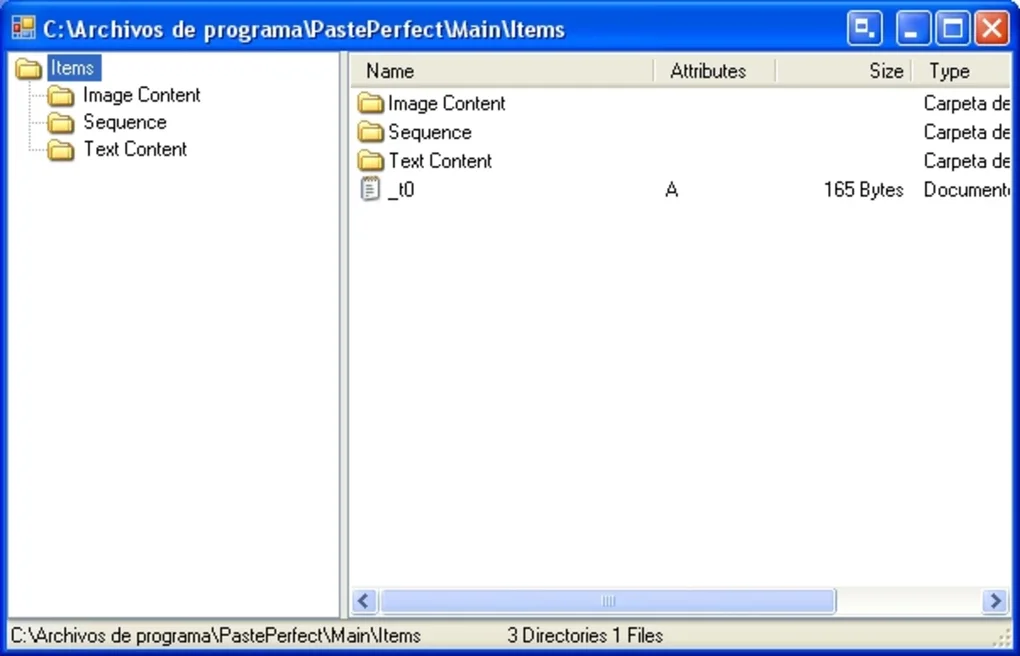
The sequencer feature shines when you need to paste a series of related strings—like a list of usernames. Define a sequence in the “Sequences” tab, assign a hot‑key, and each press will paste the next item, looping back to the start when the end is reached. This eliminates repetitive manual copying and speeds up routine tasks.
Pros, Cons, Frequently Asked Questions, and User Feedback
Pros
- Completely free with no hidden charges or time‑limited trial.
- Supports a wide range of content types, including images and folders.
- Highly customizable hot‑keys and collections improve productivity.
- Low system resource usage ensures smooth performance.
- Local encrypted storage keeps sensitive data safe.
Cons
- Available only for Windows; no macOS, Linux, Android, or iOS version.
- Lacks cloud sync, so history is not automatically shared across devices.
- Advanced users may desire more scripting or API integration.
Frequently Asked Questions
Can PastePerfect store passwords securely?
Yes. When you enable the encryption option in Settings, all stored items—including passwords—are encrypted with AES‑256 before being written to disk. The decryption key is derived from a master password you set, so only you can access the data.
How do I clear my clipboard history?
Open the PastePerfect window, click the “Clear All” button at the bottom, or right‑click any collection and choose “Delete.” You can also set an automatic purge interval in Preferences.
Does PastePerfect run at startup?
By default, the installer adds PastePerfect to the Windows startup list. You can disable this in Settings → General → “Launch at Windows startup.”
Is there a limit to how many items I can store?
PastePerfect imposes no hard limit. The only constraint is the available disk space on your computer. However, you can enable automatic pruning to keep the database size manageable.
Can I export my collections for backup?
Yes. Each collection can be exported as a JSON file via the right‑click context menu. This file can be imported on another machine running PastePerfect, preserving all entries and settings.
User Rating: ★★★★☆ (4.3/5)
Review Summary: Users love the simplicity and speed of PastePerfect, especially the ability to organize snippets into collections. The main criticism is the lack of cross‑platform support, but most Windows‑centric professionals find the tool indispensable for daily copy‑paste tasks.
Conclusion – Should You Download PastePerfect?
If you spend a significant portion of your day moving information between applications, PastePerfect is a free, secure, and highly efficient solution that eliminates the frustration of repeatedly copying the same content. Its intuitive interface, robust feature set, and low resource consumption make it a perfect fit for developers, writers, designers, and anyone who values time‑saving automation. While it currently supports only Windows, the depth of functionality it offers on that platform more than compensates for the lack of cross‑device sync.
Ready to boost your productivity? Download PastePerfect now and start building your own clipboard library instantly. The installer is lightweight, the setup is quick, and you’ll be able to paste smarter, not harder.








