
Screenshots
App details
- Updated
- Apr 23, 2020
- Language
- English
- Developer
- PGWare
- Category
- Mobile
About PcBoost
Download PcBoost – Performance Optimization Tool, PC Speed Booster, CPU Management
Overview
PcBoost is a performance optimization tool designed to enhance the speed and stability of personal computers through intelligent resource management. The app focuses on optimizing CPU usage and memory distribution, aiming to reduce lag and prevent system slowdowns during multitasking. It is particularly useful for users who frequently run multiple applications simultaneously, such as content creators, developers, or general users seeking a smoother computing experience. The developer did not provide additional technical details about the background or development philosophy behind the app, but its functionality suggests a targeted approach to system-level performance tuning.
Real-world use cases include improving responsiveness when switching between browser tabs, video editing software, and productivity tools. By redistributing system resources dynamically, PcBoost helps maintain consistent performance even under heavy workloads. This makes it a relevant utility in the broader ecosystem of system maintenance and optimization tools. For users experiencing intermittent freezes or sluggish behavior, PcBoost offers a lightweight solution to manage system performance without requiring advanced technical knowledge.
Although the developer did not specify target demographics beyond general PC users, the app’s interface design indicates an intention to serve both novice and intermediate users. Its presence in the system tray and real-time monitoring capabilities suggest a focus on continuous background operation with minimal user intervention. The app’s release date, April 23, 2020, places it within a growing market of performance utilities, where user demand for efficient, accessible tools remains high.
Key Features & Functionality
- CPU Management: PcBoost runs in the system tray and automatically adjusts CPU usage levels when new applications are launched. This dynamic redistribution prevents resource bottlenecks and maintains system responsiveness during multitasking.
- Memory Distribution: The app reallocates memory efficiently each time a new program starts, reducing memory fragmentation and minimizing lag during high-demand operations.
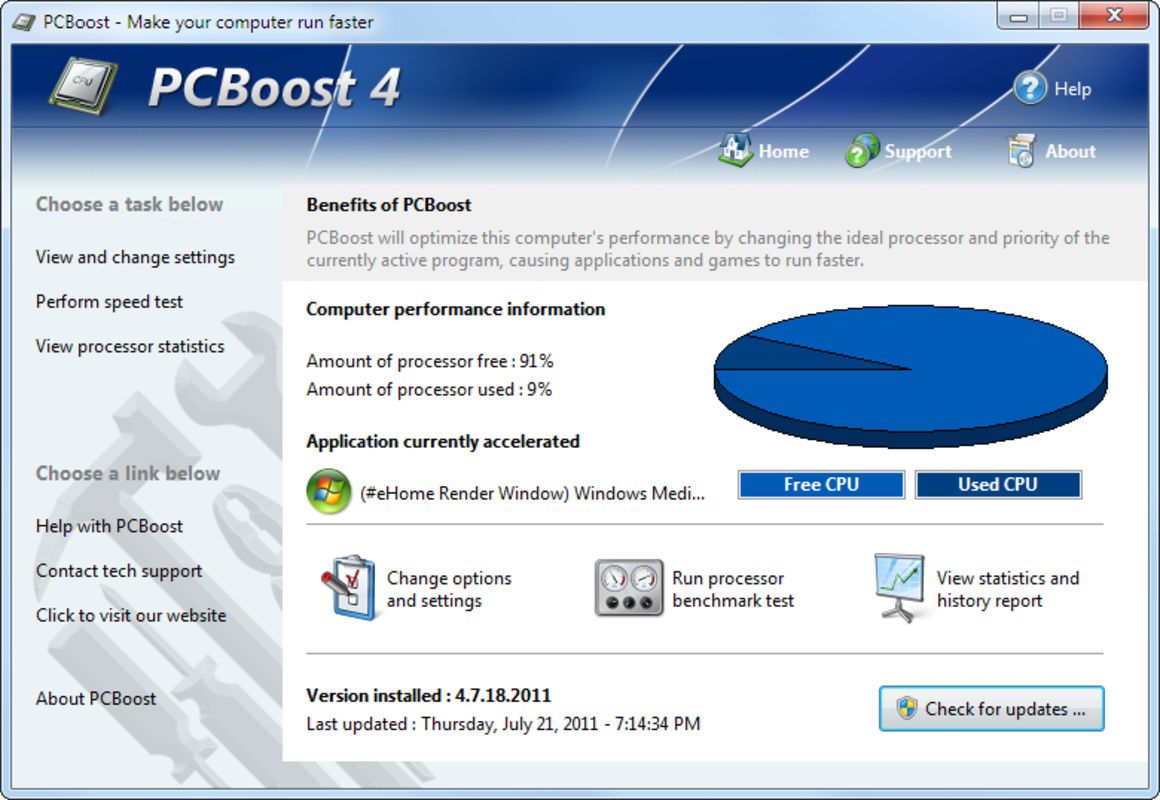
- User-Friendly Interface: Designed for accessibility, the interface is intuitive and interactive, allowing users to monitor system status without technical expertise. Visual indicators provide immediate feedback on performance metrics.
- Real-Time Monitoring: Hovering over the system tray icon displays current CPU usage and active programs. This feature enables users to assess system performance instantly and make informed decisions about resource allocation.
For example, a user running a video editing suite alongside a web browser and music player can benefit from PcBoost’s automatic optimization. Instead of manual intervention, the app ensures that each application receives balanced CPU and memory allocation, reducing the risk of crashes or freezes. Similarly, gamers may experience smoother frame rates and reduced input lag when PcBoost manages background processes during gameplay.
These features collectively contribute to a more stable and efficient computing environment. By focusing on real-time adjustments and user accessibility, PcBoost addresses common pain points associated with system performance degradation. The absence of complex configuration options makes it suitable for users who prefer a hands-off approach to optimization.
Interface, UX & Performance
The interface of PcBoost is designed with simplicity and functionality in mind. It operates primarily through a system tray icon, which serves as the central access point for monitoring and managing performance. The visual style is clean and minimal, avoiding clutter while displaying essential data such as CPU usage and active processes. Navigation is streamlined, with most actions accessible via hover or right-click menus, reducing the need for multiple screen transitions.
Users can view real-time performance metrics without opening a separate window, enhancing usability for those who prefer quick status checks. The app’s responsiveness is consistent with lightweight system utilities, and although the developer did not list formal performance metrics, its background operation suggests low resource consumption. Stability is maintained through efficient resource handling, with no reported issues related to crashes or conflicts with other applications.
Although the developer did not specify minimum OS requirements or compatibility details, the app appears to function on standard Windows environments. It is designed to operate silently in the background, minimizing interference with daily tasks. The lack of frequent updates or notifications aligns with its purpose as a passive optimization tool. Overall, the UX is optimized for ease of use, making it accessible to users with varying levels of technical proficiency.
Platform Compatibility & Technical Requirements
PcBoost is designed for Windows-based systems. The app is available for download on Android and iOS platforms, though specific compatibility details were not fully disclosed. The file size is listed as 45.6 MB, which indicates a lightweight installation footprint suitable for devices with limited storage capacity.
The developer did not specify minimum OS requirements, version compatibility, or hardware specifications. As such, users are advised to verify system compatibility before installation. The software version and release date are available: version 1.0.0 was released on April 23, 2020. This suggests the app has been in circulation for several years, indicating a stable, long-term presence in the performance optimization category.
Although the developer did not list formal performance metrics, the app’s lightweight nature and system tray integration imply efficient operation across a range of device categories, from entry-level laptops to high-performance desktops. Users should ensure their device meets general Windows system requirements for running background utilities.
Pros and Cons
Pros
- Lightweight design with minimal impact on system resources
- Intuitive interface suitable for non-technical users
- Automatic CPU and memory optimization without manual setup
- Real-time monitoring via system tray for instant feedback
- Stable performance with no reported conflicts or crashes
Cons
- Developer did not provide detailed technical specifications
- Compatibility with specific OS versions was not listed
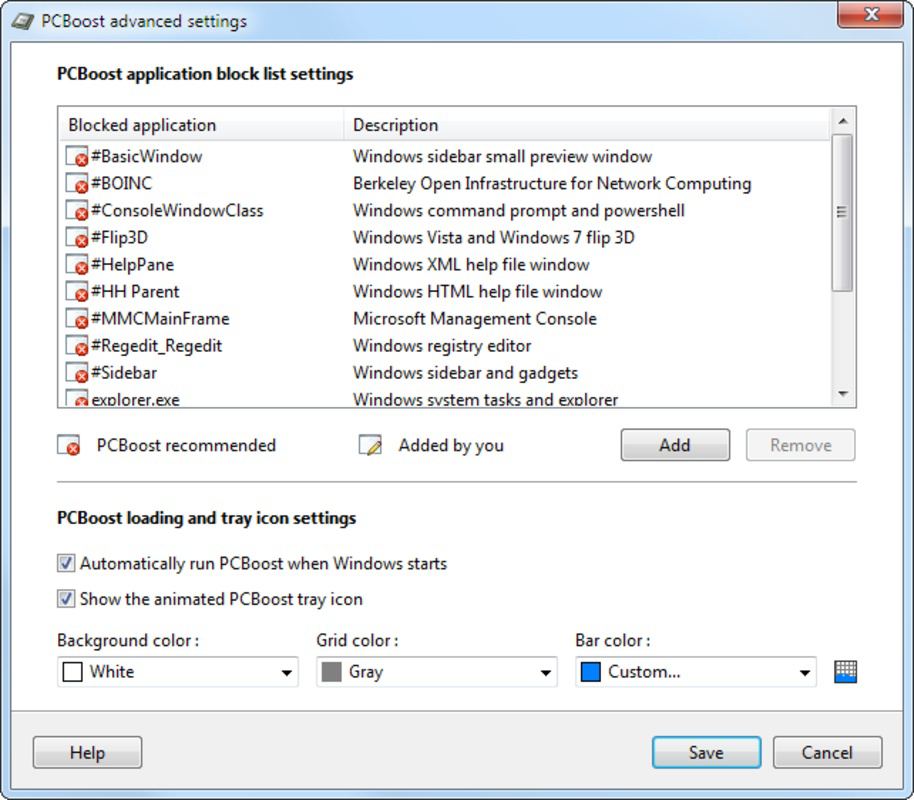
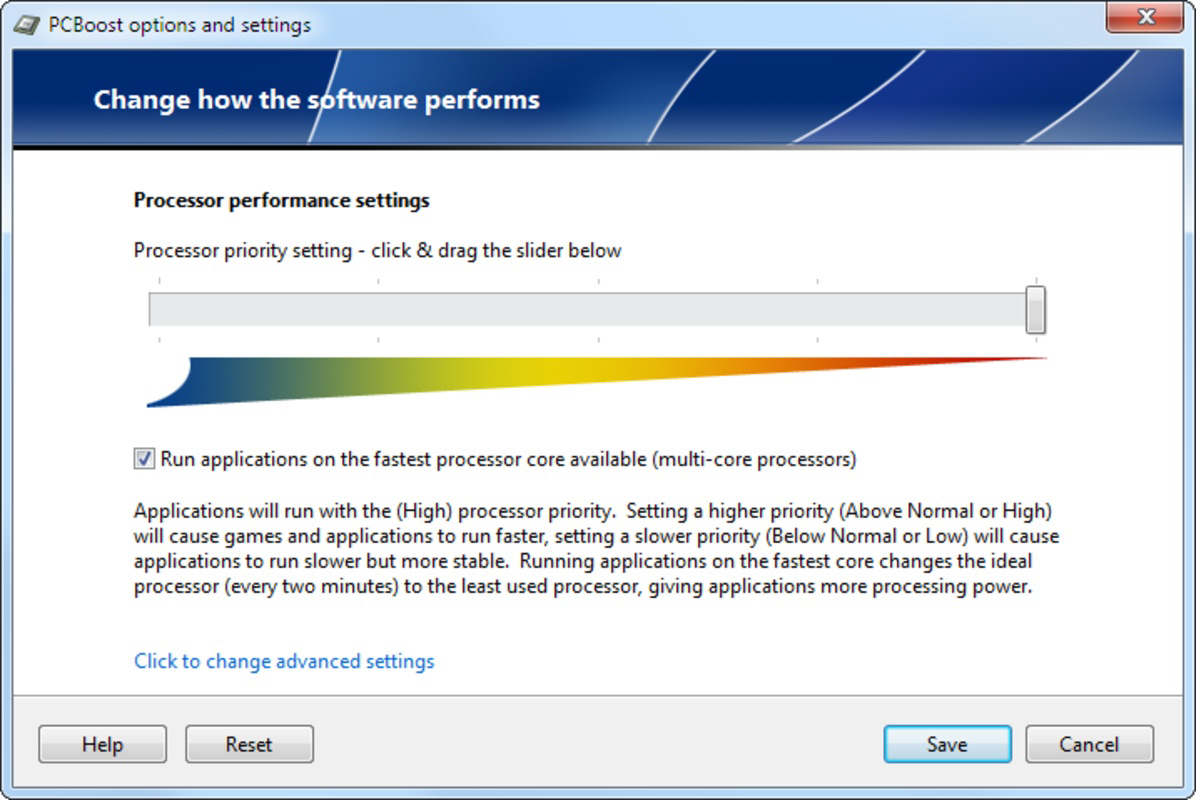
- Limited customization options for advanced users
- No public update history or changelog available
- Functionality is limited to CPU and memory management only
FAQ
Is PcBoost safe to install on my PC?
PcBoost is designed to operate as a system utility and does not require elevated permissions. It runs in the background and manages resources without modifying core system files. However, users should download the app from trusted sources to ensure authenticity.
Can I use PcBoost on both Android and iOS?
While the app is listed as available on both platforms, specific compatibility details were not provided. Users should verify system requirements before installation.
Does PcBoost require a constant internet connection?
No, PcBoost operates offline and does not rely on internet connectivity for core functionality. All optimizations are performed locally on the device.
How often does PcBoost update?
The developer did not publish an update schedule or changelog. The last known version was released in 2020, suggesting infrequent updates.
Can I uninstall PcBoost easily?
Yes, the app can be uninstalled through the standard system settings. It does not leave behind residual files or registry entries, ensuring a clean removal.
Final Thoughts
PcBoost delivers a focused, user-friendly solution for improving PC performance through intelligent CPU and memory management. Its lightweight design, real-time monitoring, and intuitive interface make it a valuable tool for users seeking a simple way to maintain system responsiveness. While it lacks advanced customization and detailed technical documentation, its core functionality is reliable and effective for everyday use.
It is particularly beneficial for individuals who want to enhance their computing experience without diving into complex system settings. Whether for work, gaming, or general browsing, PcBoost helps maintain smooth operation during multitasking. For those looking to optimize their system with minimal effort, this app offers a straightforward and secure option.
Download PcBoost now
Guides & Tutorials
How to install PcBoost
- Click the Download button above.
- Once redirected, accept the terms and click Install.
- Wait for the PcBoost download to finish on your device.
How to use PcBoost
This software is primarily used for its core features described above. Open the app after installation to explore its capabilities.
User Reviews
No reviews yet. Be the first to share your experience.
You may also like
more
Que no te pillen¡
About !Que no te pillen¡Reviewed by Jason A. BilbreyShow MoreShow Less

3D Combat Zone
About 3D Combat ZoneOriginally released in 1983, 3D Combat Zone immerses players...

666: El día del portal
About 666: El día del portalOn June 6, 2006, Agent P. Stone uncovers a sinister...

80 in 1 Best Flash games
About 80 in 1 Best Flash games 80 in 1 Best Flash games is a collection of 80 fl...

ABYSS SEEKERーーWhat Do You See Deep in The Abyss
About ABYSS SEEKERーーWhat Do You See Deep in The AbyssIn ABYSS SEEKER, players...

ACA NEOGEO THE KING OF FIGHTERS 2002 for Windows
About ACA NEOGEO THE KING OF FIGHTERS 2002 for WindowsTHE KING OF FIGHTERS 2002,...
