Not the Best Free PDF Manipulator You Can Get
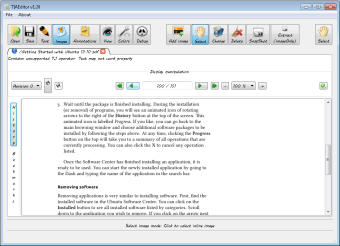
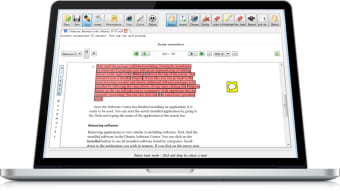
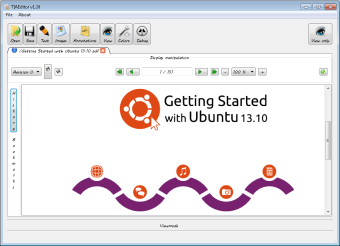
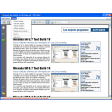
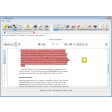
If you ever need a simple tool to productively work on your PDF files, PDFedit can help you out. PDFedit is a free, open-source PDF editor and a library for manipulating PDF documents released under the terms of GNU GPL version 2. It includes a PDF-manipulating library based on Xpdf, graphical user interface, a set of command-line tools, and a PDF editor.
Top Recommended Alternative

PDFs are Serious Business
The Portable Document Format (PDF) is a file format developed by Adobe in the 1990s to present documents—including text formatting and images—in a way that’s independent of whatever application software, hardware, or operating system. PDF files contain the complete description of a fixed-layout flat document—which already includes the text, fonts, vector graphics, raster images, and other information needed to display it. As such, it is not a text document that you can open any time and edit. Due to its compact size and complex layout, you’ll need specialized programs and apps that were meant to access PDFs. Many of those will need scripting languages to make changes with the data stored inside the files. After all, some PDF files nowadays may contain some content besides flat text and graphics—interactive elements such as annotations, videos, and three-dimensional objects can now be found in PDFs, as well. The PDF specification also includes encryption, digital signatures, file attachments, and metadata to enable workflows requiring these features. That’s why you’ll be needing PDF editing programs on hand.
So Much Work
Luckily, most editors these days come cheap, if not free. PDFedit is one of those. Designed for Unix-like operating systems, it comes with an interface based on the Qt 3 toolkit (free and open-source widget toolkit for creating graphical user interfaces) allowing scriptable PDFedit. If you’re not familiar with that, the app also supports ECMAScript. More so, you can use a command-line interface to manipulate PDF files for some parts of PDFedit. Xpdf, the open-source PDF viewer, also supports PDFedit and does the low-level processing work.
Due to PDFs being a complex format designed for publishing output and not for any further modifications, it’s hard to access most of their content without having to work with scripting. Fortunately, PDFedit is a low-level tool for technical users. You’d need to be familiar with PDF specifications to make any huge changes, but PDFedit is supposed to be an easy program to use. However, this app cannot edit protected or encrypted PDF files. You’d need to break through those security measures first before you can use PDFedit. This app also doesn’t allow word processor-style of text manipulation because of how PDFs are locked securely, so you have to dive deep with the scripting to do so.
Not Worth a Shot
If you’re looking for an easy editor to use without having to spend so much on it, PDFedit is one you can quickly choose. Unfortunately, while it promises a simple process at the start, it’ll quickly become apparent that when compared to other editors, PDFedit falls super flat. You’re better off trying other programs.