
Screenshots
App details
- Updated
- August 16, 2025
- Requires
- Chrome
- License
- Subscription
- Developer
- Marvin Tong
- Category
- Web Apps
About Phala Cloud
Download Phala Cloud – Secure AI Deployment Platform, Free Trial, TEE, Blockchain
Overview
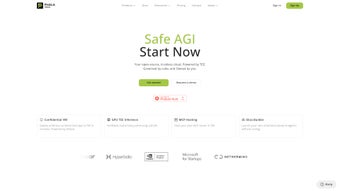
Phala Cloud is an open‑source cloud infrastructure that merges the elasticity of modern cloud computing with the privacy guarantees of blockchain‑backed Trusted Execution Environments (TEEs). Designed specifically for AI, machine‑learning, and Web3 workloads, the platform runs containerised applications inside hardware‑secured enclaves, ensuring that both code and data remain confidential even from the underlying host operating system. This unique combination allows developers to publish model APIs, autonomous agents, or data‑processing services without ever exposing proprietary assets to the network or the cloud provider.
The user experience is built around a web‑based dashboard that offers a “no‑code” launch wizard, pre‑configured deployment templates for popular frameworks (TensorFlow, PyTorch, ONNX, etc.), and a set of cross‑platform SDKs. Even users with minimal DevOps knowledge can spin up a secure AI service in under ten minutes, while seasoned engineers benefit from granular control over CPU, memory, and regional placement. Phala Cloud’s globally distributed node network spans North America, Europe, Asia‑Pacific, and South America, delivering low‑latency access for end‑users worldwide.
Pricing follows a transparent pay‑as‑you‑go model with a free tier that includes 10 CPU hours, 2 GB RAM, and 5 GB storage each month. This makes the platform accessible for hobbyist experimentation as well as enterprise‑grade production. By integrating blockchain‑based audit trails, the service provides verifiable provenance for every deployment, satisfying compliance requirements such as GDPR, HIPAA, and CCPA. In short, Phala Cloud positions itself as a secure, scalable, and developer‑friendly alternative to traditional cloud providers for privacy‑sensitive AI workloads.
Key Features
Phala Cloud’s feature set is purpose‑built for developers who need both security and simplicity. The platform abstracts the complexity of enclave management while exposing powerful capabilities through an intuitive UI and robust CLI. Below is a curated list of the most compelling features that differentiate Phala Cloud from conventional cloud services.
- Trusted Execution Environment (TEE) Support: Executes containers inside hardware‑backed secure enclaves, guaranteeing confidentiality and integrity.
- Blockchain‑Backed Auditing: Every deployment is recorded on a public ledger, enabling verifiable provenance and tamper‑evident logs.
- Zero‑Code Deployment Wizard: Users can launch AI agents or model APIs with a few clicks, no Dockerfile or YAML required.
- Pre‑Built Templates: Ready‑made containers for popular frameworks such as TensorFlow, PyTorch, and ONNX simplify model serving.
- Globally Distributed Nodes: Edge locations in North America, Europe, Asia‑Pacific, and South America reduce latency for end‑users.
- Scalable Pricing Model: Transparent hourly rates, volume discounts, and a free tier for testing environments.
- Cross‑Platform SDKs: Libraries for Python, JavaScript, Rust, and Go enable seamless integration with existing pipelines.
- Secure Model Marketplace: Publish, monetize, or license AI models while preserving intellectual property through encrypted execution.
- Automated Updates & Patch Management: The platform automatically applies security patches to the underlying enclave firmware.
- Compliance Ready: Supports GDPR, HIPAA, and CCPA‑compatible data handling by keeping data encrypted in‑flight and at rest.
Installation & Usage Guide
Getting started with Phala Cloud is intentionally straightforward. Follow these steps to download, install, and launch your first secure AI service.
1. Create an Account
Visit the official Phala Cloud website and click “Sign Up.” You’ll be asked for an email address, a strong password, and optional two‑factor authentication. After verifying your email, you’ll land on the dashboard where you can view available compute regions, pricing, and your usage quota.
2. Install the CLI (Optional but Recommended)
For developers who prefer terminal workflows, Phala Cloud provides a cross‑platform command‑line interface (CLI). The CLI can be installed via npm, pip, or directly from a binary release.
# Using npm
npm install -g phala-cloud-cli

# Using pip
pip install phala-cloud-cli

# Direct binary (Linux/macOS)
curl -L https://downloads.phala.cloud/cli/latest/phala-cloud -o /usr/local/bin/phala-cloud
chmod +x /usr/local/bin/phala-cloud
After installation, authenticate the CLI with the token you receive from the dashboard: phala-cloud login --token YOUR_TOKEN.
3. Choose a Deployment Template
The dashboard lists several “quick‑start” templates, such as “TensorFlow Model Server,” “PyTorch Inference,” and “Web3 Data Oracle.” Select a template that matches your workload, then customize parameters like CPU cores, memory, and region. If you’re using the CLI, the same can be done with a single command:
phala-cloud deploy \
  --template tensorflow \
  --name my-secure-model \
  --cpu 4 \
  --memory 8GB \
  --region us-east-1
4. Upload Your Model or Code
For model‑centric deployments, upload the serialized model file (e.g., .pb for TensorFlow or .pt for PyTorch) through the web UI or via the CLI:
phala-cloud upload --app my-secure-model --file ./model.pb
The platform automatically encrypts the payload before sending it to the enclave, ensuring that the model never appears in clear text on the host system.
5. Launch & Test
Press “Deploy” in the UI or run phala-cloud start --app my-secure-model. Once the container is running, you’ll receive a unique endpoint URL and an API key. Test the service with a simple curl request:
curl -X POST https://api.phala.cloud/v1/my-secure-model/predict \
     -H "Authorization: Bearer YOUR_API_KEY" \
     -d '{"input": [1.2, 3.4, 5.6]}'
The response will contain the inference result, all processed inside the secure enclave. Monitoring dashboards provide real‑time metrics on latency, throughput, and enclave health.
6. Manage & Scale
Through the dashboard or CLI you can scale horizontally by adding more replica instances, adjust resource allocations, or set auto‑scaling rules based on request volume. Billing updates in real time, and you can set budget alerts to avoid surprise charges.
Phala Cloud’s web portal works on any modern browser, while the CLI is compatible with Windows 10/11, macOS 12+, and major Linux distributions (Ubuntu 20.04+, Debian, Fedora). The underlying enclave technology runs on Intel SGX, AMD SEV‑SNP, and ARM TrustZone, ensuring broad hardware support across cloud providers.
Conclusion, Pros & Cons, and Frequently Asked Questions
Pros
- End‑to‑end data confidentiality thanks to hardware TEEs.
- Blockchain‑based audit trail provides verifiable provenance.
- No‑code deployment lowers the barrier for AI adoption.
- Global edge network delivers low latency worldwide.
- Transparent, usage‑based pricing suitable for any scale.
- Compliance‑ready with GDPR, HIPAA, and CCPA support.
Cons
- TEE hardware requirements may limit deployment to specific cloud providers.
- Initial learning curve for developers unfamiliar with enclave concepts.
- Performance overhead compared to plain containers due to encryption.
- Limited support for GPU‑accelerated workloads in the current release.
- Community is growing but still smaller than mainstream cloud giants.
Frequently Asked Questions
Is Phala Cloud truly free to try?
Yes. Phala Cloud offers a free tier that includes 10 CPU hours, 2 GB of RAM, and up to 5 GB of storage per month, allowing developers to test the platform without any cost.
Which hardware enclaves are supported?
Phala Cloud currently supports Intel SGX, AMD SEV‑SNP, and ARM TrustZone. The platform automatically selects the appropriate enclave based on the underlying host.
Can I use GPU‑accelerated AI models?
GPU support is planned for the next major release. In the meantime, CPU‑only inference works for most lightweight models, and you can request early access through the Phala Cloud community forum.
How does billing work for data transfer?
Outbound data transfer is billed at a flat rate of $0.09 per GB. Inbound traffic is free. All usage is displayed in real‑time on the dashboard, and you can set monthly caps to control costs.
Is my source code stored in the clear on Phala Cloud servers?
No. The code and model binaries are encrypted client‑side before they leave your machine. Only the enclave’s protected memory can decrypt and execute the payload, ensuring that the host never sees plaintext assets.
Overall, Phala Cloud delivers a compelling blend of security, simplicity, and decentralised trust for AI workloads. Whether you’re a startup looking to protect proprietary models, an enterprise needing compliance‑ready infrastructure, or a developer curious about Web3‑enabled services, Phala Cloud offers a modern, privacy‑first alternative to traditional cloud providers. Ready to experience secure AI deployment? Click the download button below, create a free account, and launch your first confidential model in under ten minutes.
Guides & Tutorials
How to install Phala Cloud
- Click the Download button above.
- Once redirected, accept the terms and click Install.
- Wait for the Phala Cloud download to finish on your device.
How to use Phala Cloud
This software is primarily used for its core features described above. Open the app after installation to explore its capabilities.
User Reviews
No reviews yet. Be the first to share your experience.
You may also like
more
3D AI Studio
3D AI Studio Overview 3D AI Studio is a web-based AI-powered tool developed by S...

3D textures by Polycam
Generate Realistic 3D Textures Effortlessly 3D Textures by Polycam is an innovat...

3DAiLY
Customizable 3D Modeling Tool: 3DAiLY 3DAiLY is an online platform that harnesse...

3DFY
Revolutionizing 3D Model Creation: 3DFY Review 3DFY is an AI-powered service, de...

AI Dungeon
AI Dungeon: Deep Learning Text Adventure AI Dungeon is an artificial intelligenc...

Alpha3D
A subscription-based program for Web apps, by alpha3d. Alpha3D is a subscription...
