
Download PHP Manager – Free PHP Management Tool for IIS Servers
Overview
PHP Manager for IIS is a lightweight, free utility created by Ruslan Yakushev that brings professional‑grade PHP administration to Microsoft’s Internet Information Services (IIS) platform. Designed specifically for IIS 7 and IIS 7.5, the tool lets system administrators and developers register, configure, and troubleshoot one or many PHP installations without leaving the familiar IIS Manager console. Whether you are running a single‑site development server or a multi‑tenant production environment, PHP Manager provides a centralized view of each PHP runtime, exposing the phpinfo() output, extension status, and configuration file (php.ini) directly from the GUI. The application also includes a built‑in validator that spots common mis‑configurations, such as mismatched thread safety settings or missing extensions, and offers one‑click fixes. By integrating seamlessly with the IIS management framework, PHP Manager eliminates the need to edit configuration files manually, reducing human error and speeding up deployment cycles. Its remote management feature enables you to push changes to php.ini across multiple servers from a single console, making it ideal for enterprises that maintain a fleet of Windows‑based web servers. In short, PHP Manager turns a traditionally Linux‑centric workflow into a native Windows experience, delivering a secure, up‑to‑date, and user‑friendly way to handle PHP on IIS.
Key Features of PHP Manager
- One‑Click PHP Registration: Detects installed PHP binaries and registers them automatically with IIS, eliminating manual handler mapping.
- Version Comparison: Allows you to compare two PHP versions side‑by‑side, showing differences in
phpinfo()output, extensions, and configuration directives. - Extension Management: View, enable, or disable any PHP extension directly from the IIS Manager UI without editing
php.iniby hand. - Remote
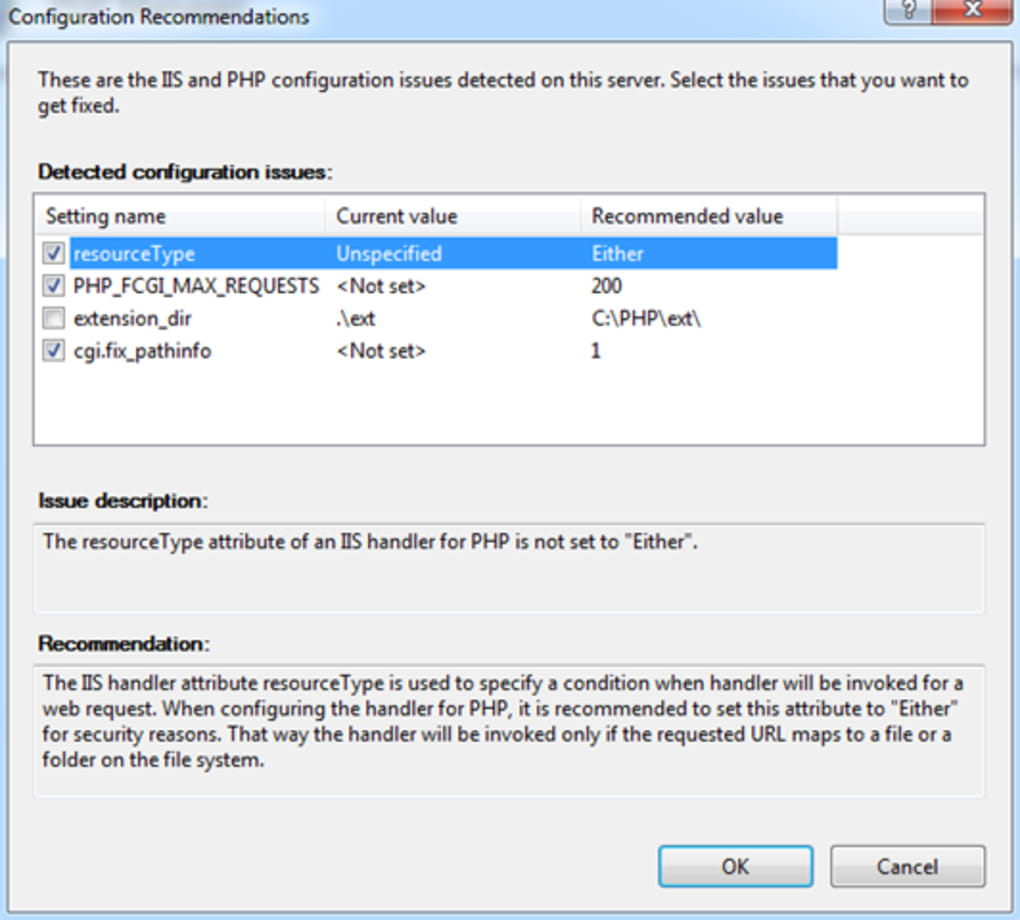
php.iniEditing: Securely edit the configuration file on remote servers, with changes applied instantly to the selected site or application pool. - Configuration Validation: Built‑in validator checks for common pitfalls such as missing DLLs, incorrect thread safety, and mismatched architecture (x86 vs x64).
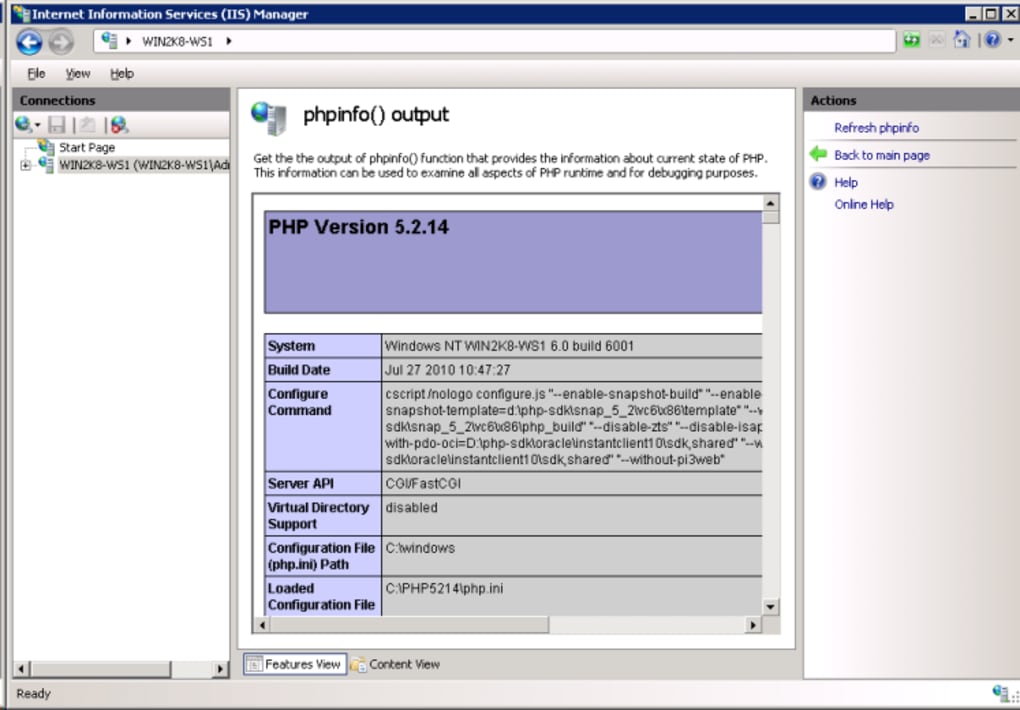
- Integrated phpinfo() Viewer: Access a full
phpinfo()report for each registered PHP version without opening a browser, helping you audit runtime settings quickly. - Support for Multiple Sites: Assign different PHP versions to individual websites or virtual directories, enabling mixed‑environment testing on a single server.
- Lightweight and Free: No licensing costs, minimal memory footprint, and updates are delivered as simple MSI packages.
These features collectively streamline the day‑to‑day tasks of PHP administrators on Windows. The intuitive layout mirrors other IIS extensions, so there is virtually no learning curve. Moreover, because the tool is open source and maintained by a community of Windows‑PHP enthusiasts, you benefit from regular bug fixes and compatibility updates that keep pace with the latest PHP releases. Whether you need to roll out a new PHP 8.2 runtime across a farm of servers or simply verify that a required extension like gd or intl is active, PHP Manager offers a single pane of glass to accomplish the job securely and efficiently.
Installation, Usage & Compatibility
Step‑by‑Step Installation
Downloading and installing PHP Manager is straightforward. First, navigate to the official GitHub releases page and download the latest MSI installer (the file is typically named PHPManager.msi). Run the installer with administrative privileges – this is required because the tool writes to the IIS configuration store. The wizard guides you through a standard installation flow: accept the license, choose the installation folder (default is C:\Program Files\PHP Manager), and let the setup register the extension with IIS. After the installation completes, launch IIS Manager; you will now see a new icon labeled “PHP Manager” under the server node.
How to Use the Tool
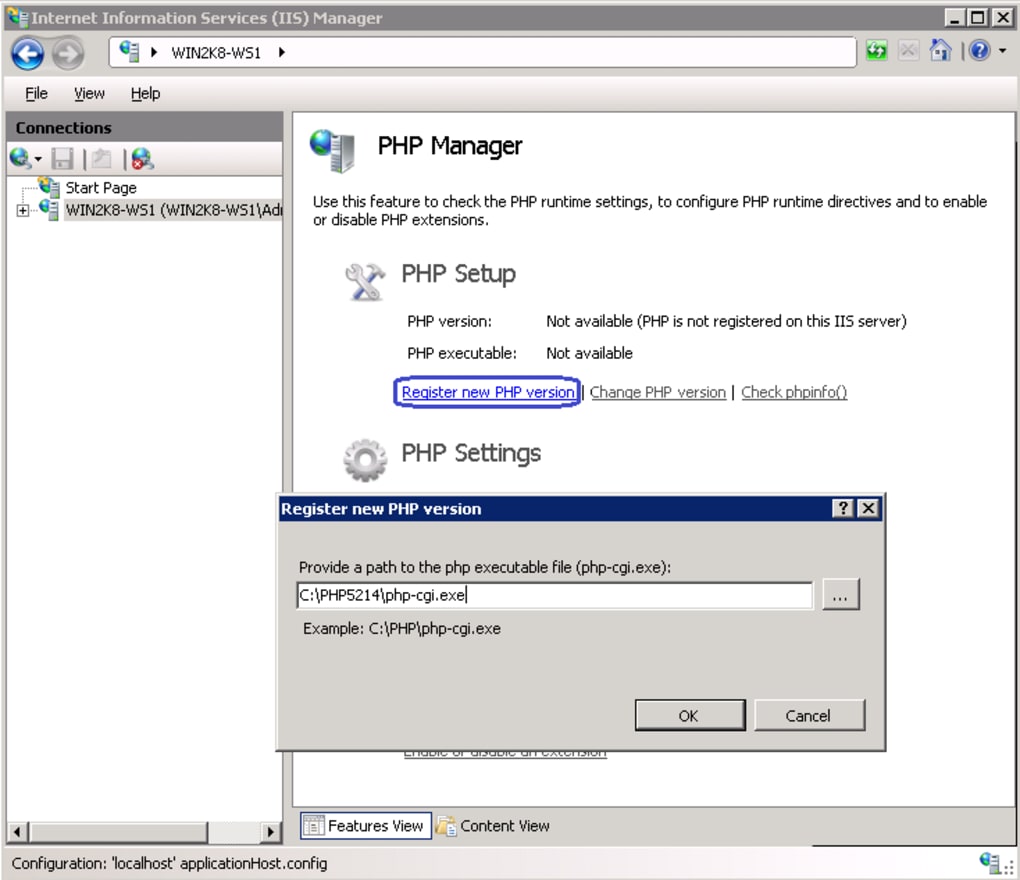
Upon opening PHP Manager, you are greeted with a dashboard that lists every PHP version detected on the machine. Click “Register New PHP” to point the tool at a custom PHP binary folder if the auto‑detect feature missed it. Once registered, you can click a version to view its detailed configuration, enable or disable extensions, and edit the php.ini file directly. The “Compare Versions” button lets you select two entries and view a side‑by‑side diff of their settings – a handy way to validate that a new release matches your production standards before rollout. For remote management, select “Connect to Remote Server,” provide the target’s credentials, and the same UI appears, allowing you to push configuration changes across the network.
Operating System Support
PHP Manager officially supports Windows Server 2008 R2, Windows Server 2012/2012 R2, Windows Server 2016, and Windows Server 2019 running IIS 7, IIS 7.5, or later. Because the tool relies on the IIS Management API, it will not function on older IIS versions (e.g., IIS 6) or on client‑side Windows installations that lack the full IIS feature set. The utility is 64‑bit native but can manage both 32‑bit and 64‑bit PHP installations, making it flexible for legacy applications that still depend on older runtimes. No additional runtime frameworks are required – the installer bundles the necessary .NET components.
Overall, the installation process takes under five minutes, and the learning curve is minimal thanks to the familiar IIS interface. Once configured, administrators can perform routine tasks—such as enabling the openssl extension or adjusting memory_limit—in seconds, dramatically reducing downtime and manual errors.
Pros, Cons, FAQ & Conclusion
Pros
- Free and open‑source – no licensing headaches.
- Fully integrated with IIS Manager, providing a native Windows experience.
- One‑click registration and version comparison simplify multi‑PHP environments.
- Remote
php.iniediting saves time for distributed server farms. - Built‑in validator catches common mis‑configurations before they cause outages.
Cons
- Limited to IIS 7 and newer – not suitable for older Windows Server releases.
- User interface, while functional, feels dated compared to modern web‑based panels.
- No built‑in backup/restore for
php.inichanges; administrators must manage versioning manually.
Frequently Asked Questions
Can PHP Manager manage multiple PHP versions on the same server?
Yes. The tool lets you register as many PHP binaries as you need and assign each version to a specific website or application pool, enabling mixed‑environment testing without conflicts.
Is there any cost associated with using PHP Manager?
No. PHP Manager is completely free, distributed under an open‑source license, and can be downloaded from the developer’s GitHub repository.
Does PHP Manager support PHP 8.x?
Yes. The latest releases of PHP Manager have been tested with PHP 8.0, 8.1, and 8.2. As new PHP versions appear, the community promptly updates the tool to maintain compatibility.
Can I use PHP Manager on a workstation for local development?
While the primary target is server environments, you can install IIS on Windows 10/11 and use PHP Manager for local testing. Just ensure the IIS feature set is fully enabled.
How does the remote management feature work?
PHP Manager uses the standard IIS Remote Management protocol. After providing admin credentials for the target server, the UI mirrors the local experience, allowing you to edit php.ini, toggle extensions, and view phpinfo() remotely.
Conclusion & Call to Action
PHP Manager bridges a critical gap for Windows administrators who need a reliable, secure, and free way to handle PHP on IIS. Its deep integration with the IIS console, coupled with powerful features like remote php.ini editing and version comparison, makes it an indispensable tool for both small‑scale developers and large enterprises. While the UI could benefit from a modern redesign and native backup capabilities, the core functionality is robust and well‑maintained. If you are looking to simplify PHP deployment, reduce configuration errors, and gain full visibility into your runtime environment, download PHP Manager today and experience a smoother, more efficient workflow on your IIS servers.
PHP Manager delivers exactly what its name promises – a seamless, free solution for managing PHP on IIS. The feature set is comprehensive, and the integration feels native. Minor UI quirks aside, it’s a must‑have for any Windows‑based PHP deployment.








