
Download Picgl – Free Photo Gallery Viewer & Organizer
Overview
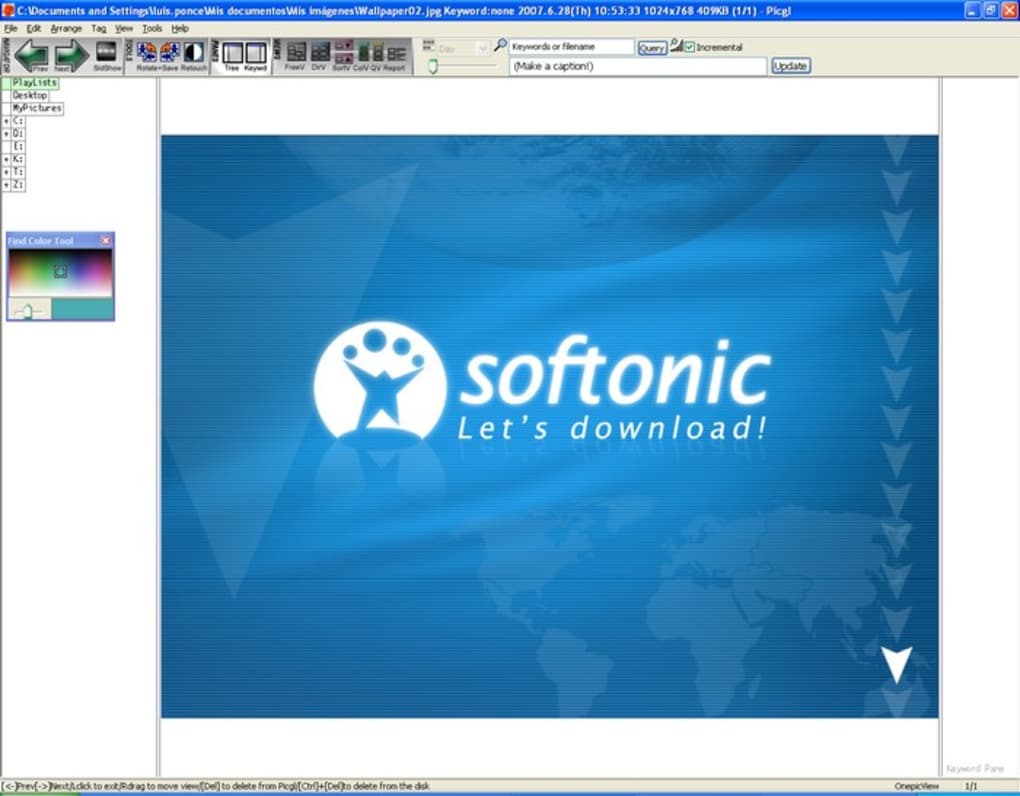
Picgl is a lightweight yet visually appealing image viewfinder designed to help you organise, browse and showcase your digital photo collection. After you point the program to a folder via Windows Explorer, Picgl automatically creates high‑resolution thumbnails, giving you instant visual feedback on the contents of your library. The interface is built around a modern, borderless window that feels more like a polished gallery than a basic file explorer. You can flip through images using a variety of slide transitions, from classic fades to 3‑D flips, making it suitable for casual viewing, client presentations, or quick mood‑board creation.
Beyond simple viewing, Picgl offers a modest toolbox for quick edits. Users can resize images, convert between popular formats (JPG, PNG, BMP), adjust brightness and saturation, and even apply a handful of artistic masks and filters without leaving the application. While the edit suite is not a full‑blown Photoshop replacement, it provides enough flexibility for everyday tweaks, especially when you need to prepare photos for social media or a quick slideshow.
The biggest draw of Picgl is its clean, distraction‑free layout. Buttons are large, icons are intuitive, and the program launches almost instantly on most Windows machines. However, the software does have a few limitations. It lacks sophisticated sorting options—there is no metadata‑based ordering, no tag management, and no built‑in album creation beyond the basic folder view. Documentation is minimal, reflecting its development origins in China, which can leave new users searching for guidance online. Despite these drawbacks, Picgl remains a solid choice for anyone who wants a free, secure, and fast way to visualise large photo libraries without the overhead of larger media managers.
Key Features
- Automatic thumbnail generation for any folder of images.
- Multiple slide‑show modes with over 10 transition effects.
- Basic image editing tools: resize, format conversion, brightness, saturation.
- Built‑in masks and filters for quick creative tweaks.
- Support for popular image formats: JPG, PNG, BMP, GIF.
- Drag‑and‑drop support for easy file addition.
- Full‑screen mode for immersive viewing.
- Keyboard shortcuts for fast navigation (arrow keys, spacebar, etc.).
- Lightweight installer – under 30 MB, ideal for older PCs.
- Free to download and use, with regular security updates.
Installation & Usage Instructions
Installing Picgl is straightforward. Download the installer from the official website, then run the .exe file. The wizard guides you through the typical steps: accept the license agreement, choose an installation folder (the default path works for most users), and click “Install”. The process completes in under a minute on a typical Windows 10 or 11 system.
Once installed, launch Picgl from the Start menu or desktop shortcut. The first screen prompts you to “Add Folder”. Click the button, browse to the directory containing your photos, and confirm. Picgl will immediately scan the folder, generate thumbnails, and display them in a grid layout. From here you can:
- Double‑click any thumbnail to open the image in full‑screen view.
- Use the Slide Show button to start an automatic slideshow with your chosen transition.
- Right‑click a thumbnail to access quick edit options such as Resize, Convert Format, or Apply Filter.
- Press F11 for borderless full‑screen mode.
- Navigate using the arrow keys or mouse wheel for rapid browsing.
Compatibility – Picgl is built for Windows operating systems. It runs smoothly on Windows 7, 8, 10 and 11 (64‑bit). While the developer has not released native macOS or Linux versions, the program can be run on those platforms using compatibility layers such as Wine, though performance may vary.
Updates & Security – The developer pushes occasional updates that improve thumbnail rendering speed and add new transition effects. These updates are delivered through an in‑app “Check for Updates” button, ensuring you stay on the latest, most secure version without needing to manually download patches.
Pros and Cons
Pros
- Fast, responsive thumbnail generation even for large folders.
- Visually appealing interface with smooth transition effects.
- Free to use with no hidden fees or ads.
- Basic editing tools eliminate the need for a separate app for quick tweaks.
- Lightweight installer, ideal for older or low‑spec PCs.
- Regular security updates keep the software safe.
Cons
- Lacks advanced sorting options (no EXIF‑based ordering or tag management).
- Documentation is minimal; new users may need to search forums for help.
- No native support for macOS, Linux, Android, or iOS.
- Editing features are limited compared to dedicated photo editors.
- Album or collection management features are absent.
Conclusion & Frequently Asked Questions
Picgl strikes a balance between simplicity and visual flair, making it an excellent choice for users who need a fast, free tool to browse and present their photo libraries on Windows. While it doesn’t replace a full‑featured digital asset manager, its automatic thumbnail creation, smooth slideshow options, and on‑the‑fly editing tools provide enough functionality for everyday needs. If you’re looking for a lightweight, secure way to view images without the clutter of heavyweight software, Picgl is definitely worth a download. Click the button below to get the latest version and start organising your memories today!
Is Picgl completely free or does it have hidden costs?
Picgl is a free application. There are no subscription fees, in‑app purchases, or hidden advertisements. All features described on the official site are available to every user after download.
Can I use Picgl on macOS or Linux?
Officially Picgl supports only Windows (7, 8, 10, 11). macOS and Linux users can attempt to run it via compatibility layers such as Wine, but performance and stability are not guaranteed.
Does Picgl support RAW image formats?
Out of the box Picgl handles common formats like JPG, PNG, BMP, and GIF. RAW support is not included, so you’ll need to convert RAW files to a supported format before importing them.
How often are updates released?
The development team pushes updates roughly every 2‑3 months, focusing on performance improvements, new transition effects, and occasional bug fixes. You can check for updates directly from the app.
Is there a way to organise photos into custom albums within Picgl?
Currently Picgl does not offer a built‑in album or tagging system. Organization is based on the folder structure you provide; you’ll need to manage collections externally or use another tool for advanced album creation.








