
Download PicNotes – AI Image‑to‑Text Converter, Free Demo, Secure Online Tool
Overview
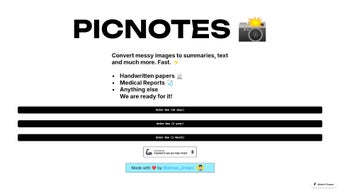
PicNotes is a web‑based AI‑powered application that turns almost any image—handwritten notes, medical forms, old photographs, or printed documents—into accurate, searchable text, concise summaries, or detailed explanations. The platform was built for speed and simplicity: after a quick drag‑and‑drop or file‑upload, the engine processes the visual content in seconds and delivers a clean, editable result. Because it runs entirely in the browser, there is no need for bulky installations or local processing power, making it an ideal solution for students, researchers, professionals, and anyone who regularly digitizes visual information. PicNotes’ subscription model provides unlimited conversions, premium support, and regular algorithm updates for an annual fee, while a free trial lets new users explore the core capabilities without commitment. Though it lacks dedicated mobile apps and real‑time video processing, its strength lies in handling poor‑quality scans, unusual handwriting, and degraded images—tasks that many generic OCR tools struggle with. In short, PicNotes offers a secure, reliable, and affordable way to convert visual data into usable text, helping users save time, reduce manual transcription errors, and keep their knowledge bases organized.
Key Features and How to Get Started
Feature List
- AI‑driven OCR that recognises printed, cursive, and mixed‑style handwriting.
- Instant summarisation: receive a brief overview of long documents in seconds.
- Contextual explanations: the system can generate clarifications for medical terms, historic references, or technical jargon found in the image.
- Batch upload: process up to 20 images at once for bulk digitisation.
- Degraded‑image handling: enhanced noise‑reduction algorithms restore readability from faded or low‑resolution scans.
- Secure cloud processing with end‑to‑end encryption; no data is stored after conversion unless the user opts for cloud‑based history.
- Annual subscription includes unlimited conversions, priority support, and early access to new AI models.
- Free trial mode limits to 10 conversions per month, perfect for testing the service.
Installation & Usage Instructions
Because PicNotes is a web‑application, there is no traditional installation required. Follow these simple steps to start converting images:
- Create an account: Visit picnotes.com and click “Sign Up”. Provide an email address, set a strong password, and verify your account via the confirmation link.
- Select a plan: Choose between the free trial or the paid annual subscription. Payment is processed securely through Stripe, and you receive an instant receipt via email.
- Upload your image: On the dashboard, click “Upload Image”, drag your file into the designated zone, or paste an image URL. Supported formats include JPEG, PNG, PDF (image‑only pages), and TIFF.
- Choose conversion type: Pick “Extract Text”, “Summarise”, or “Explain”. For handwritten notes, enable the “Handwriting Optimisation” toggle to improve accuracy.
- Review the output: The AI returns the result in an editable textbox. You can copy it, download it as a .txt or .docx file, or send it directly to Google Drive or Dropbox.
- Save or delete: If you enable “Cloud History”, your conversions are stored for 30 days. Otherwise, the system automatically deletes all data after the session ends, ensuring privacy.
For power users, PicNotes offers an API key that can be integrated into custom workflows, allowing developers to automate image‑to‑text conversion within their own software stack.
Compatibility, Pros & Cons
Operating System Support
The application runs in any modern web browser, making it compatible with virtually every operating system. Officially supported platforms include:
- Windows 10/11 (Chrome, Edge, Firefox)
- macOS Catalina and later (Safari, Chrome, Firefox)
- Linux distributions with a recent Chromium‑based browser
- iOS 13+ (Safari) – web‑only access
- Android 8+ (Chrome) – web‑only access
Because all processing occurs on secure cloud servers, device performance has little impact on conversion speed. Users on low‑end hardware still experience sub‑second response times thanks to the optimized backend infrastructure.
Pros
- High accuracy on messy handwriting and low‑quality scans.
- Instant summarisation and contextual explanations add real value beyond plain OCR.
- Zero‑install, browser‑based interface works on any OS with internet access.
- Strong privacy safeguards – data is encrypted in transit and deleted after processing.
- Generous free trial and transparent annual pricing.
Cons
- No native mobile apps; mobile usage is limited to browser sessions.
- Real‑time video OCR is not supported, which may be a drawback for live note‑taking.
- Batch processing caps at 20 images per request, requiring multiple uploads for very large projects.
- Annual subscription model may not suit occasional users who prefer pay‑as‑you‑go.
Conclusion, Call‑to‑Action & FAQ
PicNotes fills a clear niche in the crowded OCR market by combining robust AI‑driven text extraction with intelligent summarisation and explanation features. Its web‑only delivery model eliminates the hassle of installations while providing cross‑platform accessibility. For students needing to digitise lecture notes, professionals handling medical forms, or archivists preserving old photographs, PicNotes offers a fast, secure, and cost‑effective solution. The absence of dedicated mobile apps and real‑time processing does leave a small gap, yet the core functionality—especially the ability to decode messy handwriting—sets it apart from generic alternatives. If you value accuracy, privacy, and the convenience of a cloud‑based service, PicNotes is well worth a try. Start with the free trial today, and if the performance meets your expectations, upgrade to the annual plan for unlimited conversions and premium support.
Frequently Asked Questions
Is PicNotes really free to try?
Yes. New users receive 10 free conversions per month without entering payment details. This trial lets you evaluate OCR accuracy and summarisation quality before committing.
How does PicNotes protect my uploaded images?
All uploads are encrypted with TLS 1.3 during transmission and processed on secure servers. By default, images are deleted immediately after conversion; optional cloud history stores files for only 30 days.
Can PicNotes handle multi‑page PDFs?
Yes, but only the image‑based pages are processed. Text‑based PDF pages are ignored because the service focuses on visual OCR. You can extract each page as an image and upload them in a batch.
Is there an API for developers?
A RESTful API is available to paid subscribers. It returns JSON‑formatted text, summaries, or explanations, enabling integration with custom workflows, LMS platforms, or document management systems.
What browsers are recommended for the best experience?
Chrome, Edge, and Firefox (latest versions) provide the smoothest performance. Safari works well on macOS and iOS, but some older browsers may experience slower upload times.
Final Verdict & CTA
Ready to turn those piles of handwritten notes and scanned documents into searchable, editable text? Sign up for a free trial of PicNotes now and experience the power of AI‑driven image conversion without any installation headaches. Upgrade to the annual plan for unlimited access and premium support, and keep your workflow efficient, secure, and future‑proof.
PicNotes delivers impressive OCR accuracy, especially on challenging handwriting, and adds genuine value with its summarisation and explanation features. While a native mobile app would be a welcome addition, the web‑only approach remains fast, secure, and highly accessible across all major operating systems.



.png)




