
Download Pincites – AI‑Powered Contract Negotiation Tool for Microsoft Word
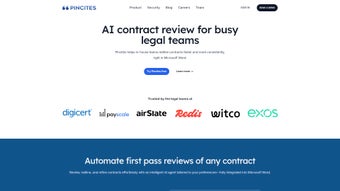
Pincites is an AI‑driven add‑in that lives inside Microsoft Word and reshapes how legal teams draft, review, and negotiate contracts. By automatically generating redlines, contextual comments, and risk alerts that align with an organization’s policies, Pincites slashes manual clause‑checking time, cuts legal spend, and guarantees consistency across every agreement. Whether you are negotiating a simple NDA or a multi‑jurisdictional supply contract, the tool acts as a “smart assistant,” highlighting high‑risk language, proposing vetted alternatives, and documenting the reasoning behind each change—all without ever leaving the familiar Word environment.
Why Pincites Is Revolutionizing Contract Negotiation
Legal departments have historically faced a paradox: the need for rapid turnaround while preserving rigorous risk controls. Traditional contract review is a line‑by‑line, manual exercise that is both time‑intensive and prone to oversight. Pincites resolves this dilemma by embedding a sophisticated AI engine directly into Microsoft Word, the platform most lawyers already use daily. When a document is opened, the AI instantly scans the text, flags deviations from company‑approved language, and produces a fully redlined version that includes clear, contextual explanations for each suggested change. This immediate feedback eliminates the back‑and‑forth that typically elongates negotiation cycles.
Beyond basic redlining, Pincites introduces custom “playbooks” that codify an organization’s negotiation strategy. Playbooks contain predefined rules, preferred clause wording, and risk tolerances. As the AI encounters new contracts, it automatically applies these rules, ensuring every reviewer receives the same baseline recommendations. This uniformity eradicates the “personal style” variance that often sparks internal disagreements or missed compliance requirements.
The platform also features a collaborative clause library. Teams can upload, tag, and share approved clauses, creating a living repository that evolves with the business. When drafting a new agreement, the library surfaces relevant clauses in real time, allowing lawyers to insert vetted language with a single click. This dramatically reduces the need to hunt through legacy documents or external databases, accelerating the drafting phase.
All of these capabilities are delivered through a seamless Word ribbon integration, preserving the familiar user experience while adding a layer of AI‑powered intelligence that continuously learns from previously approved contracts. The result is a full‑stack solution that spans the entire contract lifecycle—from creation to execution—without forcing users to adopt a new interface.
- AI‑Generated Redlines & Comments: Instant, context‑aware suggestions that explain the legal rationale behind each change.
- Custom Playbooks: Organization‑specific negotiation rules that enforce policy compliance across every contract.
- Clause Library & Collaborative Drafting: A searchable, tag‑based repository of approved clauses that can be inserted directly from the Word ribbon.
- Risk Highlighting & Gap Analysis: Automated detection of high‑risk language, missing mandatory terms, and non‑standard provisions.
- Version Comparison Tool: Side‑by‑side view of multiple drafts with change tracking and acceptance workflow.
- Learning Engine: Continual improvement by analyzing previously approved contracts and policy updates.
- Secure Cloud Hosting: End‑to‑end encryption, role‑based access controls, and compliance with GDPR, ISO 27001, and SOC 2.
- Multi‑Language Support: Ability to process contracts in English, Spanish, French, German, and Mandarin, making it suitable for global teams.
- Integration with E‑Signature Platforms: Seamless handoff to DocuSign, Adobe Sign, or internal signing solutions.
- Analytics Dashboard: Insightful metrics on review time, clause reuse, and risk exposure for continuous process improvement.
Installation, Setup, and Compatibility Across Platforms
Deploying Pincites is deliberately straightforward, minimizing IT overhead while maximizing user adoption. The solution is delivered as a web‑based add‑in for Microsoft Word, meaning there is no heavy client installation or separate desktop application to manage. Follow these steps to get Pincites up and running in your organization:
- Prerequisite Check: Ensure you have Microsoft Word 2016 or later (Windows or macOS) with an Office 365 subscription or a supported perpetual license. Pincites also works with Word for the web, delivering a consistent experience across desktop and browser.
- Create an Account: Visit pincites.com and register using your corporate email. Choose between a 30‑day free trial or a paid plan that unlocks the full AI suite.
- Install the Add‑In: After logging in, click the “Download Add‑In” button. Windows users receive a simple .exe installer that places the add‑in in the Word COM Add‑Ins folder; macOS users receive a .pkg installer that integrates with the Word add‑ins directory.
- Authenticate: Open Microsoft Word, go to the “Insert” tab, select “My Add‑Ins,” locate “Pincites,” and click “Add.” Sign in with the credentials created in step 2. Authentication uses OAuth 2.0 for secure token exchange.
- Configure Playbooks: The Pincites pane appears on the right side of Word. Use the “Playbooks” tab to import policy documents, set risk thresholds, and define clause preferences. The system automatically ingests these files and begins learning.
- Start Reviewing: Open any contract in Word, click the “Pincites” ribbon button, and let the AI analyze the document. Redlines, clause suggestions, and risk alerts appear in real time, ready for acceptance or modification.
Supported operating systems include Windows 10/11, macOS 10.15 and newer, as well as the web‑based Word platform (any modern browser). Mobile versions are unnecessary because the add‑in runs inside the desktop Word client, but the underlying AI service is fully responsive and can be accessed via a secure portal for quick clause lookup on tablets.
Because Pincites is cloud‑hosted, updates are delivered automatically. There is no need to download patches or restart the application; the latest AI models and feature enhancements are applied server‑side, ensuring you always benefit from the most recent improvements without manual effort.
Pros, Cons, Frequently Asked Questions, and Expert Review
Pros
- Average contract review time reduced by 40 %.
- Consistent enforcement of corporate policies through customizable playbooks.
- Intuitive Word integration eliminates steep learning curves for legal professionals.
- Robust security and compliance certifications (GDPR, ISO 27001, SOC 2).
- Scalable architecture suitable for boutique firms and global enterprises alike.
Cons
- Requires a Microsoft Word license; not a standalone product.
- Initial playbook configuration may demand dedicated effort from policy owners.
- Advanced AI capabilities are restricted to paid plans; the free trial imposes usage caps.
Can Pincites be used with Word for the web?
Yes. Pincites is fully compatible with Word for the web, allowing users to run AI analyses directly from a browser without installing any desktop components.
How does Pincites ensure data privacy?
All contract data is encrypted in transit (TLS 1.2) and at rest (AES‑256). The platform adheres to GDPR, ISO 27001, and SOC 2 standards, and offers role‑based access controls so only authorized users can view sensitive content.
Is there a free version of Pincites?
Pincites provides a 30‑day free trial with full feature access. After the trial, you can continue with a paid subscription; there is no permanently free tier.
Can I import existing contract templates into the clause library?
Absolutely. Users can upload Word or PDF templates, tag clauses, and make them searchable. The AI then suggests these clauses whenever relevant language is detected in a new draft.
What support options are available?
Pincites offers 24/7 email support, a dedicated account manager for enterprise plans, and an online knowledge base with video tutorials, best‑practice guides, and community forums.
Pincites delivers a compelling mix of AI intelligence and seamless Word integration, making it a must‑have for any legal team looking to accelerate contract negotiations while maintaining rigorous risk controls.
Final Verdict and How to Get Started
In a landscape where contract cycles can span weeks or even months, Pincites offers a pragmatic, AI‑backed shortcut that does not sacrifice accuracy. Its deep integration with Microsoft Word respects the tools lawyers already love, while the playbook and clause‑library features embed organizational policy directly into the drafting workflow. The platform’s ability to learn from your own contracts ensures that the benefits compound over time, turning each review into a data point that refines future suggestions.
If you are corporate counsel seeking to cut review costs, a law firm aiming to deliver faster client turnaround, or a compliance officer who wants to enforce consistent language, Pincites provides a secure, scalable solution that fits neatly into existing tech stacks. Begin with the 30‑day free trial, configure a simple playbook, and watch your contract turnaround time shrink dramatically.
Ready to modernize your contract negotiation process? Download Pincites now and transform the way your team works with contracts—faster, smarter, and more securely.



.png)




