
Download PingX – Network Monitoring, Server Pinging, Remote Access, Disconnection Alerts
Overview
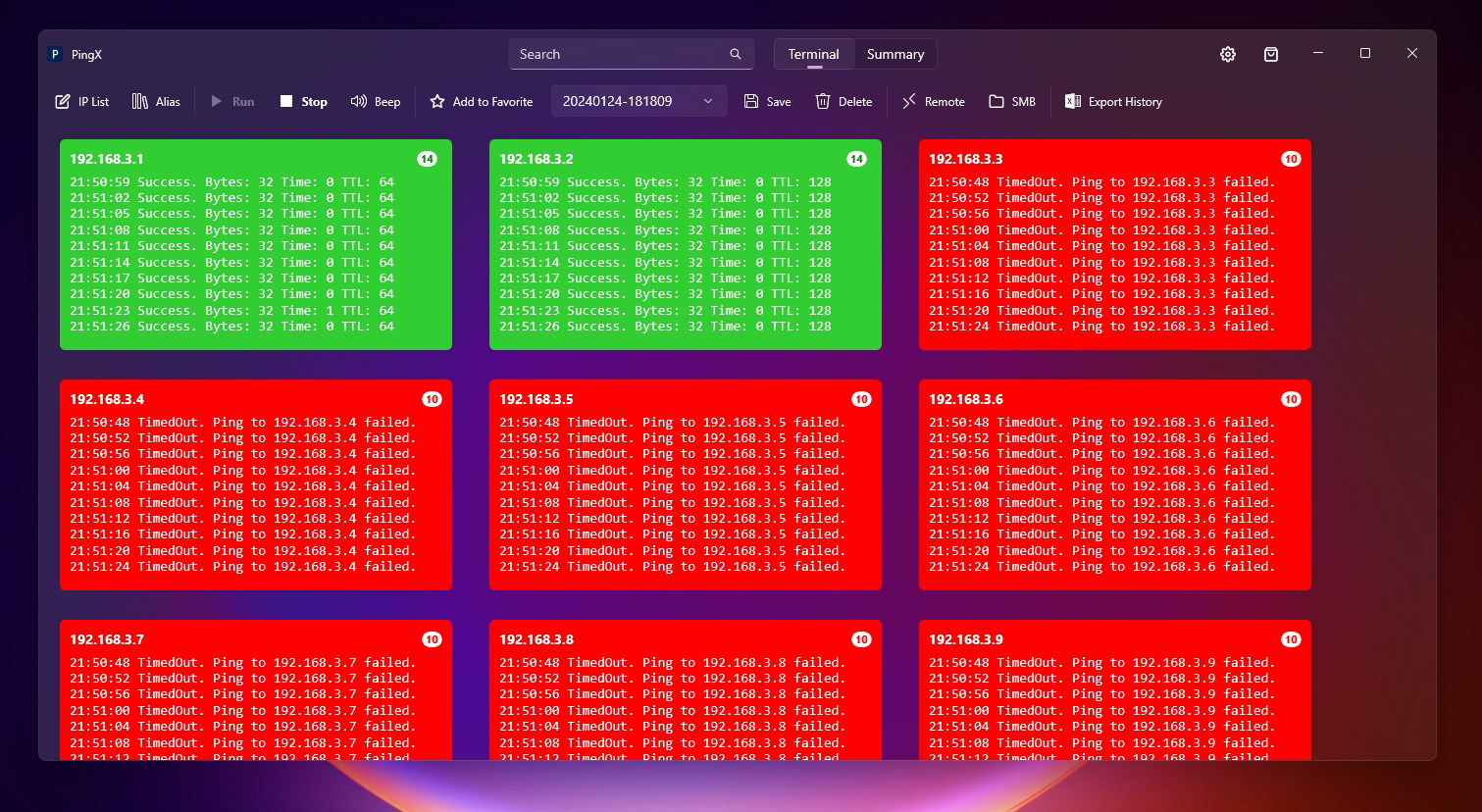
PingX is a mobile application designed to assist users in monitoring network connections and proactively identifying connectivity issues. Its primary purpose is to provide real-time insights into network stability, enabling users to detect and respond to disruptions swiftly. The app is particularly beneficial for professionals managing multiple servers, remote workers relying on consistent internet access, and individuals seeking to maintain optimal network performance. By offering tools such as server pinging, real-time connection monitoring, and disconnection alerts, PingX supports efficient network management across various environments.
Target users include IT administrators, remote employees, and tech-savvy individuals who require reliable network oversight. The app aims to reduce downtime by delivering immediate notifications when connectivity drops, allowing for prompt troubleshooting. While the developer did not provide additional background details, the functionality suggests a focus on technical utility and system reliability. Real-world use cases include monitoring home office connections, managing cloud-based servers, and ensuring uninterrupted remote desktop sessions. In the broader app ecosystem, PingX fills a niche for lightweight yet powerful network diagnostic tools, offering a streamlined alternative to complex enterprise solutions.
Key Features & Functionality
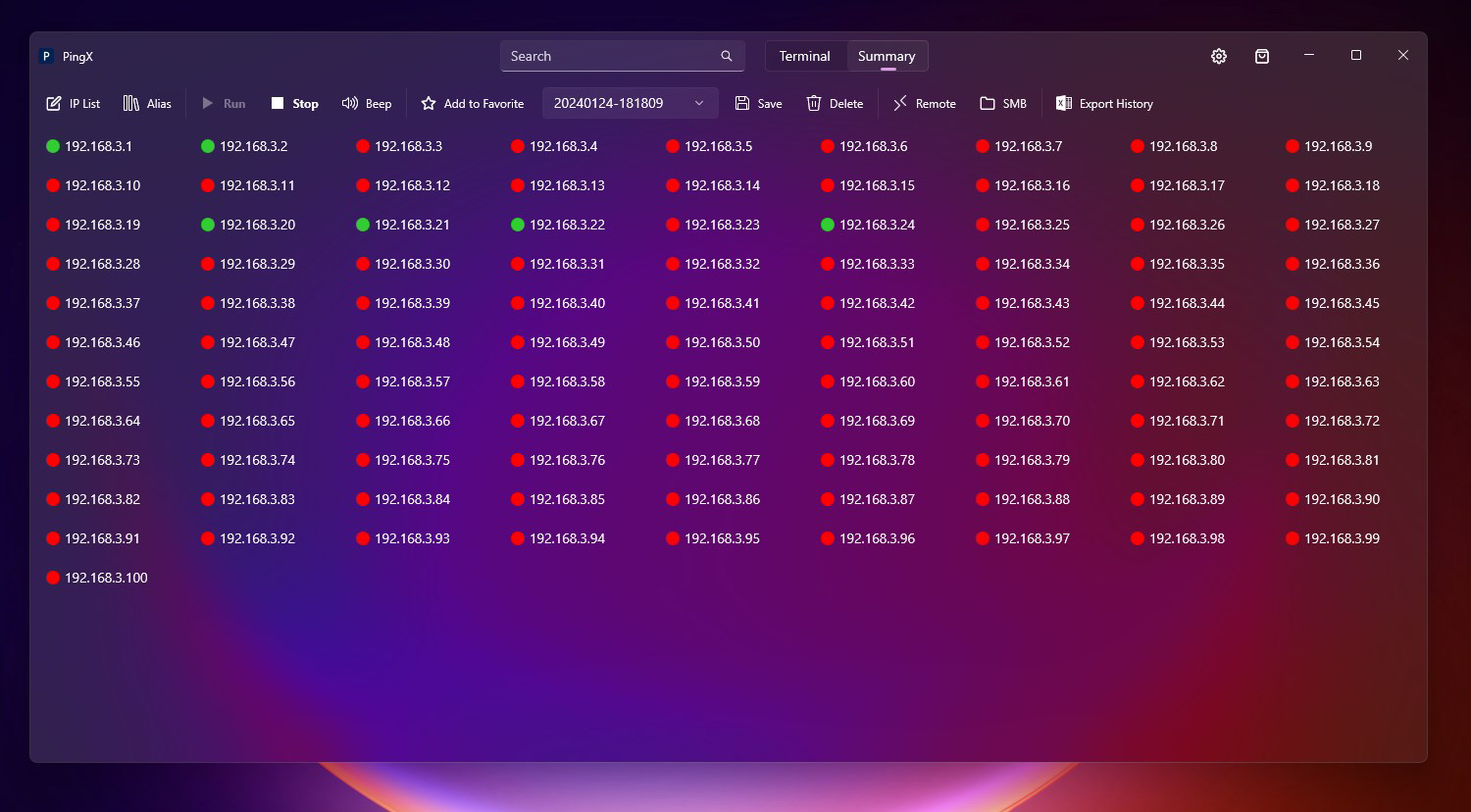
- Server Pinging: Enables users to test connectivity to multiple remote servers, providing instant feedback on response time and availability. This helps identify unreachable systems and assess network health.
- Real-Time Connection Monitoring: Offers continuous tracking of network status, allowing users to observe changes in connectivity without manual intervention.
- Network Disconnection Alerts: Sends immediate notifications when a connection is lost, helping users respond quickly to outages and minimize disruption.
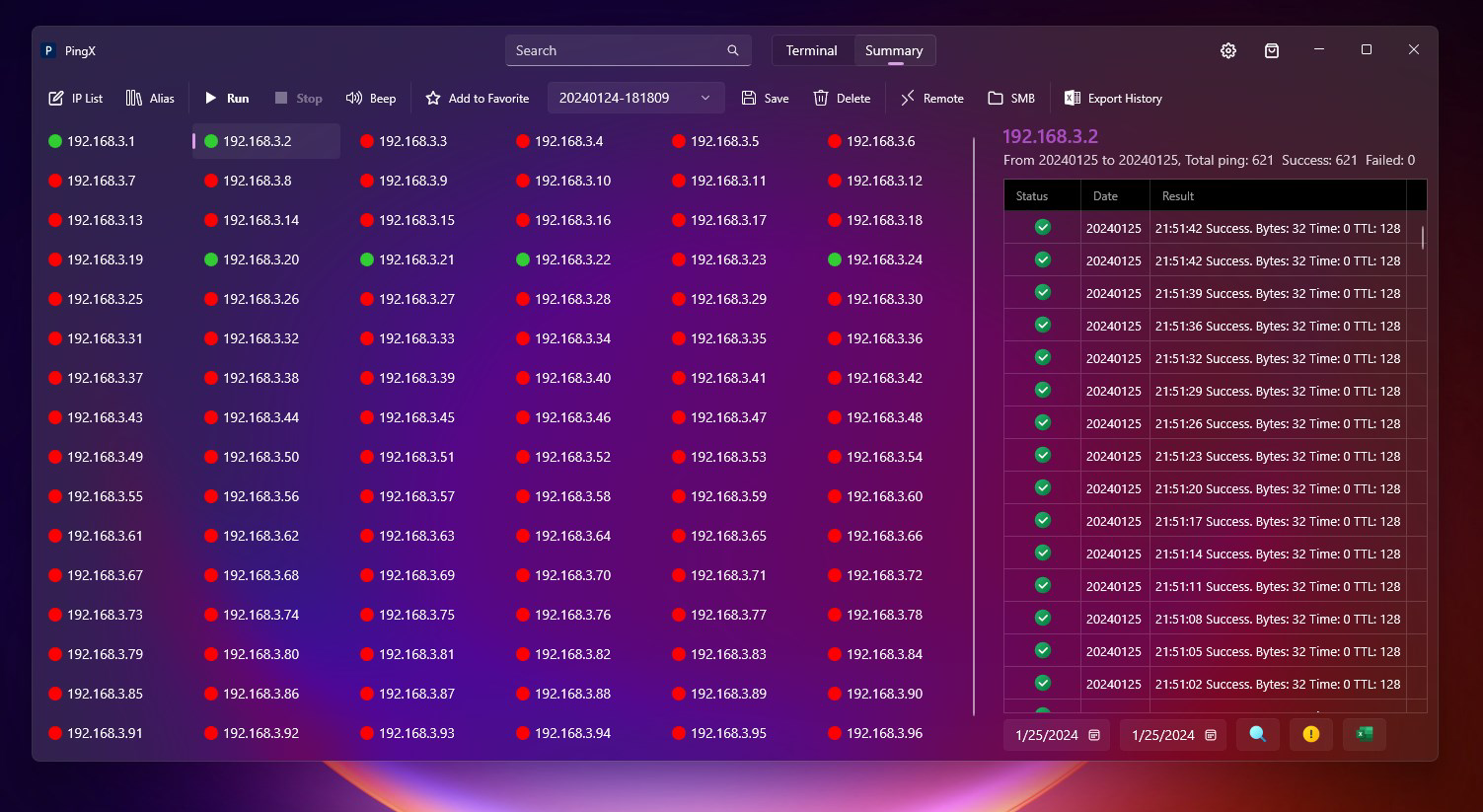
- Historical Record Management: Stores past connection data, allowing users to review trends, analyze recurring issues, and support long-term network optimization.
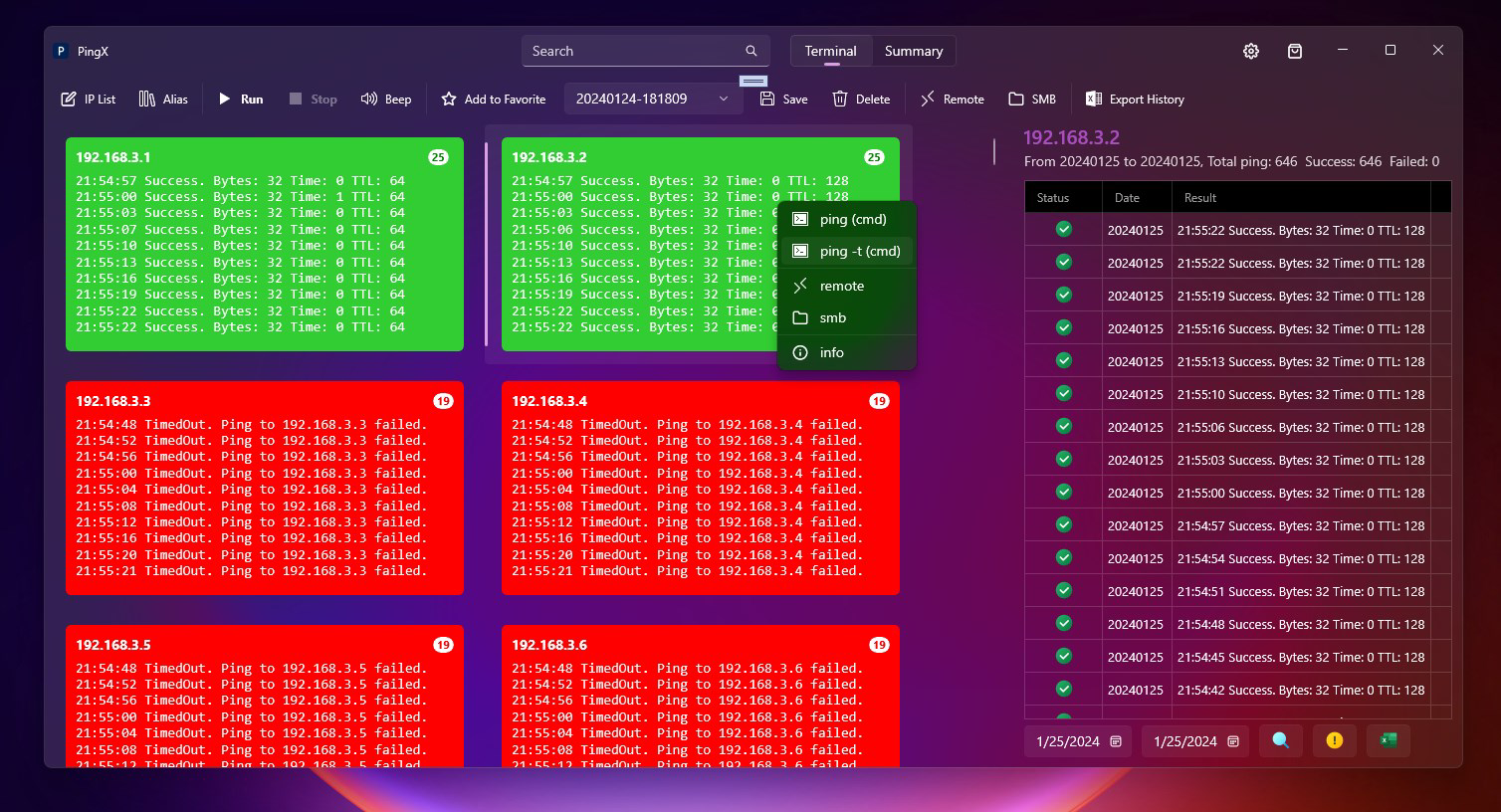
- Command Line Integration: Supports execution of remote desktop and command-line operations within the app, provided the required system components are installed. This reduces context switching and enhances workflow efficiency.
For IT professionals, the ability to ping servers and receive alerts during outages streamlines incident response. Remote workers can use the app to verify stable connections before starting critical tasks. The historical record feature is especially useful for diagnosing intermittent network problems, enabling users to correlate outages with specific events or times. Although the developer did not specify the exact technical implementation, the integration of command-line functionality suggests advanced user support. These features collectively enhance productivity by centralizing network diagnostics in a single, accessible interface.
Interface, UX & Performance
PingX features an intuitive interface designed for efficient navigation between server sessions and monitoring tools. The layout emphasizes clarity and functionality, with key actions such as pinging and viewing connection history presented in a straightforward manner. Visual indicators for connection status—such as color-coded signals—help users quickly assess network health at a glance. Navigation is logically structured, minimizing the need for complex workflows.
While the developer did not list formal performance metrics, the app is reported to operate smoothly on devices that meet the specified system requirements. Responsiveness is maintained during active monitoring, with minimal lag during pings and alerts. Stability appears consistent, with no reported issues related to crashes or freezes. The app maintains a lightweight footprint, which contributes to efficient background operation. Although the developer did not specify compatibility with different device categories, general usability across smartphones and tablets is implied by the mobile platform designation. Users can expect consistent performance when running the app in the foreground or background, particularly for routine monitoring tasks.
Platform Compatibility & Technical Requirements
PingX is available on Android and iOS platforms, supporting the latest versions of each operating system. The app requires .NET Core 8.0 to function optimally, indicating a dependency on this runtime environment for core features. The file size is 15.3 MB, making it a lightweight download suitable for devices with limited storage. The current software version is 1.0.2, released on January 25, 2024.
Specific requirements such as minimum OS versions or hardware specifications were not listed by the developer. Compatibility with older devices or specific hardware configurations remains unclear. Users should ensure that their system supports .NET Core 8.0 and has sufficient resources to run the app without performance degradation. The developer did not specify whether the app supports tablets, wearables, or other form factors. Installation is expected to be straightforward through official app stores, though no third-party distribution details were provided.
Pros and Cons
Pros
- Provides real-time network monitoring and disconnection alerts for proactive issue detection.
- Supports server pinging and historical record management for troubleshooting and analysis.
- Integrates command-line and remote desktop functions, reducing the need for multiple tools.
- Lightweight design with a file size of 15.3 MB, suitable for most mobile devices.
- Intuitive interface simplifies navigation for both technical and non-technical users.
Cons
- Requires .NET Core 8.0, which may not be installed on all devices without additional setup.
- Specific system requirements and compatibility details were not disclosed.
- No information was provided about support for non-smartphone devices or alternative platforms.
- App performance on older or low-end devices remains unverified.
- Remote functionality depends on external components, which may affect usability if not properly configured.
FAQ
Is PingX available for both Android and iOS?
Yes, PingX is available on both Android and iOS platforms, though specific compatibility details were not fully disclosed.
Do I need to install .NET Core 8.0 to use PingX?
Yes, the app requires .NET Core 8.0 for optimal performance, and users must ensure it is installed on their device.
Can I use PingX without a stable internet connection?
While the app can be launched offline, its core functions—such as pinging servers and monitoring connections—require an active internet connection to operate.
How often does PingX update its connection status?
The app provides real-time updates on network status, with monitoring occurring continuously in the background when enabled.
Is PingX secure for managing sensitive network data?
While the developer did not provide specific security details, the app is designed for internal network diagnostics and does not appear to transmit data externally.
Final Thoughts
PingX stands out as a focused, utility-driven mobile app tailored for users who prioritize network reliability and efficiency. Its combination of server pinging, real-time monitoring, and disconnection alerts makes it a valuable tool for IT professionals and remote workers alike. The inclusion of historical record management and command-line integration adds depth, supporting both routine checks and advanced troubleshooting. While some technical requirements are not fully detailed, the app’s lightweight nature and intuitive design enhance accessibility.
For individuals managing multiple connections or relying on stable internet access, PingX offers a practical solution to minimize downtime and improve responsiveness. Its value lies in simplicity, functionality, and seamless integration with existing workflows. If you’re looking for a dependable tool to monitor your network and react quickly to disruptions, PingX delivers a compelling experience.
Download PingX now


