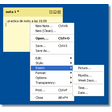
Screenshots
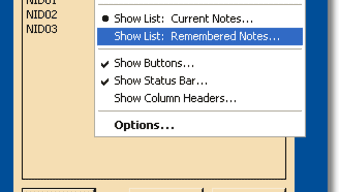
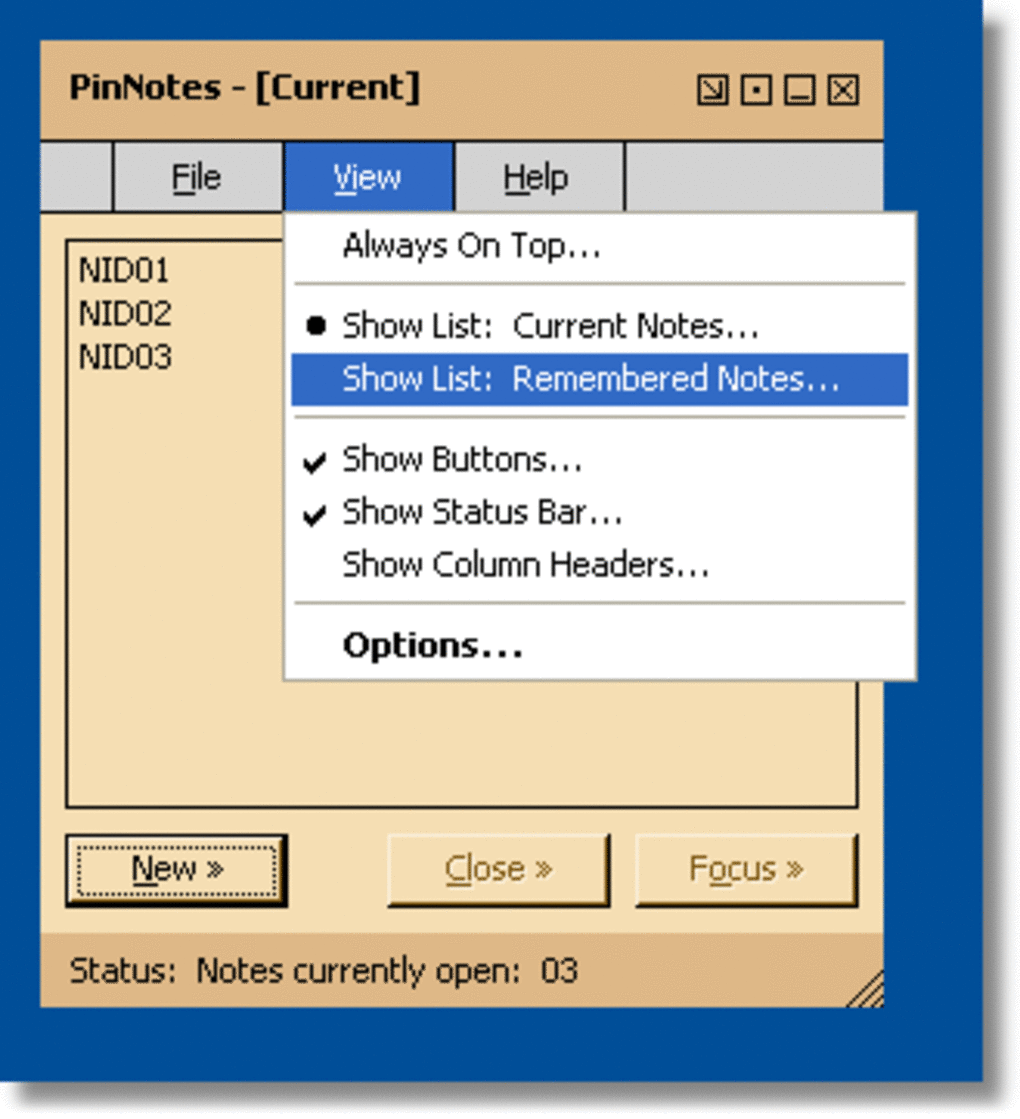
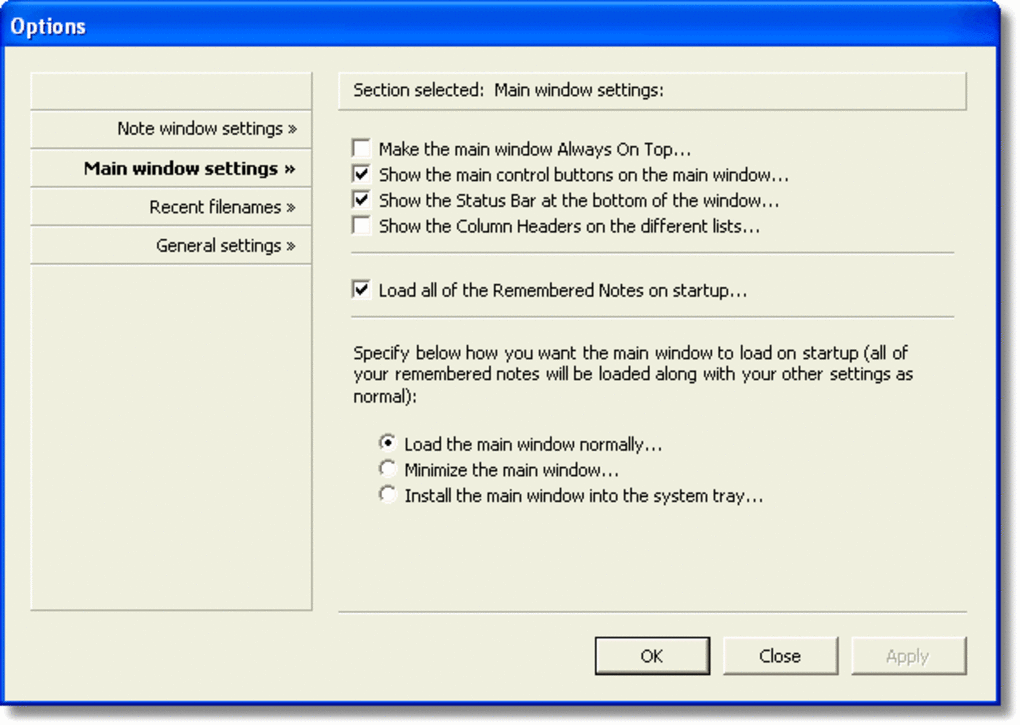
App details
- Version
- 1.3
- Size
- 307.59 KB
- Updated
- March 10, 2017
- Requires
- Windows 98
- Language
- English
- License
- Free
- Developer
- Troupware
- Category
- Windows OS
About PinNotes
Download PinNotes – Free Sticky Notes for Windows
Overview
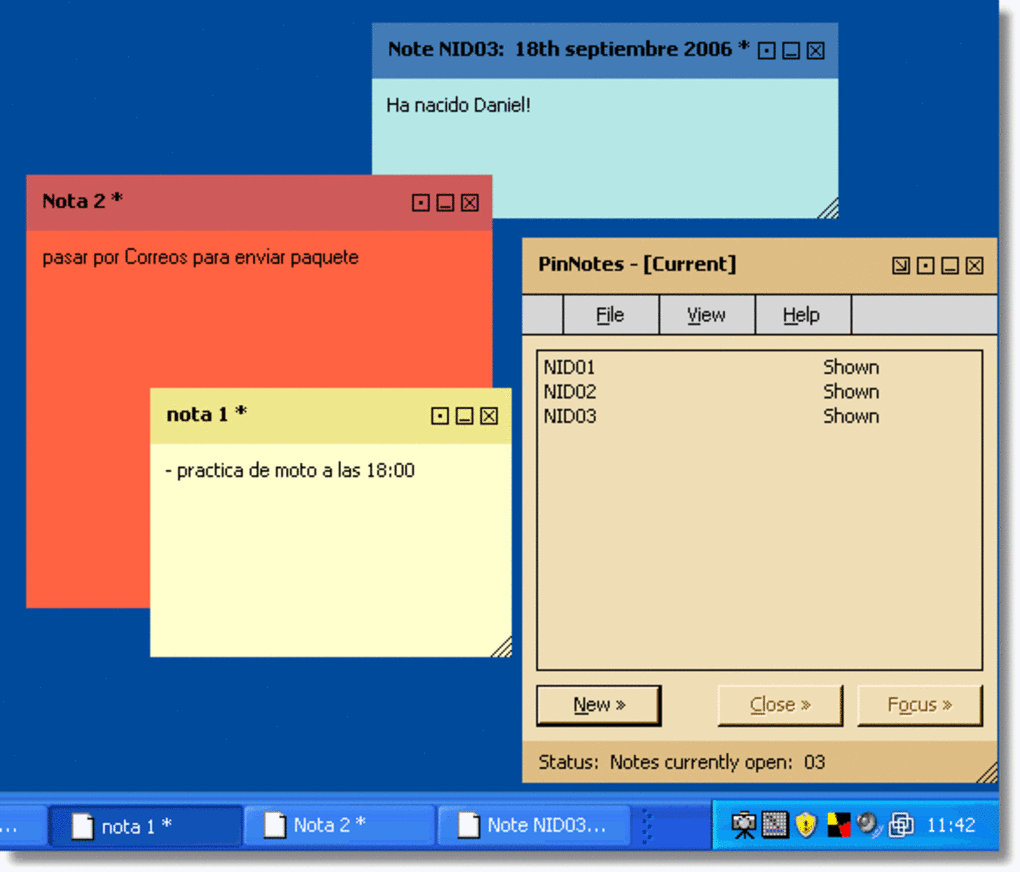
PinNotes is a lightweight, free‑standing sticky‑note utility designed exclusively for Windows desktops. First released in the early 2000s and still maintained with version 1.3 (last updated on July 23 2008), the program lets users create, color‑code, and pin customizable notes directly onto the desktop background. Although it targets Windows 98 and later, PinNotes continues to be popular in regions such as Germany, Denmark, and Bangladesh, where users appreciate its minimal footprint and straightforward interface. With almost 6 000 downloads since its catalog entry in 2007, PinNotes remains a go‑to tool for anyone who needs a quick visual reminder without the overhead of a full‑blown project‑management suite. Its core appeal lies in simplicity: no registration, no ads, and a single executable that occupies only a few megabytes of disk space. Whether you are a student juggling assignments, a professional tracking meeting action items, or a home‑office user who likes to keep grocery lists in sight, PinNotes provides an instantly accessible canvas that stays on top of other windows, ensuring that important information never gets lost in the shuffle.
Features & Customization
PinNotes packs a surprisingly rich set of capabilities for a tool that weighs less than many modern browsers. Below is a curated list of the most valuable functions, each designed to enhance productivity while keeping the user experience intuitive.
- Unlimited Sticky Notes: Create as many notes as you need without hitting a hard cap. Each note can be moved, resized, and layered independently.
- Color Palette & Font Styling: Choose from a variety of background colors, text colors, and basic font styles (bold, italic, underline) to differentiate categories or priority levels.
- Pin‑to‑Desktop Behavior: Notes stay “pinned” on the desktop even after a system reboot, thanks to an automatic save‑and‑restore routine.
- Transparency Controls: Adjust the opacity of each note, allowing you to see underlying icons or windows while still reading the content.
- Quick Keyboard Shortcuts: Use Ctrl + N to spawn a new note, Ctrl + S to save changes, and Esc to close a note instantly.
- Export/Import Functionality: Export all notes to a single file for backup or transfer to another machine, and import them back with a single click.
- Searchable Content: A built‑in search box lets you locate keywords across all active notes, saving time when you have many reminders on the screen.
- Auto‑Update Alerts: Although development has slowed, PinNotes still notifies users when a newer version becomes available, ensuring continued compatibility with newer Windows builds.
Beyond these core features, PinNotes also supports basic note linking, allowing you to embed URLs that open in the default browser when clicked. This is especially handy for linking to project documentation or online calendars. The UI follows a classic Windows look‑and‑feel, meaning it blends seamlessly with native applications and does not introduce a learning curve for users familiar with Windows 98‑style dialogs. All settings are stored locally in a plain‑text configuration file, making it easy to edit or troubleshoot manually if needed.
Installation & Daily Workflow
Getting PinNotes up and running is intentionally straightforward, reflecting its philosophy of “no‑frills, instant productivity.” Follow these steps to install and start using the software on any supported Windows machine:
- Download the Installer: Visit the official download page and click the “Download PinNotes” button. The file is a compact
.exe(approximately 2 MB). - Run the Installer: Double‑click the executable. Windows may prompt you with a security warning; confirm that you want to proceed because PinNotes is a trusted, free utility.
- Choose Installation Path: By default, the installer suggests
C:\Program Files\PinNotes. You can change the location if you prefer a different drive or folder. - Complete Installation: Click “Install” and wait a few seconds. The process copies the core files and creates a shortcut on the desktop and in the Start menu.
- Launch PinNotes: Double‑click the desktop shortcut or select it from the Start menu. The first launch opens a blank note ready for input.
Once installed, integrating PinNotes into your daily workflow is a matter of habit. Here’s a typical usage pattern:
- Morning Capture: As soon as you start your computer, press Ctrl + N to create a “Today’s Priorities” note. List the top three tasks you must accomplish.
- Color Coding: Assign a red background to urgent items, yellow for “in‑progress,” and green for “completed later.” This visual cue reduces the need to read each line.
- Mid‑Day Updates: Drag the note to a convenient corner of the screen, resize it if necessary, and add any new tasks that arise during meetings.
- Evening Review: At the end of the day, mark completed items with a strikethrough (via the text‑formatting toolbar) and move unfinished items to a “Tomorrow” note.
- Backup Routine: Once a week, use the “Export” function (found under the File menu) to save all notes to a backup file on an external drive or cloud storage. This safeguards against accidental data loss.
The application’s minimal resource consumption means you can keep several notes open simultaneously without noticeable slowdown, even on older hardware like Windows 98 PCs. Moreover, because PinNotes writes its data to a simple text‑based file in the user’s profile folder, you can easily copy the file to another computer and continue where you left off. The built‑in search box further streamlines the workflow by allowing you to type a keyword and instantly highlight the note containing that phrase.
Compatibility, Pros & Cons
PinNotes is officially supported on Windows 98, Windows ME, Windows 2000, Windows XP, Windows Vista, Windows 7, and later editions up to Windows 10. Although the last official update was in 2008, the program’s reliance on legacy Win32 APIs means it still runs smoothly on modern 64‑bit Windows installations, provided you use the compatibility mode for Windows XP if needed. The application does not have native versions for macOS, Linux, Android, or iOS, limiting its use to desktop environments.
Pros
- Extremely lightweight – negligible impact on system performance.
- Completely free with no ads or hidden fees.
- Intuitive UI that requires virtually no learning curve.
- Rich customization options (colors, fonts, transparency).
- Persistent notes survive reboots and can be exported for backup.
- Works on very old Windows versions, making it ideal for legacy PCs.
Cons
- No native mobile or cross‑platform versions.
- Development appears dormant; new features are unlikely.
- Lacks advanced task‑management features such as reminders or alarms.
- Interface looks dated compared to modern sticky‑note apps.
- Only basic search functionality; no tagging or categorization beyond color.
FAQ & Conclusion
Is PinNotes safe to download?
Yes. PinNotes is distributed as a free executable from reputable software repositories. The file size is small, and there are no bundled adware or spyware components. As with any download, we recommend scanning the file with your preferred antivirus before installation.
Can I use PinNotes on Windows 10 64‑bit?
Absolutely. Although the last update was in 2008, PinNotes runs under Windows 10 without issues. If you encounter any visual glitches, launching the program in Windows XP compatibility mode usually resolves them.
How do I back up my notes?
Use the built‑in “Export” command found under the File menu. This creates a single backup file (e.g., PinNotesBackup.pnb) that you can store on an external drive or cloud service. To restore, select “Import” and locate the backup file.
Is there a way to set reminders for a note?
PinNotes does not include native reminder or alarm functionality. If you need timed alerts, you can pair PinNotes with Windows Task Scheduler to launch a note at a specific time, or use a separate reminder app alongside it.
Can I change the default font size?
Yes. Within each note’s toolbar, click the “A” icon to open the font‑size dropdown. Choose a size that best fits your screen resolution and reading comfort.
Conclusion & Call to Action
PinNotes remains a compelling choice for anyone who values simplicity, speed, and a no‑cost solution for on‑screen reminders. Its ability to run on legacy Windows machines makes it especially useful in environments where newer productivity suites are overkill or unavailable. While it lacks modern features like cloud sync or mobile companions, the core functionality—customizable, persistent sticky notes—still fulfills the essential need to keep important information front‑and‑center.
If you’re looking for a lightweight, free, and secure way to pin quick notes to your Windows desktop, download PinNotes now and start organizing your thoughts instantly. Remember to export your notes regularly and consider pairing the app with a dedicated reminder tool if you need timed alerts. Happy note‑taking!
PinNotes delivers a solid, no‑frills sticky‑note experience for Windows users. Its low system impact, extensive customization, and reliable persistence make it a top pick for basic productivity needs. The main drawbacks are its dated interface and lack of mobile support, but for desktop‑only workflows it remains a free and secure solution.
Guides & Tutorials
How to install PinNotes
- Click the Download button above.
- Once redirected, accept the terms and click Install.
- Wait for the PinNotes download to finish on your device.
How to use PinNotes
This software is primarily used for its core features described above. Open the app after installation to explore its capabilities.
User Reviews
No reviews yet. Be the first to share your experience.
You may also like
more
Llama 2
Free-to-use large language model As the new addition to Meta’s arsenal of langua...

NotebookLM
Revolutionizing the note-taking and idea-generation process NotebookLM is an exp...

Github co pilot
AI-inspired software development and coding platform GitHub Copilot is a browser...

Google Gemma
Google’s lightweight AI models Introducing Google Gemma , a family of cutting-ed...

AI Image Enlarger
A free app for Windows, by ai-image-larger. AI Image Enlarger is a free software...

DALL E
AI-driven text-to-image transformation engine DALL·E is a free graphic and desig...
