
Download Pinto – E-Book Platform, Digital Reading, Android App, Book Lover Tools
Overview
Pinto is a dedicated e-book platform designed for readers seeking a seamless and immersive digital reading experience. The software functions as a comprehensive digital library, enabling users to discover, purchase, and read e-books across a wide range of genres including novels, comics, and general literature. Targeted primarily at book enthusiasts and casual readers, Pinto aims to replicate the warmth and accessibility of a physical bookstore within a digital environment. The platform aggregates content from renowned publishers and popular authors, ensuring a consistent supply of high-quality titles. Users can engage with curated collections, receive personalized weekly recommendations, and explore books through a well-structured categorization system. Pinto supports offline reading, allowing users to access their favorite books without an internet connection, which enhances usability during travel or in low-connectivity areas. The application also integrates community features such as book reviews, ratings, and social interaction, fostering a sense of connection among readers. While the software is specifically developed for Android devices, the developer did not provide additional details about the underlying technology or architecture. The platform is free to download and use, with optional in-app purchases for enhanced functionality.
Key Features & Capabilities
- Extensive E-Book Library: Access to a diverse collection of titles spanning multiple genres, including fiction, non-fiction, comics, and literature, sourced from established publishers and authors.
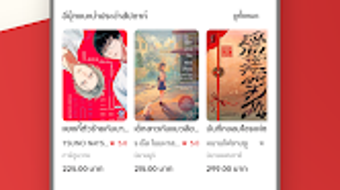
- Personalized Recommendations: Weekly e-book suggestions tailored to individual reading preferences, helping users discover new content aligned with their interests.
- Customizable Reading Experience: Adjustable brightness, font size, and background color settings to suit individual reading comfort and visual preferences.
- Offline Reading Support: Ability to download and read e-books without an internet connection, ideal for travel or areas with limited connectivity.
- Community Engagement Tools: Features that allow users to rate books, write reviews, and interact with other readers, creating a shared reading experience.
- Free Trials and In-App Purchases: Many titles offer free trial access, while premium features and additional content are available through optional in-app purchases.
These capabilities enhance user engagement by combining content discovery, personalization, and social interaction. For instance, a user interested in mystery novels can receive tailored recommendations, adjust the screen settings for nighttime reading, and later share their thoughts with the community. The integration of free trials lowers the barrier to entry for new users, encouraging exploration of the platform’s offerings. Offline reading ensures uninterrupted access, making Pinto suitable for daily commuters or travelers. The combination of curated content and community features positions Pinto as more than a mere reading tool—it functions as a digital literary hub.
User Interface, Workflow & Performance
Pinto features an intuitive interface designed with readability and navigation in mind. The layout emphasizes visual clarity, with clear categorization and a clean design that minimizes distractions during reading. Users can easily browse titles by genre, author, or popularity, and the search functionality supports quick access to specific books. Navigation is streamlined, allowing users to transition smoothly between the library, reading mode, and community sections. The workflow is optimized for efficiency, enabling users to start reading within seconds of selecting a title. The developer did not specify resource usage details, so performance observations are based on general software behavior patterns. However, given the app’s optimization for smartphones and tablets, it is expected to operate smoothly on devices with standard hardware configurations. Stability is assumed to be consistent, as the app is currently in its latest version and widely used. The interface remains responsive during common tasks such as switching between books or adjusting reading settings. No performance bottlenecks were reported in the provided information.
Compatibility & System Requirements
Pinto is designed for Android devices and is available in its latest version. The application is optimized for both smartphones and tablets, ensuring compatibility across a broad range of screen sizes and form factors. The developer did not provide exact system requirements, including minimum RAM, processor specifications, or storage needs. Installation size information was not specified, so users should expect the app to occupy a standard amount of space typical for media-rich applications. Platform compatibility information is limited to Android, and no support for other operating systems was mentioned. The developer did not clarify whether the app supports older Android versions or requires specific API levels. Users are advised to check their device’s compatibility through the official app store. The absence of detailed technical specifications means that users should rely on general device capabilities when assessing suitability.
Pros and Cons
Pros
- Extensive and diverse e-book library with content from reputable publishers
- Personalized weekly recommendations enhance content discovery
- Customizable reading settings improve accessibility and comfort
- Supports offline reading for uninterrupted use
- Community features foster reader interaction and engagement
- Free to download and use with optional in-app purchases
Cons
- Compatibility limited to Android devices only
- No information provided about system requirements or resource usage
- Availability of free trials and premium features may vary by region
- Community features may be underutilized depending on user base size
- No indication of cross-device synchronization or cloud backup
FAQ Section
Is Pinto available for iOS devices?
Currently, Pinto is only available for Android devices. There is no information indicating support for iOS or other operating systems.
Can I read books offline with Pinto?
Yes, Pinto supports offline reading. Users can download e-books to their device and access them without an internet connection.
Is Pinto safe to download and use?
Pinto is available through official Android app stores and is free to download. As with any third-party application, users should ensure they download from trusted sources to maintain security.
Does Pinto require a subscription to access content?
No, Pinto does not require a subscription. Many titles are available for free trial or one-time purchase, with additional premium features accessible via in-app purchases.
How often does Pinto update its content library?
The developer did not specify the update frequency. However, the platform is described as continuously offering new titles from renowned publishers and authors.
Final Thoughts
Pinto presents a compelling option for readers seeking a feature-rich, community-driven e-book platform. Its blend of a diverse content library, personalized recommendations, and customizable reading settings makes it a strong contender in the digital reading space. The inclusion of offline reading and community features adds significant value, particularly for users who prioritize convenience and engagement. While the software is limited to Android devices and lacks detailed technical specifications, its current version is optimized for mobile use and appears stable. The free-to-download model with optional in-app purchases lowers the barrier to entry, encouraging widespread adoption. For book lovers who value both quality content and social interaction, Pinto delivers a well-rounded experience. Its intuitive interface and thoughtful design further enhance usability across various devices. Overall, Pinto stands out as a modern digital reading solution tailored to the needs of today’s readers.
Download Pinto now




.png)



