
Download Pixel Art – Leisure Time Coloring By Numbers, Coloring App, Pixel Art Tool, Android Software, Free Desktop Utility
Overview
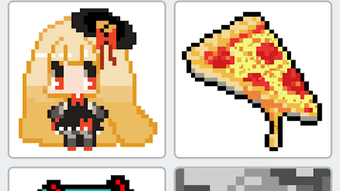
Pixel Art – Leisure Time Coloring By Numbers is a desktop adaptation of a popular Android coloring application, designed to bring the relaxing experience of digital coloring to users on personal computers. The software allows users to engage in creative expression through pixel art, offering a structured yet playful approach to digital art creation. It is tailored for casual users, hobbyists, and anyone seeking a low-pressure, enjoyable activity to unwind after work or during leisure time. The core purpose of the software is to provide a simple, intuitive platform for coloring pre-designed pixel art images, ranging from animals and flowers to fantasy creatures like unicorns and Pokémon. Users can also transform their own photos into pixel art and then color them using a numbered grid system. This feature enables personalization and creative experimentation. The application supports daily updates with new pixel art designs, ensuring a continuous supply of fresh content. It is intended as a stress-relieving tool, promoting mindfulness through repetitive, focused coloring tasks. The developer, Leisure Time Coloring By Numbers, has not provided additional details about their background or development philosophy.
Key Features & Capabilities
- Extensive Library of Pixel Art Images: The software includes thousands of free pixel art designs, covering diverse themes such as animals, flowers, unicorns, and Pokémon. Users can browse and select images to color at their own pace.
- Photo-to-Pixel Art Conversion: A standout feature allows users to upload personal photos or images and convert them into pixel art format, which can then be colored using the app’s number-based system.
- Numbered Coloring System: Each pixel block is assigned a number corresponding to a specific color, simplifying the coloring process and reducing the chance of errors, especially for beginners.
- Daily New Content: The app refreshes with new and unique pixel art images every day, encouraging regular engagement and continuous creative exploration.
- Positioning Tool: A built-in tool helps users quickly locate uncolored blocks, improving workflow efficiency and reducing frustration during longer coloring sessions.
- Sharing Functionality: Completed artworks can be shared directly via social media platforms such as Instagram, Twitter, and Facebook Messenger, enabling users to showcase their creations.
These features collectively support a seamless and engaging user experience. The numbered grid system is particularly effective for users who prefer structured creativity, while the photo conversion tool adds a personal touch. The daily content update ensures long-term engagement, making the software ideal for users who enjoy regular creative challenges. The simple interface enhances accessibility, allowing users of all ages and skill levels to participate without a steep learning curve.
User Interface, Workflow & Performance
The user interface is designed with clarity and simplicity in mind, featuring a clean layout that emphasizes functionality over visual complexity. Navigation is straightforward, with clearly labeled menus and intuitive controls for selecting images, adjusting colors, and managing the coloring process. The workflow is linear and efficient: users choose a design, select a color from the palette, and apply it to the corresponding numbered block. The positioning tool enhances this process by allowing quick access to uncolored sections, minimizing time spent searching across the canvas. While specific performance metrics such as CPU or RAM usage were not provided, the software is expected to operate smoothly on standard desktop systems due to its lightweight nature and focus on 2D pixel manipulation. Stability is assumed to be consistent, given the app’s origin as a well-received Android application. The developer did not specify resource usage details, but based on general software behavior, it is likely optimized for minimal system impact. No reported issues with crashes or freezes were mentioned in the available information.
Compatibility & System Requirements
The software is designed for desktop environments and is compatible with Windows and macOS operating systems. The exact version numbers and hardware requirements were not listed. The installation size is not specified. Platform compatibility information is limited to the general availability on desktop platforms. The developer did not provide additional details about system requirements, including minimum processor speed, RAM, or graphics capabilities. As such, users are advised to ensure their system meets standard desktop software requirements. The developer did not specify whether the software supports touch input or external drawing devices. The release date is May 15, 2024.
Pros and Cons
Pros
- Extensive library of free pixel art designs with daily updates
- Ability to convert personal photos into pixel art for coloring
- Simple, intuitive interface suitable for all age groups
- Numbered coloring system reduces errors and enhances focus
- Positioning tool improves workflow efficiency during long sessions
- Direct sharing options to social media platforms
- 100% free with no subscriptions or in-app purchases
Cons
- Exact system requirements were not specified
- Performance details such as CPU or RAM usage were not provided
- Compatibility with specific hardware or input devices was not confirmed
- Limited information about update frequency or long-term maintenance
- No mention of cloud backup or progress saving features
FAQ Section
Is Pixel Art available for Windows and Mac?
The software is designed for desktop use and is compatible with both Windows and macOS operating systems. Specific version details were not provided.
Is the software free to download and use?
Yes, Pixel Art is 100% free with no subscriptions, hidden payments, or in-app purchases. All features are accessible without cost.
Can I use my own photos in the app?
Yes, users can upload personal photos or images and convert them into pixel art, which can then be colored using the app’s numbered system.
Does the app require an internet connection?
The app functions primarily offline once installed. However, accessing new daily content or sharing creations may require an internet connection.
Is there a license or legal restriction on using my colored artwork?
Users retain full rights to their creations. The app does not claim ownership of user-generated content, and there are no known legal restrictions on usage.
Final Thoughts + CTA
Pixel Art delivers a refreshing and accessible way to enjoy creative relaxation on desktop systems. With its vast library of free, themed pixel art designs and the unique ability to transform personal photos into coloring canvases, it stands out as a versatile and engaging tool for casual users. The intuitive interface and structured coloring system make it easy to use, even for those with no prior art experience. While specific performance and system details are not available, the app’s lightweight nature and focus on simplicity suggest it will run smoothly on most modern desktops. It is ideal for individuals seeking a low-stress, creative outlet during breaks or downtime. The absence of ads, subscriptions, or hidden fees further enhances its appeal. For anyone looking to unwind with a fun, artistic activity, Pixel Art offers a satisfying and rewarding experience. Download Pixel Art now and start coloring your imagination today.




.png)



