WordPress Planet

June 05, 2026

Gutenberg Times: Calls for Testing, Gutenberg 23.3, Block MCP and more — Weekend Edition 367

Hi there,

This is the time of the year when publishing on the Gutenberg Times becomes less frequent. I will be on vacation and back at the beginning of July with the weekend edition, just in-time for Beta 1 of WordPress 7.1. Three more Gutenberg plugin releases will happen before that.

What also happened was that someone grabbed my instagram account in this AI hack at Meta. Although Meta reports this as resolved, I probably won’t get my account back. I am now actively looking for a better way to share my photos without the overlords that can’t keep things tight. 🤦‍♀️ It’s not that I didn’t know better. <sigh/> 🤷‍♀️ It’s a cautionary tale for what’s in store for all internet services handing over crucial business processes to a gulliable AI.

Don’t let the small stuff bring you down. Have a splendid weekend ahead. Until July!

Yours, 💕
Birgit

I started watching WordCamp Europe LiveStreams on Friday and started with the keynote Two worlds collide: WordPress at CERN with Joachim Valdemar Yde and Francisco Borges Aurindo Barros. The Livestream are all routed to the WordPress YouTube account. The schedule is posted on the website.

Over the course of the weekend more recordings will be uploaded to WordPress TV > WordCamp Europe 2026.

On Saturday, Matt Mullenweg, co-founder of WordPress and CEO of Automattic will close out WordCamp Europe 2026 with his keynote. Afterward, the organizers will reveal where WordCamp Europe 2027 will take place. Tune in around 2:15 UTC / 8:15 am EDT.


I had the great pleasure chatting with Abha Thakor on the OpenMakers through what WordPress 7.0 “Armstrong” means for you. First, the safety bit: test on a staging site or Playground before updating, and check your PHP. Then the good stuff. Visual revisions show edits in context with color coding. Notes keep feedback inside the editor. Patterns gain content-only editing, blocks can hide by device, and new AI connector APIs give developers a unified foundation. Real-time editing waits for a later release.

Developing Gutenberg and WordPress

Arthur Chu walks you through what’s new in Gutenberg 23.3. The modal media editor is now the default for cropping. It pulls cropping, flip, rotation, and metadata into one place. The experimental customizable dashboard grows too, with five new widgets you can drag and resize. Responsive styles now reach individual blocks, so designs adapt per screen.


Rae Morey reports that Gutenberg 23.3 brings an experimental, customizable WordPress dashboard. It’s the admin’s biggest structural shakeup in years. You can drag, resize, and rearrange widgets like Welcome, Activity, and Site Health to fit how you actually work. It’s the first testable preview of a long-discussed overhaul. Enable it under Gutenberg > Experiments to try it.


Jarda Snajdr reports that the React 19 upgrade has been reverted in Gutenberg. Shortly after 23.3.0 shipped, many plugins built for React 18 started crashing. The APIs barely changed, but the runtimes clashed: React 19 rejects elements made by a bundled React 18 JSX helper. So 23.3.2 rolls back to React 18. The team still plans the upgrade for 7.1—this time with a feature flag and a compatibility layer.


Isabel Brison and I chatted extensively about the latest Gutenberg plugin releases 23.1 to 23.3 and discussed the responsive controls now available in the Gutenberg plugin for desktop, tablet and mobile view ports. The episode will drop in your favorite podcast app over the weekend.

Isabel Brison and Birgit Pauli-Haack recording Gutenberg Changelog 131

🎙 The latest episode is Gutenberg Changelog #130 – WordPress 7.0, Gutenberg 22.9 and 23.0, WordCamp Europe, Block Themes and More with Tammie Lister, Chief Product Officer at Convesio

Image

Rich Tabor shares a few “little big things” for WordPress editing. The idea is simple: complexity has piled up, and small fixes can clear it. His PRs make block locking a one-click job in List View. They keep you in place when editing synced patterns, instead of whisking you off to another view. And zooming out reuses the familiar Patterns Explorer. He’s not precious about them—contributors are warmly invited to take them over the line.


Dave Smith walks you through an interactive prototype reimagining the WordPress Site Editor around user goals rather than system architecture. Built during Automattic’s Radical Speed Month, it keeps the same blocks, templates, and data model intact while changing entry points, language, and defaults. It’s an experiment, not a roadmap.

Calls for Testing for WordPress 7.1

With WordPress 7.0 out the door, contributors shared a series of Calls for testing this week to prepare for WordPress 7.1. The schedule is tight with Beta 1 slated for July 15, 2026.

Ramon Dodd puts out a call for testing the new Media Editor Modal. Cropping in the block editor hasn’t changed much in years, and the old inline tool leans on a limited third-party library. This new standard way of Image edition inside the Block editor replaces it with a WordPress-native one. You get freeform and aspect-ratio cropping, flip, rotation, and metadata editing in one place. The quickest way to try it is a ready-made Playground link. Feedback is welcome via the comments or GitHub.


Anne McCarthy announced a collaborative editing outreach effort for WordPress 7.1. After real-time collaboration was pulled from 7.0, this gathers real-world early adopters across many hosting setups to find bugs faster. It lives in one Slack channel, #collaborative-editing-outreach. If you’d use collaborative editing regularly and run the latest Gutenberg, you’re invited—through the cycle, with a test team badge at the end.

Rae Morey has the skinny for you in Contributors Launch FSE-Style Outreach Program to Get Real-Time Collaboration Ready for WordPress 7.1


Adam Silverstein puts out a call for testing client-side media processing, now targeting WordPress 7.1. Here’s the idea: when you upload an image, your browser resizes and encodes every size locally using VIPS in WebAssembly, before anything reaches the server. That eases CPU and memory load on hosts and brings modern formats like AVIF, WebP, HEIC, and JPEG XL to every site. Browsers that can’t cope fall back quietly to server-side. Try it in Chromium with the latest Gutenberg.

Plugins, Themes, and Tools for #nocode site builders and owners

Brian Coords invites you to a live panel on practical AI workflows for WordPress and WooCommerce on Tuesday, June 30, 2026, at 10am PDT. Hosted with Shani Banerjee and featuring Nik McLaughlin, Kyle Runner, and Suzanne Kolpakov, the conversation covers WooCommerce MCP, the WordPress Abilities API, Pressable MCP, and making your own plugins more agent-ready. You’ll come away with practical ideas for managing stores and guiding cautious clients, plus open Q&A. Can’t make it live? Register anyway for the recording.


Nathan Wrigley talks with plugin reviewer Luke Carbis about the future of WordPress plugins on the Jukebox podcast. Here’s the worry: plugin submissions have quadrupled in a year, largely AI-generated, so good plugins struggle to stand out. Carbis floats ideas you can test: logging into your site with your WordPress.org account, installing from your own Git repos, or a commercial marketplace funding contributors. They also weigh AI ethics, a generational backlash, and his proposed AI-disclosure header for the directory.


Wes Theron published a new training video and you can learn how to customize your site’s navigation menus with AI. Once your site is connected, you describe the change and the agent makes it. You’ll learn to add a page to your header, remove an outdated link, and reorder items. It also covers building dropdown menus under an unclickable parent, adding a footer menu, and linking to blog categories. The point: clear menus help visitors find what matters.

Theme Development for Full Site Editing and Blocks

Ajit Bohra and the LUBUS team released Color Palette Block 2.0, a free plugin for building and sharing color palettes in the block editor. It grew out of their own client and internal documentation needs. It’s handy for brand kits, design systems, and style guides. You add swatches manually, pull from your theme, or generate random ones. Pick from four display styles—Square, Polaroid, Circle, or Droplet—and copy each color as HEX, RGB, HSL, or a CSS variable.


Justin Tadlock shares a playful tutorial on registering custom icons for WordPress 7.0’s new Icon block. Since the public registration API won’t land until 7.1, you’ll learn a clever workaround using PHP Reflection to reach the protected WP_Icons_Registry::register() method, bundling SVGs in your theme through an Icon enum and registrar class. Built on work by Ryan Welcher and Nick Diego, it’s educational fun—not for production, where Nick Diego’s Icon Block plugin still does the job properly.

 “Keeping up with Gutenberg – Index 2025” 
A chronological list of the WordPress Make Blog posts from various teams involved in Gutenberg development: Design, Theme Review Team, Core Editor, Core JS, Core CSS, Test, and Meta team from Jan. 2024 on. Updated by yours truly. 

The previous years are also available:
2020 | 2021 | 2022 | 2023 | 2024

Building Blocks and Tools for the Block editor.

Casey Burridge introduced Block MCP, GravityKit’s open-source WordPress MCP server. The problem it solves is familiar: existing MCPs treat a post as one HTML blob, so AI edits strip block markers and break your layout. Block MCP exposes each block as an addressable unit with a stable ID. Your agent can make surgical edits, batch up to 50 changes atomically, and undo any of them. In their tests across Claude models, only Block MCP worked reliably.

Need a plugin .zip from Gutenberg’s master branch?
Gutenberg Times provides daily build for testing and review.

Image

Now also available via WordPress Playground. There is no need for a test site locally or on a server. Have you been using it? Email me with your experience.


Questions? Suggestions? Ideas?
Don’t hesitate to send them via email or
send me a message on WordPress Slack or Twitter @bph.


For questions to be answered on the Gutenberg Changelog,
send them to changelog@gutenbergtimes.com


Featured Image:


by Birgit Pauli-Haack at June 05, 2026 11:14 PM

Matt: WCEU

Cześć wszystkim, Kraków… I made the call not to fly to Poland for WordCamp Europe. I’m very sorry for the last-minute notice; I was really hoping to make it. I’m okay, but I want to stay close to loved ones going through difficult times.

Seeing the pictures from Contributor Day warms my heart.

Image


Bardzo za Wami tęsknię. I miss you dearly.

The Protect The Shire post on W.org contains what I planned to talk about, and Mary Hubbard and Matías Ventura will lead the Q&A keynote at the end.

I’ll watch all the sessions so if any WordCamp speakers would like feedback on their talk, just fill out this form, and I’ll write something up and message it to you on the .org Slack. 

by Matt at June 05, 2026 07:07 PM

WordPress.org blog: Protect The Shire

tl;dr: Temporary 24-hour cooldown period for plugin/theme releases before auto-updates. AI can give defenders an edge. We want to secure all 78K plugins and themes on WordPress.org. 


One of the things we’ve always striven to do as the developers of WordPress is to work harder so you don’t have to; we take technology that’s complex or inaccessible and make it available to everyone, running in as many environments as possible. It’s the Open Source way.

Just last December there was a step-change in coding ability that rocked many developers, and since April’s reveal of Mythos, security activity has kicked into high gear. A few days ago, Chrome shipped a release with 429 security fixes! The threats and opportunities of these new capabilities inspired us to kick off an initiative we call Protect The Shire (hat tip J. R. R. Tolkien) with the aim of using our best minds and the infrastructure of WordPress.org to make all code in our directories and repositories as secure as possible.

Much of this work was and will remain behind the scenes, and we hope its success is defined mostly by what doesn’t happen. However, while we reckon with our newfound powers, we need to make space for review.

To Update or Not

WordPress core updates go through multiple people and layers of review before they go out, a process we’ve polished to a high art in the 18 years since we introduced one-click upgrades in 2.7 “Coltrane.”

Core is solid, and I’m so proud that over 50% of all WordPress sites have upgraded to 7.0 within two weeks! That’s the result of an unimaginable amount of work across thousands of hosts, developers, and teams across WordPress.org. We’ve pushed hard to make upgrades happen automagically, and as fast as possible.

We’re in a liminal period now, and I believe 2026 will be a year of tension between two approaches: updating as quickly as possible to stay secure, and holding back on updating to stay secure.

We’ve seen clever and dangerous supply chain attacks across the npm, PyPI, GitHub, and RubyGems ecosystems, and we even had our own mini-version with the Essential Plugins debacle, where good plugins were unknowingly sold to a new author who had malicious intent.

How to balance security updates and securing updates?

Mirkwood or the Wild West?

Everyone knows the fun of WordPress is in its 78k+ plugins and themes. We have a rigorous, human-powered review process for theme and plugin submissions, but once you’re published in the directory, you’re on your own. Our update system currently distributes every plugin and theme release as soon as a developer presses the button. That’s what keeps the directory as robust as WordPress itself. There were over 3,000 commits to the plugin repository yesterday! 

For now, each new plugin release will wait up to 24 hours before being distributed through auto-updates. This will give everyone, including a new Wapuu we call Gandalf, a chance to review changes.

I expect 24 hours could be reduced to minutes as the process evolves, but we’ll err on the side of caution while AI models are advancing so rapidly.

Our plugin review team seems superhuman, but still needs to sleep. But bots don’t, and a depth of review that seemed unimaginable before is now a matter of time and tokens.

The security capabilities of AI are going to make the world weird and take a lot of our focus in the next few months, but there’s a light at the end of the tunnel.

Our Shire Is Special

There’s no shortage of ways to find, install, and update plugins and themes for WordPress. For those who choose WordPress.org, though, we want to make sure that it feels safe and secure. That means staying strict about some things—like guidelines and Open Source licenses—while also remaining flexible enough to allow solo hackers, community projects, and for-profit commercial plugins and themes to thrive in our ecosystem.

GitHub stars may get the hype, but if you add up all the numbers in our plugin directory, it’s over 400M installs. There are 69 plugins, many from solo devs, installed on over a million sites each! Now we need to learn from the best parts of GitHub and make that available to every developer on WordPress.org.

Just because WordPress plugins have a reputation for vulnerabilities is no reason not to aim for the same security and stability we’ve achieved in core. We’ve done the impossible a few times already in our journey from a b2/cafelog fork to where we are today

Freedom and security are not zero-sum. With Open Source, we can show how security comes from transparency, not obscurity. Collaboration over competition. What we accomplish when we come together is nothing short of incredible. Success always attracts bad actors, but we grow stronger through every adversity.

The scale of WordPress can make some challenges seem too big to tackle, but given time, there is no problem that’s insurmountable. I’m reminded of the story behind the title of Anne Lamott’s book Bird by Bird:

Thirty years ago my older brother, who was ten years old at the time, was trying to get a report written on birds that he’d had three months to write, which was due the next day. We were out at our family cabin in Bolinas, and he was at the kitchen table close to tears, surrounded by binder paper and pencils and unopened books about birds, immobilized by the hugeness of the task ahead. Then my father sat down beside him, put his arm around my brother’s shoulder, and said, “Bird by bird, buddy. Just take it bird by bird.”

More to come, stay tuned. I wish everyone in Kraków at WordCamp Europe the best and hope to see you soon!

by Matt Mullenweg at June 05, 2026 06:51 PM

June 04, 2026

Open Channels FM: Artificial Intelligence” Just a Fancy Way to Say “Fake”?

The light side of whether artificial intelligence is genuinely intelligent or merely advanced technology misrepresented as such.

by Bob Dunn at June 04, 2026 01:19 PM

June 03, 2026

Open Channels FM: Open Tabs: Lists Over Grids, AI-Assisted Content & A Global Tech Read

Bob Dunn launches "Open Tabs," sharing business insights while discussing his new design preferences, the importance of human touch in podcasting, efficient content repurposing with AI, and recommending restofworld.org.

by Bob Dunn at June 03, 2026 02:30 PM

WPTavern: #219 – Austin Ginder on How AI Is Exposing Hidden Threats in WordPress Plugin Updates

Transcript

[00:00:19] Nathan Wrigley: Welcome to the Jukebox podcast from WP Tavern. My name is Nathan Wrigley.

Jukebox is a podcast which is dedicated to all things WordPress, the people, the events, the plugins, the blocks, the themes, and in this case, how AI is exposing hidden threats is WordPress plugin updates.

If you’d like to subscribe to the podcast, you can do that by searching for WP Tavern in your podcast player of choice, or by going to wptavern.com/feed/podcast, and you can copy that URL into most podcast players.

If you have a topic that you’d like us to feature on the podcast, I’m keen to hear from you and hopefully get you, or your idea, featured on the show. Head to wptavern.com/contact forward slash jukebox and use the form there.

So on the podcast today we have Austin Ginder. Austin has been involved in the WordPress ecosystem since 2010, and since 2014 has run Anchor Hosting, a business that manages thousands of WordPress websites. While he’s a developer and automation enthusiast at heart, in recent months Austin has found himself at the forefront of a burgeoning crisis in WordPress, security supply chain attacks targeting plugins.

A chance discovery during a malware cleanup on a client’s site, propelled Austin into what would become a wider investigation of plugin vulnerabilities. What he uncovered is both alarming and timely. Bad actors aren’t just hacking sites directly, but are instead infiltrating the supply chain, either by purchasing plugin companies and weaponising them, or by hijacking plugins and pushing out malicious updates. These attacks are subtle, often shifting plugin update servers away from wordpress.org to rogue channels where malware can be distributed, leaving end users in the dark, and their sites at risk.

We trace Austin’s journey from accidental security investigator to creator of the WP Beacon Project, a resource aimed at tracking, documenting, and alerting the WordPress community to known supply chain attacks.

He shares how AI tools have radically changed what’s possible in threat detection and forensics, enabling individuals, and hopefully someday, the larger hosting providers to identify patterns and root causes behind widespread infections.

We get into case studies of specific plugins compromised in recent months, the challenges of auditing over 60,000 plugins in the wordpress.org repo, and the complexities of stopping these attacks once malicious code is in the wild. Austin also discusses his hopes for greater collaboration with hosts and security researchers aiming for better automated monitoring and response.

If you manage WordPress websites, create plugins, or just care about the future of open source security, this episode is for you.

If you’re interested in finding out more, you can find all of the links in the show notes by heading to wptavern.com/podcast, where you’ll find all the other episodes as well.

And so without further delay, I bring you Austin Ginder.

I am joined on the podcast by Austin Ginder. Hello, Austin.

[00:03:40] Austin Ginder: Hey, good to meet you.

[00:03:41] Nathan Wrigley: Very nice to meet you too. I was put in Austin’s way by I think Courtney Robertson.

Thank you Courtney for that because, on a different podcast, which I do, we were talking about an item, which is very much in the news at the moment. It’s all to do with plugins and security. And whenever I say security, any of the people that I have on the podcast, I feel it’s pretty important that person gets a chance to stamp their credentials into the podcast about themselves. Because it’s one of those areas where a little bit of knowledge can go a long way. Tell us about your background, WordPress hosting, security, those kind of things.

[00:04:16] Austin Ginder: Sure. So I’m a developer, first off. I’ve been running a WordPress hosting service since 2014, and I’ve been working in the WordPress space since 2010. A long timer. I love automation. WPCLI commands, bash scripts. I’m in the weeds on a technical basis.

But in terms of security, I wouldn’t call myself a security expert, which is ironic for this conversation because of some of the things I’ve been finding over the last month or so. And it’s all thanks to AI. AI has been my friend. It’s just right place, right time, getting lucky and also just a mix of everything is changing right now in the world.

[00:04:56] Nathan Wrigley: Yeah. Thank you for that. So as you’re about to hear, we’re not gonna be talking at from the perspective of Austin demonstrates how to fix a particular challenge in WordPress. It’s much more of a general thing, and an alert really. It’s a bit of a call to action about a problem which has been systemic in the WordPress ecosystem, well, forever really, since I guess, plugins came along.

And this is all about really change of ownership of plugins, and I could do a job of trying to describe the scenario here, but do you want to just run through what you’ve discovered in the last few weeks, and the three or four incidents that you’ve uncovered and what they mean and how they’ve come about?

[00:05:37] Austin Ginder: Yeah. So in particular, we’re talking about supply chain attacks, and a supply chain attack is a different kind of attack. It’s not a direct, my site got infected with malware or something like that. It runs a little bit more deeper. It’s a scenario where either it can happen a couple different ways.

A hacker might get control over the plugin repo itself, maybe a credential breach, where they sign in and they are acting as the author, and they push out bad code. As a user, you just update your plugin and you don’t realise you’re updating to something that’s harmful for your website.

So that’s one scenario. The other scenario which is crazy to me, but like hackers literally buying companies and then weaponizing the plugins themselves and distributing them through the official channels. So that’s the big story that I was covering this last month. That is just what possesses someone to spend six figures to buy a suite of plugins and then weaponize them and try to get away with it? No, that can’t happen.

[00:06:42] Nathan Wrigley: Except, it does. So let me just reiterate what’s going on there. So if you’ve been to the wordpress.org repository, or indeed you’ve downloaded plugins from third party vendors, maybe a pro version of a plugin or what have you. Usually there is some aspect of the WordPress admin UI, which enables that plugin to be updated by clicking a link or perhaps automated, the update will happen.

Increasingly, I think people are being, have been encouraged to click enable automatic updates. So it just ticks over in the background. Perhaps while you’re asleep, it gets updated to the latest version. This in a universe occupied only by honest people would be absolutely fine. We’d have no problem that.

However, the scenario that you are describing is that kind of invisibly it’s entirely possible for somebody to sell their plugin or indeed maybe even have their plugin repo hijacked in some way. But let’s go with the sell their plugin scenario, because that’s the easiest one to get a hold of. Sell it to somebody.

Obviously, I would imagine in most cases, assuming that person is a good actor, is just going to carry on doing the nice things that the plugin does, updating the code, and doing security updates and what have you. However, there is zero guardrail to stop them putting whatever they want into the plugin.

And so overnight, a plugin which has been working for a decade or more, doing its job, now suddenly is masquerading. And it may be that the functionality of the plugin is also still there. It’s not like suddenly the plugin just stops working, or it’s really obvious what’s going on. It may be that just a few lines of code have been adapted, modified, there’s some backdoor smuggled in to the plugin. An end user would never know that this was going on. Have I summed that up? Is that about where we’re at?

[00:08:35] Austin Ginder: Yeah, these are bad actors trying to hide themselves. They’re sneaky. They don’t do things that are obvious. Like they’re not just uploading malware to WordPress plugin repo. What they’ll do instead is they might slip a third party updater, which is against the guidelines, clearly. But they can do it a little bit more sneaky.

So if they can get a third party uploader put into their plugin, then they can actually hijack the plugin. Meaning you download a plugin from wordpress.org, and you run auto updates, and it updates not from the wordpress.org version to the newest wordpress.org version. It offloads to their own compromised update channel.

And then once it’s on the update channel, wordpress.org has zero visibility, and you’re just running a hijacked plugin and you don’t even know it. Unless you go in and you run a verify command, from the command line or, you’re scanning for things like this. And then after they get the plugin hijacked, that’s when they compromise your site.

They could do SEO spam attacks, or display ads, or poison the search results from Google’s perspective. Many different things that they do to try to recoup their money in the investment.

[00:09:50] Nathan Wrigley: So let me just run that by you again. So just to make sure I’ve understood. So in this scenario, the plugin, it is like a one time thing in a way, but we’ll explore that as well in a moment. The plugin is acquired by somebody else and potentially some of the behaviour that you’ve seen is that the only part of the plugin that they modify is the location of the update server.

Now, typically that would’ve been over at wordpress.org, and every time you click the update button, you are receiving the repo version of it. However, this updated version will then offload to a third party server somewhere. And at that moment, wordpress.org loses all visibility of what’s going on. As far as they’re aware nothing has happened.

You are now just getting updates from elsewhere. You would never see anything. But obviously whatever payload they wish to put into that plugin is completely invisible to wordpress.org.

Now, I suppose the wordpress.org version, there’d be a telltale sign that this was happening because there would be new and modified code to indicate, oh, look, there’s a third party server in play here. But WordPress org has no visibility into what the malicious code being updated onto your website is. Again, is that about where we’re at?

[00:11:07] Austin Ginder: Yeah. Everything on wordpress.org is open source. Even the platform itself is open source, so you can see the full code, how everything operates there. And in addition to that, all of the plugin activity happens on SVN, which is like the raw pipeline.

So all of the data is there and available to anyone to go in and audit the data, but it’s, it’s an after the fact situation. Like after a situation happens, you can go back to the raw data and run a full audit to try to piece together all these missing pieces. And all these missing pieces would’ve been impossible to correlate together if it wouldn’t be for AI. Like now we have a superpower where we could just run AI through it all. If we feed it the right points, we can start to make the correlation after the fact as to what happened.

[00:11:59] Nathan Wrigley: Okay, so essentially what you are saying, I think, is that the work of checking this, prior to AI, let’s go with that, it was just too humanly intensive. There were 60 plus thousand plugins on the wordpress.org repo, going back and having a human inspect every single update, every single file, every line of code is, as you can imagine, a completely unrealistic process.

However, now AI really its superpower is its capacity to take a giant corpus of data, and then do things with that data. It’s almost like it can capture the entirety of the internet in one hit. And so that’s what’s enabled you to weed out this sort of stuff.

I have to ask from a personal point of view, why are you doing this? And I don’t mean that the way it sounds, because obviously it’s philanthropic. I’m extremely grateful that you are doing this. But how did you end up taking this on as a, I don’t know, a hobby, a pet project, a sideline?

[00:12:59] Austin Ginder: This is completely accidental, right? The backstory is in February, I saw a huge shift at my own customers websites, where sites that have been secure for years and years, all of a sudden was getting malware. The short version of it is while I was doing some malware cleanup for a customer, I uncovered one of these big back doors, and it was just like going through the process.

So malware cleanup before AI was always a little bit of a dicey thing. You can check all the boxes, make sure everything looks good, but you never had the certainty that it was all a hundred percent clean. Did I miss something? But with AI it’s very easy to do a thorough, in depth, investigation.

How did this happen? Where did it come from? Is my site actually clean now? It just crawls over all the files with Claude Code and other tools, and it gives you a nice report. When I had some recent, my own customers that got malware, and I ran through the forensics level style that AI can give, it uncovered some things that made me question, maybe I should look upstream, maybe I should look at wordpress.org. And I started to feed that into the AI and sure enough, there was something there and it was story worthy.

[00:14:13] Nathan Wrigley: So presumably that was then bound to a particular plugin. So your customer, something went wrong, you pointed the AI at it, it gave you a report, pointed you to the wordpress.org repo. And that in theory could have been the end of that. You clean up your client website and move on.

But it sounds like this became much more than that, because over the intervening days and weeks, you found that this was alarmingly, not just a one-off. This was a pattern. And I think the last time I was reading about this, I think you’d found four. I don’t know if four plugins is now up into some other figure or not, but certainly at the time I was reading you’d found four plugins with exactly the same strategy. I don’t know if they were from the same vendor or what have you. Just tell us where you’re at in the middle of May 2026.

[00:15:07] Austin Ginder: Yeah, so I’ve now published four more or less in depth research. Now, I wasn’t the sole finder of all these, but I was the one who actually pointed the AI at it, and got to the root of it. And it uncovered some other things that previous folks hadn’t found. So the crazy thing is all four situations are completely different, and that’s the wild thing.

So the one was, the source was the WordPress Plugin Team. So they saw there was some bad activity happening, with a set of the Essential Plugins package. So that’s like a 30 plus plugins. So they closed down all the plugins. They issued an alert, Hey, your site might be compromised. And they actually put code in the patch of the plugins that would check the wp-config file, was it tampered with by the plugin authors themselves?

So one of my customers saw the notice flagged me. I scanned it, saw it was compromised, and then that’s when I uncovered how big of a deal it was, the Essential Plugins. It was actually a purchase of a company. That was just one of them.

The other three situations, again it’s all kind of part, it stems back to me overhauling my security system for my clients. The other one was flagged by a new security feature I was implementing where I check all of my customers JavaScript embeds.

I’m basically scanning changes over time, hoping to catch like a credit card skimmer, or something else like that for my own customers. Well one of them came back. Something’s weird. It was a widget logic plugin that was embedding some weird sports JavaScript code for one of my sites. And I kept digging and digging into it, and sure enough, it was another supply chain attack on that particular plugin.

So, in all these instances, the WordPress Plugin Team has been fantastic. Very responsive and closing down the plugin, and applying patches, and getting the out there. Yeah, it’s weird. I had no plans to building something like this. I just stumbled upon it and every situation was a different story.

The last one I’ll share is, I was messing around with this idea that, I wonder if I could use AI to hunt through my own customer’s plugins to detect plugins that are running different versions of the code base. You might have Jetpack installed with the latest version, but maybe there’s a variant version Jetpack’s running. That’s the core idea, or the core concept.

So I built this tool with AI to scan my own customers, and it found a variant version of the Quick Redirection Plugin installed. I’m like, what’s going on here? So I dig into it and I had 12 sites running a version of the plugin that wasn’t on wordpress.org. So then I threw it through AI. It told me the difference. And sure enough, like you had to keep digging to get actually get to the answer what happened.

But that was a situation where many, the plugin author themselves offloaded most of their customers to a hijacked version. And my own customers years later were running a hijacked version. So I wasn’t directly searching for this stuff, it just came up, and then I’m like, after you get three of them, it’s alright, now I just wanna see if I can find one.

So I built the scanner and while I was scanning the top 2000 WordPress sites, I found one, and it was active. It was active, meaning the plugin, it’s called Scroll To Top. It was wired in to 20,000 sites, but it wasn’t active. So a lot of these bad actors, they will take their time, get a plugin that’s compromised in a lot of people’s sites, and then when the moment’s right, pull a trigger. And then at that point they can start to flow in bad content or SEO and actually do the compromise.

The one that I actually found was a compromise scenario, from what I can tell, the bad actor hadn’t actually pulled the trigger yet. So it was a success story.

[00:19:13] Nathan Wrigley: Yeah, that is really, kind of makes it more alarming in a sense, doesn’t it? Because once I suppose there’s an active exploit, and people are beginning to report what’s going on here? There’s some strange behaviour on a website, I presume at that point eyeballs will fall on what’s going on and work will be done.

However, as you’ve just described maybe months, weeks, possibly years, a plugin can have incredible functionality. It might gain widespread adoption, because it’s doing this one thing particularly well. Just with this dormant code sitting there waiting for the moment that’s opportune. Maybe there’s some scenario in the real world in which it will become a timely thing to be able to deploy that.

That’s really alarming, isn’t it? Because who knows how many websites are currently sitting there with as yet undiscovered, back doors, or problems that we simply don’t know about because they haven’t been triggered? Yeah, that one is really alarming.

Austin, I’m going to give you a little opportunity because you keep saying my clients, and I don’t think we painted the context of that. Just tell us a little bit about what you do and how that aligns you to have, have an eyeball on so many websites. I think currently, when you say my clients, I think it’s true to say that you’ve got something in the order of 3000 websites that you manage. Now, if you were building those as client websites, that’s a lot of clients. Just tell us what it is that you do, and that might widen the debate a little bit.

[00:20:39] Austin Ginder: No, I don’t do consulting work anymore. So back in 2014, I transitioned into web hosting full-time. I run Anchor Hosting, and my business is, it’s a pretty simple business model. I resell other managed WordPress hosting services, and provide all of the support and maintenance on top of it.

So I primarily use web hosts like Kinsta and Rocket.net. They are larger companies. They have a lot more eyeballs on it. I like to layer as many layers between me and the web host infrastructure as I can, so that I can actually solve what I want to solve. And that’s the WordPress maintenance part.

So I have a little bit more visibility than some. So that is more unique position than most. And I actually would say if there’s any takeaway from this conversation, the takeaway is any hosting company out there that has more data than me, they are sitting on a gold mine and they don’t know it.

Because any site that gets malware, that is the gold. If you can point AI at every malware situation or attack, you can sometimes back channel it to figure out where it actually happened, and start to paint a bigger picture. I would love to get my hands on like a web host that has millions of sites and run some scans, because that’s how you’re going to discover it, weed it out.

[00:21:59] Nathan Wrigley: And there’s maybe patterns going on. I don’t suppose every hacker of WordPress plugins is some kind of evil genius. They might just be, I think what’s often called script kiddies. The idea being that they are taking templates and copying and pasting these ideas far and wide.

And therefore I suppose patterns would emerge and maybe as you said, some of these larger hosts would be able to spot that pattern, and get out in front of these different problems which have, as yet, been undetected.

Okay, so you’ve then taken an additional step. You’ve got yourself a URL, wpbeacon.io. Dear listener, as is always the case, anything that we mention today, so the links to the articles which Austin has written, I will put those in the show notes, but also I’ll link to wpbeacon.io. Just tell us a little bit about that and that, how that’s helping the community.

[00:22:52] Austin Ginder: So WP Beacon was again, an idea I threw together last month. Not a whole lot of planning. But it was just like, okay, I’ve got three of these now. These are basically in depth investigations. Where do you put it? Because this is different than a typical vulnerability database. Like a vulnerability database is really good about endeavour to find bad code.

This is not bad code, this is bad actors. They’re two completely different problems. So I built WP Beacon as like my place to put all these findings. And the idea is actually have it be a legitimate feed for other folks, like another metric or another vulnerability database, but for supply chain attacks in particular.

[00:23:39] Nathan Wrigley: And so I suppose the idea being that people who are, I mean obviously if you’ve got one WordPress website, it’s fairly unlikely that you’ll come across WP Beacon, because you’re not in the business of being in the community or what have you. But if you are somebody that’s, I don’t know, managing multiple clients, half a dozen or what have you’re in the WordPress space, this is the kind of thing you might want to know about.

I suppose you are then hoping to be some sort of gatekeeper of knowledge around whether a supply chain attack has occurred. So let’s say for example, I’m considering putting a new plugin in. I find something on the wordpress.org repo, and it looks fine. Everything about it is screaming, yes, install me. I would go over to WP Beacon. I see that you’ve got a search on the homepage. There’s a list of the number of installations that have been covered, authors, tracked plugins that are being watched and what have you. I would be able to, in some way, interact with that website and gain an understanding of, yep, we’ve got nothing on them. Everything looks fine, or no, hold on, have a second thought. This thing happened last month. Is that again? Is that kind of what’s going on there?

[00:24:45] Austin Ginder: I think end users might find value in it, but I think the better target audience is, this is missing security research that security people don’t have. I see it as that. It’s like when I do a report and I put it up on WP Beacon, those identifiers of these bad actors can then be, action can be taken on that by real legitimate security people.

So I have a friend, his name’s Sal. He used to work at Kinsta. So when I was dealing with one of these cleanups, I was messaging him privately. I’m like, hey, Sal, look what I found. And he is oh, gimme a second. I’m going take their compromise server offline. I’m like, what do you mean? So he whips it out and he gets their domain suspended, website taken offline. And this is like the crucial gap, right?

The research person wants to make people’s site safe. So if you’re out there and you’ve got a hijacked plugin installed and you don’t know about it, you need a research person, and a security person, to take care of the issue for you. And that is like taking down their infrastructure, taking down the bad actors infrastructure.

[00:25:51] Nathan Wrigley: Oh, that is interesting, yeah.

[00:25:53] Austin Ginder: My goal of WP Beacon is just like, this stuff needs to be more visible. We need to be drafting and documenting this is how the supply chain attack happened in this case. And here is all of the identifiers for the security firms to go for, and take down their infrastructure. To give some sort of incentive that like this kind of behaviour isn’t going to be tolerated or a signal to the bad actors like, we’re coming for you. We’re going to find you, we’re going to weed you out.

[00:26:21] Nathan Wrigley: Yeah, so that’s interesting. So connections with hosting companies would certainly be beneficial, wouldn’t it? Because let’s say a bunch of hosting companies are pointing their staff at the WP Beacon data, then you could probably satisfy, I don’t know, 60, 70, 80% of WordPress instal by communicating with the bigger hosts. Because I imagine that’s where the majority of WordPress websites occur. I presume another angle would be the .org repo itself. The team over there, the Plugin Review Team and the Security Team and what have you.

One ray of light, I suppose is that if you fix this, then you have fixed it. Whereas a lot of security problems keep coming back. Well, no, that’s not entirely true, is it? Having said all of that, I was fairly confidently thinking if you can, if you can get the plugin turned off so that it can’t be installed anymore, that’s one thing. If you can switch off the supply chain server, that’s another thing. But there’s going to be loads of different scenarios. It might be that they don’t have a supply chain server. It might be that they’re just defacing your website. And how do we disable that that particular functionality and the plugin?

I believe that wordpress.org has in rare situations deployed the, we will overwrite your plugin. I don’t know how to describe that, but I have a memory that in the past, something so catastrophic had happened inside of a wordpress.org repo, that there is the capacity for WordPress to say, okay, we’re taking command here, and we’re going to rewrite your plugins. I don’t think that’s very common, but I think that is something that can be done.

[00:27:59] Austin Ginder: In these situations, that’s exactly what they did. They reverted a patch, closed down the repos, and their patch is what stands.

[00:28:08] Nathan Wrigley: Right.

[00:28:09] Austin Ginder: So I think a lot of what my, what I’m trying to do is complimentary to what everyone else is doing. And I think it’s a little bit more, it’s an unexplored area, what WP Beacon is exploring. We have all this data, let’s see what we can get out of it.

But I do share your optimism, and also I would love this to just be a solved problem, and six months later we shut down WP Beacon, like it’s not even needed. But that’s just not how the world works, right? What I do hope will come from this is the bad actors that have been operating for years, 10 plus years, we make it harder for them to operate. I think that would be a more realistic success story of this project.

One of the bigger findings I found this past week, in the last few days, is this bad operator he’s been operating for the last 13 years. And what happens is his accounts get shut down, his plugins get shut down, and he just tries again. He opens up new accounts, new plugins, and he just keeps trying. We’ve got to make it a little bit harder for them.

[00:29:09] Nathan Wrigley: And also what’s really interesting there is that this is not, for you at least anyway, this doesn’t feel like a finished story. This kind of feels like, for you, now that you’ve put yourself in this seat, if you like, it feels each week possibly something new will be coming along, something that you’ve explored? Is that the case? I would like for you to say no at this point, no, there’s nothing new happening, but I the feeling that there’s quite a lot that you are uncovering on a daily, weekly, monthly basis.

[00:29:37] Austin Ginder: I do think it’s going to be harder and harder to find interesting things based on the raw data, using my technique of just going through and auditing things? That’s a good thing, right? If it’s harder to uncover these problems, that’s a positive indication that something’s happening.

So I think I’ve been extremely lucky by reverse engineering a problem. Like, how does the malware get here? Oh, okay. So then figuring out that there’s a bigger issue at hand. And I also think it’s one of those scenarios that we all think people are searching through the data, but they aren’t. I’ve got a $200 month Claude Code subscription, and I can search through the data with that. It’s actually feasible for individuals to start auditing the data and to get more eyeballs on this in a way that would never been possible before.

Yeah, I would encourage people to think bigger. If you’re an individual, you can take your site, download a backup and run it through Claude Code and do a file by file audit. It might take a few, Claude doesn’t like to do this, but it might take a few wranglings. No, look every line of code and tell me what you see. Do you see vulnerabilities? Do you see malware? Do you see any harmful things there? And an individual can do this, and they can get a very high level detailed report unique for their site.

[00:30:55] Nathan Wrigley: That’s interesting advice. Maybe in the future, some of the pain that you’ve been through with Claude trying to get it to behave in the way that you expect, maybe that be interesting data to put out? What are the prompts which you’ve seen that work and so on?

One thing which dawns on me, and I don’t really have the answer to this, because the wordpress.org repo, for good reason, has been wide open. What I mean by that is, lots of people can submit code. You don’t necessarily have to have a certain type of credential, or be a certain type of business and so on.

However, if you look out there in the broader tech landscape, things like, I don’t know, the Mac App Store or the iOS App Store or Google’s Play Store. I wonder what their approach is to firstly the onboarding of new plugin developers. But then what the inspection is for updates. When code comes through and it’s purporting to make a minor change to a particular app on your phone, what is being done there?

And I’m guessing that in the WordPress space, the fact that it’s run often by volunteers means that those kind of things are just going to be different. And perhaps those things need to be looked at. There needs to be potentially some more friction that’s added, or some more steps. And I know that a lot of work has been done by the Plugin Review Team to automate as much of that as possible, and to put some steps in place to make it so that those submissions get inspected in a more timely way. But I don’t have an answer. I’m certainly no expert. But it would be curious to see if there’s any lessons to be learned from the broader tech community.

[00:32:30] Austin Ginder: Obviously the openness of WordPress is its power. App Store versus Android, right, kind of comparison? We’re more open source. You could just do what you want. There’s pros and cons, right? So how do we make what we have more safe? And I think the answer to that is everything needs a hundred percent code audited.

How do we get there as quick as possible? That’s a token question. Like, how many tokens can we spend to audit everything? I have fairly good coverage now for my own customer base. What I do is whatever leftover usage I have, I’m auditing all of my plugins. And I do it in a way that’s efficient, meaning I only audit this one plugin version once. That gets assigned to a hash, a unique hash. Then I know, oh, okay, so all of my sites using that same variant are covered.

So a hundred percent code coverage is what we need to do now. And then long term, also in concurrently, we need to start auditing any changes that come over the wire. It’s a lot, right? Like wordpress.org is very popular. There’s a lot of code, but I do think it’s in a realm of realistic. If you are able to shave out a lot of the noise, we don’t have to audit everything. We don’t have to see every CSS file you’re changing, or image you’re changing. But we do have to look over every PHP line, every JavaScript line, that there’s nothing harmful in there. And then eventually we’ll start to catch things.

And I don’t think it’s necessarily a one off thing. We don’t have to wait around for Automattic to come up with a solution. The data is out there. Anyone with a laptop and a subscription could just create a mirror and see, what changed over the last, day, and then start auditing that. I think people think it’s too impossible.

[00:34:18] Nathan Wrigley: It feels like a large cliff that you’re staring at, at the beginning of this. And certainly in the past before AI, that cliff was, I imagine, more or less impenetrable But now the way that you’ve described, perhaps AI can be co-opted to do a lot of this work for us?

I wonder what you’ve got, if you’ve got any thoughts on the sort of permissions system. So I know that other, let’s say CMSs and certainly devices like Android devices and iOS devices, they come with permissions based systems. So for example, this code, it’s allowed access to the root file structure. Or it’s allowed access to the camera, or whatever it may be.

And I know that there’s been debate in the WordPress ecosystem recently about whether something like that would be a good idea. At the moment, plugins, all bets are off. If you put a plugin in, it’s more or less got access to anything on your WordPress website.

That’s an absolute strength of WordPress because it enables anybody to do anything. But I suppose given that it can enable any anybody to do anything, it also prevents a very large threat surface as well. I don’t really have the answer to that. I just think that’s a curious thing to raise and see if you’ve got any thoughts.

[00:35:29] Austin Ginder: I guess my initial thought is I don’t necessarily want my WordPress site to feel like my laptop, where I’m constantly clicking things.

[00:35:35] Nathan Wrigley: Yeah. Grant permission for this.

[00:35:38] Austin Ginder: I don’t know what the solution is either. I think some of those ideas are great when you’re thinking about making something from scratch, but they are not as relevant when you’ve already have an existing ecosystem. Like you can’t, I would think it’d be very hard to bring some of those concepts into WordPress at this point. We’re already past that.

[00:35:59] Nathan Wrigley: That ship has definitely sailed.

[00:36:00] Austin Ginder: I want to be in the Wild West. I want to be able to code and do what I want to do. And especially with AI. If I got an idea, I just want AI to go to town, write me up the plugin to my spec, and not have to deal with some of those extra safeguards.

It’d be great if we could find some way to make things more secure from an architectural standpoint, but that’s an architecture problem probably best suited for a new project.

[00:36:22] Nathan Wrigley: The truth is that this will never, ever be solved. I mean security problems online. There will be a no point in the future at which everything is always safe, because humans are ingenious, and there are really credible, credible is the wrong word. There are ways to make money, or to make it worthwhile for the bad actors to be doing the bad things. And so long as those incentives exist, there will be people trying to hijack websites, undermine the security of your computer or phone or whatever it may be. But this is certainly an interesting one.

And it’s such a shame because with the benefit of hindsight, this was so obvious, and yet it hasn’t been a news story. Maybe it has in the past, I’ve certainly not come across it. But this whole supply chain thing is fairly new to me, and fairly alarming in the simplicity of deployment.

You literally purchase, or somehow get hold of, a popular plugin, not necessarily even a popular plugin, a plugin. And then instantaneously every one of those websites is up for grabs in whichever way you would like to grab it. Definitely something that the WordPress community’s going to have to wrangle with.

Okay. I think we’ve hit the sweet spot in terms of time Austin. If it’s all right with you, we will wrap it up there. However, before we go, do you just want to drop a few little bits about where people could contact you? I am more or less certain that somebody listening to this podcast will have thoughts for you about getting in touch, helping out, or what have you. So tell us where you can be found.

[00:37:55] Austin Ginder: You can find me just by searching for my name, Austin Ginder. There’s not many Ginders. I’m on X, that’s my main feed. And you can also read along on anchor.host. I do blog posts there pretty regularly.

[00:38:09] Nathan Wrigley: Okay. In which case I will just point everybody to the wptavern.com website. If you go and use the search feature, search for Austin Ginder. Austin, spelled in the usual way. Ginder, G-I-N-D-E-R. You’ll find the episode and anything that has been mentioned, any links or what have you, we will link to there.

So thank you for chatting to me today about what I wish didn’t exist, but it does exist. Austin, thank you so much.

[00:38:34] Austin Ginder: Thank you. This was a pleasure.

On the podcast today we have Austin Ginder.

Austin has been involved in the WordPress ecosystem since 2010, and since 2014 has run Anchor Hosting, a business that manages thousands of WordPress websites. While he’s a developer and automation enthusiast at heart, in recent months Austin has found himself at the forefront of a burgeoning crisis in WordPress security, supply chain attacks targeting plugins.

A chance discovery during a malware cleanup on a client’s site propelled Austin into what would become a wider investigation of plugin vulnerabilities. What he uncovered is both alarming and timely, bad actors aren’t just hacking sites directly, but are instead infiltrating the supply chain, either by purchasing plugin companies and weaponising them, or by hijacking plugins and pushing out malicious updates. These attacks are subtle, often shifting plugin update servers away from WordPress.org to rogue channels where malware can be quietly distributed, leaving end users in the dark and their sites at risk.

We trace Austin’s journey from accidental security investigator to creator of the WP Beacon project, a resource aimed at tracking, documenting, and alerting the WordPress community to known supply chain attacks. He shares how AI tools have radically changed what’s possible in threat detection and forensics, enabling individuals, and hopefully, someday, the larger hosting providers, to identify patterns and root causes behind widespread infections.

We get into case studies of specific plugins compromised in recent months, the challenges of auditing over 60,000 plugins on the WordPress.org repo, and the complexities of stopping these attacks once malicious code is in the wild. Austin also discusses his hopes for greater collaboration with hosts and security researchers, aiming for better automated monitoring and response.

If you manage WordPress websites, create plugins, or just care about the future of open source security, this episode is for you.

Useful links

 wordpress.org plugin repository

Claude Code

WordPress Plugin Review Team Handbook

Anchor Hosting

WP Beacon website

Austin on X

by Nathan Wrigley at June 03, 2026 02:00 PM

Open Channels FM: BackTalk on Decentralized Interoperability, Data Sovereignty, and the Power of Local Community

The challenges of decentralized networks, data sovereignty complexities in hosting, and the importance of local connections within the tech community to foster collaboration and growth.

by Bob Dunn at June 03, 2026 10:13 AM

June 02, 2026

Open Channels FM: How to Make Your Case Studies Stand Out: The Power of Storytelling

Effective case studies focus on storytelling, positioning the customer as the hero. They highlight challenges, solutions, and outcomes, blending engaging narratives with measurable results to build trust.

by Bob Dunn at June 02, 2026 12:42 PM

June 01, 2026

Matt: Bee Champion

Spelling bees have gotten a lot more intense. How many of these do you know?

torrone, enthymeme, iguape, Denebola, fais-dodo, cywyddau, pohutukawa, monadnock, émeute, nannofossil, tongkang, Natchitoches, flaith, semele, rusell, sawder, campernelle, Nicol, Zamenis, Tharparkar, tlachtli, madoqua, retiarius, balintawak, tessaraconter, taurokathapsia, rapakivi, uayeb, paroemia, melengket, teraglin, homelyn, chikungunya, bromocriptine (cashaw)

Check out the first 90 seconds of this video where Shrey Parikh gets 32 out of 34 correct to become the 2026 champion. That speed round is called a “spell-off,” and so many of the kids are getting all the words right that they use it to break ties. Lots of words to press. 🤠

by Matt at June 01, 2026 06:44 PM

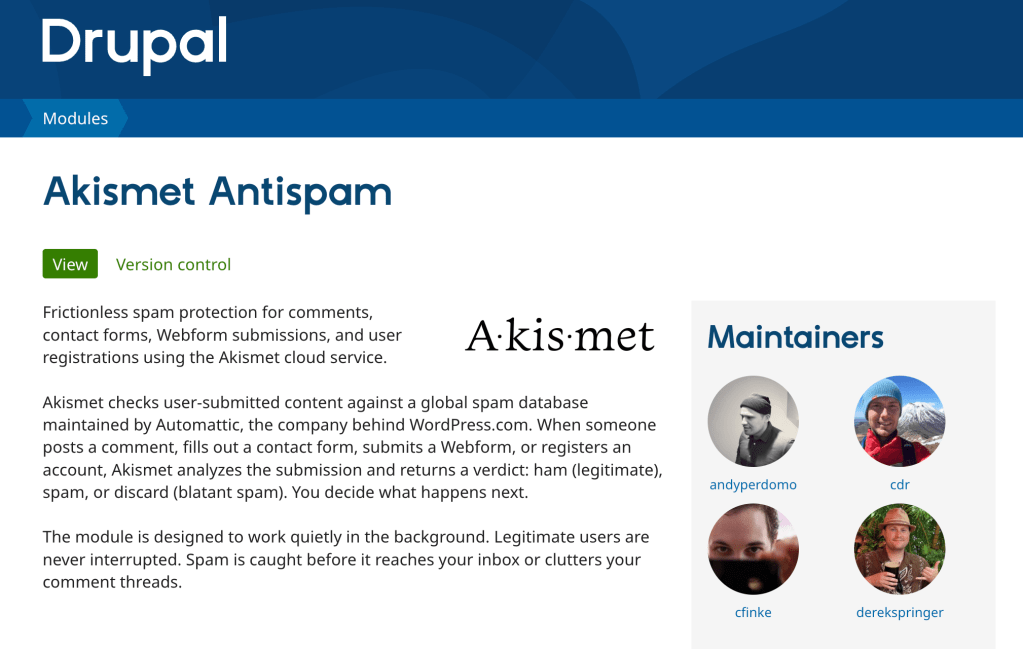
Akismet: Introducing the official Akismet Drupal module

Image

The official module is here!

For two decades, Akismet has done one thing exceptionally well: keep spam out of WordPress. Now we’re bringing that protection to Drupal. The official module is here, built by the team behind Akismet as a native Drupal module. It guards your site with the same spam-fighting service that keeps comments, contact forms, and signups clean across millions of sites.

Protection where spammers actually go

Spam doesn’t stop at comments, so neither does the module. Once it’s set up, Akismet checks the forms spammers target most:

  • Comments
  • Contact forms
  • Webform submissions
  • User registrations

It runs every submission through Akismet in the background and quietly filters the spam out, so you see less of it and your visitors never notice it’s there.

Built for Drupal, the Drupal way

We wanted this to feel like a first-class part of your site, not a bolt-on. The module follows modern Drupal conventions, and plays nicely with other anti-spam tools like Honeypot and CAPTCHA if you already use them. It also adds invisible bot-detection signals that catch automated junk before it ever reaches the API.

Tools for moderators

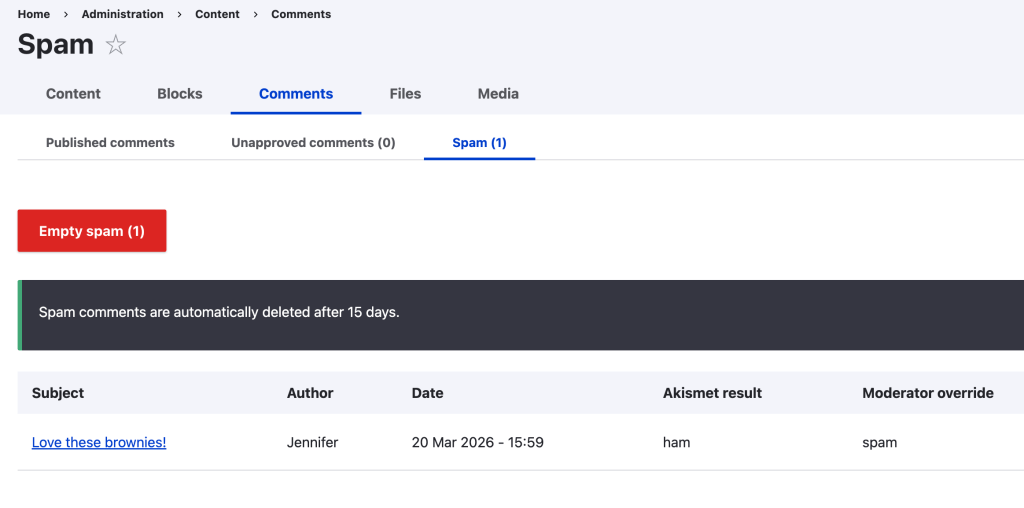
For the spam worth a second look, there’s a dedicated review queue and one-click actions on every comment. Each correction goes back to Akismet, so the filter keeps getting smarter about your site. An admin dashboard shows your stats at a glance, and built-in GDPR export and erasure tools make honoring data requests straightforward.

Image

Getting started

You’ll need an Akismet API key. Grab one at akismet.com, then install the module with Composer:

composer require drupal/akismet_antispam

Enable it, add your key on the settings page, pick which forms to protect, and you’re done. The module needs Drupal 10.3+ and PHP 8.1+, and it’s released under the GPL. You’ll find the docs and issue queue on the Drupal.org project page.

We’re excited to bring Akismet to the Drupal community. Give it a try and tell us what you think.

by Derek Springer at June 01, 2026 01:00 PM

May 31, 2026

Matt: Maybe

I think I heard this parable somewhere in the 14 hours of Alan Watts lectures someone recommended to me in 2017, but here’s a beautiful 2-minute version I’d love to share for everyone going through something.

I really appreciate the love and support I received after the WP23 post, and I do want to tell people I’m okay, the post was part catharsis and part giving voice to what I see and hear privately from people who aren’t public figures.

On weekends, I like to look back on the week and find a silver lining or learning from things that were challenging. It helps reframe things. After it was reported that I had 21 hours of depositions over 3 days, people were like “wow that must have been terrible,” but actually, while the prep and process were intense, I found it energizing and I learned a ton. Will post more about that later. You never know where things will lead.

by Matt at May 31, 2026 04:49 AM

May 30, 2026

Greg Ziółkowski: Research: The Workspace Boundary for Agent Memory

A clear pattern is emerging in how major AI and workspace platforms handle long-term agent memory. The core idea is simple: store memory in the smallest durable workspace that users already recognize, such as a project, repository, document, workspace, namespace, or site. Then, rely on the platform’s existing permission system to decide who can access […]

by Greg Ziółkowski at May 30, 2026 01:18 PM

May 29, 2026

Open Channels FM: The Human Touch in a Podcast

In this commentary Bob emphasizes the importance of blending human creativity with AI tools in content creation, advocating for authentic, human-driven commentary in their work.

by Bob Dunn at May 29, 2026 09:21 AM

Open Channels FM: Solving the Identity Challenge in Decentralized Social Networks

Decentralized social networks face challenges in identity resolution, complicating user interactions across platforms. Ensuring seamless experiences without centralization is the key to mainstream adoption.

by Bob Dunn at May 29, 2026 09:07 AM

May 28, 2026

WordPress Foundation: Open Horizons in Action: What Our First Cohort Has Been Up To

Important note: Programs like Open Horizons are made possible by the WordPress Foundation. Ongoing legal action by WP Engine threatens the Foundation’s ability to continue supporting scholarships, education programs, and community initiatives like this one.

A scholarship is supposed to do more than cover a flight. Here’s what the first round of Open Horizons recipients have done since they came home from WordCamp US 2025.

When we launched the Open Horizons Scholarship in May 2025, the goal was simple: help WordPress contributors get to the events that would otherwise be out of reach..

Six recipients made it to WordCamp US 2025 in Portland – coming from Malaysia, Guatemala, India, Costa Rica, and across the United States. Several months later, we took a look at what they’ve been contributing to the WordPress project since the conference.

The short version: a lot.

Here’s the long version.

Mainul Kabir Aion 🇲🇾

Organizer · @aion11

Mainul has stayed remarkably busy since WCUS. He’s been mentoring organizers at WordCamp Barishal in Bangladesh, wrote a post for the WordCamp Asia 2026 site, kept up with users in the plugin support forums, and shipped multiple plugin releases through the WordPress SVN repository. (He commits regularly enough that “regularly” probably undersells it.)

Frank Calderon 🇬🇹

Volunteer · @fgcalderon

Frank came back from WCUS and went all-in on the Central American WordPress community. He organized and spoke at WordCamp Guatemala 2025, attended WordCamp San José 2025, was confirmed as a speaker for WordPress Developer Day 2026 San José, and joined the organizing team for Women WordPress Day Guatemala 2026.

If you’re keeping score: that’s four events Frank has shown up for, in the year since one event helped him show up.

Bigul Malayi 🇮🇳

Volunteer · @mbigul

Bigul has contributed across just about every WordPress project that takes contributions. He joined the Photos team at WordCamp Asia 2026 Contributor Day, has been steady on translate.wordpress.org (dozens of strings translated and reviewed in recent weeks), and has uploaded 3,187 photos to the WordPress Photo Directory.

Yes, three thousand one hundred and eighty-seven. We checked twice.

Kinjal Dalwadi 🇮🇳

Volunteer · @kinjaldalwadi

Kinjal has kept up consistent translation work on translate.wordpress.org in the months since WCUS; suggesting, translating, and reviewing strings on an ongoing basis, with her most recent activity just days before we wrote this post.

It’s the kind of quiet, steady contribution that makes WordPress usable in dozens of languages, and it’s exactly the long-term commitment we hoped to see.

Kelly Choyce-Dwan 🇺🇸

Organizer · @ryelle

Kelly’s contributions span Core, Gutenberg, and community infrastructure all at once. Since WCUS, she has authored the Call for Organizers post for WordCamp US 2026 in Phoenix, merged pull requests into both Gutenberg and the wporg-repo-tools repo, contributed to the WordPress 6.9 About page, and closed related Core Trac tickets along the way.

In other words, the kind of contributor whose name you see in a lot of changelogs.

Elineth Morera Campos 🇨🇷

Speaker · @emorera

Elineth has been turning her WCUS experience into a pipeline for new WordPress contributors. She completed the WordPress Credits Mentor’s Course on learn.wordpress.org, made WordPress contribution a required module in her curriculum at Fidélitas University, mentors students through the work, organized WordPress Campus Connect San José 2025, and contributed photos to the WordPress Photo Directory.

She effectively built a feeder system for the next wave of WordPress contributors.

What this tells us

A few things stand out.

Recipients keep contributing. Every WCUS 2025 recipient is still actively involved in the WordPress project, not as a thank-you, but because contributing is what they enjoy doing. The scholarship just removed the barrier to one specific event.

Impact compounds. Almost every recipient has helped other people contribute since WCUS; by mentoring, organizing local events, teaching students, supporting forum users, or making contribution easier through tooling. The dollars don’t stop with one trip.

Geography matters. Recipients came from countries you don’t always see well-represented at flagships, and the work they’re doing now is grounded in their local communities. That’s the whole point.

The first cohort isn’t the only cohort

We’ve also funded recipients for WordCamp Asia 2026 and WordCamp Europe 2026, and we’ll share their post-event contributions in future updates.

In the meantime: if you’re an active WordPress contributor with a confirmed role at an upcoming flagship WordCamp as an organizer or speaker, we’d love to read your application.

📝 Learn more and apply: https://wordpressfoundation.org/open-horizons-scholarship/

by Harmony Romo at May 28, 2026 08:12 PM

Open Channels FM: Navigating Neurodiversity in Tech: Why Sharing Strategies Matters

The tech industry is filled with diverse minds, and more people are discovering that neurodivergent perspectives, such as autism and ADHD are not just common in this field, but bring valuable strengths. Yet, many professionals grew up without a diagnosis or language to describe their differences. This can leave individuals navigating challenges without clear strategies, […]

by Bob Dunn at May 28, 2026 02:18 PM

Open Channels FM: The Value of Small WordPress Events in a Changing Tech Landscape

In this epiosde, Adam Weeks interviews Joe Simpson about reviving local WordCamps, emphasizing their unique value in fostering in-person connections, empowering new voices, and adapting to technological changes like AI in the WordPress community.

by Bob Dunn at May 28, 2026 01:20 PM

May 27, 2026

WordPress.org blog: WP23

WordPress at 23 is simultaneously both the strongest and most precarious it’s ever been.

Last week, we shipped WordPress 7 to the world. In seven days, 46% of all WordPresses, tens of millions across countless different hosting environments, are already on 7.0, auto-updated with no breakage. From a Raspberry Pi to the most secure sites in the world, like WhiteHouse.gov. Sit with that for a minute when you think of all the resources and all the projects that have had security problems in the past few weeks. No supply chain attacks, no security problems, just a stable, secure infrastructure doing its job invisibly to power a huge portion of the open internet.

I’m really proud of the capability and security of WordPress, and we should celebrate that. That accomplishment represents the work of thousands and thousands of people coming together to make the web a better place. Also, an iceberg of what is going on behind the scenes.

However, the release was not what I hoped it would be because so much time from key people was taken away by WP Engine’s attacks.

Silver Lake, in its immense 100B+ power, summoned a shoggoth in Quinn Emanuel that has been paperclip-maximizing legal torture that is not just going after Automattic and WordPress.org and me personally, but this Golem Jagannath is now trying to dissolve the WordPress Foundation itself, a non-profit with no employees or payroll that supports WordCamps and Open Source education around the world.

If you know anyone at Silver Lake, Quinn Emanuel, or WP Engine in that order, please beg, plead with them to stop the violence. End this internecine warfare that is threatening to destroy one of the last stalwarts of the Open Web.

It’s not fun and games anymore, not just business. This is having a real impact on people’s lives.

It took every ounce of will in my body, and I am grateful to thousands of hours of meditation, to not explode in rage when asked about pineapple on pizza and debating the meaning of Jean Baudrillard and “bastardized simalcra” when miles away, my closest friend is in a hospital bed waiting for a heart transplant.

I have colleagues LITERALLY DYING I can’t be with because Silver Lake / Quinn Emanuel / WP Engine shoggoth is trying to make it seem like I am hiding or destroying evidence because we rotate logs on wordpress.org or I have disappearing chats on Signal with romantic partners. I don’t curse, but this is so f-ed up I don’t know what to say.

If you don’t know anyone at these entities, please pray, meditate, and call on whatever forces or divine interventions you can to bring this to an end.

I reached out multiple times to resolve this with open arms; I’ve extended every olive branch; and I’ve even said positive things about Silver Lake and WP Engine in the press, trying to bring this to a close. Heather Brunner would not even come into the same room with me.

All of this from a stupid presentation I gave at WordCamp US 2024 about how private equity can hollow out high-trust-based Open Source communities that in the past 19 months has only gotten 16k views on YouTube.  

Silver Lake, you have already extracted all your pounds of flesh. I missed my Mom’s knee surgery. If you wanted me to suffer for my sins, I have, and probably deeper than you will ever know. WordPress and WordPress.org, and yes, even my flawed leadership, are at the heart of what has made WP Engine successful so far. You have so much money and power, you just got TikTok, the Trump administration loves you, you don’t need to control and take over WordPress, too. If you win, you destroy it, and then what? Please have mercy and stop trying to ruin people’s lives. Let’s move on.

by Matt Mullenweg at May 27, 2026 05:40 PM

WPTavern: #218 – Luke Carbis on the Future of WordPress Plugins: AI, Ethics, and New Directory Standards

Transcript

[00:00:19] Nathan Wrigley: Welcome to the Jukebox podcast from WP Tavern. My name is Nathan Wrigley.

Jukebox is a podcast which is dedicated to all things WordPress, the people, the events, the plugins, the blocks, the themes, and in this case, the future of WordPress plugins, AI, ethics, and new directory standards.

If you’d like to subscribe to the podcast, you can do that by searching for WP Tavern in your podcast player of choice, or by going to wptavern.com/feed/podcast, and you can copy that URL into most podcast players.

If you have a topic that you’d like us to feature on the podcast, I’m keen to hear from you and hopefully get you, or your idea, featured on the show. Head to wptavern.com/contact/jukebox, and use the form there.

So on the podcast today we have Luke Carbis. Luke has been immersed in the WordPress world for our round 20 years with experience touching upon many strands of the ecosystem. He started his own businesses, worked in agencies as a developer and product lead, contributed to WordPress Core, helped organise WordCamps, and is now a member of the Plugin Review Team. He also co-hosts the Crossword podcast.

Recently Luke delivered a talk at WordCamp Asia titled, beyond the guidelines, it’s time to evolve our standards for a safer plugin ecosystem. And today he’s here to share some of those ideas with us.

We start by talking about how WordPress.org’s plugin directory is facing a wave of new submissions driven largely by the rise of AI generated plugins. This has made it harder, both for quality plugins to stand out, and for users to find what they need, despite backend improvements and shorter review wait times.

Luke discusses how the current discovery and ranking systems can be games, how active installs play a key role, and why there’s room for improvement in surfacing the best plugins.

We also get into Luke’s suggestions for making the plugin ecosystem better, including ways to connect wordpress.org accounts with sites, streamlining discoverability and installation of both custom and premium plugins, and the idea of officially supporting a commercial plugin marketplace with proceeds potentially supporting Core contributors and community events.

A thread throughout this conversation, is how WordPress should respond to AI, not just as a technology, but as an agent of change in the community. We look at the ethical implications, generational divides in attitude towards AI, and the importance of strong leadership as WordPress faces a period of challenge and uncertainty.

If you’re interested in the future of the WordPress plugin directory, the role of commercial offerings, and how AI is reshaping open source communities, this episode is for you.

If you’d like to find out more, you can find all of the links in the show notes by heading to wptavern.com/podcast, where you’ll find all the other episodes as well.

And so without further delay, I bring you Luke Carbis.

I am joined on the podcast by Luke Carbis. Hello, Luke.

[00:03:38] Luke Carbis: Hey Nathan, how are you doing? I heard you had a great time in India.

[00:03:41] Nathan Wrigley: I had a great time in India. I think you had a great time in India as well. Is that true?

[00:03:46] Luke Carbis: Yes, I love India. There’s just something really special about it.

[00:03:50] Nathan Wrigley: Yes. I came away with an enormously favourable opinion of my time in India. I kind of wish that that episode had not come to an end.

We are back from WordCamp Asia, which is where I spent some time with you. You did a talk, presentation, over there, and it was entitled beyond the guidelines, it’s time to evolve our standards for a safer plugin ecosystem. Let’s get into that in a minute.

Before then, can you just give us your little potted bio? I know it’s a bit of a pedestrian question, but can you just tell us a small amount about yourself, probably related to WordPress, I guess?

[00:04:25] Luke Carbis: So I’ve been using WordPress for 20 years and also, you know, roughly there. And in that time I have done everything really from like starting my own small businesses, to working for agencies in developer roles, in product roles. Worked for hosts. I’ve worked for products and plugins, and I’ve started my own plugin businesses and sold them too. And now, after contributing here and there across a variety of different teams, I’m now part of the plugin team. So I’m spending a lot of time reviewing plugins.

[00:05:02] Nathan Wrigley: So you are very much aligned with the mission of today’s episode. So I’m going to read the blurb that was included in your presentation, just to give some context to that.

[00:05:11] Luke Carbis: I’ll tell you that I give this blurb to everybody who has to introduce me before a talk, and I get varying degrees of success in terms of their ability to reproduce the words written on the page. I’m eager to hear your rendition, Nathan.

[00:05:28] Nathan Wrigley: Okay. Here we go. I’m going to try it. I’m going to give myself one chance to get it right. It’s time to have a conversation about ethics in plugin and product design. We’ll learn that recognising and rejecting dark patterns isn’t about stricter rules, it’s about building trust through transparent, user centred design. How did I do?

[00:05:46] Luke Carbis: Oh, you did good. That wasn’t the one I was talking about actually. I thought were going to read my bio.

[00:05:52] Nathan Wrigley: Oh, well I’ll read your bio. Let’s move to there then.

[00:05:54] Luke Carbis: I put so much effort into that.

[00:05:55] Nathan Wrigley: This I’m definitely doing as a first pass. Here we go. Luke Cabris is a self deputised open source emissary and vigilante plenipotentiary for WordPress proletariat affairs. He’s one of the hosts of Crossword, and has been a part of the community as a plugin developer, Core contributor, release lead, WordCamp organiser, and member of the plugin review team. How did I do?

[00:06:18] Luke Carbis: Amazing actually. And I think like a big part of that, you know, speaking about the silly words I’ve chosen to put in there around proletariat and so forth, that does come from a genuine place and why I got into plugin review in the first place. And maybe we’ll get into some of that in this interview.

[00:06:37] Nathan Wrigley: Yeah, definitely. Okay, so there’s obviously an identified undercurrent of, dissatisfaction is maybe the wrong word, but you’ve clearly got some kind of estimation that things are not all going well in the plugin space. Because your talk, as I said, was talking about evolving standards for us safer plugin ecosystem. And the word safer there, I presume, implies that things could be improved.

So I guess I’m just going to ask you to lay out what it is that you believe the plugin landscape has a problem with, what’s going wrong? And then we can get into the remediation steps a bit later.

[00:07:10] Luke Carbis: Yeah, so when I was laying this out, I was thinking about, a lot about what I would do with the plugin directory if I could, if I could come in and change a bunch of things. And I realised that a lot of my bigger ideas are just not realistic.

So I would love to see maybe a plugin directory that was commercialised where plugins, you know, premium plugins could sell. But I think Matt’s been pretty clear that he’s not interested in doing anything like that, although maybe more recently had a change of heart on a bunch of things. So who knows?

I tried to stick to the basics and really, the changes that I proposed in this talk, I feel like they can get done. In fact, I can probably do them myself with a little bit of community support. And that’s the purpose of the talk.

And they’re really, mostly about this problem we’ve got with the directory at the moment where we’re just being inundated with loads and loads of new plugins. It’s becoming really hard to be able to stand out from the crowd as a product designer, and as a user, just figure out which plugin that I want to use. And of course, a lot of that is due to AI.

Nathan, we’ve seen, in the last 12 months, something like four times the amount of plugin submissions than 12 months ago. Isn’t that nuts?

[00:08:39] Nathan Wrigley: So I guess what I would say from there is, if I was to rewind the clock, I don’t know, let’s say three years, something like that, we had the same problem in that there was a deluge of things which needed to be approved from the plugin review team. A few bits and pieces were put in train, which actually appeared for a while to really get rid of that problem. You know, I think we got down to almost zero things in the queue for the plugin review team. And then coinciding almost perfectly, dovetailing into that came AI. The ubiquity of AI, the capacity of AI to create plugins and what have you. And that then presumably just turned that whole wheel back around.

And now we’re at the point where it sounds like the majority of the things which are in the queue are supposed to be AI plugins. You know, the idea that you may be able to rattle off 10 plugins in half an hour. On the face of it, that sounds like a great idea. Look, we’ve democratised plugin development and what have you.

But we have processes on wordpress.org which need to be satisfied and fulfilled so that they are measured, so that they are inspected, so that they pass the requisite number of tests and what have you. And we’re facing a problem just of numbers. There’s just numerically too many things happening all at once for the actual humans to take care of it. Does that sort of sum it up, or have I missed bits of that out?

[00:10:03] Luke Carbis: I would make a slight change to what you said actually, because the humans are actually taking care of it. We have been adding new people to the team, we have been improving our tools, and we’ve been using a bit of AI ourselves to be able to stay on top of the queue. And right now we’ve got about a week wait time before your plugin is reviewed. Now that’s always, like if you look historically, that’s a pretty good number.

Where you could be mistaken is if you look at the number of plugins waiting for review, right? You might see a lot, you might see 800, and that is much higher than it was two years ago, but we are getting through them a lot faster now.

So I think the metric to keep in mind is the wait time before review. Obviously we want to keep that at zero. Our team, we go into a critical mode. We say, oh, things are really bad if it’s two weeks. And so at the moment we’re one week, we’re pretty happy with that, trying to reduce it, of course.

The burden, there is a lot of burden on the Plugin Review team, but to me, that’s not the primary issue. The primary issue is if you create a product, if you create a plugin, then how do you stand out on the plugin directory amongst a thousand other plugins that do exactly the same thing? And if you are a user using WordPress, how do you find the right plugin for you? Or do you just give up on the plugin directory entirely and vibe code your own solution?

[00:11:30] Nathan Wrigley: Do you believe that is in fact the case? Do you think that possible submissions, the developers of, let’s say, I don’t know, countless plugins out there have just decided to do exactly that? Because they feel that, you know, they get through the week wait, the two week wait, the five day wait, whatever it is, their plugin is finally authorised, it’s on the wordpress.org repo, but then just crickets because of the way that the repo is structured, the way it surfaces things, the way it, I’m doing air quotes here, favours certain things. Is that the gripe really, that really it’s an unfair playing field? It’s sort of stacked in favour of some players as opposed to others.

[00:12:05] Luke Carbis: That’s been a long running gripe of the WordPress directory. That’s not a new gripe. That’s been around for a while. And in fact, we’ve really made some good progress towards changing up the featured plugins, for example. More the issue is the number of plugins. The number of plugins on the directory is growing just incredibly. And so it’s because of that it’s harder to stand out in the crowd.

[00:12:30] Nathan Wrigley: Yeah, the UI, I’ve always wondered how Google, for example, obviously billions of dollars spent fine tuning that algorithm. The anticipation, certainly when I’m using things like Google, is that it’s doing a credible job. But the truth is, I have no insight into whether or not it really is doing an incredible job, or whether I’m just missing out on a dozen things that would actually be superior given the search, and given the proclivities of Google to surface things based upon sponsorship or whatever it may be.

What does the wordpress.org, and again, I’m using air quotes, what does the algorithm actually do at present, to present what is on the page in the repository when I first arrive for the first time, or subsequently with search?

[00:13:15] Luke Carbis: One of the biggest differences between Google and WordPress search is that the, air quotes, algorithm is open source. And you can actually go on to GitHub now and have a look and examine exactly what it is. And it’s a whole range of things. I probably couldn’t do a good job of summarising it, but it takes into account recent reviews. It takes into account the plugin author’s ability to respond to support on the forums. And of course it takes into account keyword matching in the title and description and things like that.

There is a cutoff, if I recall, on the length of the description that is included in the search thing to prevent people keyword stuffing. And that’s something we look carefully at during plugin review. There’s a whole heap of things, of course.

[00:14:01] Nathan Wrigley: Are you satisfied that those whole heap of things that make up the search, or the display for whatever it is that you’re searching for, or the default when you first arrive at the page, do you believe that there’s room for improvement there or, yeah?

[00:14:16] Luke Carbis: Oh yeah. Have you ever used the WordPress plugin search?

[00:14:18] Nathan Wrigley: Yeah, I really have. But curiously, given my background, I’m not the best candidate for doing searches because what I’m usually searching for is the name of the thing that I’m searching for. For me, because I’ve been in the WordPress space for such a long time and frequent all these different groups and learn from other individuals at WordCamps and things, I’m usually looking for the name of a product. Or certainly searching for this very specific, tight set of words around which I know it will surface. And then I find it. And use it.

However, if I was just, let’s go for example, with one of everybody’s favourites, SEO, if I just type in SEO and hit the button, I do not know what that would give me, and whether or not it would be a credible match for what I want.

And one of the things that I would add into that is Google’s algorithm being closed source. Whilst we, as an open source community, we don’t like the idea of that. There is something slightly ungameable about it. You know, there’s a big barrier between gaming the SEO on Google which WordPress doesn’t have, because once the algorithm is open sourced, it becomes, oh look, this is what we need to do to achieve rankings and so on.

[00:15:26] Luke Carbis: And there is a lot of attempts at gaming the algorithm. But one thing it’s really, really hard to game is active installs. And that is one of the big, big ranking factors. So if you have a plugin, if your plugin has risen to the top, then, yeah, it’s going to rank better. And that kind of makes sense from my perspective.

But then again, if you know what you’re looking for and you search specifically for the exact word and it comes up second or third or tenth in the search results, because it doesn’t have very many active installs, that’s a hard problem to solve.

[00:16:02] Nathan Wrigley: So what would be some of the remediation steps? It’s a bit of blue sky thinking this, and obviously everything that is about to come out of your mouth, caveat emptor, it might not happen, or it might be an idea which, you know, upon further reflection a year from now, you think, no, that wouldn’t have been a good idea anyway. But do you have some intuitions as to what you would like to try on the .org repo? You know, experiments to run for a short period of time to see what works and what doesn’t.

[00:16:26] Luke Carbis: I do have one experiment in particular I would love to run, but I have to set it up with you, Nathan. There’s a first step and a second step.

So the first step is, I want to be able to connect my wordpress.org account with my WordPress in install. So we’ve got this new Connectors API coming in WordPress 7, where we can connect our Open AI or our Anthropic accounts with API keys or whatever it is. I’d love to be able to log in with wordpress.org. I think that would be really cool. Now, have you ever tried going into the plugins, add new, and click favourites? What happens when do that?

[00:17:04] Nathan Wrigley: I have not, no.

[00:17:05] Luke Carbis: Okay. Well, I’ll tell you. Do you think it comes up with your favourites?

[00:17:08] Nathan Wrigley: Oh, I see. Yeah, okay. Yeah.

[00:17:11] Luke Carbis: You’ve just done it. It asks you to type in your username from wordpress.org. And that’s not a great user experience. And so if we were able to sort of connect up our wordpress.org account to our various installs, then at least we could have our favourites come up in our plugins. So that would be a step one.

And then a step two is I would love to be able to store a list of GitHub repos, doesn’t have to be GitHub, just Git, Git repos, where I have my own set of custom plugins. Or maybe even authenticated via token, premium plugins. And add that into my wordpress.org profile so that whenever I’m creating a new WordPress site, I can go plugins, add new, click on my, I don’t know, we could call it like untrusted sources, that’s what some other app stores call it. And then see a list from wordpress.org of GitHub repositories or whatever, repositories on various different systems where I can just download the zip into my WordPress site just as though I’d uploaded, you know, I’d gone, upload zip via that menu.

Why not? I think that would be a really cool experiment to run. That would allow people to run their own sort of alternative marketplaces in a sense. If they could get onto that untrusted sources list. And it also wouldn’t take away that control that wordpress.org really wants over the plugin directory, for good reasons. Because if there was an untrusted source that was nefarious or malicious, then we could just remove that from everybody’s profile also.

[00:18:50] Nathan Wrigley: So there’s a couple of things there. The first one was, it felt like something akin, now I have an Android phone. I don’t have experience with the iOS app store on a phone, but the Google Play Store I have familiarity with. And because it knows things about me from my past and the things that I’ve done in the past, it begins to have some sort of idea of, okay, here’s the kind of things that you like.

Now I’m not suggesting anything quite like that, but it feels as if there’s a step slightly towards that. In other words, given that your 10 sites that you’ve connected to wordpress.org, they all seem to have an SEO plugin in them, they’ve all got a forms plugin, they’ve all got some sort of caching solution. Those kind of heuristics might then say, okay, we know that you like those kind of things, here’s a bunch of stuff that’s around that. Did I get that right or have I sort of overstated what you were thinking?

[00:19:42] Luke Carbis: Yeah. No, that’s good. And incidentally, it’s also the first sort of required step if we were to ever go ahead and make the wordpress.org plugin directory commercial, and allow plugins to sell, or sell subscriptions. That login with WordPress would be a necessary step.

[00:20:02] Nathan Wrigley: Okay. And the next thing that you mentioned then was kind of like this idea of untrusted sources, or at least the capacity for you to say, I trust these things. And obviously, you know, we don’t want it to be that everybody ought to trust these things, so there needs to be a sort of volunteering in, or some sort of connection which you approve or something.

How many people are these days going out to places like GitHub? I’m imagining newbies to WordPress, probably no. But I’m imagining experienced people in WordPress, developers and what have you are certainly doing that. You know, they’re finding plugins over on GitHub and downloading them and doing all of that unnecessary work.

That is an interesting idea, isn’t it? Being able to bind it so that essentially it appears in the UI, you click a button, it just does all the things that you need to do. Yeah, that’s really interesting as well. And Git, you know, ubiquitously Git.

[00:20:48] Luke Carbis: Yes. And it’s not just other people’s plugins that people are trying to access. It’s a lot of your own plugins. And talking to plugin developers, talking to people submitting their plugins to the directory, a lot of the time people would be actually just happy if they could easily install their own plugins on their various websites and on their clients’ websites. That’s a part of them pushing it into wordpress.org, into the plugin repo is just to have it there accessible. They don’t really expect a lot of users. They’re not really going for some big product launch. They just want it there and available for when they build their website.

[00:21:29] Nathan Wrigley: Okay. And then let’s move on to what I think was the third of your points there, which was the more commercial side of things. The idea of putting premium plugins, let’s call them that. Essentially a plugin where there’s a fee in exchange for getting access to that code base.

Do you think that breaks some kind of promise that the community over 20 years has opted into? I suppose the argument from the more open source side, if you like, let’s call it that, would be that it’s going to, in its train, bring all sorts of unexpected consequences. You know, the pressure to, I don’t know, raise a 3% fee for wordpress.org, which people would say, okay, where’s that going to? You know, on the Apple iOS store and on the Google Play Store. I think it’s around 30%. But, you know, I was just taking Stripe as an example. Something like a 3% fee, but it could be anywhere, right?

And then of course you get into the whole argument of, okay, if there’s a fee attached to that and somebody’s getting paid for that, is there going to be a commercial pressure to promote only the ones where the fee is the highest, or the percentage that’s been agreed for that thing is the highest? You can see how it gets muddy basically fairly quickly.

[00:22:32] Luke Carbis: Yeah. It does get muddy and it does get messy, and I think it’s a necessary evil. Now, let me just start by saying I’m not really proposing this because the first step towards anything like this happening would be that wordpress.org must be transferred to the Foundation. That would have to be the first step.

And then the second step is, yeah, you’d have to charge developers a fee. I think actually 8% would be the right amount, okay? So we have 3% for payment processing and then Five for the Future. That’s always been the thing, right? So let’s stick with that. So let’s stick with 5% goes to the Foundation.

And what happens with that money? Well, we’ve got a problem in WordPress, don’t we? We have this problem that people aren’t contributing enough, and people don’t pay their due. And some of that is big plugins.

So what if we just put that into the foundation and use it to pay for WordCamps. Use it to pay for contributors. Use it to pay for the plugin review team. I’m not complaining. I’m a full-time sponsored contributor. But not all of the plugin review team are. So maybe use it to pay for some of those volunteer hours. I think that could be a really useful and helpful thing, especially if the Foundation has proper governance and proper oversight.

[00:23:53] Nathan Wrigley: I have literally no idea what the WordPress plugin ecosystem is, and again, I’m doing air quotes, worth. And so what I’m meaning by that is, I don’t know how many dollars move around on planet Earth each year in order to get access to pro plugins. I’m imagining it’s not a tiny amount.

[00:24:15] Luke Carbis: Not as much as WordPress hosting, but probably a lot more than people think.

[00:24:20] Nathan Wrigley: Right. Because we are in a, an ecosystem now where $97 per annum for this thing, and $47 for this thing, or $399 for this other thing. These are not numbers which kind of shock anybody. And 8% of $399 a thousand times over, a million times over adds up to quite a lot.

And so, again, I have no back of the napkin calculation there, but it does seem that that would be quite a considerable amount of money. The way that you’ve channelled it there, maybe that would be enough to satisfy people who don’t want there to be any commercial pressure inside of wordpress.org. I don’t know if you’ve had conversations with people who have a very different opinion, you know, you’re polls apart on this, and whether or not you’ve managed to persuade them with that argument or not.

[00:25:07] Luke Carbis: Yeah, look, Matt Mullenweg himself is polls apart from me on this last time I checked, and that’s okay. I get that perspective too. Introducing money into WordPress will have some big effect on the project. Maybe it’s the shock the project needs. But I personally am a fan of an expanding ecosystem. I love the idea that someone can make a living off WordPress. That’s what I’ve done for my whole career.

And if this goes another step towards enabling that for people, especially in the current climate where a lot of plugin authors and product companies and WordPress are experiencing a downward trends in terms of sales and conversions, then I think this could be a good sort of step in the right direction. Most importantly, it would give the confidence back into the market.

So I’ve been sitting, actually, Nathan, I’ve been sitting on a plugin that I probably would launch commercially as well. I’ve had it ready to go for 12 months or more with a friend of mine. We’ve launched successful plugins before. And we just haven’t launched it because we feel the timing isn’t right. We feel the WordPress plugin, the ecosystem isn’t an exciting place to be. People aren’t really interested in new products in this space, especially if it has nothing to do with AI. It feels like there’s a lack of momentum, a lack of movement in the WordPress product space, especially when it comes to the new launches, right? The last big launch I can think of was Event Koi. Maybe you’re more in touch than I am.

[00:26:45] Nathan Wrigley: No, that was a big moment for me as well, that did garner a lot of interest, yeah.

[00:26:50] Luke Carbis: And it seems like there’s a general sort of crickets when it comes to product launches in WordPress. Maybe this could be something to generate a bit more excitement again.

[00:27:00] Nathan Wrigley: I don’t quite know if it’s fatigue or what have you, but there’s definitely been a sort of slowing down of, maybe it’s because of, I don’t know, maybe people just more broadly are not kind of quite so into Facebook groups in the way that they were before, or maybe they’ve been used to unsubscribing.

[00:27:17] Luke Carbis: Could be AI. Could be a ton of different things.

[00:27:20] Nathan Wrigley: Yeah, I think all of those pieces play into it. But I do think you’re right. I think WordPress has got a bit of a fight on its hands in the future, trying to maintain its interest in what, for the younger generation coming up, will probably be a bit of an AI first world.

I would imagine for developers, the idea of being able to gain revenue directly at the source, and being able to be discovered directly at the source is quite an appealing thing. You don’t necessarily have to have the most incredible website. You don’t have to have an incredible marketing team to be discovered out in Google if you’ve got fighting chance to be discovered inside the repo, which is serving up the plugins to everybody. I imagine that’s quite an exciting prospect.

[00:28:05] Luke Carbis: Oh yeah. When was the last time, if you had to install an app for your phone, you went to a website? I don’t know what it’s like on Android.

[00:28:10] Nathan Wrigley: Not ever.

[00:28:11] Luke Carbis: No, you find it on the App Store. And not only that, but also if we did something like this, we’d have built into WordPress ways for developers to update their plugin. Right now, premium plugins have to ship their own updater, even though WordPress comes with one, right? Ways for WordPress to be able to handle a licence, or maybe not a licence key, but validate a purchase, right?

Right now, every premium plugin has to do that validation step. Where did you get the plugin from? Do you have a valid purchase? So it makes a world of difference for product teams when they don’t have to distribute, when they don’t have to do quite as much marketing. And discoverability is much easier when they don’t have to worry about how they’re going to handle updates.

Even just thinking through something like, am I going to have a premium plugin and a separate, a free plugin, or am I going to have a system where I have the free plugin and then my pro plugin extends that with actions, and so we have to have both active at the same time. Or am I just going to ship premium only and not have any free, and then I’m not discoverable on the directory anymore.

Like all of that it’s sort of solved in one step. It just makes launching a product for WordPress so much easier. But I just, I’m sitting here talking about how good it is, but I just don’t actually think it’s a realistic prospect.

[00:29:38] Nathan Wrigley: Yeah, because I suppose what I’m imagining as you’re saying these words, all of it, the wall that you are constructing, all of the bricks that you are laying out kind of makes sense. It all adds up. It seems completely credible. But then in the back of my mind, I’m kind of imagining there’s quite a lot of people shouting at their podcast player at the moment. Luke, no. This is pure, you know, this is the antithesis of what we want in an open source project. Money should never be bound to it. It should be free at the point of use. And you can see how all of that goes.

And those people, their message is clear. Their message is powerful. They’re very persuasive. They’ve equally got their wall that they’ve constructed, which is probably just as persuasive. I don’t know how you get these two sides to meet, because there’s no middle ground, right? You can’t have half of a paid for plugin ecosystem. Maybe you could, but that seems like destined to fail. It’s a bit of binary, isn’t it? It’s either, yep, we’re going to do it, or no, we’re not. And I can see that bifurcating the community in the way that almost nothing has in the past.

[00:30:38] Luke Carbis: Nathan, I’ve been reflecting on Matt’s, let’s say, reintroduction back into the project. After WordCamp Asia, he suddenly has become super active, as I’m sure you saw on Slack, and he’s writing all of these like paragraphs and paragraphs of like to do items, and change this and update that. And not always in that careful, accessible language that we’ve cultivated on the WordPress project.

But it’s been very clear. This is not good enough, this is what I want to have changed. And at first when I saw this, my reaction was frustration and even a little bit of anger. I don’t agree with your opinion. And after giving it a bit of time, what I’ve begun to realise is WordPress, I think it’s safe to say that WordPress has seen a little peril in the last little while, right?

We’ve been coasting along, but there’s no guarantee that we are going to remain relevant in the discussion of, what am I going to use to create my new website, a few years from now? In fact, the answer to that question, it very well may not include WordPress, a few years from now. That is a realistic possibility. Something needs to change. And the only thing that can cause us, that can pull us unstuck from where we are right now is a strong leader, who has a strong direction.

Now, that leader might take us in the wrong direction. That leader might come in with a strong opinion and we might just go off the deep end and the whole thing might just come crashing around down by our feet.

But also, if we don’t do anything, I think that’s just as likely to end up in tears. On reflection, I’ve decided mentally to recast Matt in my mind from being this Elon Muskian figure, to being someone more akin to Steve Jobs, or DHH, or these figures that are known to be a little rough around the edges, you could say, but also visionary in terms of their product thinking.

And so that’s the change in mindset that I’m intentionally taking now into the project, to keep me sort of a bit more motivated and to reframe just like the direction. What do we need as a project? And that’s what I think we need. We need clear, direct, active leadership.

[00:33:14] Nathan Wrigley: It’s kind of curious because the more recent past has seen an absolutely logarithmic growth in WordPress. I don’t mean in the last year or two, but let’s go over the last 15 years or something like that. And particularly over the last, let’s say eight years or something like that, it’s just grown and grown and grown. And I think it’s fair to say, maybe exactly as you characterised it, we have rested on our laurels.

And I think we could point the finger largely at AI, not entirely at AI. There’s a whole load of other things, history, politics, what have you, inside the WordPress space, which will have contributed. But there is definitely this inflexion point at the moment where a lot of people, I think, are questioning what is it that I need? What are the tools that I need to build a website? And so, like you said, there is this moment where there’s a precipice and that precipice seems to be getting a little bit closer.

And it has been curious watching Matt’s reaction. I’m just reading the same things that you’ve been reading. The appetite that has been displayed there, and the expression of, you kind of need somebody to take the helm, and we need to make decisions. And it was all born out of this frustration at something, which on the face of it really ought never to have happened. You know, this capacity to commit a certain thing, which was not able to be committed because.

[00:34:32] Luke Carbis: You talking about a Akismet?

[00:34:34] Nathan Wrigley: Well, yeah, a whole committee needed to decide on whether this, that or the other thing. Again, it’ll be really interesting, in the way that we discussed earlier about the plugin repo becoming commercial. It’ll be interesting to see how the community reacts to that.

I don’t know if you’ve got a, obviously you are leaning into that and thinking, okay, better to have a dictator that’s got a direction than just slowly withering away, the community dying over time and the project failing. It’ll be interesting see if everybody has that same reaction, or whether people regard that as something that they can’t tolerate. And whether or not indeed that itself will haemorrhage the community, you know, create another fork in the road if you like.

[00:35:14] Luke Carbis: Let’s talk about that. Like, let’s talk about, is the direction, we agree I think that we need a direction, right? We need clear, strong leadership. What about the direction though? How do you feel about this focus in on AI? I’ll give you a hint. For me, it’s hard to bet against AI, but the core, if you had to boil WordPress’ sort of spirit down to three words, for me, those words would be, code is poetry. And I don’t see that reflected in the AI focus. What do you think?

[00:35:51] Nathan Wrigley: My supposition is that when I got into any of the open source projects that I was ever into, there was this philanthropic bit of me which definitely got engaged by that. And so I loved that. I loved the kind of community side. I think it’s part of me as a human being. I’ve often, rebelled is too strong a word, but I’ve always managed to find my way away from situations where there was somebody telling me what to do. I’ve always enjoyed that capacity to do things on your own, or at least as a community to decide how things are going to be.

However, the world really doesn’t seem to work in that way. You know, the world that we occupy is led by companies which have a strong direction. Governments which have a strong intuition on what their citizens want, and so on and so forth.

And so I’m kind of drawn into the argument that you’ve just made. I think it’s worth a punt. I do not know what AI is going to do to our community. It may be that AI is going to upend everything so severely and so dramatically that no retrofitting of a CMS will be capable of stopping the inexorable rise of it, and we’ll all be using AI for everything from now on.

But it does feel like the framework has been built to allow AI to be an integral part of a CMS, which people are familiar with and willing to use over and over again in the decades to come.

But in terms of the leadership thing, I think it’s worth a punt. We know how in open source there can be atrophy. Things can just feel like you’re walking through molasses because the committee hasn’t decided the thing, and what have you.

That’s been okay. The history of WordPress demonstrates that that has actually worked. We’ve been able to get through it in that manner. But I’m not sure that facing a fairly, apocalyptic is the wrong word, let’s go with seismic, a seismic thing like AI, we’re up against a bit of a different animal now. And maybe we need to adapt our strategy.

And maybe it’s a temporary thing, you know, maybe that’s a way of dealing with it. I think, I could be wrong, memory could prove me wrong here. I’m pretty sure that in Matt’s Slack commentary that you’ve been referring to, I think it was a, it was a period of time, wasn’t, it? Wasn’t the proposal that I, you know, give me the reigns for a year, or something along those lines. I can’t remember. If I’m misrepresenting that, I’m sorry. But maybe it’s worth a punt. It certainly sounds like it’s convinced you anyway.

[00:38:15] Luke Carbis: Yeah. And then when we come to like AI strategy, there’s really two different aspects of that, right? We’ve got, how is AI integrated into WordPress? And I’ve been actually really, really happy with the direction that like the AI plugin has been going in. Because it’s all built around this principle of it being an add-on, being optional, I don’t have to use AI in my WordPress if I don’t want.

What worries me more is that there seems to be a real push from Matt and project leadership to be using more AI in our contributions, right? Using AI to create new pages on wordpress.org, using AI to create new plugins, right? Using AI to create pull requests and various other things.

And so that part I’m a little bit more cautious about. And I’m especially cautious from the perspective of like the generational change that WordPress needs right now. We need more young people involved in the project. And every time I speak to someone from Gen Z, they are not interested in using any kind of AI whatsoever. I don’t know if you’ve noticed the same. But Gen Z seems to have this huge anti AI thing about them.

I’m worried about pushing those people away, and also just anybody else who doesn’t want to use AI. So I do use AI, right? I use AI a lot. But there are real ethical concerns when it comes to AI. And to me, WordPress has always been this really welcoming, open, considerate, accessible community.

I can go to a WordCamp and get a kosher meal. That’s pretty special. You can go to a WordCamp and you can get the audio translated into your language on your phone from the talk that you’re going to. All of these like accessibility concerns have always been forefront. And I feel like if I want to opt out of AI, I don’t have that option if I also want to be a WordPress contributor.

[00:40:11] Nathan Wrigley: Yeah, it’s really interesting. I think the words to some, well, singular word to sum up my relationship with AI is confusion. I’m really conflicted by it because I can see the productivity gains on the one hand, and then on the other hand, I can see how potentially dehumanising it could be. And I slightly worry that we’re going to paint ourselves into a future in which the dehumanising wins out. And that concerns me.

I suppose the best analogy, and I’m just coming up with this on the fly, is it feels as if the aliens just landed and they’re now amongst us and there’s millions of them. And they’re just on our high street, and they’re walking around, and they’re in the supermarket, and there they all are.

And last year they weren’t there and life was just a bunch of humans and the animals that, you know, evolved on Earth. And suddenly we’re trying to figure out, okay, what do we do with these characters who are now part of our lives? But they’re way quicker than us at a million tasks, and they’re way faster than us, and way more productive than us. But also they are not us. Confusion is what I’ve got.

[00:41:19] Luke Carbis: I don’t think you’re alone. I think that’s a common feeling. The question I keep asking myself, keep coming back to is, are my children going to thank me for my AI contributions? Am I going to be like how I think of the, I don’t know, baby boomers? I look at the baby boomers and think, I’m a millennial, right? So I look at the baby boomers and think, oh, look, you wrecked the world with your corporate greed and pollution. Are our kids going to look at us the same way? Oh, you wrecked the world with your AI.

[00:41:49] Nathan Wrigley: That is definitely an outcome which has a non-zero chance of being true. And curiously, I have multiple children, to my knowledge, none of them use AI in any way, shape, or form. Now, that definitely maps to the kind of things that they’re interested in, but I do worry sometimes that the tech bubble that I’m in leads me to have this conception that AI will actually eat everything.

Whereas, AI is not going to get me to the swimming pool. It’s not going to get me to enjoy the view off the mountain nearby anymore than I enjoy already. You know, all these million things that it simply can’t do. But because I’m dwelling in a community which obsesses about it, and seems to portray the future as AI or broke, maybe I think about it too hard and maybe the breaks will come on because the next generation just won’t allow it, as you’ve described.

[00:42:42] Luke Carbis: I kind of hope so. Is that bad to say that? I don’t know. I enjoy using AI.

[00:42:46] Nathan Wrigley: Yeah, you end up where you are. You haven’t gone anywhere new. So it’d be, I suppose it’d be a bit like having an iPhone four forever. Is that bad? No, because everybody’s got an iPhone four forever.

[00:42:59] Luke Carbis: We just end up somewhere different though. We wouldn’t end up in the same place.

Can I tell you an anecdote which really sort of informs a lot of my thinking around this? I was in a classroom, it was a media arts classroom of 15 year olds. And we were talking about referencing. And I suggested to these 15-year-old students, why don’t you just send ChatGPT all of your sources and get it to output everything in Harvard style so then you don’t have to do anything. Just paste that into your reference list.

And a full half of the class stood up out of their seats and said, no sir, we do not use AI. That is bad for the environment. We’re going to get dumb if we use it. We refuse. I was shocked. And it was such a strong response.

Now that’s an anecdote, right? Might not be universal, although the Verge published this article just recently talking about how such a high percentage of Gen Z feel really terrible about the direction that AI is going in. So that’s, I think it’s worth consideration. And I’m not saying let’s not use AI in the project. All I’m saying is I think we need to hedge a little bit more than we are.

[00:44:14] Nathan Wrigley: What an interesting conversation. We started out with plugins and the plugin repository, and then we’ve smuggled in the conversation of our time, AI.

[00:44:22] Luke Carbis: I can bring it all together for you. Let’s bookend it. One of the suggestions in my talk is I would love to see, and I’d love to get your feedback on, and listener feedback on AI disclosure, an AI disclosure on the plugin repo.

So if you create a plugin, you can voluntarily opt in without anybody telling you that you’re lying or whatever. Let the market sort out whether people are going to try to game it or not, without any validation. You can just specify in your plugin headers that you used a certain level of AI. And it’s not AI, or no AI, because there’s a whole range, right? Might just use AI just for idea generation or auto complete. Or I might use AI somewhere in between. I might use AI just to vibe code the whole thing and never even look at the code.

So I’ve defined these five sort of different levels. They align with more like academic literature around AI disclosure. And I’m suggesting that what we do is we provide just a simple plugin header for people to be able to specify their level of AI use in their plugin, and have that surfaced on the plugin directory, alongside user reviews and last time you updated the plugin and things like that, just as a little bit of extra metadata.

It would do a couple of things. One is it would let us gather some data, first of all, about how many plugins use AI and how well they do. Maybe we find that plugins that use AI get frequent updates, and high reviews. And maybe we find the opposite. But we don’t have any way of knowing right now. We have no way of telling whether a plugin is using AI or not. So that’s the proposal.

[00:46:05] Nathan Wrigley: Yeah. No, it’s a really interesting idea because I know that in the podcasting space, which I’m familiar with as well as WordPress, that we have these 2.0 tags and one of them is this sort of declaration of whether or not AI has been used. But it’s not a sliding scale, it’s just sort of binary. I think there’s three choices. Yes, some, and the whole thing, or something along those lines. So it’d be interesting to see.

I think that’s a really credible idea. I suppose my only concern is, in much the same way that when I visited the person on the corner of my street who sells eggs on the street and there’s an honesty box, and we go and buy the eggs and we pop the money into the little honesty box. I am well aware that most of those eggs go missing. Nobody puts money into the honesty box. It’ll be interesting to see how that in itself would get gamed. In other words, if the intuition was, okay, people now love the declaration of, there’s no AI.

Let’s imagine a scenario where that turns out to be the popular thing, it would be an honesty box decision, wouldn’t it? Okay, I definitely built my entire plugin entirely with AI, but it’s going to promote much more effectively if I say that there was no AI used with that. You can see how the human in the loop is the weakest link there.

Okay, I think we’ll knock it on the head. Luke, what an absolutely fascinating and broad ranging discussion. Just before we go away, do you want to tell us a little bit about what it is that you do with your Crossword podcast just so that we can maybe get some earbuds listening to that as well?

[00:47:31] Luke Carbis: Yeah, absolutely. Jonathan Wold and I have been recording Crossword. It’s a WordPress podcast. We’ve been going for years and years, over a hundred episodes. We’re into season 11 now of Crossword, and love it if you would join us there and subscribe in wherever you get your podcasts.

[00:47:50] Nathan Wrigley: What’s the URL for the website?

[00:47:51] Luke Carbis: You can find us at crossword.fm.

[00:47:54] Nathan Wrigley: Perfect. Well, Luke, what a fascinating discussion. I really appreciate it.

Dear listener, we’ve been battling with the hail in Australia. We must have pressed pause a dozen times, and Luke’s had to repeat sentences over and over again. By the time this goes out, I’ll maybe have edited all of that away, but I appreciate your sticking power in what has proved to be a fairly fraught recording process. Thank you, Luke, for chatting to me today.

[00:48:17] Luke Carbis: Thank you, Nathan. See you later.

On the podcast today we have Luke Carbis.

Luke has been immersed in the WordPress world for around 20 years, with experience touching upon many strands of the ecosystem. He’s started his own businesses, worked in agencies as a developer and product lead, contributed to WordPress Core, helped organise WordCamps, and is now a member of the plugin review team. He also co-hosts the Crossword podcast.

Recently, Luke delivered a talk at WordCamp Asia titled ‘Beyond the Guidelines: It’s Time to Evolve Our Standards for a Safer Plugin Ecosystem’ and today he’s here to share some of those ideas with us.

We start by talking about how WordPress.org’s plugin directory is facing a wave of new submissions, driven largely by the rise of AI-generated plugins. This has made it harder both for quality plugins to stand out and for users to find what they need, despite backend improvements and shorter review wait times. Luke discusses how the current discovery and ranking systems can be gamed, how active installs play a key role, and why there’s room for improvement in surfacing the best plugins.

We also get into Luke’s suggestions for making the plugin ecosystem better, including ways to connect WordPress.org accounts with sites, streamlining discoverability and installation of both custom and premium plugins, and the idea of officially supporting a commercial plugin marketplace, with proceeds potentially supporting core contributors and community events.

A thread throughout this conversation is how WordPress should respond to AI, not just as a technology but as an agent of change in the community. We look at the ethical implications, generational divides in attitude towards AI, and the importance of strong leadership as WordPress faces a period of challenge and uncertainty.

If you’re interested in the future of the WordPress plugin directory, the role of commercial offerings, and how AI is reshaping open source communities, this episode is for you.

Useful links

Crossword podcast

Introducing the Connectors API in WordPress 7.0

Event Koi plugin

by Nathan Wrigley at May 27, 2026 02:00 PM

WordCamp Central: Happy Birthday, WordPress

Twenty-three years ago, a team of 2 friends released something into the world that they probably couldn’t have fully imagined the consequences of. Not just a publishing tool, though it became that for hundreds of millions of people but a reason to find each other.

WordPress just turned 23. And if you’re not yet part of this community, I want to tell you what you’re missing. It starts, usually, with a problem you need to solve. A website. A blog. A business that needs a home on the internet. You find WordPress, and it works, and you move on with your life. That’s how most stories begin here.

But then something else happens.

You find a forum thread where someone spent three hours helping a stranger debug a plugin for free. You find a WordCamp in your city and you show up mostly for the tote bag and the discount codes. You end up in a conversation over coffee with someone who has been building on WordPress since 2007, and they treat your questions like they’re worth answering. Because to them, they are.

That’s when the story changes.

WordCamps are where this community becomes visible in a way that’s hard to describe to someone who hasn’t been. The person who wrote the code that quietly runs your website is sitting two seats away from someone who published their very first post this morning. A developer who has contributed thousands of hours to core is sharing a lunch table with a grandmother in Uganda who just launched her first online store.

No hierarchy. No velvet ropes. Just people who showed up.

You stay because someone grabs your arm at the end of a session and says, your plugin changed my business, and they mean it in a way that lands somewhere deep. You stay because the late nights and the loud rooms and the occasional quiet moment in a hallway conversation turn into something you didn’t expect: friendship. Partnership. For some of us, something that feels a lot like family.

This is what open source looks like when it actually works.

Not obligation. Not corporate mandate. Gratitude. People giving back because something was given to them first, freely, without condition, by people they may never meet. The whole thing runs on a kind of trust that shouldn’t work as well as it does, and yet here we are. Twenty-three years in. Still going.

On this birthday, I want to name some of the people and organizations who make this community what it is, who show up, contribute, advocate, and remind the rest of us why we’re here.

People wishing WordPress a happy birthday:

@thehopemonger, @stephendumba1, @noelinenandago, @adityakane, @ssebuwufumoses, @kiviiri, @unintended8 among others

Image
Image
Image

And the companies whose work brings so many of us to WordPress in the first place:

Jetpack, WordPress.com, Woo, Hostinger, Bluehost, WooCommerce, Akismet, Gravatar, Automattic, Forth Focus, miniOrange, Elementor, Green Geeks among others

This list is not complete. It never could be.

The next WordCamp is coming. The late nights and the loud rooms and the quiet hallway moments are all waiting for you.

Don’t miss it.

Happy Birthday, WordPress. Let’s keep going—together.

#WordPressBirthday #WordPress #WordCamp #OpenSource #Community #Gratitude #Mukono #Kampala

by Moses Cursor Ssebunya at May 27, 2026 12:40 PM

Open Channels FM: Blackwall Sponsors Open Channels FM Founder for WordCamp Europe 2026

We are excited to announce that our founder Bob Dunn will be attending WordCamp Europe 2026 thanks to the support of Blackwall.

by Bob Dunn at May 27, 2026 10:00 AM

Open Channels FM: Get Ready for Open Channels FM Live, Our Upcoming Short Form Stream

Bob Dunn announces the July launch of Open Channels FM Live, a short-form live stream focusing on the intersection of open source and the open web.

by Bob Dunn at May 27, 2026 09:01 AM

Open Channels FM: BackTalk on Federated Packages, AI’s Uncharted Consequences, and WordPress Troubleshooting

Conversations on OpenChannels FM highlight a federated approach to package distribution, concerns over AI consequences, and utilizing Site Health tools for effective WordPress troubleshooting.

by Bob Dunn at May 27, 2026 08:33 AM

Matt: RIP Sonny Rollins

Sonny Rollins, the Saxophone Colossus, has passed. He is probably my favorite saxophonist, and while the aforementioned album is one of the five I would take to a deserted island, he has so many other good ones like The Cutting Edge which also has bagpipes, or Sonny Side Up with Sonny Stitt and Dizzy Gillespie.

WordPress 6.7 in November 2024 was named in honor of Rollins.

We rarely choose a living musician for a release so the team actually prepared a gift we sent to him with the names of all the contributors.

Image

Mr. Rollins,
Your immense contributions to music are a source of deep inspiration to the thousands of open source contributors to WordPress. We like to say ‘Code is poetry’, and we’re honored to pay tribute to you and your legacy of creativity and innovation by naming the 6.7 release of WordPress to you.

It was sent to his publicist, so not sure if he got a chance to see it, but I hope it at least gave him a chuckle to have a random Open Source project celebrating him.

He was the last surviving jazzer in the Great Day in Harlem photo.

Image

by Matt at May 27, 2026 01:21 AM

May 26, 2026

WordPress.org blog: Looking Ahead to WordCamp Europe 2026

Image

June 4-6, 2026 | ICE Kraków Congress Centre, Kraków, Poland

WordCamp Europe 2026 will bring the WordPress community together in Kraków, Poland, from June 4–6 for Contributor Day, two conference days, and a program shaped by the ideas, tools, and people moving WordPress forward. This year’s schedule includes two official keynotes, hands-on workshops, panels, and sessions across development, accessibility, artificial intelligence, content, search, business, education, security, and community.

The program offers a broad view of how WordPress is used today: as publishing software, a framework for building at scale, a tool for business growth, and a global open source project shaped by contributors around the world. Whether you build with WordPress, write for the web, support clients, teach new learners, or contribute to the project, WordCamp Europe offers a chance to learn from practical examples and connect them to the platform’s future.

Image

Keynotes at WordCamp Europe 2026

The keynote sessions at WordCamp Europe 2026 will give attendees two ways to look at WordPress today: through a large-scale institutional adoption story and through a broader closing reflection on where the project is headed. These sessions anchor the program while connecting many of the themes that appear throughout the conference, from infrastructure and governance to contribution, innovation, and the future of the web.

Image

Joachim Valdemar Yde and Francisco Borges Aurindo Barros will share how CERN is adopting WordPress as its future content management system. Their keynote will explore the governance, infrastructure, and migration work behind moving more than 800 websites onto a customized WordPress Service, offering a look at WordPress on an institutional scale.

Image

Ma.tt Mullenweg will close WordCamp Europe 2026 with a broader look at WordPress, the open web, and the ideas shaping what comes next. As the event’s final keynote, this session will bring together many of the conversations happening across Contributor Day, sessions, workshops, and community gatherings throughout the week.

Program Themes to Watch at WCEU 2026

The rest of the WCEU themes are organized around topics that reflect the breadth of the WordPress ecosystem. These themes give attendees a way to follow the sessions most relevant to their work, from building better sites and improving content discovery to growing sustainable businesses, strengthening security, expanding access, and supporting the people and communities behind the project.

Search, Visibility, and Discovery

Search continues to change, but helping people find the right information remains central to the web. WCEU’s search and SEO sessions look at how AI-generated answers, generative engine optimization, shifting user habits, and new discovery platforms are changing visibility for publishers, businesses, and builders. Sessions include Panel: The Future of SEO, with Kacper Bartoszak, Pam Aungst Cronin, Alex Moss, David Cuesta, and Jovana Smoljanovic Tucakov, as well as Emma Young’s AI Search: Why Your Whole Company Should Care, which looks at why AI-native discovery now affects content, development, partnerships, and business strategy.

AI and the Future of Building

Artificial intelligence has a dedicated presence at WordCamp Europe 2026, with sessions that move beyond general discussion and into practical use cases for marketing, product work, development, and site management. Vito Peleg’s Agentic AI & WordPress: From Prompts to Tools & Systems will explore how teams can move from simple prompts to AI workflows that execute tasks, while Monika Dimitrova’s AI Won’t Save Your Marketing (but it might save your time and money) focuses on how small businesses can use AI without losing the strategy and identity that make their work effective.

Development and Technical Practice

Development sessions at WCEU will focus on how WordPress sites, tools, and workflows are built for long-term use. The program includes a Panel: Inside WordPress 7.0, with contributors discussing the release, its features, and the process behind it, along with sessions such as Anukasha Singh’s Smarter Plugin Permissions with the Abilities API, Ariel Ramos’s Headless WordPress API Security in 10 Minutes, and Dejan Rudić Vranić’s hands-on workshop Build Your Developer Portfolio: A Hands-on Guide to FSE.

Accessibility and Inclusive Design

Accessibility is part of building a better web for everyone, and WCEU’s accessibility sessions give attendees practical ways to make digital experiences more usable, inclusive, and sustainable. This theme connects directly to WordPress’s project values, from how content is structured to how themes, plugins, and interfaces are designed. For designers, developers, content creators, and project leads, these sessions offer a chance to make accessibility part of everyday decisions rather than a final step at the end of a project.

Content, Writing, and Communication

Content and writing sessions at WCEU will focus on how clearer communication helps users find what they need, teams share what they know, and communities make information easier to understand. Pooja Sanwal’s Why Writing Still Matters in a Video-First Internet looks at the role of written content as video continues to dominate online traffic, Fernando Tellado’s Do You Really Need an SEO/GEO Pugin for WordPress? explores what WordPress can already do for visibility, and Birgit Olzem’s Documentation as a Love Language for the Future You looks at how simple documentation practices can help teams and communities preserve knowledge.

Security and Trust

Security remains central to maintaining websites people can rely on. WCEU’s security-focused sessions look beyond basic reminders and into the risks, systems, and decisions that shape safer WordPress experiences. The broader program includes talks on AI-assisted spam and bot detection, plugin permissions, and secure headless WordPress architectures, giving attendees practical ways to think about resilience, trust, and responsible site management.

Business and Sustainable Growth

The business sessions at WCEU will explore how WordPress professionals turn ideas, services, and products into sustainable work. Debbie Levitt’s Three Levels of Atomic Product-Market Fit looks at how teams can understand product-market fit beyond a single metric, Irfani Silviana’s WordPress ROI Map: Engineering Business Value with BMC connects technical decisions to business outcomes, and Liza Bogatyrev’s Stop Positioning Into Obscurity to Unlock Growth focuses on how clearer positioning can support revenue and adoption.

Education, Contribution, and Community

WordPress grows when people can learn, participate, and find a place to contribute. WCEU’s education and community sessions include Panel: Rethinking Learning in WordPress, featuring Mary Hubbard, Rade Jekic, Klaus Harris, Natalia Basiura, and Benjamin Zekavica, along with Daniel Grzonka’s The New Engineer: Psychology, Systems, and Open Source, Ivana Ćirković’s What It (Really) Means To Be a Part of the WP Credits Program?, and Jörg Pareigis’s Sovereign University AI Tutors Powered by WordPress. Together, these sessions connect contributor onboarding, academic partnerships, open source learning, and the future skills people need to work with WordPress.

Explore the Full Program

WordCamp Europe 2026 will bring together many parts of the WordPress ecosystem in one place: software, publishing, business, design, education, and community. The keynotes and theme-based sessions offer a broad look at how WordPress is being used today and how contributors, builders, and users are preparing for what comes next.

Explore the full WordCamp Europe 2026 schedule and choose the sessions that match how you use, build, teach, support, or contribute to WordPress. Tickets are available now for attendees joining the community in Kraków. All sessions will be live streamed. Keep checking back for updates. 

Image

Kraków is calling. See you at WordCamp Europe 2026!

by Brett McSherry at May 26, 2026 12:52 PM

Open Channels FM: New Tools and Updates in WordPress 7.0 for Developers and Content Managers

WordPress 7.0 "Armstrong" introduces significant updates including visual revisions, responsive block visibility, and enhanced workflow features, promoting collaboration among users and developers while emphasizing safe updating practices.

by Bob Dunn at May 26, 2026 09:00 AM

May 25, 2026

Open Channels FM: Why Structured Content Matters for Large-Scale Websites

Content management systems are constantly evolving to meet the growing needs of organizations with vast amounts of information to share. One topic that’s often overlooked until it becomes a problem is how structured data impacts editorial efficiency and long-term website success. When a site has hundreds, or even thousands of individual pages, keeping everything organized […]

by Bob Dunn at May 25, 2026 09:47 AM

May 23, 2026

Gutenberg Times: WordPress 7.0 released, 7.1 in planning, Block Bits and WordCamp Europe coming up — Weekend Edition 366

Hi there,

It’s good to be home again. It was an unusually long break, but I appreciate the series of official bank holidays that morph into long weekends away from the computer.

And of course, the catch-up is overwhelming. The creativity inside the WordPress community around content creation, development and design is highly energizing.

And it’s WordPress 7.0 release week! It’s finally here!

So don’t let me keep you any longer. Enjoy! 🎉

If you want to stop long enough to send me a note, I’d be delighted to hear from you.

Yours, 💕
Birgit

WordCamp Europe is coming up fast. It’ll take place Jun 4 to 6, 2026. The schedule just was posted. If you still are on the fence about getting your ticket. Here are another 49 reasons to head to Krakow. The schedule lists 34 Talks, 3 Panels, 10 Workshops and 2 Keynotes.

For armchair WordCampers, like myself, there will be a livestream. After the WordCamp recordings will be uploaded to YouTube and WordPressTV.

A first selection of what I might watch:

if you rather stay in North America, WordCamp US just opened up the online ticket booth. It’ll take place from August 16 to August 19, 2026, in Phoenix, AZ. The calls for sponsors and speakers are also available now. The deadline for speaker submissions is next week Friday May 29, 2026.

Developing Gutenberg and WordPress

WordPress 7.0 “Armstrong”

After the decision to remove Real-time Collaboration from the release because it needs more time in the oven, so to speak, the release squad was really busy to produced RC 3 – 5 before the final release on Wednesday May 20, 2026.

Read more via the WordPress 7.0 “Armstrong” release post.


Justin Nealey product manager at GoDaddy breaks down why WordPress 7.0’s three new APIs matter far more than the headline features for plugin developers. The Connectors API means site owners manage their own AI provider keys centrally; WP AI Client gives you a single provider-agnostic call to invoke any model; and the Abilities API turns your plugin into something the site’s AI agent can reach for autonomously. Together, Nealey argues, your plugin stops being a destination users visit and becomes a verb the agent performs.


Ronak Vanpariya, web developer on Gujarat, India digs into why Real-Time Collaboration was pulled from WordPress 7.0 with a five-point technical post-mortem. You’ll learn how RTC had to work across every corner of the Site Editor, how simultaneous edits triggered race conditions corrupting block data, and how the feature’s reliance on persistent server connections would have overwhelmed shared hosting environments. Memory bloat on older devices and recurring block-tree breakage uncovered by fuzz testing sealed the decision. The feature lives on in the Gutenberg plugin.


Mike McAlister, creator of Ollie, released a video walkthrough of WordPress 7.0 covering the features he sees as most impactful for site builders. He walks through the new AI infrastructure — WP AI Client and the Connectors API — content-only pattern editing, customizable mobile menu overlays, block visibility controls for responsive design, per-block custom CSS, visual revisions, the new Icon and Breadcrumbs blocks, an upgraded Font Library screen, and a command palette shortcut.

In other WordPress Core news:

Immediately after the release of WordPress 7.0, Jeff Paul published the WordPress 7.1 Call for Volunteers. Work has already started since the firsty 7.0 Beta in February. The first beta for WordPress 7.1 is roughly eight weeks out and scheduled for July 15, 2026, and the final release for August 19, 2026 aimed at the last day of WordCamp US.

In addition to the punted Real-time collaboration feature, I discovered a few tracking issue for WordPress 7.1 already:

  • #76525: Block Supports and Design Tools in WordPress 7.1 Opened by Aaron Robertshaw, this tracks new and enhanced block supports for 7.1, carrying over items descoped from 7.0. A living issue is updated as supports are added or dropped from the release scope.
  • #75707: Block Visibility: Configurable Breakpoints and theme.json Integration The follow-up to 7.0’s block visibility work. The goal is to let themes define custom breakpoints via theme.json and make visibility extensible for future responsive features — laying a solid foundation before more viewport-aware tools arrive.
  • #76045: DataViews, DataForm, et al. in WordPress 7.1 Tracks continued iteration on DataViews, DataViewsPicker, DataForm, and the Field API. Key work includes migrating @wordpress/dataviews to the new Design System primitives and extending DataForm to PHP-only blocks.
  • #77199: Block Bindings in WordPress 7.1 Narrowed in scope to match contributor availability. The headline goal is integrating the Block Bindings UI into Block Fields and removing the previous Block Bindings UI, plus adding Block Bindings support for the Cover block.

First-time release lead Paulo Trentin brought us the latest version for the Gutenberg plugin, 23.2. In his release post What’s new in Gutenberg 23.2? (21 May he highlighted: You can now style blocks differently for tablets and phones right from Global Styles, so your designs adapt to each screen. Pop-up dialogs slide up from the bottom on mobile, making them easier to tap one-handed, and animations across the editor now share a consistent feel. You’ll also see smoother Content Types management, friendlier Shortcode handling, clearer Revisions diff markers for better accessibility, and steadier real-time collaboration when teammates edit together.


Justin Tadlock rounds up what’s new for WordPress developers in May 2026, with WordPress 7.0 landing on May 20. You’ll find early details on the Content Types experiment for managing custom post types and taxonomies in Core, a new @wordpress/grid package for building grid-based editor UIs, revisions support extended to templates and patterns, and a wave of block fixes covering the Tabs block, Image alignment, Search block styling, and Global Styles rendering.

Screenshot of the new Custom Post type creation interface

If you are interested in learning more about this, the Content Types tracking issue outlines the experiment to bring custom taxonomy and post type management into the WordPress editor. The initial focus is on simple use cases — complex ones stay in plugin territory — with open tasks including a dedicated creation page, richer fields, a quick-edit versus full-edit distinction, and deeper DataViews integration. It’s a living issue and community input is welcome.

🎙 The latest episode is Gutenberg Changelog #130 – WordPress 7.0, Gutenberg 22.9 and 23.0, WordCamp Europe, Block Themes and More with Tammie Lister, Chief Product Officer at Convesio

Image

John Blackbourn clarified WordPress’s PHP support stance in a post that’s worth flagging for developers and hosts. The “beta” label for PHP 8.x support has been retired and removed retroactively from all WordPress versions. It was discouraging hosts and developers from upgrading. In short:

  • The minimum recommended version remains PHP 8.3;
  • the minimum supported version is PHP 7.4.
  • Versions 6.9 and 7.0 now officially fully support PHP 8.5,
  • Versions 6.8 and later fully support PHP 8.4, and
  • Versions 6.4 and later fully support PHP 8.3.

Jeffrey Paul recaps what’s new in the WordPress AI canonical plugin 1.0.0, a milestone release landing alongside WordPress 7.0. Two new governance experiments stand out:

  • Request Logging gives administrators visibility into every AI request fired across Core, plugins, and themes;
  • Connector Approvals lets admins control which plugins can access configured AI providers.

Beyond governance, you’ll find comment moderation upgrades with sentiment and toxicity sorting right in the dashboard, AI alt text generation baked into the media editor workflow, and editorial workflow terminology tidied up. Looking ahead to 1.1.0, the team is exploring type-ahead suggestions, focus-aware crop suggestions, an AI Playground, and C2PA content provenance tracking for both text and images.

Rae Morey, editor of The Repository, took a deeper dive into this release: WordPress AI Plugin Hits 1.0 Milestone With New Request Logging and Connector Approvals Experiments

Plugins, Themes, and Tools for #nocode site builders and owners

Jay Walsh, Director of Communications at Woo, announced that WooCommerce stores can now sell directly on YouTube via the Google for WooCommerce extension. You connect your store, tag products from your catalog in videos and Shorts, and they surface as shoppable cards while viewers watch — and also appear in your Channel Shopping tab. The same Merchant Center product feed that powers Google Shopping and Performance Max campaigns keeps everything in sync automatically, with AI-generated ad creative variations across formats included in version 3.6.


Milind More, Senior WordPress engineer at rtCamp introduces three new connectors for the WordPress AI plugin:

  • OpenRouter for routing across hundreds of models with cost optimization,
  • LM Studio for fully local inference suited to GDPR-sensitive workflows, and a
  • Universal OpenAI connector for any OpenAI-compatible endpoint including Ollama, Groq, and Mistral.

All three are built on the same PHP AI Client SDK heading into WordPress Core 7.0, so your setup today carries forward without code changes after the upgrade.


Artur Piszek explains how he uses WordPress as a sync backend for Obsidian with PushMD. This plugin was created with Adam Zielinski, the maker of Playground. It allows you to treat your WordPress site as a git remote using the REST API. You can git clone your blog as plain .md files. Write in Obsidian and push updates to sync. This setup turns your site into a repository without needing an external service. It is also compatible with the upcoming Guidelines/Artifacts system in WordPress Core, which lets you store private notes and configurations there too.


Seth Rubenstein at Pew Research Center shared a preview of PRC Block Bits, now open-sourced on GitHub. Block Bits solves a specific gap between block bindings and RichText: where bindings replace an entire block’s content with dynamic data, a “bit” lets you embed small dynamic pieces — an inline icon, a copyright year, live text — right in the middle of a paragraph or heading. You register bits via a PHP and JS API, choose between a pure-PHP callback or Interactivity API strategy, and an editor toolbar dropdown handles insertion. Built-in bits for icons and copyright ship out of the box.

Theme Development for Full Site Editing and Blocks

Damir Tahiri of Rareview has open-sourced the WordPress starter theme that underpins every one of the agency’s builds. It’s Gutenberg-ready, ships with global style variables, includes a one-command Figma sync, and runs an interactive setup that renames and configures everything automatically. You can grab it on GitHub and use it as the foundation for your own projects.

 “Keeping up with Gutenberg – Index 2025” 
A chronological list of the WordPress Make Blog posts from various teams involved in Gutenberg development: Design, Theme Review Team, Core Editor, Core JS, Core CSS, Test, and Meta team from Jan. 2024 on. Updated by yours truly. 

The previous years are also available:
2020 | 2021 | 2022 | 2023 | 2024

Building Blocks and Tools for the Block editor.

On the WordPress Developer blog, Róbert Mészáros shows you how to get started writing WordPress E2E tests with Playwright, using a book review site built on Block Bindings as the test subject. You’ll set up wp-env and Playwright, write your first test against the admin dashboard, then progress to inserting block variations, verifying patterns with aria snapshots, and testing front-end output by creating posts via the REST API.


Also on the WordPress Developer Blog, Felix Arntz, Senior Software Engineer at Vercel, walks you through building a provider-agnostic image generation plugin using WordPress 7.0’s built-in AI Client. You’ll see how a single wp_ai_client_prompt() call handles provider routing, how support checks gate your UI gracefully when no image-capable provider is configured, and how the REST API and Media Library integration come together. The full source code is on GitHub at wptrainingteam/ai-client-imagegen.


Sérgio Santos, Lead Engineer at 10up/Fueled, diagnoses three specific bugs you hit when using RichText outside a block — in InspectorControls or a Modal. The format toolbar fills route to the wrong slot, the inline toolbar is opt-in via inlineToolbar, and isSelected never turns true outside a block context. Each problem gets a targeted fix, and the pattern has since been packaged as a reusable component in 10up Block Components.


Eric Karkovack walks you through using my.WordPress.net as a safe AI sandbox — no production site at risk. You install WordPress in your browser in two steps, add the AI Assistant app from the apps menu, connect it to Anthropic, OpenAI, or a local Ollama model, and start prompting. It’s a low-stakes way to explore what AI can do inside WordPress before committing it to a live environment, though API costs from OpenAI or Anthropic still apply.


Fresh from last week’s WordCamp Portugal:

  • Imran Sayed presented The Fastest Way to Build Gutenberg Blocks: Modern Tools, Scripts, and AI at WordCamp Portugal 2026. The talk cuts through the complexity of custom block development by focusing on practical, immediately usable workflows built around modern WordPress tools and scripts.
  • Milana Cap presented WordPress Gems for Devs: Accessibility with Interactivity API and makes the case that it’s one of the most exciting APIs to land in WordPress in recent releases, with positive implications not just for developer experience but for performance and user experience too.
  • Jorge Costa presented AI is in WordPress Core. Here’s How to Use It . The talk digs into the AI building blocks already shipped in WordPress Core — the WP AI Client, the Abilities API, and the MCP adapter, and shows you exactly how to bring AI-powered features into your own plugins, themes, and sites.
  • JuanMa Garrido presented WordPress Development and Management with Claude Code. The talk treats Claude Code as a command center for WordPress work, generating block themes from HTML designs, querying a production site in natural language, installing plugins, and reading error logs, all from the terminal. Three concepts are at the core: Skills, MCP, and the Abilities API.

Need a plugin .zip from Gutenberg’s master branch?
Gutenberg Times provides daily build for testing and review.

Image

Now also available via WordPress Playground. There is no need for a test site locally or on a server. Have you been using it? Email me with your experience.


Questions? Suggestions? Ideas?
Don’t hesitate to send them via email or
send me a message on WordPress Slack or Twitter @bph.


For questions to be answered on the Gutenberg Changelog,
send them to changelog@gutenbergtimes.com


Featured Image:


by Birgit Pauli-Haack at May 23, 2026 01:08 PM

May 21, 2026

Open Channels FM: BackTalk on Digital Patience, the Power of Story, Platform Longevity, and What Your Brand Says When You’re Not in the Room

BackTalk on topics like website wait times, storytelling in case studies, platform longevity, and brand positioning in today's digital landscape.

by Bob Dunn at May 21, 2026 01:27 PM

Open Channels FM: Artificial [fill in the blank]

AI: super-smart guesser or just a robot with a flair for the dramatic? Join our hosts as they grill gadgets, predict the future, and ponder if their devices need bedtime stories.

by Bob Dunn at May 21, 2026 09:30 AM