
Download Plenary – RSS feed reader, news aggregator, podcast player, offline reader
Overview
Plenary is a free Android application developed by Spians Labs, designed as a modern and versatile tool for managing digital content. As an RSS feed reader, news aggregator, podcast player, and offline reader, Plenary enables users to follow trusted blogs, magazines, news publications, YouTube channels, and podcasts from a centralized interface. The app is tailored for individuals seeking a streamlined way to consume content without relying on algorithm-driven feeds or intrusive advertising. It is particularly useful for professionals, students, researchers, and digital natives who value curated, reliable information sources.
The core purpose of Plenary is to simplify content discovery and consumption by allowing users to subscribe to multiple RSS feeds from the same website or publication. Once a feed is added, the app can automatically fetch new content based on user-defined intervals. Users can choose to download articles for offline reading, ensuring access to content even without an internet connection. This functionality makes Plenary ideal for commuting, travel, or low-connectivity environments.
Plenary supports a clean, intuitive workflow for adding and organizing feeds, with options to customize download settings, text appearance, and storage management. The developer did not provide additional system requirements or performance benchmarks. However, the app’s lightweight design and focus on core functionality suggest a streamlined experience optimized for Android devices.
Key Features & Capabilities
- Multi-Source RSS Feed Integration – Users can subscribe to RSS feeds from various websites, blogs, and publications. Multiple feeds from the same source can be added and managed independently.
- Offline Content Access – Articles can be downloaded and stored locally, enabling full offline reading. This is ideal for users who need access to content without an active internet connection.
- Automated and Manual Download Control – Users can choose between automatic and manual download modes. Automatic downloads occur based on a user-defined interval, while manual downloads allow on-demand access.
- Content Customization – The app supports customization of font, text size, theme (light/dark), and accent colors, enhancing readability and personalization.
- Storage Management – Users can configure the app to automatically delete old articles to free up device storage, helping maintain optimal performance over time.
- Podcast Integration – Plenary includes built-in podcast playback functionality, allowing users to subscribe to and listen to podcasts directly within the app.
- Ad-Free Experience – The app is completely free to download and use, with no advertisements, ensuring an uninterrupted user experience.
These features support a wide range of real-world use cases. For example, a researcher can follow academic blogs and journals via RSS, download them during downtime, and review them offline. A student may use Plenary to aggregate news from trusted sources and listen to educational podcasts during commutes. The ability to manage multiple feeds from a single platform reduces the need to switch between apps, improving workflow efficiency.
User Interface, Workflow & Performance
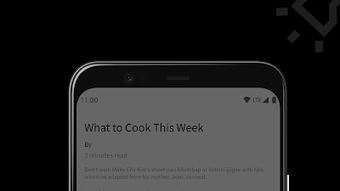
Plenary features a clean, modern user interface designed with usability in mind. The layout emphasizes content clarity and navigation simplicity, allowing users to quickly access subscribed feeds, downloaded articles, and podcast libraries. Navigation is intuitive, with a bottom tab bar or side menu providing access to core sections such as Feed List, Downloads, Podcasts, and Settings.
The workflow for adding a new RSS feed is straightforward: users input the feed URL, and the app processes it for inclusion. Once subscribed, content is fetched according to the selected interval. The process of downloading an article is equally simple—users can mark an article for download, and it is saved to the device’s local storage for later access.
Performance observations are based on general software behavior patterns. The developer did not specify resource usage details. However, with a file size of 15.4 MB, the app appears to be lightweight and optimized for efficient operation on Android devices. The app’s ability to function offline suggests stable local data handling. Stability during prolonged use was not documented, but the absence of ads and the focus on core features may contribute to a consistent user experience.
Compatibility & System Requirements
Plenary is designed exclusively for Android devices. The app is compatible with Android OS versions that support the application package format, though specific version requirements were not listed by the developer. The installation size is 15.4 MB, indicating a compact footprint suitable for devices with limited storage.
Exact system requirements were not listed. The developer did not provide details on minimum CPU, RAM, or storage specifications. However, the app’s lightweight nature suggests it should perform well on mid-range and newer Android devices. Compatibility with tablets and foldable screens was not confirmed. Users should ensure their device meets standard Android app installation criteria.
Pros and Cons
Pros
- Free to download and use with no ads
- Supports offline reading and automatic downloads
- Intuitive interface with customizable themes and text settings
- Multi-feed support from the same source
- Integrated podcast player with offline playback
- Automatic cleanup of old articles to save space
- Lightweight design with minimal storage footprint
Cons
- No information on minimum system requirements or device compatibility
- Automatic deletion of old articles may lead to unintended loss of content
- Limited customization options beyond font, theme, and colors
- No built-in search functionality for articles or feeds was mentioned
- Compatibility with non-Android platforms is not available
FAQ Section
Is Plenary available for iOS or Windows?
Plenary is currently only available for Android devices. There is no official version for iOS or Windows platforms.
Can I use Plenary without an internet connection?
Yes, once articles and podcasts are downloaded, they can be accessed entirely offline. The app is designed to support offline reading and playback.
Is Plenary safe to download and use?
Plenary is a free app developed by Spians Labs. It does not display ads and does not collect user data based on available information. It is safe to download from official Android app stores.
How often can I update my RSS feeds?
Users can set the subscription interval for feed updates. The app will automatically fetch new content based on the chosen frequency.
What kind of license does Plenary use?
Plenary is distributed as free software with no licensing restrictions. It is available at no cost for personal and professional use.
Final Thoughts + CTA
Plenary stands out as a focused, ad-free tool for users who value control over their digital content. Its combination of RSS feed reading, podcast playback, and offline access makes it a powerful utility for anyone seeking a reliable, distraction-free way to stay informed. The app’s lightweight design, customization options, and automated storage management enhance usability without compromising performance.
While the lack of detailed system requirements and limited search functionality may be drawbacks for some, the core features are well-executed and meet the needs of its target audience. For professionals, students, and digital content enthusiasts who prefer curated, algorithm-free content, Plenary offers a compelling solution.
Download Plenary now to take full control of your reading and listening experience.




.png)



