
Download CFA Pocketbook App – CFA, Country Fire Authority, SOPs, communication protocols, health and safety guidelines, emergency operations, acronyms index, calculators, location services, push notifications, search, favorites, brigade contacts
Overview
The CFA Pocketbook App is a dedicated educational and operational tool developed for members and staff of the Country Fire Authority (CFA). Designed to support effective emergency response, the application provides instant access to essential resources such as Standard Operating Procedures (SOPs), communication protocols, and health and safety guidelines. Its primary purpose is to ensure consistency, accuracy, and safety during firefighting and emergency operations by centralizing critical information in a portable, mobile format. The app is tailored for professionals in high-pressure environments where rapid access to reliable data can influence operational outcomes.
Target users include active CFA personnel, brigade staff, and operational support teams who require real-time access to standardized procedures and reference materials. The application supports on-the-ground decision-making by enabling users to quickly consult SOPs, verify safety protocols, and understand complex terminology through its built-in acronyms index. Real-world usage scenarios include pre-deployment briefings, incident command coordination, and post-operation debriefs, where quick access to verified procedures enhances response quality and team alignment.
Developed by the Country Fire Authority, the app reflects the organization’s commitment to digital readiness and operational excellence. The developer did not provide additional background on the app’s development process or team structure. Platform compatibility is limited to Android, with no information available on other operating systems.
Key Features & Capabilities
- Standard Operating Procedures (SOPs) Database: Centralized access to official CFA SOPs, allowing users to reference verified procedures during emergency operations or training sessions.
- Communication Protocols: Clear guidelines on radio communication, incident reporting, and inter-agency coordination, supporting consistent and effective messaging in high-stress environments.
- Health and Safety Guidelines: Comprehensive safety protocols to help users maintain personal and team safety during operations, reducing the risk of injury or exposure.
- Acronyms Index: A quick-reference tool that decodes common firefighting and emergency response acronyms, improving clarity and reducing miscommunication.
- Integrated Calculators: Built-in tools for performing essential mathematical tasks such as fuel load calculations, water volume estimations, and containment line measurements.
- Location Services Integration: Enables real-time tracking and location sharing, supporting situational awareness and coordination during field operations.
- Push Notifications: Delivers timely updates on policy changes, emergency alerts, or system updates directly to the user’s device.
- Search and Favorites Features: Allows users to quickly locate specific documents or procedures and save frequently accessed items for faster retrieval.
- Brigade and Staff Contacts: Direct access to contact information for brigade members and support staff, facilitating rapid communication during emergencies.
These capabilities collectively enhance operational preparedness and response efficiency. For example, a brigade commander can use the app to verify a communication protocol before deploying a team, or a firefighter can consult a safety guideline while approaching a hazardous zone. The integration of calculators and location services supports field-based decision-making, while the search and favorites functions improve workflow efficiency during time-sensitive operations.
User Interface, Workflow & Performance
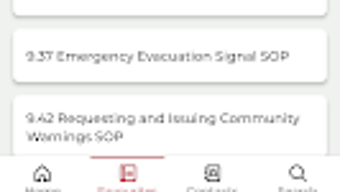
The CFA Pocketbook App features a user-friendly interface designed for quick navigation in high-pressure situations. The layout prioritizes accessibility, with clearly labeled sections and intuitive menu structures. Users can browse through categories such as SOPs, safety guidelines, and calculators with minimal effort. The inclusion of search and favorites functionality further streamlines access to frequently used content, reducing the time needed to locate critical information.
Workflow efficiency is enhanced through logical organization and direct access to tools. For instance, users can switch between the acronyms index, calculators, and contact lists without navigating back to the home screen. The app’s performance is expected to be stable under typical operational conditions, though exact performance details were not specified. The developer did not provide information on CPU or RAM usage, nor did they share benchmark data or load times.
Stability is assumed to be consistent given the app’s focus on reliability in emergency contexts. However, without official performance metrics, observations are based on general software behavior patterns. The app is designed to function reliably in field conditions, including areas with limited connectivity, though offline functionality was not explicitly confirmed.
Compatibility & System Requirements
The CFA Pocketbook App is compatible with Android devices, as specified in the provided information. The app version is 2.0.2, and its installation size is 25.4 MB. This relatively compact file size suggests efficient resource usage and minimal storage impact on mobile devices.
Exact system requirements were not listed, including minimum Android version, processor specifications, or memory thresholds. Compatibility information is limited to the operating system, with no details on supported device models or hardware configurations. The developer did not provide information on whether the app supports tablets, wearables, or other Android-compatible devices.
Users should verify device compatibility with their Android version and ensure sufficient storage space before installation. While the app is designed for field use, its performance on older or low-end Android devices remains unconfirmed.
Pros and Cons
Pros
- Free to download and use, eliminating cost barriers for CFA members and staff.
- Comprehensive database of SOPs, safety guidelines, and communication protocols.
- Integrated calculators and acronyms index improve operational accuracy and clarity.
- Location services and contact access enhance coordination during emergencies.
- User-friendly interface with search and favorites for efficient navigation.
- Push notifications ensure timely delivery of important updates.
- Compact file size (25.4 MB) reduces storage burden on mobile devices.
Cons
- Platform availability is limited to Android; no support for iOS or other systems.
- Exact system requirements were not specified, which may affect compatibility planning.
- Offline functionality was not confirmed, potentially limiting use in remote areas.
- Limited to CFA members and staff; not available for public download.
- No information on update frequency or long-term maintenance plans.
FAQ Section
Is the CFA Pocketbook App available for iOS devices?
The app is currently available only for Android. There is no official version for iOS devices at this time.
Is the app free to use?
Yes, the CFA Pocketbook App is free to download and use for eligible CFA members and staff.
Can I use the app offline?
Information on offline functionality was not provided. While some features may work without connectivity, this cannot be confirmed based on available data.
How often are updates released?
The update frequency was not specified by the developer. Users should rely on push notifications and official CFA communications for update alerts.
Is the app secure and suitable for emergency use?
As a tool developed by the Country Fire Authority for operational use, the app is intended to support secure and reliable access to official resources. However, specific security measures were not detailed in the provided information.
Final Thoughts
The CFA Pocketbook App stands out as a focused, mission-critical tool designed to support the operational needs of emergency response teams. Its integration of SOPs, safety guidelines, calculators, and communication tools makes it an indispensable resource for CFA personnel. The app’s emphasis on accessibility, quick navigation, and real-time updates enhances decision-making in high-pressure scenarios.
While its Android-only availability and lack of detailed system requirements may limit broader adoption, its targeted design ensures relevance and reliability within its intended user base. For CFA members and staff, the app offers a centralized, secure, and efficient way to access essential operational data.
Download CFA Pocketbook App now




.png)



