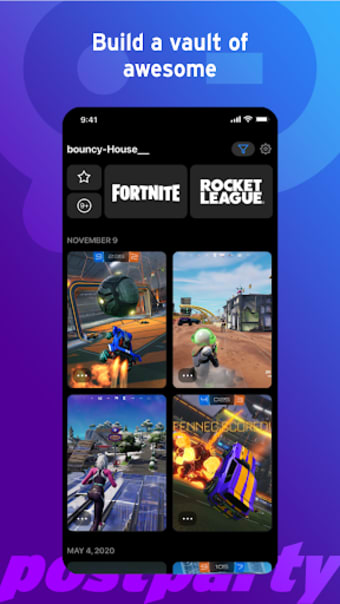
Postparty is a free social media companion app developed by Life on Air. It allows you to share photos and videos of your most impressive gaming moments with your friends and followers. It automatically saves and organizes your gameplay clips for easy access.
Whether you're a pro streamer or a casual gamer, Postparty makes it simple to save and share your gameplay highlights across various platforms. It will remind you to clip your best moments and allows you to edit and share them directly from the app. It supports almost all gaming consoles, so whatever console you're playing from, you're covered.
Collate your favorite gaming moments
With Postparty, it doesn't matter if you're playing from an Xbox, Playstation, PC, or Switch as it will still offer you the same functionalities to share your content. Simply log in to the app using your Epic Games account for a seamless sharing process. The app has an intuitive user interface and you won't get lost trying to figure out how it works.
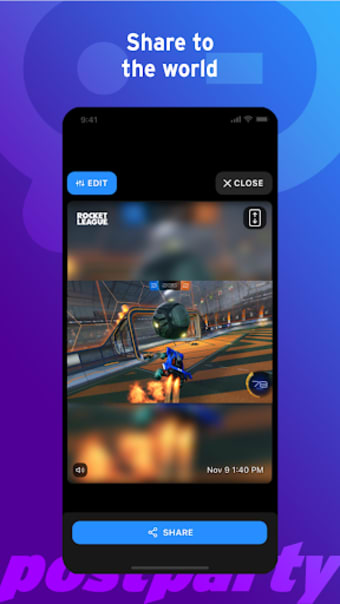
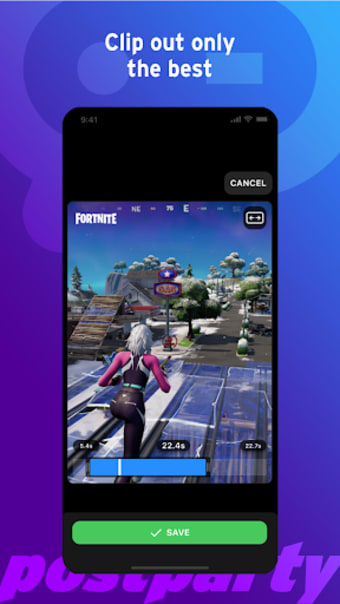
If you make an impressive move during a game, you will be prompted to trim and edit it to share with others on social media or through messaging, email, or any other method you prefer. You can also save it for later sharing. You can store your clips for easy access when you're ready to share them or simply rewatch them for personal enjoyment.
One thing about this service is it's not entirely a social media app, but rather, a companion. You will be clipping your gameplay with a click of a button on your controller, which varies on the brand you're using, and you will be given a variety of options for sharing. However, there are no options for cross-posting on different platforms at once. Highlight reels of your gameplay are also conveniently available.
Convenience with a click of a button
Overall, Postparty is a user-friendly app that allows gamers to easily trim and edit their gameplay and share it on social media, messaging, email, or other platforms. It works with Xbox, Playstation, PC, and Switch via your Epic Games account. However, it is a companion app rather than a social media platform and enables the automatic creation of personal gameplay highlight reels.
Pros
User-friendly interface
Offers convenient gameplay sharing
Cons
No options for cross-posting to different sites at once
Before downloading, you can take a quick look at the permissions this app may request on your device. App permissions allow certain features to work properly, such as accessing your camera to take photos, your location for maps, or your storage to save files.
In this section, you’ll find a clear and simple overview of the types of permissions the app uses, grouped by their level of sensitivity, along with a visual breakdown to help you understand them at a glance. This way, you can see how the app interacts with your device and decide to download with confidence.
Permissions types
Standard
56%
Non-standard
11%
Sensitive
33%
Permissions distribution
Privacy
33%
Data collected
33%
Data shared
33%
Data safety info
Privacy
3 permissions
Permissions that allow the app to access personal or sensitive information stored on your device, such as location, contacts, camera, or microphone.
android.permission.FOREGROUND_SERVICE
Standard
android.permission.DETECT_SCREEN_CAPTURE
Non-standard
android.permission.WAKE_LOCK
Standard
Data collected
3 permissions
Information the app may gather from your device or usage activity to enable features, personalize content, and improve overall performance.
android.permission.ACCESS_NETWORK_STATE
Standard
android.permission.ACCESS_WIFI_STATE
Standard
android.permission.READ_EXTERNAL_STORAGE
Sensitive
Data shared
3 permissions
Information that may be shared with trusted third parties to provide services, support app functionality, or deliver relevant content.
android.permission.WRITE_EXTERNAL_STORAGE
Sensitive
android.permission.POST_NOTIFICATIONS
Sensitive
android.permission.INTERNET
Standard
This report summarises the permissions declared by the app at the time of scanning and groups them into Privacy, Data collected and Data shared. A declared permission shows what the app can access, it does not necessarily mean personal data is collected or transmitted. For full details check the app’s privacy policy and the developer’s clarifications shown below. Softonic generates this report automatically from the package metadata; it is informational and not a substitute for a full security or privacy audit.
Laws concerning the use of this software vary from country to country. We do not encourage or condone the use of this program if it is in violation of these laws. Softonic may receive a referral fee if you click or buy any of the products featured here.