
Screenshots
App details
- Updated
- Jan 14, 2009
- Language
- Spanish,English
- Developer
- ppmate.com
- Category
- Mobile
About PPMate
Download PPMate – P2P TV, Chinese TV, English channels, TV schedule, streaming, online TV
Overview
PPMate is a peer-to-peer (P2P) television application designed to deliver live and on-demand content from major Chinese broadcasting networks, including China Netcom, China Telecom, and China Education. The app enables users to access a diverse range of television programming directly through their mobile devices, offering a unique gateway to Chinese media for international audiences. Its primary purpose is to bridge the language and accessibility gap by providing English-language content across most channels, allowing non-Mandarin speakers to engage with Chinese programming without language barriers.
Target users include expatriates, students, researchers, and global viewers interested in Chinese culture, news, education, and entertainment. The app’s ability to organize shows by date and category supports structured viewing, making it suitable for both casual and scheduled use. While the developer, PPMate, has not disclosed further background details, the app’s longevity since its release in 2009 suggests a stable and functional core design. PPMate plays a notable role in the mobile streaming ecosystem by offering a niche but valuable service—access to region-specific content with minimal language dependency.
Real-world use cases include monitoring daily broadcasts, following educational programming, or staying updated with cultural content from China. The app’s focus on signal quality indicators also enhances reliability, making it a practical tool for consistent viewing experiences.
Key Features & Functionality
- Language Accessibility: Most channels are available in English, removing the need for Mandarin proficiency. This feature broadens access for non-Chinese speakers and supports global inclusivity.
- Program Scheduling: Users can view TV schedules and program listings by specific dates. This functionality allows for proactive planning, ensuring viewers do not miss key broadcasts or series episodes.
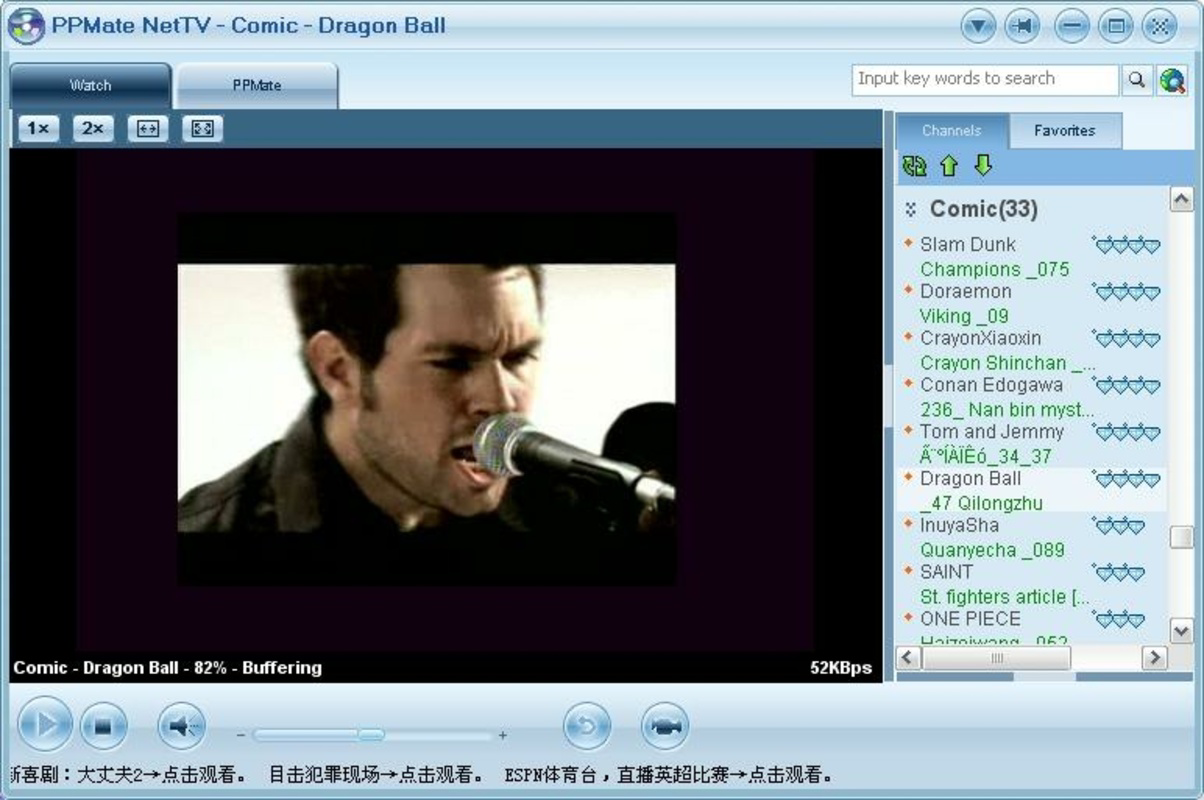
- Channel Classification: Shows are organized into genres such as news, entertainment, education, and sports. This categorization streamlines navigation and helps users discover new content based on personal interests.
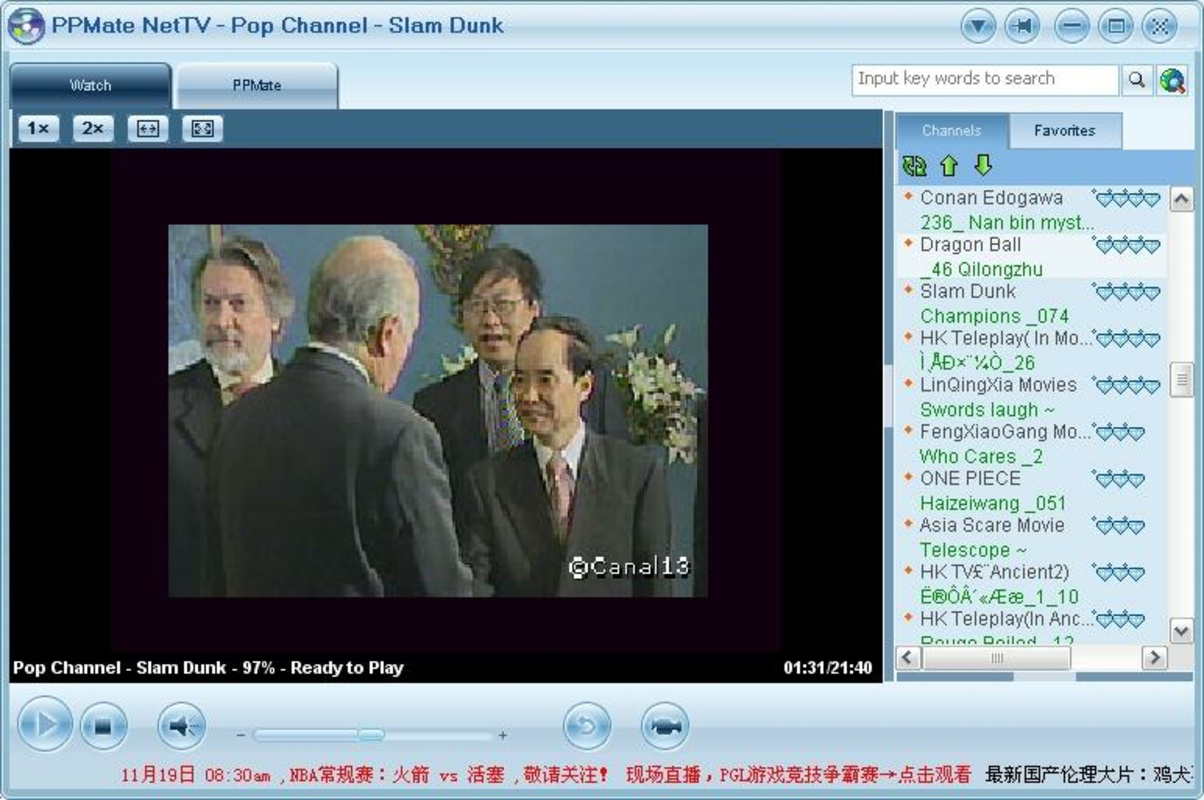
- Signal Quality Indicators: Each channel displays a signal quality metric, enabling users to choose the most stable streams and reduce buffering or interruptions during playback.
- Connection to Major Networks: The app provides direct access to prominent Chinese networks, offering a wide array of content that reflects diverse programming styles and regional perspectives.
For example, a student researching Chinese educational content can use the app to locate and stream specific programs by date and category. Similarly, a viewer interested in current events can check the schedule for news broadcasts and select the highest-quality stream for uninterrupted viewing. These features collectively enhance usability and user satisfaction, especially for those seeking reliable access to international Chinese media.
Interface, UX & Performance
PPMate features a straightforward interface designed for functional efficiency. The layout prioritizes channel listings, with each entry displaying the program name, category, and signal quality indicator. Navigation is linear and intuitive, allowing users to browse by category or search by date. The visual style is minimalistic, focusing on readability and performance over aesthetic complexity.
Although the developer did not list formal performance metrics, the app’s lightweight design—only 5.6 MB in size—suggests optimized resource usage. This makes it suitable for a wide range of Android devices, including older models. The app demonstrates consistent responsiveness during basic operations such as channel switching and schedule browsing. Stability appears reliable, though no official data on crash rates or background performance was provided.
Users can expect smooth operation on mid-range and entry-level Android devices, with minimal impact on battery life or memory usage. The lack of complex animations or high-resolution graphics contributes to its low system footprint. However, actual streaming performance may vary based on internet connection quality and server availability, which are external factors beyond the app’s control.
Platform Compatibility & Technical Requirements
PPMate is available exclusively on the Android platform. The app’s current version is 1.0, with a file size of 5.6 MB. This compact size indicates a streamlined application with minimal dependencies.
The developer did not specify minimum OS requirements or device compatibility details. As such, it is unclear whether the app supports all Android versions or only certain ranges. Users should verify compatibility with their device’s operating system before installation. No information was provided regarding required permissions, background processes, or hardware specifications.
Given the app’s release date in 2009, it may function on older Android systems, but compatibility with newer versions cannot be confirmed without additional details. Users are advised to test the app on their device to ensure proper functionality.
Pros and Cons
Pros
- Most channels are available in English, removing language barriers for international users.
- Program scheduling by date enables proactive viewing and content planning.
- Content is categorized by genre, improving navigation and discovery.
- Signal quality indicators help users select stable streams for better viewing.
- Free to download and use, making it accessible without financial cost.
Cons
- Specific system requirements were not disclosed, limiting user confidence in compatibility.
- App size and version details suggest it may not be optimized for modern Android systems.
- Developer information and update history were not provided.
- No official support channels or in-app help resources were mentioned.
- Streaming quality depends on external networks and user internet connection.
FAQ
Is PPMate available for iOS devices?
PPMate is currently only available on the Android platform. There is no official version for iOS devices.
Can I use PPMate without an internet connection?
No, PPMate requires an active internet connection to stream live TV content. Offline viewing is not supported.
Is PPMate safe to download and install?
PPMate is free to download and appears to be secure based on its long-standing presence. However, users should only download from trusted sources to avoid potential risks.
How often is the app updated?
The developer has not disclosed update frequency or release history. The current version is 1.0, released in 2009.
Does PPMate require any special permissions?
The developer did not specify required permissions. Users should review access requests during installation to ensure privacy and security.
Final Thoughts
PPMate stands out as a dedicated P2P TV tool that offers meaningful access to Chinese broadcasting networks with a strong emphasis on English-language content. Its ability to schedule viewing, categorize programs, and display signal quality makes it a practical choice for users seeking structured, reliable access to international media. While the app’s age and lack of updated technical details raise questions about modern compatibility, its core functionality remains relevant for niche audiences.
For expatriates, students, and cultural enthusiasts, PPMate provides a unique and free way to engage with Chinese television without language or regional restrictions. The combination of scheduling tools, organized content, and signal monitoring enhances the overall user experience. Despite its limitations, the app delivers tangible value in a specialized segment of the mobile streaming market.
Download PPMate now
Guides & Tutorials
How to install PPMate
- Click the Download button above.
- Once redirected, accept the terms and click Install.
- Wait for the PPMate download to finish on your device.
How to use PPMate
This software is primarily used for its core features described above. Open the app after installation to explore its capabilities.
User Reviews
No reviews yet. Be the first to share your experience.
You may also like
more
Que no te pillen¡
About !Que no te pillen¡Reviewed by Jason A. BilbreyShow MoreShow Less

3D Combat Zone
About 3D Combat ZoneOriginally released in 1983, 3D Combat Zone immerses players...

666: El día del portal
About 666: El día del portalOn June 6, 2006, Agent P. Stone uncovers a sinister...

80 in 1 Best Flash games
About 80 in 1 Best Flash games 80 in 1 Best Flash games is a collection of 80 fl...

ABYSS SEEKERーーWhat Do You See Deep in The Abyss
About ABYSS SEEKERーーWhat Do You See Deep in The AbyssIn ABYSS SEEKER, players...

ACA NEOGEO THE KING OF FIGHTERS 2002 for Windows
About ACA NEOGEO THE KING OF FIGHTERS 2002 for WindowsTHE KING OF FIGHTERS 2002,...
